


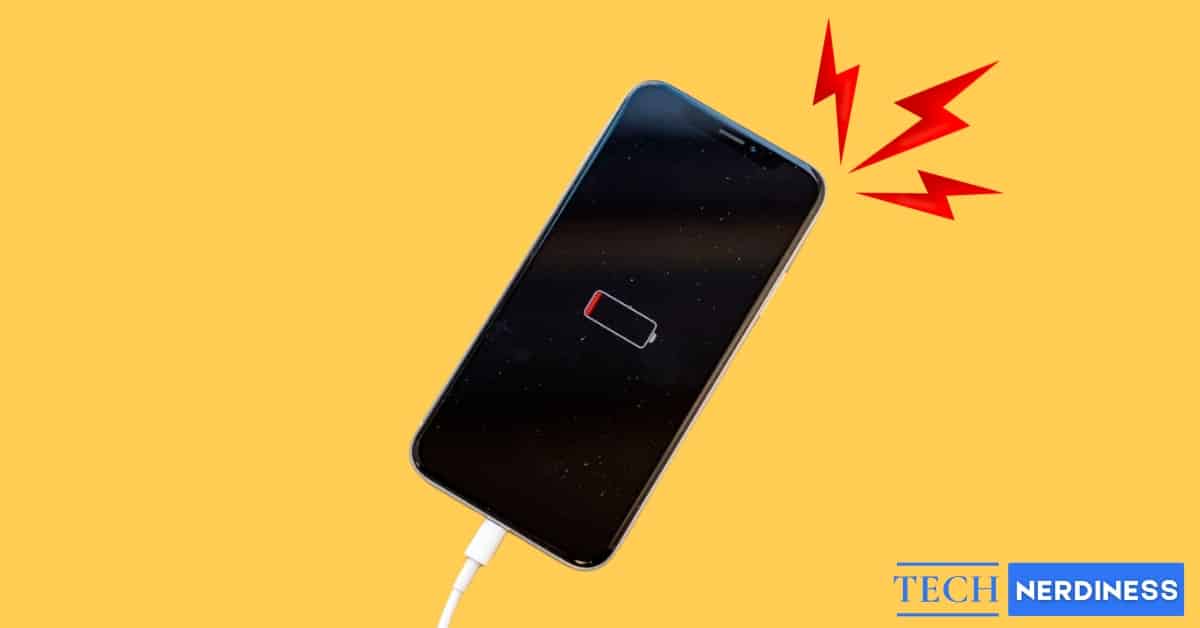
Every iPhone battery is lithium-ion, which means it ages no matter how carefully you treat it. After a couple of years, it simply cannot hold the charge it once could, and that shows up as random shutdowns, slower app launches, or a phone that barely survives a few hours off the charger.
If that sounds familiar, the fix usually is not a new phone. Replacing the battery is the most affordable way to bring an aging iPhone back to how it used to feel. Here is when it actually makes sense, how to check for yourself, and what to expect from the process.
6 Signs Your iPhone Battery May Need Replacing
Your iPhone typically gives you warning signs before the battery becomes a real problem. Watch for these.
Swollen Battery
This is the one to take seriously immediately. Watch for the screen lifting away from the frame, an unusual gap forming between the screen and the body, or a soft, spongy feel when you press around the display.
Stop using the phone if you notice any of this. A swollen battery is a genuine safety risk. Do not poke, squeeze, or attempt to remove it yourself.
Unexpected Shutdowns
Your phone powers off while still showing 20 to 30 percent charge. This happens because an aging battery can no longer meet a sudden spike in power demand.
Before assuming the worst, try a one-time calibration: drain the battery to zero, charge it to 100 percent in one continuous session, then restart the phone once it is full. If shutdowns keep happening after that, the battery itself is the problem.
Poor Performance
Apps take longer to open, scrolling stutters, or the phone freezes briefly under load. Older, weaker batteries can trigger iOS to throttle performance deliberately, trading speed for stability so the phone does not shut down unexpectedly.
Battery Life That Falls Off a Cliff
If a full charge drops to critically low within a couple of hours under normal, light use, the battery is likely the cause. One exception worth knowing: very old models like the iPhone 5s and earlier were never built with the throttling feature at all. They just drain fast instead of slowing down.
Only Works While Plugged In
If your phone dies the moment you unplug it, either the battery or the charging connector has failed. Replacement usually resolves it, though a technician can confirm which component is actually at fault.
Overheating
If your iPhone gets uncomfortably hot during normal use or while charging, a failing battery is a common cause. Heat and lithium-ion cells are a bad combination, and consistent overheating is worth acting on rather than ignoring.
Battery Health Reading Below 80 Percent
Once your Maximum Capacity reading drops meaningfully under 80 percent, Apple itself flags the battery as due for replacement. More on checking this below.
None of these signs alone means your battery has failed completely, but any one of them is a reason to check your Battery Health and take it seriously.
How to Check Your iPhone Battery Health
Apple builds this check directly into iOS, so you do not need a third-party app.
- Open the Settings app.
- Tap Battery.
- Select Battery Health (labelled Battery Health & Charging on older iPhone models).
Battery Health & Charging on older iPhone models
You will see a Maximum Capacity figure, showing how much charge capacity remains compared to when the battery was new.
- 90 to 100 percent: the battery is in great shape.
- 80 to 89 percent: aging, but still usable for most people.
- Below 80 percent: performance is noticeably reduced, and Apple recommends replacement at this point.
You will also see a status line near the top. If it reads Normal, the battery is working as expected. If a banner appears recommending service, that is Apple’s own system telling you the battery is struggling.
On older devices with severely degraded batteries, iOS may also show Peak Performance Capabilities messaging, which explains that the phone may shut down unexpectedly under heavy load.
If you are ever unsure what you are looking at, Apple Support can run a remote diagnostic check as well.
What to Expect From a Battery Replacement
Replacing the battery costs far less than a new phone and can genuinely add a couple of years to a device you already know and like. It also improves resale value if you eventually decide to sell.
The process usually goes like this:
- A technician checks capacity, charge cycles, temperature, and voltage stability.
- The old battery is removed. This requires care because strong adhesives hold it down.
- A genuine or certified battery is installed.
- The phone is calibrated so iOS reads the charge percentage accurately.
- Final testing is done, usually with a short warranty.
Most replacements take 30 minutes to a couple of hours, though some service centres will ask to keep the phone for the day depending on their workload. Replacement does not erase your data, but backing up beforehand before any repair is still good practice.
Afterward, expect noticeably longer runtime on a single charge, far fewer sudden shutdowns, and steadier day-to-day performance.
Best Places to Replace Your iPhone Battery
Where to Get It Done
OptionBest ForCost LevelApple Store or Apple Authorized Service ProviderWarranty or AppleCare+ users, or anyone who wants genuine parts and a warranty on the repairHighReputable third-party shopOut-of-warranty devices, faster turnaroundMediumDIY replacement kitExperienced users onlyLow
How to Make a New Battery Last Longer
A few habits meaningfully extend the life of a fresh battery.
- Avoid heat: Never leave your phone in a hot car or in direct sunlight for long stretches.
- Stay in the middle range: Keeping the battery between roughly 50 and 80 percent for most of the day is gentler on it than constant full charges or near-empty drains.
- Turn on Optimized Battery Charging in Battery Settings, which slows charging past 80 percent when it detects you do not need a full charge immediately.
- Use certified chargers: Cheap knockoff chargers can cause heat issues or damage the battery over time.
- Check your Battery Health occasionally so you notice a real decline early rather than after it becomes a daily annoyance.
Follow these consistently and a healthy replacement battery should comfortably last two to five years before you need to think about this again.
Before You Buy New, Give Your iPhone a Second Life
An aging iPhone does not automatically mean you need a new one. If the battery is genuinely the only thing holding the phone back, replacing it is the more economical and more sustainable choice, and the phone will feel close to new in daily use afterward.
Check your Battery Health today, and if it is showing signs of wear, act on it before it turns into a phone that dies at 30 percent in the middle of your day.
Disclosure: Tech Nerdiness is reader-supported. When you buy through links on our site, we may earn an affiliate commission at no extra cost to you.
Learn more.