


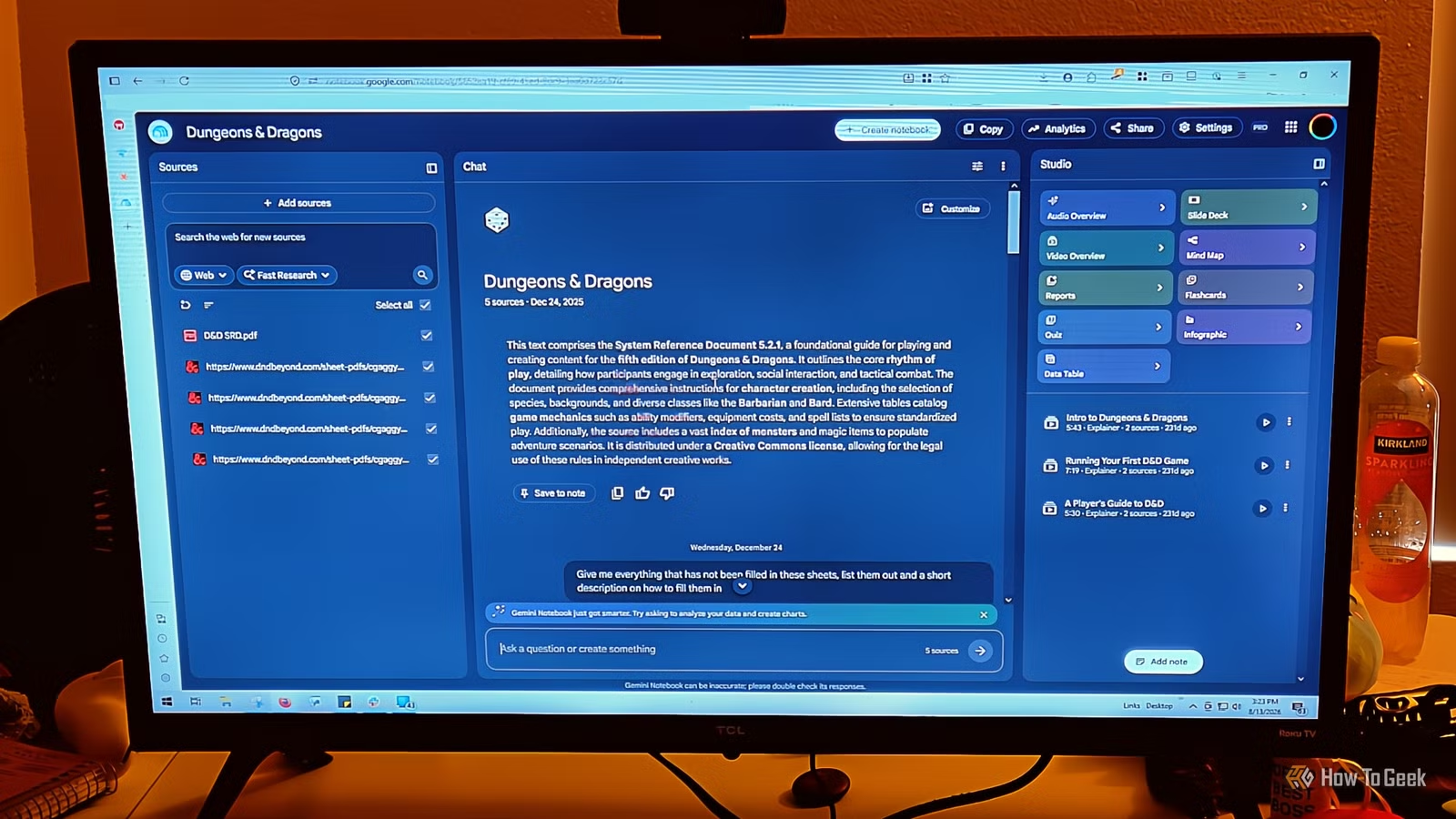
YouTube has become a worse place to learn from. The videos are longer than they need to be and are filled with ads. I am tired of sitting through 40 minutes of a video just for what is probably 10 minutes of real information. NotebookLM (Gemini Notebook) is actually a really good video converter with zero ads. It turns a fluffy video into something you can listen to or a video that stays on point, without any ads at all.
NotebookLM is the best spot for your YouTube videos
It only looks at the transcript to skip the ads
So when you drop a YouTube link into Gemini Notebook, paid or not, it won’t load the video the way your browser normally would. It is not checking out the video player and comments.
It never starts any scripts, so you just don’t get ads. It only cares about the transcript, because that tells it what is going on in the video itself. It pulls the existing closed captions, whether the creator uploaded them manually or YouTube auto-generated them.
That’s also why it only works with public videos that actually have captions available. If there are no captions, there won’t be an import. Also, if a video is brand new, like less than 72 hours old, it might not work yet because YouTube’s speech-to-text queue hasn’t caught up.
If the original video gets deleted or set to private, the transcript in your notebook gets purged within 30 days. So it’s not a permanent archive. Once the transcript is in there, Gemini Notebook runs its synthesis engine over it. It generates summaries and key takeaways, which is what you’ll need for long lectures or podcasts. Through the Notebook Guide, you can turn a multi-hour video into a study guide for research or a quick FAQ list without much effort.
The Q&A side is where it gets useful, though. You can ask very specific questions about the video, and the model answers using only the transcript as its source. That grounding cuts way down on hallucinations, which is the whole point.
The part that’s actually clever is the citation system. Every answer includes numbered inline citations tied to specific parts of the transcript. Click one, and the transcript viewer jumps to that part, and an embedded YouTube player opens and jumps to the exact moment those words were said.
You can verify anything right then without scrubbing through hours of footage. It turns video into something closer to a text document you can question.
You can turn long videos into clean summaries
Credit: Jorge Aguilar / How-To Geek
So YouTube is basically built around this passive, sit-and-watch model where you have to give up your time to get information. I’ve been watching YouTube since 2006 and finding anything actually good has gotten way harder. However, even when you do find something good, it usually comes with ads that take over the video. Since YouTube rewards creators who have long videos that people sit through, you end up sitting through a lot of unnecessary fluff just to get more ad minutes in.
Fortunately, you can take an unnecessarily long video and gut all that fluff. If you put the video into Gemini Notebook, it will process the entire thing, and then you can turn it into a shorter video that only focuses on the subject. I would like to first ask Gemini Notebook what the main topic of the video is and what it discusses, to avoid the fluff and unnecessary details. When I have my answer, I take it and I either make another video or a podcast.
For videos, you can choose between short, explainer, and cinematic. I would choose short if it’s a 20-minute video that is really going off the deep end. Explainer is good for a video that is supposed to teach you something specific. I know how it sounds, but don’t use this for videos that teach history or something. I’ve found that Cinematic works better for timelines, while Explainer is good for how-tos.
Finally, Cinematic is the biggest one and does get into a little bit of over-the-top explaining, but it works so well for teaching history. I have to admit that a lot of the time, Cinematic is better than the original YouTube videos. In fact, I’ll use it for multiple videos explaining things that are happening today just so I don’t have to go through a bunch of different posts to see the news.
You have different ways to listen to the audio
Picking the right audio style depends on what you need
Credit: Jorge Aguilar / How-To Geek
The Audio Overview has gotten so much more advanced than when it first debuted. You can choose between making a Deep Dive, Brief, Critique, and Debate, and you can set the length to Shorter, Default, and Longer. Keep in mind you don’t want to set a video for Longer that doesn’t have the information to hold it. If you pick Long on a five-minute video, Gemini Notebook will just repeat the same information throughout the audio overview. If you pick Shorter for a 30-minute video, you’re going to miss out on some things.
I sometimes would rather listen to audio than watch a video; that way I can do other things.
Deep Dive is your best bet when you’re dealing with complicated material and really need to wrap your head around it. This one feels the most like an educational podcast, so the hosts take their time breaking things down, tying different sections together, and they use analogies to make the complicated stuff make sense. Use this one when you’re studying for a big exam or really want to understand the material.
Brief is the best when you’re short on time and just need the highlights. It gets straight to the point with a quick overview. Go with this when you want a fast morning recap, need the gist of a long article, or have to skim a document right before jumping into a meeting. I’ve used this to take my notes and make them flow better in my head before meetings.
I use Critique when I’m trying to really pick at an argument. It’s amazing at picking apart the quality, logic, or completeness of something. The hosts actively look for weak arguments, gaps in the data, biased takes, and anything missing. This is really useful for looking over your own essays, business proposals, or presentations before you hand them in. I’ve done this on my own articles before turning them in to see if my logic is flawed, and it has actually forced me to rethink certain points.
Debate works best when your material covers a controversial topic or a big decision that has more than one valid side. It puts the two hosts on opposite sides of the argument, and it goes the way you’d expect.
This doesn’t work on everything
NotebookLM won’t work on every video because it needs captions, so brand-new videos won’t fit the criteria. Also, since it only works with public content, anything the creator takes down or locks disappears from your notebook. Still, I like it, and I haven’t seen this as an issue. I could wait a few days if needed, and most people are stumbling over these videos anyway, so it’s not a big deal. I’m addicted to this; I do it all the time, and I highly recommend it.