


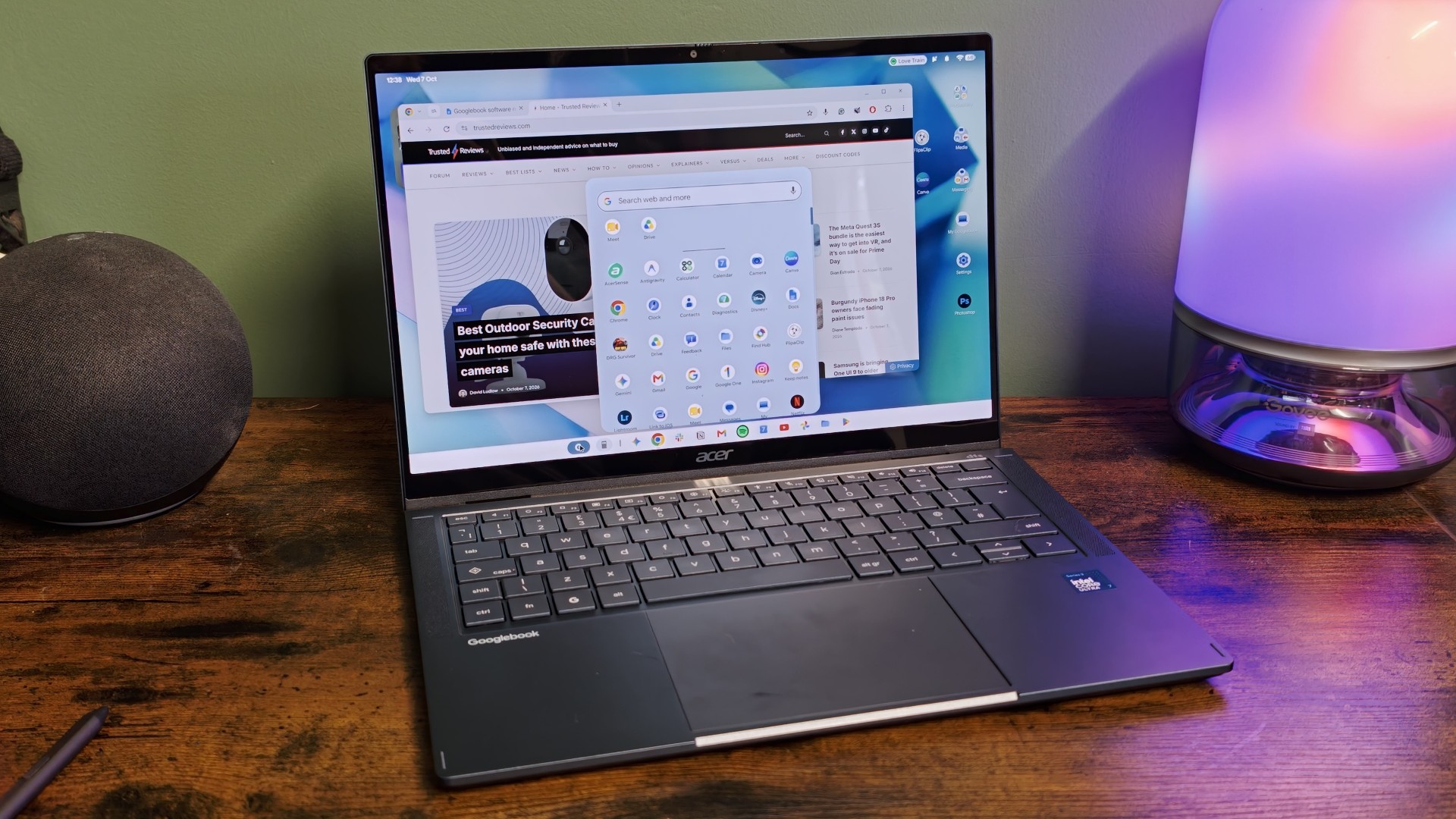
I’ve been quietly excited for the launch of Googlebooks since Google first teased the new operating system back in May – and this week, I finally got my hands on one.
As a primarily Android user over the past few years, I’ve missed just how well my old iPhone and MacBook would work together. I could access notifications, share documents and data, access my phone screen and more, all without using third-party apps and frustrating workarounds.
Sure, you’ve got that in some form on Windows with Android phones, but support is hit-and-miss and manufacturer-dependent. The Googlebook, though, looked to unify the two in new ways, offering a Gemini-powered hybrid between ChromeOS and Android wrapped in premium-looking hardware.
But, after spending the past few days using the Googlebook as my main driver for work, I’m left feeling frustrated and more than a little bit disappointed.
Most apps aren’t actually desktop apps
I won’t bury the lede here; despite the fact that Google has claimed to work with popular app makers to get their apps ready for desktop, there’s a surprising lack of support from popular apps – at least those I use regularly, anyway.
Advertisement
Image Credit (Trusted Reviews)
While you’ll find apps like Microsoft Word, CapCut Pad and others that are designed for desktop and highlighted as such in Google Play, most apps on the storefront aren’t the desktop apps we’d get on a Windows or Mac alternative. Instead, they seem to be, for the most part, blown-up mobile apps or web apps like those you’d get on much cheaper Chromebooks.
I use Slack every day for work, as the main way for the Trusted team to communicate remotely, but on the Googlebook, I’m forced to use the mobile app instead. That might not sound too bad – the concept does work for apps like Netflix in my experience so far – but with a simpler UI than the desktop alternative that lacks the split-pane UI, it just takes me longer to flick between channels and DMs, missing important messages as they come in.
Photoshop is another example; it’s a far cry from the feature-packed desktop app you’ll find on Windows and Mac. Rather, it’s a blown-up version of its mobile app with the same (comparatively basic) photo editing features and AI assistant.
Image Credit (Trusted Reviews)
I was looking forward to using proper desktop-style Google apps like Docs to see how Google could elevate the native experience, but much like with the cheaper ChromeOS, the app opens a Docs sheet in the Chrome browser. At least apps like Gmail and Calendar operate in a separate web app wrapper to pretend they’re dedicated apps.
Advertisement
Some apps like Canva straddle an even weirder line, acting as some kind of webapp/Android app hybrid. Opening the Canva app on the laptop takes me to, essentially, its web interface in a web app wrapper.
Image Credit (Trusted Reviews)
That’s not a big complaint as I tend to use Canva in my browser on my Windows laptop – the problem is that, when trying to save images, it uses the Android mobile share sheet, making it almost impossible to save files to my actual laptop instead of sharing to another app as I’d do on my phone.
Even the Chrome browser, which is thankfully closer to the desktop counterpart than the mobile one with support for Extensions, isn’t quite as capable as those available on Windows and Mac. It lacks a lot of recent features, including not only the Gemini sidebar, but elements like vertical browsing and split-screen tabs.
Image Credit (Trusted Reviews)
If you were using a tablet with a desktop mode to get some work done on the fly, these would be acceptable compromises, but if you’re forking out for a fully-fledged laptop to get serious work done, you want a similar experience to what you’d get from competing laptops. That’s just not the case here yet.
Advertisement
A frustrating user experience
If my complaints about the Googlebook focused solely on app support, I’d maybe let it slide; it’s a brand new operating system after all, and developers need time to properly implement the desktop experience to their apps. But it’s not just the app support – it’s the core experience that, at times, feels half-baked.
For me, one of the most frustrating limitations right now is the inability to select text in mobile-style apps. As they’re not yet desktop-ready, mouse clicks are used to emulate taps and swipes, meaning you can’t click and swipe to select text. I understand the underlying logic, but it doesn’t make trying to copy and paste a message from an app like Slack any easier in the moment. I also ran into issues where I could copy text from one app, but not paste it in another.
Image Credit (Trusted Reviews)
Similarly, a lot of apps seemingly don’t support right-click input – even some apps that are marked as desktop-ready. Instead, they just treat the input as a left-click. Bizarre, indeed.
I like the idea of using widgets on my desktop, especially with the ability to create custom options using Create My Widgets, but they’re only displayed on the ‘main’ laptop screen. That’s fine when you’re working off the laptop itself, but I also use two external screens when I’m working from home to give me extra space. Despite having a large 32-inch ultrawide monitor, I can’t use that space to display widgets.
I imagine it has something to do with the fact that, unlike Windows and Mac, you can’t select an external screen to be the ‘main’ screen, but again, that just shows the kind of oversights at play at the moment.
Advertisement
Image Credit (Trusted Reviews)
I did at least breathe a sigh of relief when I found I could adjust my monitor layout in the Settings app to get my mouse to move freely between them, and it even supports the portrait-style display layout I use with my smaller screen. At this point, I’ll take the little wins – though I did find it’d forget all layout settings upon unplugging and re-plugging the screens in via my Thunderbolt dock, so there’s still work to be done there too.
Oh, and the software plays nice with external keyboards and mice, but don’t think about using any built-in shortcuts or media controls; they won’t work at all with the Googlebook at the moment. A way to remap in the Settings app would be nice…
There are so many of these small issues throughout the Googlebook experience at the moment, and while seemingly inconsequential on their own, they add up to larger frustrations when using the laptop for a few days on the trot.
Bugs, bugs and more bugs
The Googlebook experience is pretty damn buggy right now. Again, seeing some bugs is expected; it’s a new operating system after all, but it really feels like there are more here than there should be.
Advertisement
For me, that experience started during the initial setup when, for some reason, it wouldn’t recognise my fingerprint during fingerprint scan setup. I went into the Settings app post-setup and got it working just fine; it was just during setup.
Image Credit (Trusted Reviews)
Then there were issues with the Googlebook’s main USP: its Android smartphone connectivity. Despite running Android 17 on my phone and following the prompts to access my phone’s apps via Cast My Apps, it wouldn’t let me grant the permission on my phone needed to allow the two to work together.
In the end, I had to search in my phone’s Settings app for the toggles myself to get it up and running. Even then, it crashed frequently when casting apps from my phone and completely disconnected within a few hours. It wouldn’t reconnect until I restarted both the phone and the laptop.
I wondered if that might be because I wasn’t using a Pixel running Android 17, but my colleague had a similar issue when pairing with the Pixel 11 Pro XL – so it’s not a phone-specific issue.
Image Credit (Trusted Reviews)
Advertisement
There are also plenty of performance issues in apps like Spotify, Slack and Notion that I’ve noticed so far, to the point where I had to completely close and reopen apps to get them running smoothly.
Google has since confirmed the issue is likely down to the Intel chip used in the Acer Googlebook 14 I’m using right now, with Android apps playing better with ARM-based chips like the Snapdragon X Elite as that’s what mobile chipsets utilise.
It says it’s working with manufacturers and app developers to fix the issues, but this should’ve either been fixed before launch or exclusively used ARM-based processors for the first few Googlebooks. Neither has happened, and now those that pre-ordered Intel-based Googlebooks are left in the lurch.
Image Credit (Trusted Reviews)
Similarly, Google has confirmed that Samsung phones – even those running Android 17 – won’t work with Googlebooks at the moment. It’s unclear whether it’s GooglebookOS or Samsung’s One UI software that needs an update, and no timeline for a fix has been offered just yet. Considering Samsung phones make up a huge portion of the wider Android market, it’s an awkward misstep for Google.
It’s not all bad – but it needs to get way better
That all said, I still think the Googlebook has potential to offer something different to Windows and Mac, especially for Android users.
Advertisement
I really like how well the laptop works with my phone when it does connect, especially the ability to click on a smartphone notification on the desktop and wirelessly cast the app from my phone. The ability to move files between my phone, my laptop, and my connected Google Drive, all from the main Files interface, is also a nice touch.
Image Credit (Trusted Reviews)
I also like the way that Gemini has been integrated into the cursor, especially the wiggle-to-activate gesture, and Rambler has been surprisingly handy for quickly replying to messages, even with music playing quite loudly in the background.
The problem is that, at the moment, it’s so far behind the PC and Mac competition in pretty standard areas that it’s hard to actually use it as a main machine for work and play. Sure, app support should improve over time, and the bugs should hopefully get squashed pretty quickly, but right now, I wouldn’t spend my cash on a Googlebook when cheap laptops like the MacBook Neo are just way more capable.
Let’s give it six months to a year, and we’ll reassess.