


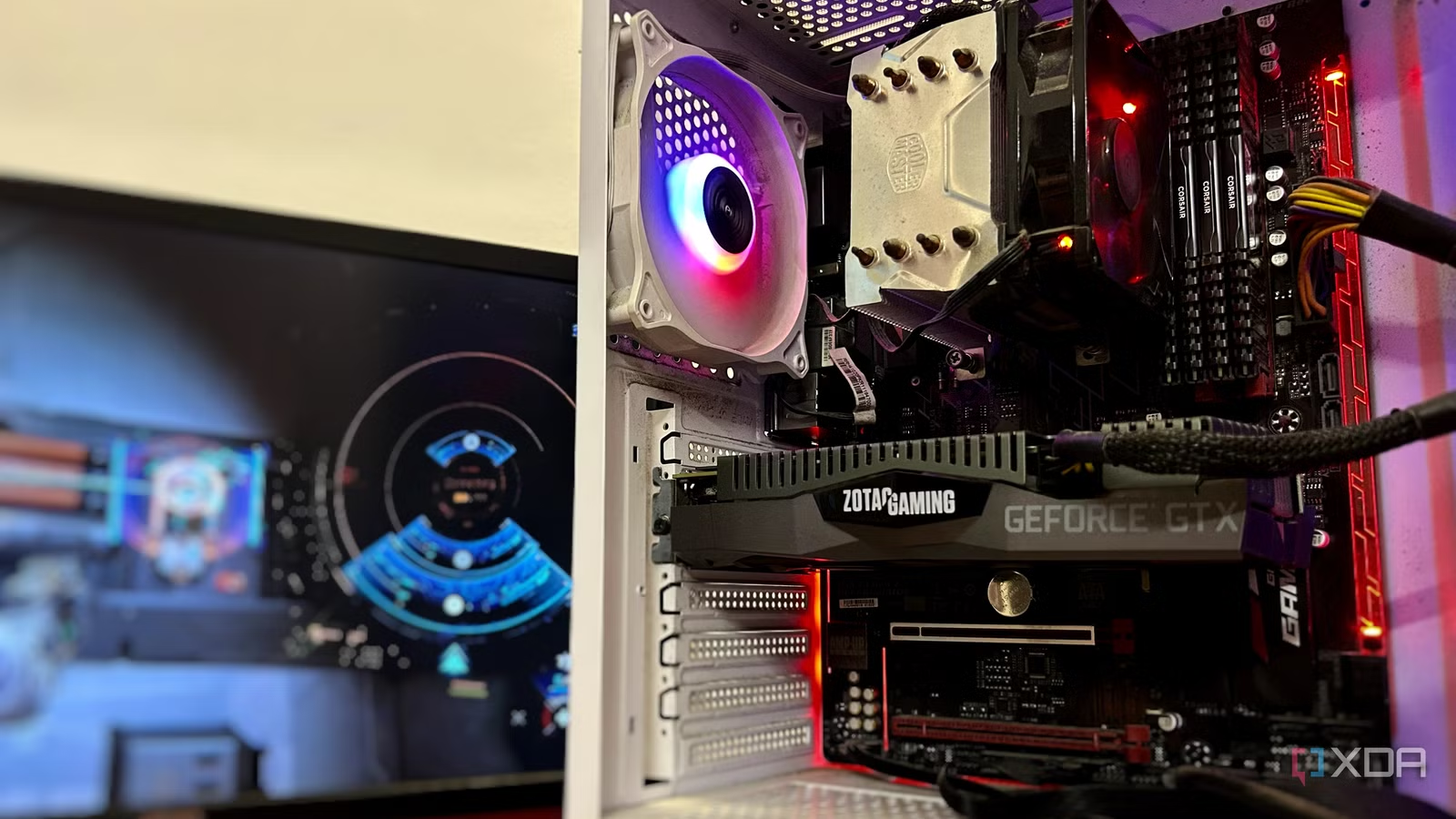
When I got a new gaming PC in 2022, my old system sat gathering dust for a few years. As I got busy with work and gaming on my new rig, upgrading the older PC was forgotten. Ever since the PC hardware market was hit by drastic price hikes last year, the idea of reviving my older machine had become even less feasible — GPUs, SSDs, and memory had become out of reach.
Lately, however, I felt the need for a second gaming rig for my TV. I had recently added a home theater system, and wanted to experience immersive gaming in the entertainment room. Moving my main PC wasn’t an option, and streaming had its own issues. Buying an overpriced console was a non-starter, too, so I got to work on making the most of what I already had — upgrading my older PC with a $500 budget.
Related
4 free yet game-changing upgrades I made to my ancient PC
I got a bigger performance boost than I expected
My first-gen Ryzen PC was clearly outclassed
It was great while it lasted
To be fair, expecting too much from my 2017 gaming rig was inhuman. After all, it was built on the Ryzen 5 1600, the first 6-core chip from AMD’s revived lineup. Although I had replaced my original GPU with a GTX 1660 Ti in 2019, it couldn’t keep up with the AAA games released in 2022, let alone 2026. Even at 1080p, I had to make far too many compromises to the graphics settings to get playable framerates.
To add to its troubles, the PC only had 16GB of DDR4 RAM rated for 3,000 MT/s, so I was right at the edge of what could be termed “enough” for modern gaming. I wasn’t going to be content with a secondary PC that supported retro and older titles; I wanted a proper gaming experience on my 50-inch TV. I had to have a PC capable of at least some of the newer upscaling techniques, if not all.
Buying a current-gen graphics card would have exhausted my $500 budget on the GPU alone, and I would have managed only an RTX 5060. It would have been twice as fast as my GTX 1660 Ti, but I wouldn’t have had anything left to spend on any other component. Even after adding a current-gen GPU, my rig would have been held back.
Related
Connecting a desktop to my TV was the best choice I ever made
When I ended up with two working desktop gaming PCs and only one monitor, I decided to get creative.
A single CPU or GPU upgrade wouldn’t cut it, so I bought both
I even managed to squeeze in a 32GB memory kit
I figured that instead of prioritizing any one area of the build, I could upgrade everything if I only looked at the pre-owned market. Considering what the PC hardware market is going through, used components are probably the only source of respite left for builders and upgraders alike. So, I went hunting for deals on previous-gen GPUs and CPUs, trying to fit everything within $500.
I already had the RTX 3080 in mind for its excellent price-to-performance, decent VRAM capacity, and enough DLSS support to make not just 1080p but even 1440p gaming possible. I found many listings for the RTX 3080 10GB ranging from around $280 to $350, and grabbed one at the lower end. For $280, a two-generation-old high-end GPU was a sweet deal. It was almost thrice as fast as the GTX 1660 Ti, offering me a great uplift for the price.
Since I had a lot of my budget to spare, I could afford to buy a more powerful AM4 CPU. The Ryzen 5 5600 was available brand-new for around $150, but I could buy it on the used market for just $100. The Zen 3 processor was twice as fast as my Ryzen 5 1600 in gaming, so I welcomed the savings and secured the deal, leaving around $100 on my self-imposed $500 budget.
My 16GB RAM was starting to look even older, now that I could replace it with a 32GB pre-owned kit rated at 3,600 MT/s. It cost me just under $100 and allowed me to avoid the stability and reliability issues from mixing old and new kits. The 32GB RAM made my old PC relatively future-proof, as newer titles would have caused problems with 16GB of memory.
From barely clearing 60 FPS at 1080p, my new setup was cruising at 100+ FPS at 4K Medium/High settings in nearly every modern title, thanks to a massive generational uplift and DLSS upscaling. Whether it was Cyberpunk 2077, Black Myth: Wukong, or Resident Evil Requiem, I wasn’t missing out on anything. Ray tracing wasn’t in the picture on my 4K TV, but I was content with the night-and-day difference between my previous rig and the new one.
Related
4 AM4 CPUs you don’t need to replace yet in 2025
Don’t rush into an upgrade if your rig is running one of these
Upgrading an old PC doesn’t need current-gen hardware
There are many steps in between
While upgrades mean jumping to something newer, it doesn’t have to be the latest and greatest hardware, especially in a market heavily stacked against gamers. I would have considered a better GPU had the market been in a different place. However, I needed to work with the hand I was dealt, and I did the best I could in my $500 budget.
Spending more than that, even in a sane market, would have been lavish, considering I wasn’t upgrading my main PC. For a machine dedicated to TV gaming, I wasn’t going to empty my wallet. Jumping from a GTX 1660 Ti to an RTX 3080 was a great upgrade for less than $300, and the Ryzen 5 5600 for $100 prevented a CPU bottleneck.
The upgrade allowed me to transition from 1080p to upscaled 4K gaming on a massive screen. So, I’m not complaining too much about the market. I won’t need to spend anything on my second PC anytime soon. As for my main PC, I’m still waiting to upgrade my RTX 3080 to another high-end GPU. When I’ll be able to do that is anyone’s guess — well, maybe Sam Altman or Jensen Huang know better.
Related
Why I’d buy a two-generation-old flagship GPU before any new mid-range card
You get better value.
Buying older-gen parts on the used market is underrated
Most people don’t want to risk buying faulty hardware from the pre-owned market, but you can find safe deals while saving money if you know what to look for. Buying from reputable sellers and ensuring you have buyer protection on the platform you’re using are enough to trust pre-owned components. It can save you hundreds without compromising on performance.