


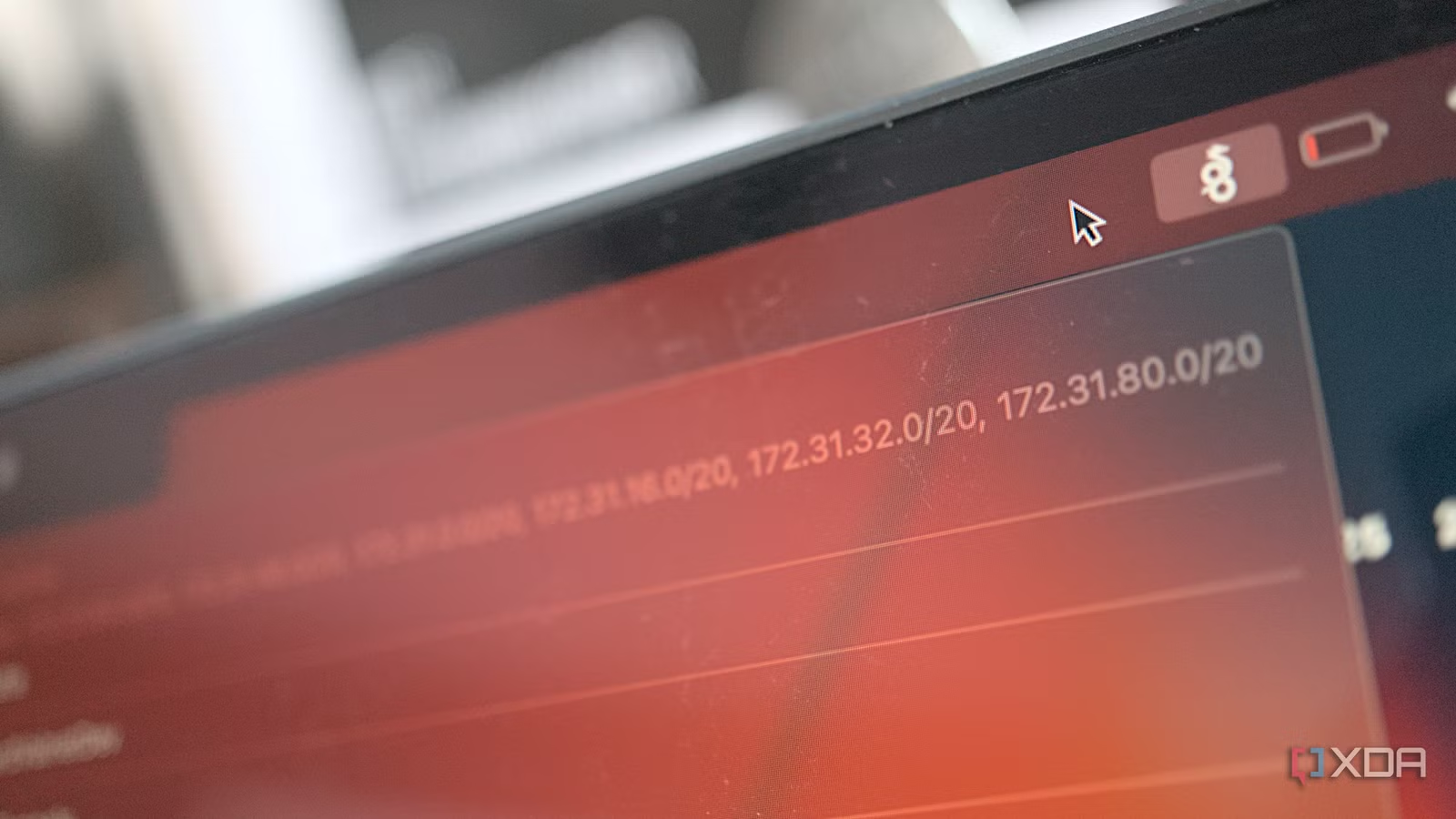
My Mac randomly decided that it was in Germany, despite the fact that it was clearly sitting in front of me on my desk. Which is in Ireland. It didn’t magically teleport anywhere and come back, and I hadn’t done anything to it to make it think that. All I had done was turn off Location Services while poking at something else, and in the background, macOS had decided that I was now in Germany, and as a result, that country’s rules now applied to me.
I was poking around at macOS because of something that had been bothering me: a VPN moves selected network traffic through another endpoint, and that’s all. Everything else about your phone or laptop stays exactly where it was, and quite a lot of that “everything else” is radio hardware whose entire job is knowing which country’s transmission rules it’s supposed to be obeying, and it can’t just ignore those because your VPN now says you’re in a different country. When the usual suspects of VPN marketing claim that a VPN hides where you are, I think about how that claim is doing a lot of heavy lifting for what’s actually happening.
The thing is, I’d assumed that at least some apps would be using your SIM data or GPS to catch you out, but it’s actually not all that common. Netflix, arguably the company more associated with geo-blocking than anyone, doesn’t even do it. But Apple, as it turns out, has built a system so thorough that it fetches an IP-based guess at your country every few hours, keeps it up to date, and it doesn’t even trust it. There are a lot of ways your devices can pick up where you really are, and some of them can render VPNs borderline useless.
Your SIM knows what country it came from, and nothing you install can change it
The number that never leaves the modem
Every SIM carries an IMSI, and the first three digits of it are the Mobile Country Code. It’s added by whoever issues the card, read locally off hardware, and Android gives it to any app that asks via getSimCountryIso(). There’s a sibling call, getNetworkCountryIso(), which returns the MCC of the network you’re currently registered to, meaning an app can compare the two to infer where the SIM was issued and the country associated with the currently registered mobile network. Those readings don’t use your network stack, which means a VPN doesn’t hide it at all.
On some phones, inserting a Japanese or Korean SIM can cause the camera software to force a shutter sound. The exact rule is OEM- and firmware-specific: some devices use the SIM country, some the handset’s sales region, and others a combination.
Samsung does something related but separate with CSC, the country code baked into its firmware that decides which features a handset gets, and it dictates the inclusion of features like call recording. Wi-Fi radios have their own regulatory-domain controls. Depending on the platform, those limits can be derived from firmware, location, nearby access points, or operating-system policy, and consumer software generally cannot simply override them to enable frequencies or power levels that are prohibited locally.
Plenty of apps don’t even need to look that far. On iOS, StoreKit can expose the country or region associated with the user’s current App Store storefront, which is primarily an account and commerce property, rather than a live reading of the device’s public IP address, and your Google Play country works the same way. An app that wants to know where you are can read the SIM, ask the device, or both, and your VPN isn’t getting around that.
macOS runs a daemon whose only job is working out what country you’re in
It has a man page, which is how I ended up here
Type “man countryd” into a Mac and you’ll get a real, Apple-written manual page for a service most people have never heard of. It first showed up in macOS 13 and iOS 16.2, and Apple describes it as listening “for country-level information” and making that available to users of something called RegulatoryDomain.framework. If you have a Mac, it’s running on your machine right now.
It “receives country code updates from user location, mobile country code (when available) and nearby 802.11d wifi access points,” caches all of that, and computes an estimate “which combines both the on-device code computed from local sensors, and answers about which country nearby devices believe they are in.” In other words, your device’s opinion about which country it’s in is partly a poll of what your other Apple devices think, shared over CompanionLink, which also handles Continuity. Peers exchange an estimate, including how confident it is and when it was taken, so a device with a real position fix carries more weight than one that only saw a router.
Downstream of countryd is eligibilityd, added in iOS 17.4, which is what actually decides whether you get region-gated features. When the EU forced Apple to allow alternative app marketplaces, this is an input to eligibilityd, which Apple uses alongside account and policy data to decide whether region-gated capabilities are available. Independent researchers picking at it in 2024 and 2025 found a ranked list of estimators and a thirty-day grace period for people who travel, and it has just one stated purpose: ensuring that it’s difficult to spoof your true physical location.
Funnily enough, it’s called RegulatoryDomain, not CountryDomain. It’s not really trying to answer the question of “which country is this device in,” rather, it wants to figure out which set of rules applies to this device. In my logs, I saw my Mac identify its country code as “EU” at multiple stages, which isn’t a country at all… but it’s important for regulatory reasons. For deciding whether the Digital Markets Act applies to you, or which Wi-Fi channels you’re allowed to transmit on, “EU” is arguably the more correct answer.
Interestingly, there’s also an estimate for whether the place it describes is disputed, meaning that somebody in Cupertino has sat down and decided what countryd ought to say about Taiwan. When your devices tell each other where they think they are, “this place is claimed by more than one country” is part of the message.
Without location data, my Mac fell back to a vote among nearby Wi-Fi networks
Eight of my neighbours claim to be German, and one switch was all it took
I kept a constant stream of logs going from countryd while changing settings, and it turns out that the Wi-Fi reading on Mac moves around a lot. 802.11d puts a Country Information Element into access point beacons so client devices can work out which channels and power limits are legal where they are, and in my logs, airportd appeared to tally the country codes advertised by nearby BSSIDs and pass the winning result downstream. In my case, the country with the most votes was Germany.
In a scan involving every access point near my apartment, airportd counted five votes for Germany, three votes for Ireland, two votes for the Netherlands. Across three hours of logs, the winner was “EU” seventeen times, the Netherlands thirteen, Germany twelve, and Ireland only six. In Apple’s case, that doesn’t really matter: for regulatory reasons, nailing it down to “EU” is the most important part, and they make sure a user can’t just VPN their way out of EU regulation.
I suspect my own mesh network is contributing to this tally as well, because from what I could see, the count works per BSSID rather than per box. In this case, a three-unit mesh running 2.4GHz, 5GHz and 6GHz is nine BSSIDs on its own. You can fool this check, just not in a useful way: you do it by owning the loudest router, not by running a VPN.
With Location Services running, countryd reported IE, priority = 4 (LatLonLocation) and simply ignored the Wi-Fi reading no matter how much it jumped around. No matter what beacon votes did, whether they swung from DE to EU to DE again, was irrelevant. A position fix outranks a router beacon, and in 44 instances where location data was available, location data outranked the beacon vote every time.
Once Location Services were off, though, locationd reported an empty country, which meant that the top tier cleared. Now, the only data my Mac had to report was the vote from the nearby access points, and it told eligibilityd that I was now in Germany. Interestingly, the message eligibilityd receives carries four flags for whether the answer is backed by Wi-Fi, the serving cell, nearby cells or a location fix, and only the Wi-Fi one came back set. So the system knew perfectly well it was working off the weakest thing it had.
What’s interesting is that I didn’t need to spoof anything; all I did was flip a toggle in System Settings, and thanks to the routers that are near me, my machine started telling the regulatory engine it was somewhere else. It stayed inside the EU, which is really all that matters from Apple’s point of view, but still. It’s both an incredibly robust countermeasure that won’t be thwarted by a VPN, and surprisingly fragile at the same time. Nothing that has to comply with the Digital Markets Act would have changed, but if the loudest routers near me had been advertising something outside the EU, that’s what would have been posted to eligibilityd instead.
Apple fetches an IP-based country every few hours… and then ignores it
Five sources, and one of them doesn’t get a vote
There’s a fifth estimator alongside the Wi-Fi, cell and location ones, and it’s especially interesting because I couldn’t find any published research that actually mentions it. RegulatoryDomain gained a GeoIP source in iOS 26, which I dated by going through the exported symbols in public iOS SDK dumps. It was absent from every version through 18.6, but present from 26.0 onwards. It carries the highest number of the five, and the original four values are ordered by priority, so at first glance GeoIP looks as though it should outrank everything else. But it appears to have been appended to the enum without being admitted into that ranking at all.
Across seven hours of logs, locationd refreshed the GeoIP reading roughly every three hours and my Mac’s actual answer came from the location tier forty-four times, the Wi-Fi tier three times, and GeoIP zero. At one point it held a perfectly correct GeoIP reading of Ireland, timestamped more recently than anything else it had, and reported DE from a router beacon instead. Given the choice between a right answer derived from an IP address and a wrong answer derived from a radio, it still trusted the radio more.
Funnily enough, I managed to force my Mac into a state where GeoIP was the only remaining estimate. I turned off both Location Services and Wi-Fi, while keeping the machine online over Ethernet. countryd still reported Ireland from GeoIP, but RegulatoryDomain couldn’t present that answer to the eligibility engine as coming from any recognised source.
The countryLocation input accepted by OSEligibility contains four provenance flags: whether the answer is backed by Wi-Fi, a serving-cell MCC, nearby-cell MCCs, or a single location fix. With GeoIP alone, all four were false, and there’s no equivalent flag for an IP-derived answer.
RegulatoryDomain attempted to submit the input anyway, and _os_eligibility_set_input returned 22. That isn’t one of OSEligibility’s own errors: its error space ends at 15, and its error-description function labels anything higher as an unknown error number. On Darwin, 22 corresponds to EINVAL, which strongly suggests that a lower layer rejected the GeoIP-only input as invalid.
That makes the design unusually clear. GeoIP was added as a fifth country source, but not as a fifth form of acceptable evidence for eligibility. Apple can use it to produce a general country estimate, but the schema used for legal feature eligibility has no way to mark an IP address as corroboration. In my testing, the one country signal that a VPN could reliably change was therefore incapable of becoming an authoritative eligibility input.
Companies all put in varying degrees of effort
Netflix doesn’t do any of this
At the start of this investigation, I had assumed that the streaming services would be the biggest problem in all of this, quietly reading device signals to catch people out. In fact, Netflix is extremely clear about it, saying that it establishes a household based on IP address, device IDs, and account activity. The company categorically denies using GPS data, too, and if your country is being read incorrectly, Netflix tells users to turn off their VPN, reset their network settings, factory-reset the router, or ring their ISP. Every fix is focused on your networking condition.
From a legal standpoint, though, it makes total sense. Think about it: Netflix’s obligation is contractual, meaning that it has regional licensing deals, and an IP-based gate is enough to demonstrate that it’s holding up its end. If some proportion of subscribers slip through to another catalogue, nobody in that chain is materially harmed and nobody is fined. That gate has to merely exist far more than it has to work, and the fact that Netflix escalated only as far as blocking known VPN address ranges back in 2016, when rights holders pushed, should signal roughly how much companies seem to care now.
Apple’s exposure, though, is nothing like that. It’s implementing features like these to satisfy a regulator that can fine it huge amounts of money, and it’s being implemented to actively partition features along the EU border. It’s currently withholding Siri AI from EU users on iOS 27, iPadOS 27 and watchOS 27 while shipping it to EU users on macOS 27 and visionOS 27, and its own statement on the subject contains this rather pointed line: “The European Commission said no. In fact, the European Commission did not agree to any of Apple’s proposals.” A company drawing that many lines through its own product, in both directions, at that level of public friction, cannot afford a boundary that’s approximately right.
Google, for its part, never built anything like this. There’s no countryd equivalent on Android, and its public documentation for its own Digital Markets Act obligations in the EEA is all Play Console billing policy: alternative billing systems, service fee reductions, developers enrolling per country. Nothing describes how it establishes that a user is physically in the EEA, because for what Google had to comply with, it doesn’t need to know. Its remedy was billing, and billing is a property of an account, which is why changing your Play country is the bureaucratic slog it is: a payment method issued in the target country, and no more than one change every ninety days. It’s a genuinely effective gate, but it gates where your money is registered rather than where you actually are.
As well, that may not hold for much longer. The European Commission has since told Google to open up wake word detection to third-party assistants for EU users, with Android 18 the deadline in August 2027, which is a device capability rather than a payment arrangement. Giving specific features to a smartphone based on its territory means knowing which phones are in which territories. That exact class of problem is what produced countryd in the first place.
What this actually means if you use a VPN
Mostly good news, with one exception
For the things people generally buy a VPN for, it still works, and the reason it works is that the services doing that gating never left the network layer. Netflix’s own documentation is the clearest statement of it you’ll find. Region-locked catalogues, storefront pricing, the geo-blocking most people run into day to day, all of that is an IP lookup and an IP lookup can be moved.
Where it doesn’t work is anything your operating system enforces on behalf of a regulator, and there a VPN isn’t just beaten, it’s actively blocked from even having a say. No matter what, your phone will keep refusing the 6GHz band in countries that haven’t licensed it, your Google Play country will stay locked for ninety days, and macOS will keep deciding whether you’re an EU user by asking four radios and, if you have any, your other Apple devices. No matter what, a VPN won’t ever be consulted to provide an authoritative answer by a system that’s asking in order to comply with local regulations.
The biggest reason for that lack of trust can be best explained by the rabbit hole I went down when I discovered that a friend’s Proton VPN connection to “Eritrea” turned out to be a server sitting in Marseille. Ultimately, an IP address’s country is not authoritative; it’s just a claim, published by whoever operates the address block in a geofeed file, and a study of twenty major providers found seventeen of them exiting traffic from countries they don’t claim. It can be wrong in innocent ways too, like when you’re roaming in another country and your mobile traffic still exits in your home country.
All of this means that when Apple’s engineers put an IP-derived country into their country daemon and ensured it can never be presented as corroborated, they clearly thought the same way about it. IP geolocation is a primary gate almost everywhere on the internet, and it’s close to useless for anything that genuinely has to be correct. The ISPs and services on the other side of your tunnel have their own ways of working out that you’re using a VPN, but your own devices knew all along.
Because of that, a VPN is still worth running in certain situations, but it just depends what those are. My MacBook Pro was happy to identify as German because of the routers belonging to my neighbours, and no amount of encrypted tunnel was ever going to be part of that conversation.