


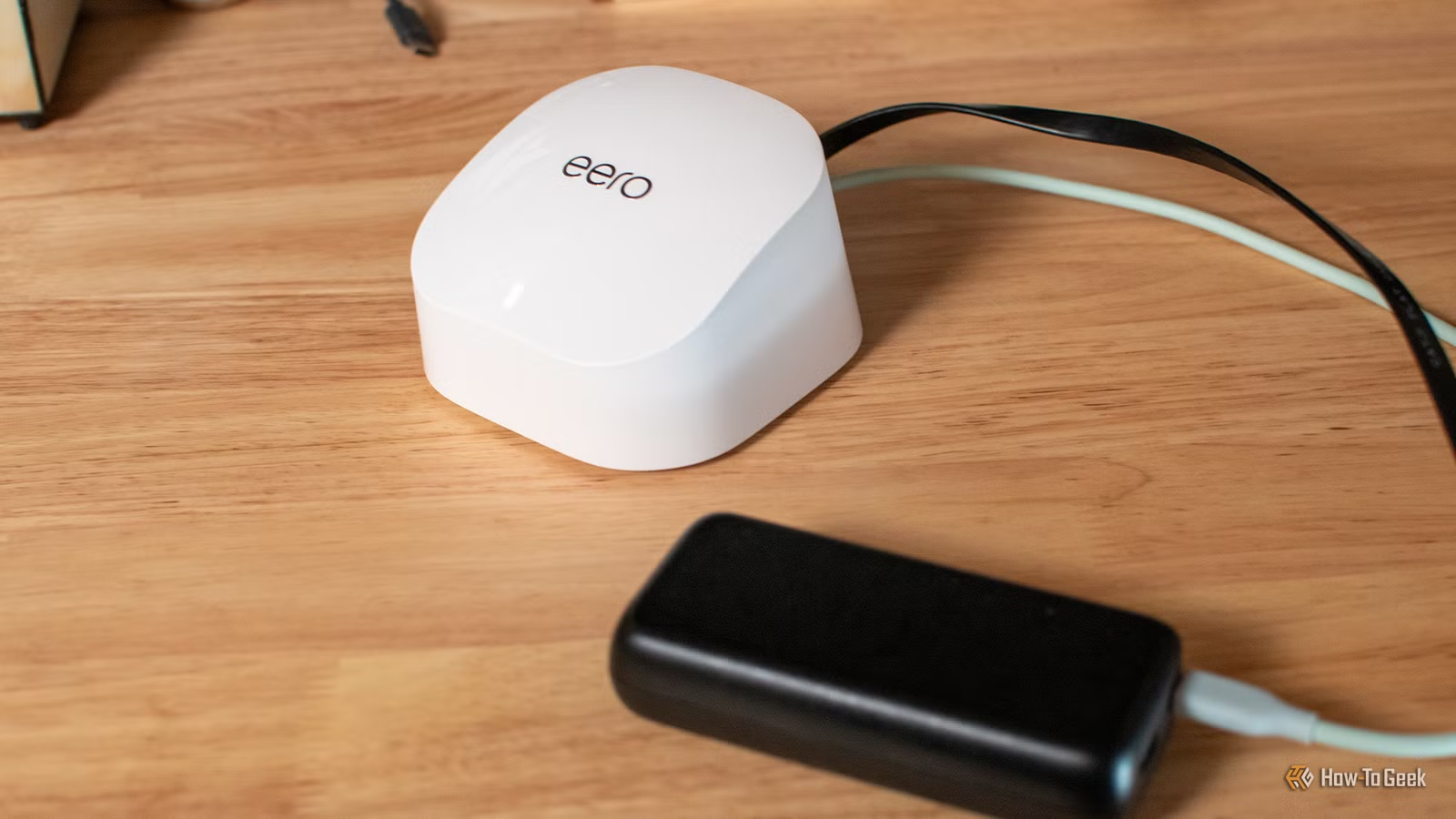
As a general rule, it makes good sense to plug your networking gear into an uninterruptible power supply (UPS). But does that mean that every single home and every single router requires that additional expense?
Nope. In fact, certain router owners can get by with a dirt-cheap power bank and nothing else, and their connection will still be secured during a blackout. Here’s how it works.
Your router uses surprisingly little power
Keeping Wi-Fi alive doesn’t take that much battery
Look, I firmly believe that plugging your network gear into a UPS is great, especially if you’re running a home server. But the reason isn’t that your router consumes some crazy amount of power, because it really doesn’t. At least most of them don’t.
Compared to most electronics in your home, routers are surprisingly low-key. Take Amazon’s eero brand as an example. The eero 6+ averages around 4.5W, while the eero 7 and eero 7 Pro average about 7W. That’s nothing compared to most of the stuff that’s plugged into any of your outlets at any given time.
These modest requirements make it so that during a blackout, you don’t have to scramble and wish you’d bought that expensive UPS. All you need is a power bank. A battery designed to charge a phone or a tablet at 30-45W has plenty of output headroom for a router, so that shouldn’t be a problem. Well, it can still be a problem if your router is one of those intense $600 gaming beasts.
Of course, the power bank still has to support the voltage and current profile your particular router expects, so this isn’t a blanket promise, but it is worth checking out. It’s especially easy and convenient to do with routers that already use USB-C for power, such as several eero models, which is why I mentioned them in the first place. Without that USB-C power, you’ll probably have to mess around with USB-C PD to DC barrel jack trigger cable.
Related
Don’t trash your old router: Turn it into a wired workhorse instead
Wi-Fi standards moved on, but your old router can still do something useful
A $25 power bank already has more than enough output
You don’t need anything super fancy
Credit: Andrew Heinzman / How-To Geek
You really don’t need anything fancy for this to work. Many power banks will do the trick. For the sake of this article, I picked out the INIU 45W power bank, which fits the under $25 bracket. It can deliver up to 45W over USB-C, and that’s comfortably above something like an eero 6+ or eero 7 might ask for. From a raw power perspective, it’ll get you what you need to keep the router going during a blackout.
Most routers won’t need 45W at all, let alone all the time, so it’s not a hard figure to aim for—but that extra headroom’s pretty nice. The power bank will supply enough power to the router while giving you a decent amount of battery capacity to work with. With that said, plenty of 30W power banks will do the trick here, too, but you’ll have to check your exact power specs.
A 10,000mAh battery can keep Wi-Fi running for hours
Low power consumption makes the capacity go a long way
Credit: Andrew Heinzman / How-To Geek
If a 10,000mAh power bank doesn’t sound huge, I don’t blame you. But when your router only draws a tiny bit of power, that capacity can stretch surprisingly far. Assuming your laptop can survive on battery for a while, your router can probably last just as long with that power bank juicing it up accordingly.
Roughly speaking, a 10,000mAh lithium battery stores around 37Wh of energy before conversion losses. If we take the various 4W-7W eeros as an example here, that works out to a theoretical runtime of a little over eight hours (at the low end, 4.5W). In the real world, you’ll see less than that, but still a very reasonable amount of time. It’s plenty enough for short outages, but treat these numbers as estimates, because it’s impossible to predict without knowing the specs of your router and power bank.
If you own a mesh Wi-Fi setup, then a power bank is a great way to temporarily extend your coverage outside of your home. Just plug one of the nodes into your power bank and place it outside.
The power bank has to speak the right USB-C language
Wattage alone doesn’t guarantee it’ll work
Credit: Andrew Heinzman / How-To Geek
Outside of knowing the wattage, there are some more caveats to be mindful of before you decide that your router is safe forever thanks to a cheap power bank.
USB-C is annoying because there’s always more to it than meets the eye. As such, matching the wattage is just one part of it, because your power bank also needs to support the voltage and current profile your router expects through USB PD (Power Delivery). For example, eero’s 27W USB-C adapter can supply 5V/3A or 9V/3A, which matches up perfectly with the INIU power bank I mentioned above.
The important lesson is that a 30W or 45W power bank can still be a bad fit if it doesn’t run the right USB-C PD profile. The router may still power on, but it could be unpredictable, or it might not power on at all.
Quiz
8 Questions · Test Your Knowledge
Home networking & Wi-Fi
Think you know your routers from your repeaters — put your home networking know-how to the ultimate test.
Wi-FiRoutersSecurityHardwareProtocols
Begin
What does the ‘5 GHz’ band in Wi-Fi offer compared to the ‘2.4 GHz’ band?
ALonger range but slower speedsBFaster speeds but shorter rangeCBetter wall penetration and faster speedsDLower interference but identical speeds
That’s right! The 5 GHz band delivers faster data rates but loses signal strength more quickly over distance and through walls. It’s ideal for devices close to the router that need maximum throughput, like streaming 4K video.
Not quite — the 5 GHz band actually offers faster speeds at the cost of range. The 2.4 GHz band travels farther and penetrates obstacles better, which is why smart home devices and older gadgets often prefer it.
Continue
Which Wi-Fi standard, introduced in 2021, is also known as Wi-Fi 6E and extends into a new frequency band?
A802.11acB802.11axC802.11beD802.11n
Correct! 802.11ax is the technical name for Wi-Fi 6 and Wi-Fi 6E. The ‘E’ variant extends the standard into the 6 GHz band, offering a massive swath of new, less-congested spectrum for faster and more reliable connections.
The answer is 802.11ax — that’s Wi-Fi 6 and Wi-Fi 6E. Wi-Fi 6E adds support for the 6 GHz band, giving it far less congestion than the crowded 2.4 GHz and 5 GHz bands. 802.11be is actually the upcoming Wi-Fi 7 standard.
Continue
What is the default IP address most commonly used to access a home router’s admin interface?
A192.168.0.1 or 192.168.1.1B10.0.0.1 or 172.16.0.1C255.255.255.0 or 255.0.0.0D127.0.0.1 or localhost
Spot on! The vast majority of consumer routers use either 192.168.0.1 or 192.168.1.1 as the default gateway address. Typing either into your browser’s address bar will bring up the router’s login page — just make sure you’ve changed the default password!
The correct answer is 192.168.0.1 or 192.168.1.1. These are the most common default gateway addresses for home routers. The 255.x.x.x addresses are subnet masks, and 127.0.0.1 is your own machine’s loopback address, not a router.
Continue
Which Wi-Fi security protocol is considered most secure for home networks as of 2024?
AWEP (Wired Equivalent Privacy)BWPA (Wi-Fi Protected Access)CWPA2 with TKIPDWPA3 (Wi-Fi Protected Access 3)
Excellent! WPA3 is the latest and most robust Wi-Fi security protocol, introduced in 2018. It uses Simultaneous Authentication of Equals (SAE) to replace the older Pre-Shared Key handshake, making it far more resistant to brute-force attacks.
The answer is WPA3. WEP is completely broken and should never be used, WPA is outdated, and WPA2 with TKIP has known vulnerabilities. WPA3 offers the strongest protection, and if your router supports it, you should enable it right away.
Continue
What is the primary difference between a mesh Wi-Fi system and a traditional Wi-Fi range extender?
AMesh systems only work with fiber internet connectionsBRange extenders create a seamless single network while mesh systems create separate SSIDsCMesh nodes communicate with each other to form one seamless network, while extenders create a separate networkDMesh systems are always wired, while extenders are always wireless
Exactly right! Mesh systems use multiple nodes that talk to each other intelligently, handing off your device seamlessly as you move around your home under one SSID. Traditional range extenders typically broadcast a separate network and can cut bandwidth in half as they relay the signal.
The correct answer is that mesh nodes form one intelligent, seamless network. Range extenders are actually the ones that often create separate SSIDs (like ‘MyNetwork_EXT’) and can significantly reduce speeds. Mesh systems are far superior for large homes with many devices.
Continue
What does DHCP stand for, and what is its main function on a home network?
ADynamic Host Configuration Protocol — it automatically assigns IP addresses to devicesBDirect Hardware Control Protocol — it manages router firmware updatesCDistributed Hosting and Caching Protocol — it speeds up web browsingDDynamic Hypertext Communication Protocol — it secures data transmissions
Perfect! DHCP (Dynamic Host Configuration Protocol) is the unsung hero of home networking. Every time a device joins your network, your router’s DHCP server automatically hands it a unique IP address, subnet mask, and gateway info so it can communicate without manual configuration.
DHCP stands for Dynamic Host Configuration Protocol, and its job is to automatically assign IP addresses to devices on your network. Without it, you’d have to manually configure a unique IP address on every single phone, laptop, and smart device — a tedious nightmare!
Continue
What is ‘QoS’ (Quality of Service) used for in a home router?
AEncrypting all traffic leaving the routerBPrioritizing certain types of network traffic over othersCAutomatically switching between 2.4 GHz and 5 GHz bandsDBlocking malicious websites using a DNS filter
That’s correct! QoS lets you tell your router which traffic gets priority. For example, you can prioritize video calls or gaming over a family member’s file download, ensuring your Zoom meeting doesn’t freeze just because someone is downloading a large update.
QoS — Quality of Service — is actually about traffic prioritization. By tagging certain data types (like VoIP calls or gaming packets) as high priority, your router ensures latency-sensitive applications get bandwidth first, even when the network is congested.
Continue
What does the ‘WAN’ port on a home router connect to?
AOther computers in your home network via EthernetBA wireless access point for extending Wi-Fi coverageCYour modem or ISP-provided gateway to the internetDA network-attached storage (NAS) device
Correct! WAN stands for Wide Area Network, and the WAN port is where your router connects to the outside world — typically to your cable modem, DSL modem, or ISP gateway. The LAN ports on the other side connect to devices inside your home network.
The WAN (Wide Area Network) port connects your router to your ISP’s modem or gateway — essentially your entry point to the internet. The LAN (Local Area Network) ports are for connecting devices inside your home. Mixing them up can cause your network to not function at all!
See My Score
Challenge Complete
Your Score
/ 8
Thanks for playing!
Try Again
Your modem or ONT can spoil the entire trick
Wi-Fi staying on doesn’t mean the internet will, too
Credit: Andrew Heinzman / How-To Geek
So, getting a cheap power bank may be enough to let you breathe easy during power cuts … but there’s more (of course).
Depending on your setup, you might also have a modem or an optical network terminal (ONT), sitting somewhere between the router and your ISP. If that’s the case, bringing the router back on won’t solve the problem; you’ll need every extra device along the path to be on, too.
Avoid being caught unaware by inspecting your entire network before power cuts happen. If there’s something else that needs powering, it’s probably not too power-hungry.
This isn’t a UPS, and that’s just fine
Obviously, a regular power bank isn’t a UPS, but it’s a great solution in an emergency. You’ll probably have to plug the router into it manually when the power goes out, because you’re not going to use one 24/7, but it’ll be a brief disruption as opposed to needing to wait for the power to come back on.