


I have tried plenty of notes apps, but most of them eventually started feeling like too much. I don’t always need folders, databases, templates, or a long list of settings just to save a thought. Sometimes, I just want to open an app and write.
So, I decided to try five minimalist notes apps and use them for my everyday notes. I wanted to see which one felt simple enough to use regularly without becoming frustrating. I used each app for quick thoughts, lists, and things I wanted to remember. By the end, one app stood out enough that I decided to keep it.
Notally
Just notes, nothing more
Notally was one of the first apps I tried because it feels like it knows exactly what a notes app should be. There is no learning curve or complicated setup. I opened it, created a note, and started typing. The interface is clean without feeling too bare, and everything is where I expected it to be. I also liked how quickly I could move between individual notes and my overall list.
It felt more like a digital notepad than a full productivity system, which was exactly what I wanted from a minimalist app. The experience stayed focused on writing rather than making me manage the app itself. After a few days, though, I started noticing where its simplicity could become limiting. It was great for quick thoughts and temporary notes, but I wasn’t sure it would become my everyday notes app.
Simplenote
The one that kept things simple
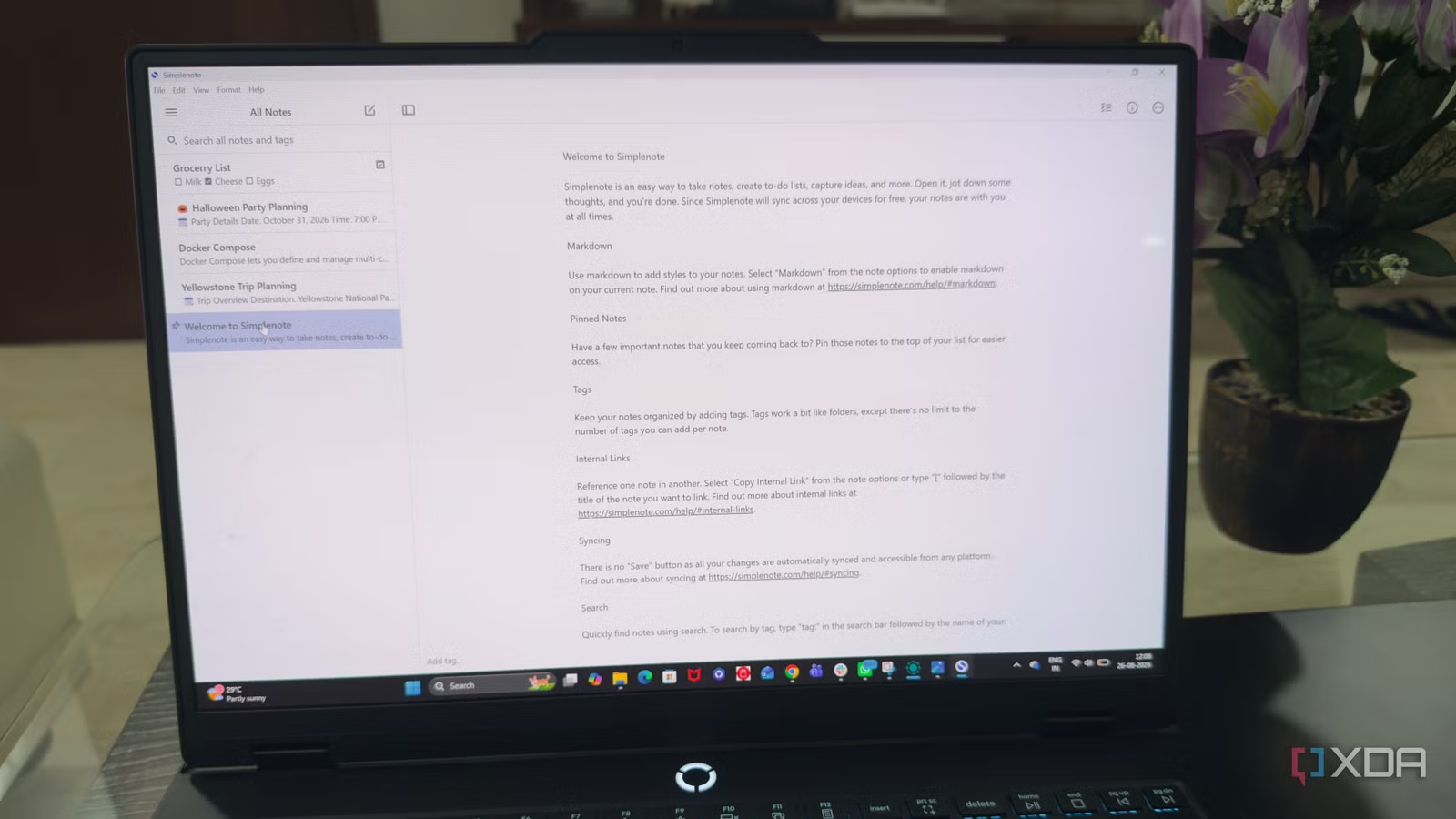
Simplenote felt like a good fit when I wanted something simple that still worked across my devices. I liked that my notes synced quickly, so I could start something on my laptop and pick it up later on my phone without thinking about it. The tag system was also useful. Instead of creating folders for everything, I could add a few tags and use them to find related notes later. Global search made this even easier when I couldn’t remember which tag I had used.
I also liked the Markdown support. It gave me a simple way to format notes without adding a lot of buttons or menus to the editor. The version history was another feature I found useful because I could look back at older versions of a note if I changed something by mistake. Simplenote stayed very lightweight while still giving me these useful features, which made it one of the more practical apps I tested.
Related
I chose the perfect note-taking app for my work style, and here’s how you can too
Don’t make the wrong choice
Easy Notes
More than just a simple notepad
Easy Notes caught my attention with a few features that made it different from the other apps I tested. I could lock individual notes with a password, which was useful when I wanted to keep certain information private. The app also lets me add photos to notes, so I could keep an image with the related text instead of saving them separately. I found the voice input option useful too when typing wasn’t convenient. I could simply speak and get the note down quickly.
Another small feature I liked was the ability to set reminders for notes. This worked well for things I needed to remember later but didn’t want to move into a separate reminder app. Easy Notes also gives me different ways to sort and view my notes, which helped when I had more of them. These aren’t advanced features, but they made the app feel more useful than a basic text notepad.
Notesnook
The minimalist app with privacy
Notesnook felt a little more feature-rich than the other minimalist apps I tested. What stood out to me most was its focus on privacy. It uses end-to-end encryption, so my notes stay protected when they sync across devices. I also liked the editor. I could add headings, lists, quotes, and basic formatting without the app feeling too complicated.
It also lets me organize notes into notebooks, which was useful when I had several notes around the same topic. I could also add reminders to notes, so I didn’t always need a separate reminder app. Another nice touch was its support for themes and customization, letting me change the way the app looked. It wasn’t as bare as Notally or Simplenote, but it still felt easy enough for everyday note-taking.
HedgeDoc
When notes become a shared workspace
HedgeDoc was the odd one out in my test because it felt more like a shared writing space than a regular notes app. I liked that I could create a document and work on it directly from the browser without installing anything. The live preview was especially useful when writing in Markdown. I could see how the finished document would look while I was still editing it.
Collaboration was another feature I noticed quickly. I could share a document with someone else and work on it together, which made HedgeDoc useful for meeting notes, plans, or quick drafts. It also supports comments and lets me see who is editing the document. I liked the simplicity, but HedgeDoc made the most sense when I needed to write with other people rather than just keep personal notes.
Related
5 self-hosted Evernote alternatives for next-level note-taking experience
Ditch the cloud and own your data with these next-level note apps
The one that earned a permanent spot in my workflow
After testing all five apps, Simplenote was the one I kept using. It wasn’t the app with the most features, but I didn’t miss them. The other apps had useful features, but Simplenote felt like the best fit for how I actually take notes. What made the difference was how easy it was to use every day. I didn’t have to change my habits or spend time setting things up. I could just write and find my notes when I needed them.