


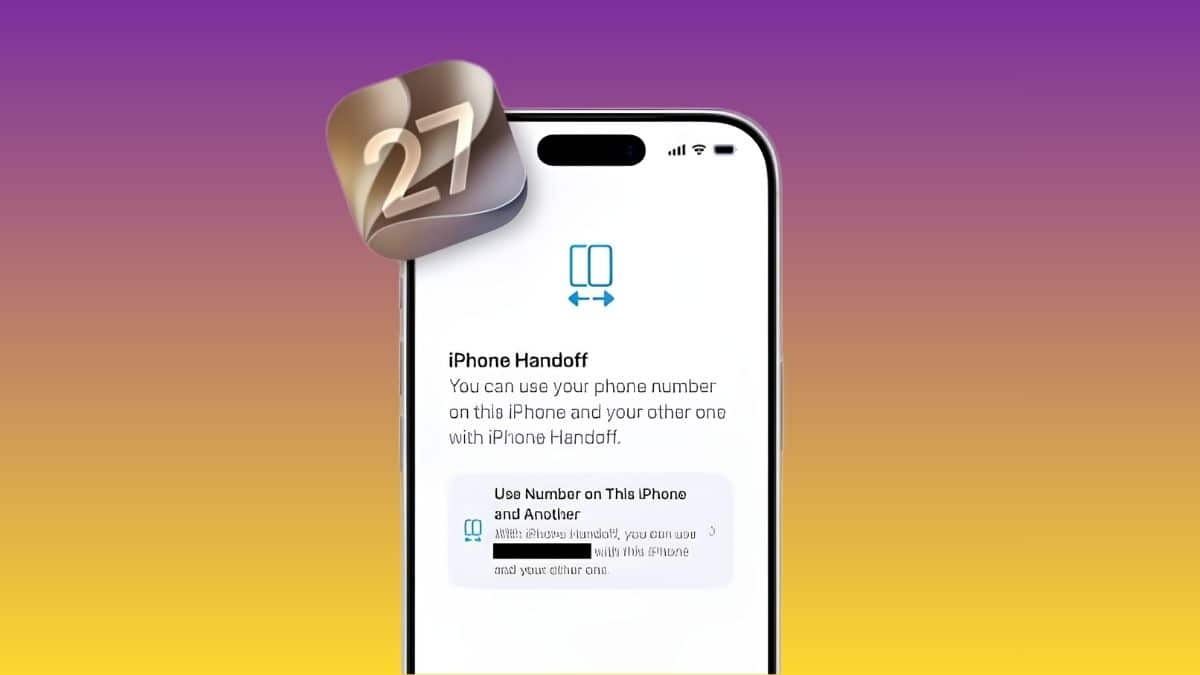
If you’ve ever kept an old iPhone in a drawer because switching your SIM back and forth felt like too much hassle, Apple just addressed that exact problem. A new capability buried in iOS 27 lets you run the same phone number on two separate iPhones and swap between them without touching a physical SIM tray or calling your carrier.
Apple didn’t make a big stage moment out of it. The feature, now confirmed as “iPhone Handoff,” got a brief mention during the WWDC 2026 keynote on June 8, but the real detail only surfaced on September 2, 2026, when a MacRumors forum member going by “pdfu” ran two simulated iPhones inside Xcode 27’s Device Hub and recorded the setup flow end to end. That’s a very different kind of reveal than a keynote slide, and it’s part of why so much about this feature has stayed murky until now.
Think of it as the phone-number version of what Apple already does with cellular Apple Watch: one number, shared responsibly across two devices, with the network treating them as a matched pair rather than a duplicate line. Here’s what’s actually confirmed about how it works, when you’ll be able to use it, and who it’s really built for.
When Does iPhone Handoff Arrive, and Is It Live Yet?
Short answer: not yet, even though the code is already sitting inside the iOS 27 and Xcode 27 betas. iOS 27 itself is expected to land around September 14, 2026, following Apple’s iPhone event and a summer-long beta cycle. Both iPhones involved in a Handoff pair will need to run iOS 27.
Getting the OS is only half the requirement, though. iPhone Handoff also needs the carrier to switch it on from its side, and right now, none have. Carrier bundle data pulled from the beta points to T-Mobile in the US and Deutsche Telekom in Germany as the most likely first partners, but when testers checked T-Mobile’s enrollment server directly, it returned a flat “feature disabled” response. Worth knowing: that’s not a bug you can work around by updating software. It’s Apple waiting on carriers to flip a switch that hasn’t been flipped yet.
How iPhone Handoff Actually Works
Once your carrier flips that switch, here’s what actually happens on your phones. Setup lives in Settings under Cellular, and it’s built around a main-and-companion structure rather than treating both iPhones as equals.
You pick one iPhone as the main device and the other as the companion. The main iPhone keeps your primary eSIM. The companion iPhone gets its own separate eSIM, generated specifically for the handoff and tied to the same phone number.
That second eSIM is what makes the switch instant instead of a support-call ordeal. The recorded setup flow walks through four screens in sequence: “iPhone Handoff,” “Confirm iPhone Handoff,” “Transferring eSIM,” and “iPhone Handoff is Ready.”
It looks and feels like a standard eSIM transfer, the same interaction you’d recognize from moving a line to a new phone, except this one is designed to be reversible rather than a one-time move.
Once both eSIMs exist, all the cellular settings, like data preferences and carrier features, stay managed from the main iPhone. Location sharing, on the other hand, follows whichever iPhone is actively handling the number at that moment.
Apple’s own developer documentation reportedly refers to the underlying capability as “iPhone quick switch,” and a placeholder support article (support.apple.com/en-us/127274) has already been spotted in Apple’s site structure, even though it isn’t published yet. That’s a strong signal Apple is treating this as a real shipping feature, not a beta experiment that gets cut before launch.
Why It’s Carrier-Locked, and Why That Matters
Here’s something Apple rarely has full control over: your phone number doesn’t actually live in iOS. It lives on your carrier’s network, tied to a SIM or eSIM profile the carrier issues and manages. That’s exactly why iPhone Handoff can’t work through software alone.
Apple can build the interface and the eSIM transfer logic, but the carrier still has to agree to let one number run active profiles on two devices, even if only one is in use at a time.
Cellular Apple Watch went through the same growing pains. It launched in 2017, and it still took years for most major carriers worldwide to support it.
Apple watcher John Gruber, writing on Daring Fireball, called the carrier dependency the “only downside” and said he expects carriers to adopt it about as readily as they did Watch cellular.
That’s a reasonable bet given the precedent, but it’s still a bet. Nothing about iPhone Handoff’s rollout speed is confirmed, and until more carriers show up in the code, the safest read is: available in theory, not yet in practice.
A few mechanics also remain genuinely unclear. Apple hasn’t detailed whether both iPhones ring simultaneously for an incoming call, or whether only the active device does, and there’s no confirmation yet of how SMS and two-factor authentication codes route when you switch.
Those are the kinds of details that usually show up in the official support article once it goes live.
Who Actually Benefits From iPhone Handoff?
None of that eSIM engineering matters if it doesn’t solve a real problem for real owners. This isn’t a mainstream feature, and it doesn’t need to be. It solves a specific problem for people who already own two iPhones.
Forum members testing the leak flagged the obvious use cases fast: a “knockaround” phone for the beach or travel that doesn’t carry your primary device’s sensitive data, a clean split between a work iPhone and a personal one, or pairing a current flagship with an older backup without dealing with dual-SIM juggling.
Developers and reviewers who test across multiple devices daily get an obvious win too, since they’re often the ones burning through physical SIM swaps already.
If you only own one iPhone, you can safely ignore this entirely. And it’s fair to be a little skeptical of Apple’s motive here. Some forum commenters pointed out, correctly, that a feature which only works if you own two iPhones is also a feature that nudges you toward owning two iPhones.
If your actual need is just a second number rather than a second device, apps built for that job, like the ones covered in our second phone number apps roundup, remain the simpler and cheaper fix.
Before you plan around any of this, it’s worth confirming your hardware qualifies. iOS 27 is expected to support the same device list as iOS 26, and eSIM-dependent features like this one typically need a relatively recent iPhone on both ends of the pair.
Final Verdict
iPhone Handoff is a narrow, well-built solution to a problem most people don’t have, and that’s fine. It’s not the headline of iOS 27, but it’s a sharper piece of engineering than a quick keynote mention suggested, built on the same trusted-pairing model Apple already proved out with cellular Apple Watch.
The eSIM mechanics are basically locked in. What isn’t locked in is when your carrier decides to turn it on, and that’s the part actually worth watching over the next few weeks.
Disclosure: Tech Nerdiness is reader-supported. When you buy through links on our site, we may earn an affiliate commission at no extra cost to you.
Learn more.