


Oliver Cragg / Android Authority
Add Android Authority on Google:
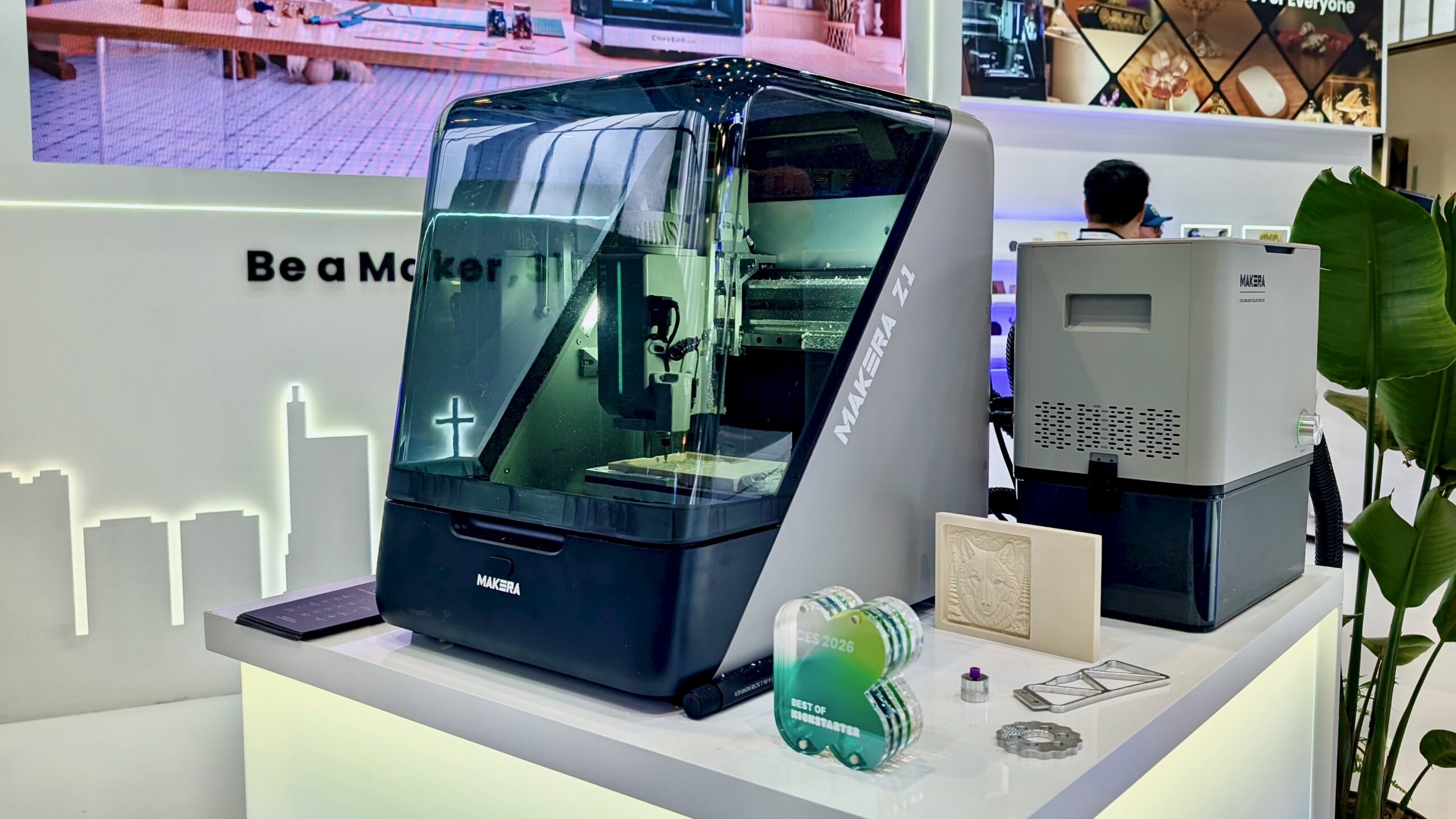
CNC machining has traditionally been associated with large workshops, extensive learning curves, and costs that made it inaccessible for many hobbyists. Since 2019, Makera has been working to change that, first with the Carvera and then the Carvera Air. Makera is at IFA 2026 to show off its next step with the Makera Z1, a user-friendly desktop CNC designed especially for beginners.
But that’s not all. Makera is also showcasing Makera Studio and Makerables, their software and community platforms that form a complete creator ecosystem. The aim is to help anyone turn an idea into a tangible, finished object, even if you have no prior experience in CAD, CAM, or machining. Here’s what you need to know.
What is the Makera Z1?
The Z1 is a subtractive manufacturing tool. Instead of building objects layer by layer like a 3D printer, it starts with a solid block of material and carefully carves away everything that isn’t part of the final design. This unique approach allows it to create things a 3D printer simply can’t, such as beautifully engraved metal jewelry, custom PCBs, and functional mechanical parts cut from wood, plastic, or aluminum.
Makera designed the Z1 with an integrated gantry frame and a one-piece cast frame, which reduces the mechanical complexity you’d usually see in a desktop CNC. And it also helps keep the machine stable during operation. It’s designed to be compact, so it can comfortably sit on your desk rather than taking over a whole garage.
What the Makera Z1 can cut and how
Oliver Cragg / Android Authority
The Makera Z1 is designed to work with a variety of materials including wood, plastic, acrylic, PCB, aluminum, brass, carbon fiber, and composites. It can carve more than 500 different material types, making it incredibly versatile. And it offers impressive precision with up to ±0.02mm repeatability. Whether you’re creating a wooden coaster, a custom aluminum bracket, or a cut PCB, you can make them all with the same machine.
Several handy features support this versatility. The Quick Tool Changer lets you switch bits easily without needing to recalibrate each time. Wired auto probing simplifies setup, while the AeroDust collection system helps keep your workspace clean by containing debris during operation, and a built-in camera provides real-time monitoring of your cuts.
To boost its capabilities, you can also add an optional laser module and a 4th-axis module. These helpful extras expand your creative options beyond simple flat-stock cutting, making it perfect for engraving curved or cylindrical objects as your projects become more sophisticated.
The Makera Z1 has a 20 x 20 x 10cm cutting area, and the optional 4th-axis attachment provides an extra 8cm of diameter and 15cm of length around a rotating piece. The spindle operates at 150W and can reach speeds up to 13,000 RPM.
Weighing in at just 17kg, it’s lightweight enough to easily move between a desk and a shelf, so you won’t need anything special to cart it around. This convenience is especially helpful when you’re trying to fit a CNC machine into a space that doubles as an office or classroom.
Makera Studio and Makerables
Paul Jones / Android Authority
Every Z1 comes with access to Makera Studio, Makera’s free and user-friendly CAM software that helps you create toolpaths and connect seamlessly to your machine. It’s designed to suggest the best toolpath approach automatically, so you won’t have to figure it out through trial and error, making it a great support for anyone new to CNC work by making CNC machining more accessible.
Plus, Makerables is a lively community platform where makers share and download a wide variety of 3D models and toolpath files. It also features AI tools that can help generate design files from scratch. If you’re starting a project with no CAD experience, you won’t feel lost; Makerables gives you a head start with ready-made designs. Together, these tools let you go from choosing a design to cutting it, all within Makera’s own software, making your creative process smooth and enjoyable.
Easy enough for a first-timer
Makera designed the Z1 with beginners in mind, making it easy and user-friendly right out of the box. Its high-precision motion system, quick-change spindle, and guided software are all aimed at helping someone go from unboxing to creating a finished piece – no prior CNC experience needed.
It’s perfect for prototyping, custom projects, and small structural parts, making it ideal for home workshops, classrooms, and small businesses that produce a few parts rather than large quantities.
Practically, the Z1 is built for home or small workshop environments. It operates quietly enough for shared spaces, and the built-in dust collection helps keep your workspace tidy. If you’re working with materials that produce more dust, you can easily connect an external dust collector for extra cleanliness.
Get the Makera Z1 now
Makera has been dedicated to innovation from the start. They began R&D on desktop CNC technology in 2019, introduced the original Carvera in 2021 with over $1.7 million raised on Kickstarter, and built on that success with the Carvera Air in 2024. In fact, the Z1 was also launched on Kickstarter, where it attracted more than $10.24 million from enthusiastic backers.
Throughout their journey, Makera has earned impressive recognition, including an IFA Innovation Award, multiple Best of Kickstarter honors, and a mention at CES 2026.
The Z1 is not only Makera’s most compact and beginner-friendly machine, but it also benefits from the same Makera Studio and Makerables ecosystem that supports the rest of the lineup. With features like the Quick Tool Changer, wired auto probing, AeroDust collection, and the option to add a laser or 4th-axis module later, it’s ready to help you with a wide variety of projects. This means you won’t need to learn a new machine each time your work evolves.
The Makera Z1 is currently available for pre-order, priced at $1,099.