


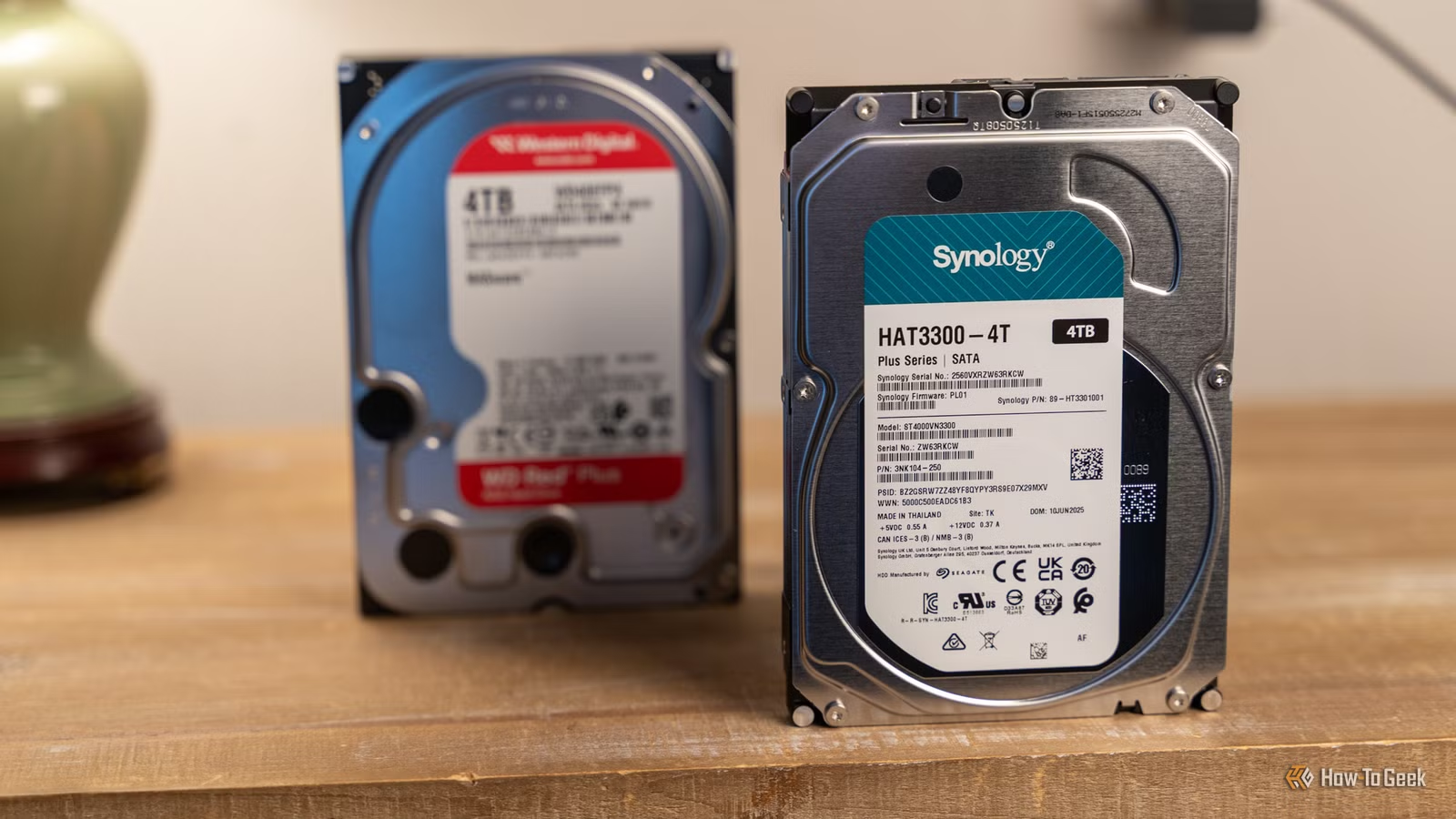
HDDs are definitely not dead yet, especially since so many PCs and laptops still have them. Because they are so affordable, they still hold value, and people actually purchase them. HDDs are also useful for NAS setups and archiving or backing up data. Some last longer than others based on design and use, yet many can fail for any reason at any time. Velcro is one potential way to help prolong their life, helping you get years of use out of them… and your money’s worth.
To clear things up, Velcro is actually a brand name for hook-and-loop fasteners, but it is often the word people use — like calling lip balm ChapStick. You don’t need to buy actual Velcro for this easy fix, but you can if you want. I recommend you ensure you don’t buy hook-and-loop fasteners that are too thin, as that affects the padding capacity. While you may have heard that Velcro works great for mounting devices such as SSDs and SD hubs to the top of laptop lids or the outer sides of desktop PCs, it can serve other purposes, too.
HDDs are more fragile than SSDs, so they require extra care, such as avoiding drops, hard hits against other objects, and insecure mounting inside desktop PCs and NAS devices. What you might not have heard is that hook-and-loop fasteners have another suitable use, and it surely isn’t to fasten an extra SSD to your PC’s outer case.
How you mount an HDD plays a role in its longevity
Mounting a hard disk drive to a NAS system or a desktop PC requires special care
Credit: Patrick Campanale / How-To Geek
As previously mentioned, HDDs can easily get damaged from jolts or drops, but they can also suffer from vibration — I’ve had my fair share of accidents and noisy PC environments. When mounting them in a PC’s internal bays, ensure you secure them correctly with four screws or clips, depending on the case’s style and design. On a custom-built PC I made 15 years ago, the case featured a twist-and-lock style mount system for HDDs, SSDs, or even 3.5-inch diskette drives. It was pretty secure, but the locking could easily wear out over time. If your desktop uses screws to hold drives in place, you want to tighten them as much as possible without bending any metal — been there; done that. Also, make sure the screws aren’t so long that they could puncture internal components or stick out without a tight hold.
For NAS setups, ensure the clips are secure, just like you would for a PC drive bay. If you don’t need to remove the drive from its mount frequently and can use screws to secure it, it would ensure better vibration control to help prolong its life. Just like HDDs in PCs, you don’t want to overtighten the screws to the point that they snap the plastic tray or bend the HDD’s casing.
Hook and loop tape helps reduce vibration and rattling
When used correctly, Velcro can dampen the vibrations and silence the rattling
If screws aren’t tight and secure, vibration can loosen the drive and cause noises in your PC Case or NAS device, and it can lead to more loosening and increased wear and tear on the drive’s read/write heads. When my PC cooling fans got dirty, they also caused vibration throughout the case, which ended up vibrating everything. Velcro acts as a low-grade padding for HDDs when used correctly. All you have to do is cut a couple of strips and mount the loop part (the fuzzy side) to the internal sides of the drive bays before screwing or snapping in the HDD.
You can double the Velcro if needed, but make sure you can still tighten the screws. That may mean punching a couple of holes through the Velcro where the screws go so it doesn’t bind. To enhance vibration protection, consider slipping some padded foam or rubber strips in there, too, if you can — it all depends on how much space you have between the two sides of the drive bay.
NAS devices are slightly different than PC drive bays, so you can apply the adhesive side of the padded half of Velcro to the NAS bay in various locations to help dampen the noise and protect the drive. Just ensure you have adequate ventilation, as some drives lie sideways rather than flat as they do in a PC bay. You also have other vibration- and noise-reducing options for NAS devices — they may help, too.
What to avoid when using Velcro to mount your HDD
The wrong method can make things worse
Some people use Velcro on SSDs to attach them to the case because they are lightweight, but you can’t and shouldn’t do that with HDDs because of their significant weight difference and the heat they generate. HDDs are obviously different because they don’t have a bottom you could attach Velcro to without touching the components. But SSDs get hot as well, which could melt the adhesive. Attaching Velcro to the drive bay’s sides is the safest way to use it when installing 3.5- and 2.5-inch HDDs.
Using hook-and-loop fasteners doesn’t “guarantee” longevity for your HDD, but it does help to some extent — it’s certainly better than not using it at all, and your mileage may vary. However, applying the hook side (the rough side) of Velcro tape to the drive can leave residue and tiny particles on the drive’s sides, so avoid sticking any adhesive padding there. It’s best to let the drive bay hold the residue and debris on the inside where it sticks, rather than on the drive’s side. Tiny particles and residue can gradually seep into the HDD and cause damage over time. Also, make sure you don’t block the drive’s ventilation, which helps keep it cooler.
Double-stacking your drives can also kill HDDs sooner, as vibrations from each one vary based on spin cycles and read/write sessions. Avoid using hook-and-loop fasteners to stack your drives, even if the top drive is an SSD.
Velcro is certainly beneficial to HDDs, but use it wisely
Padding an HDD doesn’t guarantee longer life, but it can help by absorbing some vibration. It definitely quiets the drive and prevents rattling noises in a PC or NAS. Gradual increases in noise often represent wear and tear on the mount over time. Just remember that adhesive is vulnerable to heat, so apply the soft side of the hook-and-loop fasteners to the PC bay’s internal sides to help cushion your HDD and reduce particles and glue from building up inside the drive.
Some NAS devices mount HDDs vertically, so keep ventilation in mind there, too. Stacking is never a good idea, so don’t use Velcro to stack drives, no matter what type of drives you have. It is also important to puncture the Velcro through all holes on the drive to help more heat escape, even the ones you are not using. By following these recommendations, your HDD has an extra layer of protection, and it won’t annoy you as much with noisy operation, as the Velcro helps dampen the noise.