


Chikena/Shutterstock
The MacBook is one of the easiest laptops to recommend, despite Apple’s recent price hike across its lineup. It has premium build quality, one of the most efficient chips on the market, and all-day battery life. Much of its performance and stability is thanks to the operating system that powers the machine — macOS. It gets regular feature updates and bug fixes that give all Mac users peace of mind. Despite macOS having a solid reputation for security and stability, it might not appeal to everyone — especially those who don’t want to spend a premium on an Apple product.
Windows laptops and desktop PCs come at all price points, and the operating system enjoys a worldwide market share of over 60%. If your Mac has reached the end of its life and you’re looking to upgrade to a new computer, you’re likely eyeing a laptop or desktop PC that runs on Windows 11. The good news is there are a lot of things to like about the operating system.
For starters, Windows offers significantly better compatibility with games. There are professional apps like SolidWorks that simply do not run on macOS natively. Plus, Windows receives frequent updates that bring new features. That said, switching from a Mac to a Windows computer comes with its fair share of compromises. From buggy software updates to a lack of ecosystem features you may have grown used to, here are five things to keep in mind before you switch to Windows.
Windows isn’t as stable as macOS
Andreypopov/Getty Images
In nearly every review you’ll read or watch about a Mac, system stability isn’t talked about much simply because it’s rarely something Mac users have to worry about. With Windows machines, however, stability cannot be taken for granted in quite the same way. Windows, as an operating system, needs to accommodate a lot of hardware configurations, ranging from budget laptops to high-end gaming PCs. Each component is often manufactured by a different company and requires the right set of drivers to work.
Considering all of that, it’s a miracle Windows works as reliably as it does most of the time. Unfortunately, this does mean that Windows computers can be more susceptible to driver conflicts and buggy updates that cause everything from minor performance hiccups to full system crashes — you may already have heard of the infamous Blue Screen of Death.
Laptop and desktop manufacturers still do a great job of making sure that system instability issues are kept to a minimum, but this is an aspect where Macs still tend to have an edge. Windows updates have a bad reputation when it comes to these things. New updates can break device drivers and cause performance issues. Though Microsoft is responsive in fixing major bugs, a lot of the smaller issues can linger for months. These types of issues are why some enthusiasts are shifting to Linux for gaming.
macOS has a cleaner out-of-the-box experience
PixieMe/Shutterstock
Design is subjective, but there are some things macOS simply does better than Windows from a user experience standpoint. For starters, Macs don’t come preloaded with a lot of third-party bloatware. Depending on your PC’s manufacturer, you’ll find anywhere from a handful to more than a dozen preinstalled apps you may never use. This includes utilities like antivirus software, which may seem useful at first — then they start nagging you to buy the full version once the free trial is up.
The Start Menu even lists a couple of third-party apps and games that take you to the Microsoft Store when you click on them. The only saving grace of all the bloatware that Windows ships with is that most of it can be uninstalled, though not everybody is going to bother spending time cleaning up apps and utilities on a brand-new computer.
Windows, in many ways, feels considerably less visually consistent than macOS. There are certain menus and built-in settings panels in Windows 11 that still recycle the same interface elements from older versions of the operating system. There are also a lot of redundant menus scattered across Windows. Say you want to tweak your headphones’ audio output — most of it can be done through a modern interface by navigating to Settings > System > Sound. However, clicking on “More sound settings” opens a legacy control panel that looks like it was pulled straight out of Windows 7.
Windows laptop build quality is less consistent
encierro/Shutterstock
Apple’s reputation for being a high-end brand may come from the fact that it doesn’t usually compete at the budget end of the market, and its products are also typically built with premium materials. All current-gen MacBooks use aluminum enclosures, large trackpads, and bright display panels. Trying to find a Windows laptop that can deliver the same premium look and feel at a similar price can be surprisingly difficult.
In fact, if you compare a Windows and Mac computer side by side, you’ll realize that Apple’s solutions aren’t priced too egregiously after all. The MacBook Neo, which currently starts at $700, may not be the most powerful laptop you can buy for that price, but you’d be hard-pressed to find one that has a better display, keyboard, and build quality. The new 15-inch MacBook Air, which costs $1,300, may seem like an expensive buy until you look at how well its M5 chip performs compared to similarly priced Windows ultrabooks.
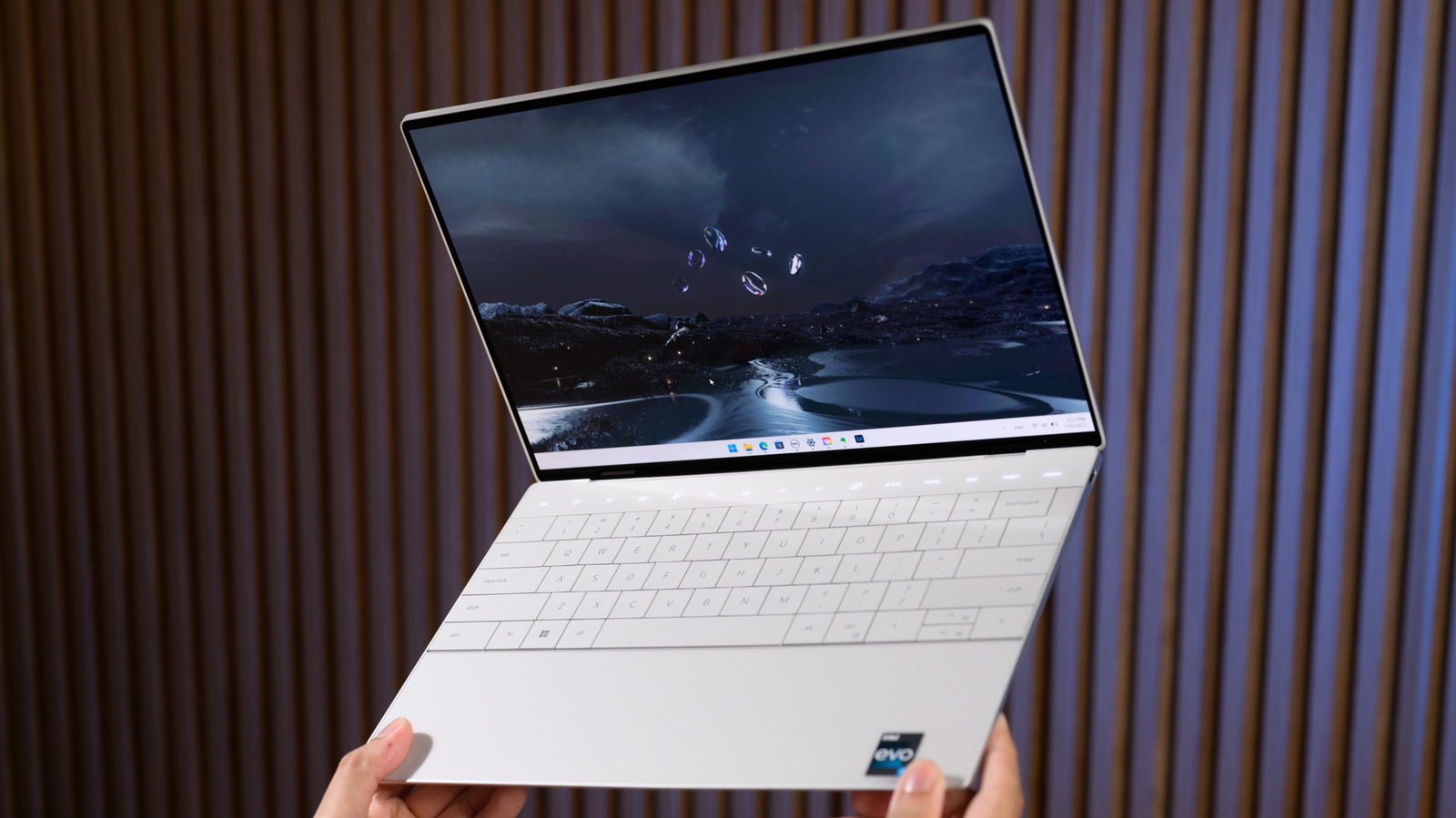
There are a few alternatives like the Microsoft Surface Laptop or the Dell XPS 13 that come close to the MacBook’s build quality, but many Windows laptops, even those that cost a premium, still use plastic. This is why switching to Windows can sometimes feel like a downgrade in terms of hardware, even if its internals are more powerful than your current Mac.
Windows is a bigger target for malware
SylisiaDesign/Shutterstock
Macs generally have a better reputation when it comes to privacy and security. While switching to Windows doesn’t mean you’ll automatically be putting your data at risk, you will have to be a little more vigilant about the files you download and apps you install. Windows actually has a pretty strong suite of security features like Defender, SmartScreen, and Secure Boot, and it’s generally pretty difficult to accidentally infect a modern Windows computer with malware with all of these protections turned on.
That said, you are far more likely to encounter malware on Windows than on macOS, simply because the majority of computers around the world run on Windows, making it the more lucrative target for bad actors. Windows giving users more freedom to customize the system also makes it a bit of a double-edged sword when it comes to security.
macOS also wins on the privacy front, especially when you consider just how aggressively Windows leans on advertising IDs to serve you personalized recommendations. In fact, Windows often shows promotional content on the lock screen out of the box, but at least you can turn it off by heading to Settings > Personalization > Lock screen. You can disable other advertising-related settings by navigating to Settings > Privacy & Security > Recommendations & offers. By contrast, macOS is far less aggressive about showing recommendations, and Apple’s advertising platform doesn’t track your activity across third-party apps and websites.
Windows doesn’t have polished ecosystem features
Adnan Ahmed/SlashGear
Apple has control over both the hardware and the software for its devices, which is partly why they outperform competitors with similar specifications. More importantly, though, this gives Apple the freedom to build ecosystem features that work seamlessly across its devices. There are several useful ways to use Apple’s Continuity features, and AirDrop, Handoff, AirPlay, and Sidecar are just a few examples of how tightly knit Apple’s ecosystem is. Have a large video you want to send from your iPhone to your MacBook? AirDrop can handle it in seconds and doesn’t require you to launch an app and click through several menus.
Windows does have similar features, and you can streamline connectivity between your devices, but this involves piecing together different apps and services. For example, Google’s Quick Share service comes preloaded on Android phones and has a friendlier user interface, but you will need to install it on your Windows computer. On supported Android phones, you can set up a cross-device copy and paste through the Phone Link app that allows you to copy and paste text between your phone and PC, but you’ll need the Link to Windows app on your smartphone if it isn’t already installed. If you’re switching from a Mac, you are highly likely to miss just how seamlessly your Apple devices used to communicate with each other.