


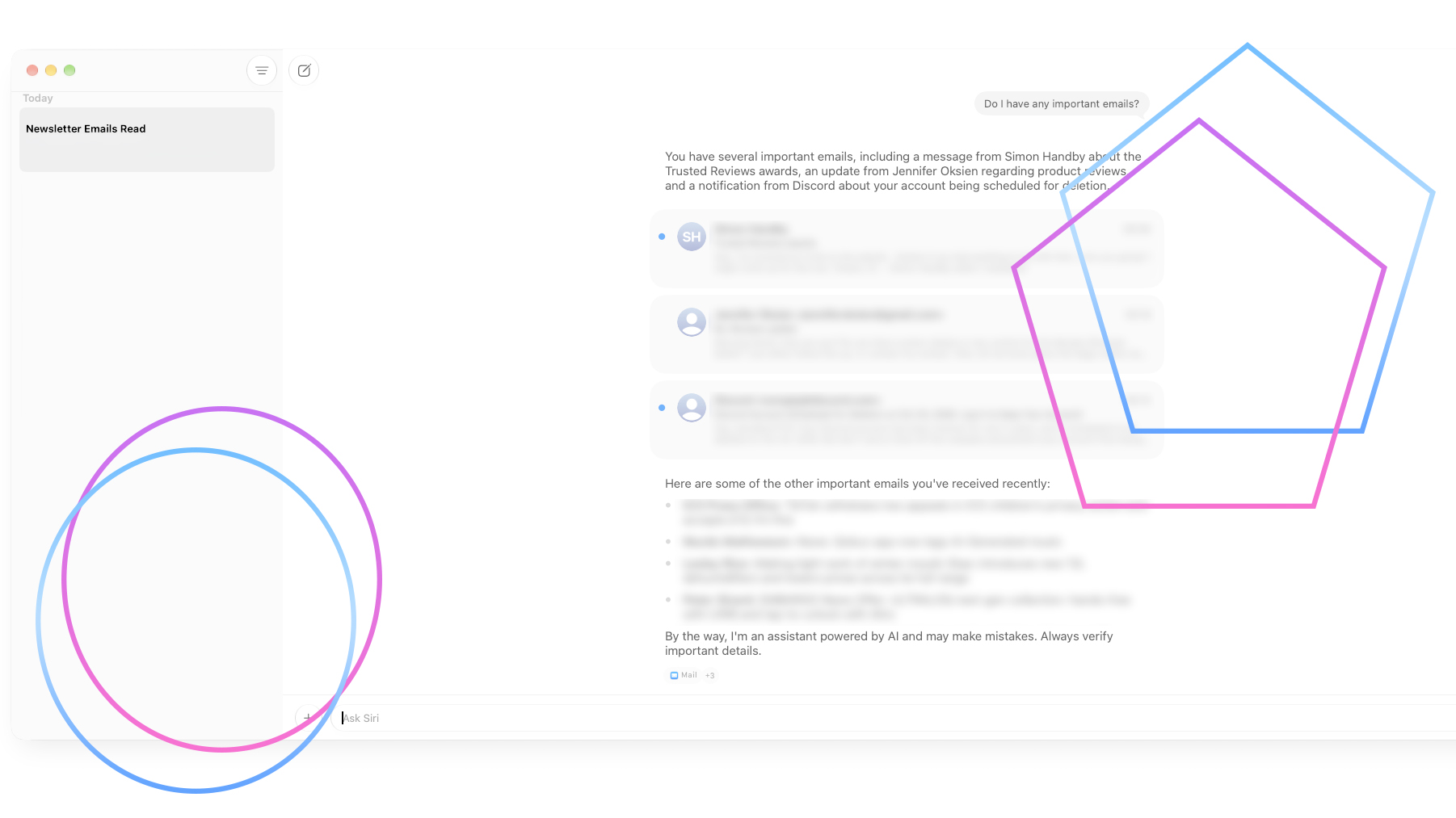
I upgraded my Mac to macOS Golden Gate 27.0, keen to see what Apple AI could deliver and, in particular, the promise of the more powerful Siri AI, available as a standalone app.
I’ve lambasted Siri in the past for not being up to it, failing to deal with even the most simple of requests, but Siri AI (available as an opt-in beta) suddenly starts to make a lot of sense and it’s a lot more powerful than you could expect, although with a few little issues.
Better email management
The default Siri app is terrible at dealing with emails. I asked it to list any important emails, but it only suggested an email from 2011 with the word ‘important’ in the subject line. Hardly what I wanted.
With ChatGPT connected to my Exchange account, I get much better results. Asking the same question flagged some important emails that I’d missed, including a recent invoice that I needed to pay.
However, after upgrading to Siri AI on beta, things got a lot better. This gets a dedicated chat-window app, not dissimilar to the ChatGPT one for macOS, where you can start different conversations. But Siri is also baked into Spotlight search.
I tried again and asked about important emails, and this time got some relevant results from across all of my email accounts. And, the advantage that Siri AI has is that it provides links to the emails in the Apple Mail account, so I can open them; ChatGPT can list the emails but provides no way to open them, so you have to open your email app and find the email.
Advertisement
Siri AI is also capable of doing bulk tasks. I asked it to find any newsletter/marketing emails and then mark them as read. That quickly whittles away my emails and makes it easier to do with what’s left.
Intelligence needs to be available at the point you need it
Siri AI is clearly very capable, but I think it needs to be available when and where you need it. For example, my old school is hosting a Macmillan Coffee Morning on September 25 from 10:30am to 11:15am.
If I open the email, the Mail app highlights dates and times, so clicking on them makes it easy to make a calendar event. However, because of how the email was written, the event date is in a separate sentence from the time.
Because of this, the two items are highlighted separately, giving me the choice of creating a calendar event for the right time but wrong date, or the right date but wrong time.
The Summarise feature automatically puts the information together, but doesn’t make it a link to create the event.
But, asking Siri AI when the coffee morning is brought up the correct information, and I then asked for a Calendar entry, which was created correctly. That’s clever, but this option should be made available through the email app, at the point where I need it.
Advertisement
Automations need work
Siri AI says that it can create Automations in the home, but this proved to be unreliable. I asked Siri AI to create an automation that turns the lights off in the office when the smart lock locks. It said it had done it, and provided a link to the Home app, which didn’t work.
No combination of typing would allow me to get the Automation working, and I ended up with an error message telling me that my Nuki smart lock is not supported for automations.
Siri AI is also terrible at dealing with multiple commands at once. I asked it to turn on the lights and unlock my Yale Linus smart lock. The lights came on, but the lock did not unlock. I told Siri I’d asked for two things, and that prompted it to unlock the door.
Clearly, Siri AI understands the question, but it needs some improvement before it can act on multiple-step requests as well as Alexa+ can.
Siri AI can’t always open apps
I’ve got a spreadsheet that I use to manage household expenses, with one sheet per year. I could get Siri AI to find the right file with a simple search command, but it told me that it couldn’t open the file as there’s no application associated with it, even though there is and it’s Excel. I asked it to open the file with Excel, but Siri AI can’t. Nor could it open the Finder window in the correct Folder, only giving me the file path.
Advertisement
General requests are better, but there’s a slight lack of polish
Siri AI is much more capable of general tasks. For example, I asked it to look at a floorplan of a house and then tell me what I needed to know for a Fire Risk Assessment for a holiday let. Siri can find the correct information online, work out what’s in the floorplan and then highlight some areas that need to be looked at, with the AI suggesting that a proper Fire Risk Assessor is employed.
The result isn’t quite as detailed as with ChatGPT’s paid-for version, but Siri AI certainly gets the basics right.
Asking Siri AI to come up with a list of fire safety rules for guests using the kitchen, Siri AI comes up with the goods, but in a plain format. And Siri AI can’t export them to a PDF or Word Document. Pay for ChatGPT, and you can make the same requests and get a nicely formatted Word doc complete with handy icons.
Siri AI is showing signs of promise
Siri AI is still a big step up from dumb old Siri, and its integration with Mac apps and services should give it an advantage. Certainly, it’s email management features look like they can save me a lot of time and help pare my email inbox down to just important messages. It still needs some work with the Home app and in its ability to open files in the right applications, but we’re in a beta phase, and the signs look promising.