


Gemini has enjoyed home-turf advantage in Google’s apps for over two years. Call it too late, but Claude just wandered onto the field.
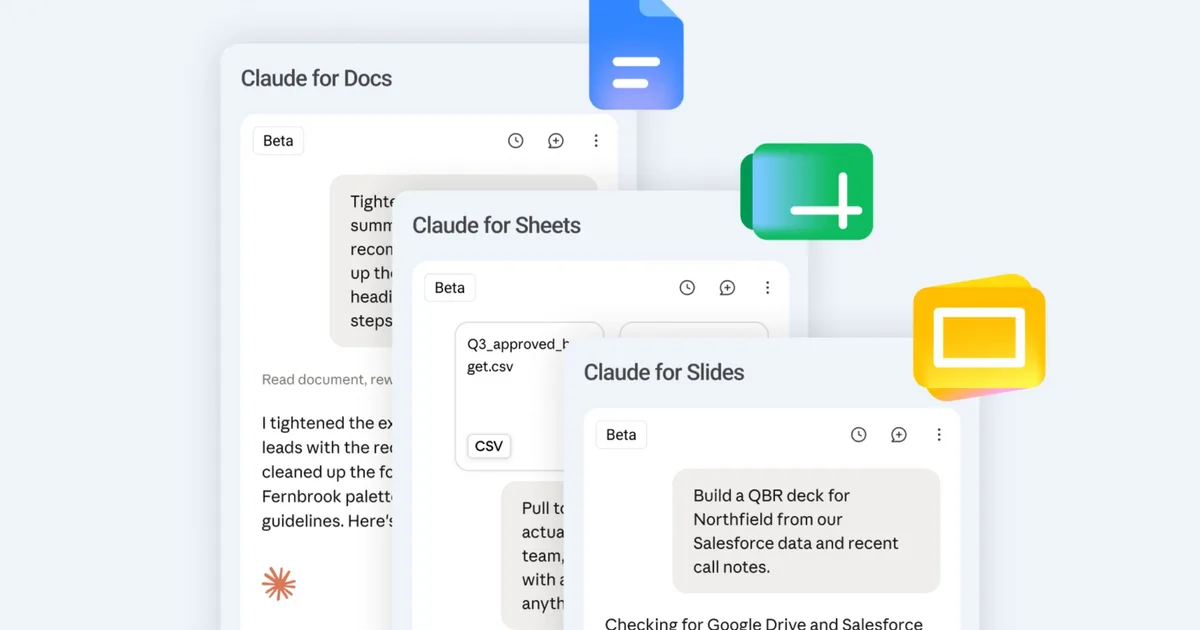
Anthropic’s new Claude for Google Workspace add-on, available in public beta across every paid plan, adds a sidebar to Docs, Sheets, and Slides that can read and edit your open file and provide answers based on it.
Claude now works inside Google Docs, Sheets, and Slides, and those files also open inside Claude.
In Google Workspace, Claude sits in a sidebar next to your file, reads what you have open, and edits it in place. You can approve each edit before it lands. pic.twitter.com/se9wIS7vK1
— Claude (@claudeai) October 6, 2026
What can Claude actually do inside my files?
A lot, actually. Highlight something and Claude sees exactly what you picked. In Docs, it can polish a sentence, reformat a heading, and highlight the keywords in a pitch or a deck. Bigger rewrites, something that approaches the same idea from a different angle, show up as suggestion cards you can accept or ignore.
Sheets got me most curious, though. Claude can now write formulas, build pivot tables (quick summaries of raw rows), and native charts. If that’s not enough, Claude can use Python to do the heavy lifting and automatically update your Sheet with the clean results for complex tasks like merging tables or fixing errors.
Slides get new pages built from your deck’s own layouts, plus a self-audit for overlap and unreadable text, which I’d say is the smartest touch.
How does it stack up against Gemini and ChatGPT?
It’s worth mentioning that Claude doesn’t change anything without your permission. Speaking with some experience, that’s the right setting for week one. An “Accept all edits” mode lets Claude run solo, something that heavy users will enable right away. To my dismay, the sidebar can’t touch other Drive files or Docs comments, and Slides charts arrive as images.
Coming back to what I mentioned at the beginning, Gemini has lived in Workspace side panels since June 2024, so Claude is the one catching up here. ChatGPT began showing Drive files beside its chat on August 13 and can update them, though that happens inside ChatGPT rather than Google’s own apps.
Claude now covers both the in-file sidebar and chat-based editing, which, if you ask me, is one of the chatbot’s biggest advantages.
RELATED COVERAGE: