


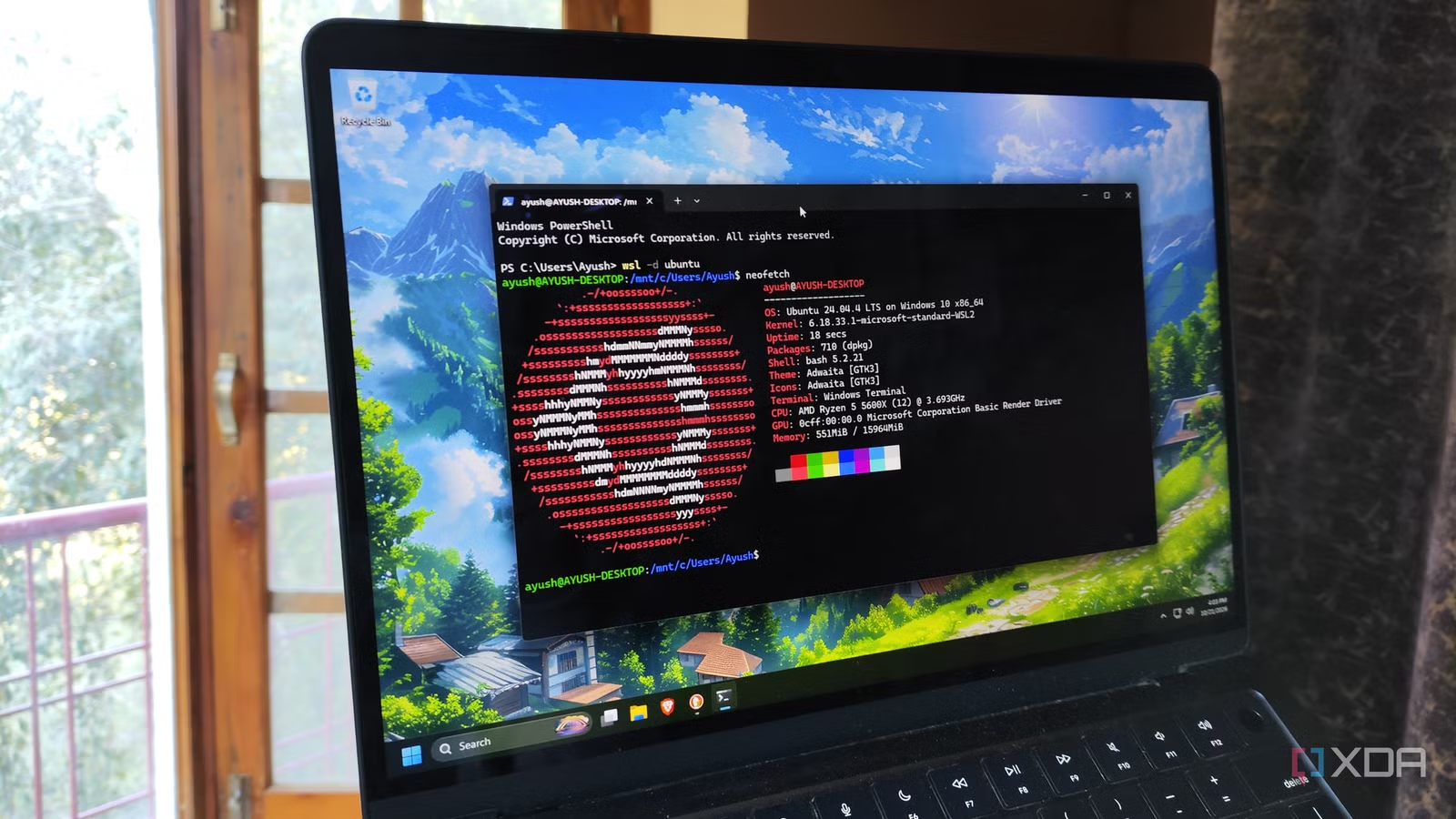
Although I’ve been an avid distro-hopper for many years, I always used a dual-boot Ubuntu + Windows 11 setup on my daily driver, and for good reason. After all, virtual machines would not only consume a lot of resources if I tried running them on top of a bloated Windows 11 instance, but I’d also have no means of running graphically demanding applications on a VM.
But after running into deal-breaking problems with my bare-metal setup, I started looking into alternatives for my everyday machine. That’s when I stumbled upon WSL, and it single-handedly replaced my Ubuntu boot drive.
Related
5 reasons I stopped dual-booting Windows and Linux on my PC
It’s just not worth the hassle anymore.
Nor does it hog as many resources as a conventional VM
Back in the day, I’d keep Windows 11 and Ubuntu partitions on the same SSD, and they worked pretty well for the most part. Unfortunately, I’ve had Windows 11 updates break my Ubuntu bootloader on more than one occasion, even though I’d taken all the precautions to keep both operating systems as separate as possible. Although I was able to use a live USB to fix the broken Ubuntu installation, the whole experience left a bad taste in my mouth.
With the prices of SSDs skyrocketing, buying a second drive just for Ubuntu doesn’t make a lot of sense, especially since WSL works exceedingly well for my Linux projects. Better yet, WSL is light enough that the entire setup, including the WSL engine and the Ubuntu files, occupy less than 15GB of space on my Windows 11 host. And since WSL dynamically expands my Linux virtual disk, I don’t need to worry about splitting the partitions evenly between Ubuntu and Windows 11 as I used to in my dual-boot days.
Switching to virtual machines is a viable alternative, sure, but they tend to be quite demanding on my PC. Worse still, I’d have no way to harness my GPU’s firepower in my AI experiments, even on something as powerful as Hyper-V. WSL, on the other hand, supports GPU acceleration, so I can harness my RTX 3080 Ti for Python experiments. Better yet, I can even edit files stored inside my Windows 11 PC directly from my WSL-based Ubuntu instance.
WSL lets me run full-on Linux applications within Windows 11
And I’m not talking just about CLI apps, either
If you’re wondering, my Ubuntu tasks involve coding tools, automation services, and AI-heavy Python projects – all of which work just as well on WSL as they do on a bare-metal setup. However, attempting to access these Linux files from my Windows 11 instance used to require a bunch of workarounds on my dual-boot setup. Not to mention, I’d have to log out of either OS when I wanted to run experiments on the other.
On a WSL-powered setup, the Windows 11 host would remain accessible even when I’m knee-deep in my Ubuntu experiments. As such, I can just leave my WSL projects running in the background and switch to my multiplayer titles on Windows 11 while the apt package manager installs the necessary packages for my experiments.
Heck, even GUI-laden applications work well on WSL. Sure, I may use CLI tools for the most part, but if I ever need to test GUI tools once I’m done coding them, I can just fire them up like any other app. Plus, good ol’ VS Code has its own WSL integration on Windows 11, which makes switching between my host machine and my Ubuntu dev environment a lot easier than manually cycling between the two operating systems on a bare-metal setup. While we’re on this subject…
Switching distros is fairly simple on WSL, too
I’ve stuck to the Ubuntu flavor on my WSL setup, but I can just as easily tinker with other distributions. Debian, Kali Linux, openSUSE, Fedora, Arch, and AlmaLinux are officially available on WSL, and configuring them is as simple as running wsl –install distro_name. However, the talented Linux community has also created fully-functional WSL instances of NixOS, Gentoo, and other quirky (but highly useful) distros as well.
NixOS on WSL, for example, has the same declarative nature that I’ve grown to love (and at times, hate) during my distro-hopping misadventures, and rolling back changes is as simple on WSL as it is on a bare-metal setup. Better yet, since these distros barely occupy 5-10 GB on my Windows 11 host, I don’t need to mass-delete files just to experiment with a specific distro.
Related
I ditched Docker for WSL containers in my homelab, and here’s what failed first
Not a lot, to be honest.
WSL is just that easy to use
When I first heard about WSL, I was worried that I’d have to deal with a long setup process and fix random compatibility errors. However, WSL is surprisingly easy to configure, to the point where you can get the engine and a distro running in well under 30 minutes. I’ve also yet to encounter any performance issues or deal-breaking compatibility problems after years of messing around with wild WSL projects.