


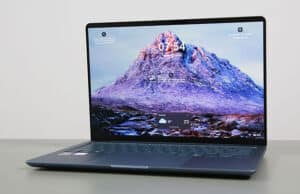
Time to discuss the refreshed Asus Zenbook 14 chassis in this review: the UX3480 series.
This is Asus’s mainstream lineup of 14-inch thin-and-light laptops, and Asus offers it with Intel, AMD or Qualcomm specs, all tucked inside the same chassis with similar perks and features. This unit is the Zenbook 14 UX3480AA Intel Panther Lake variant, arguably the most powerful and efficient, but also the most expensive. We’ll discuss the other variants in the conclusions section towards the end, as well as in future detailed articles.
With this new Zenbook 14 chassis next to the previous one, I can see how Asus is unifying the design language across its Zenbook models, bringing this mainstream Zenbook 14 lineup closer to the feel and aesthetics of the Zenbook A14 series. They use Ceraluminum materials for the construction, sharper friendlier cuts, and a cleaner design language than before, in a product that’s overall a tad bit smaller and lighter. They still offer OLED displays on all configurations, good inputs and I/O, and a big battery.
Hence, this looks like a potentially successful refresh. And having used this unit for the last few weeks, I can see how this is going to be a fit for many of you. However, there are some peculiarities and details that you’ll have to understand when taking the plunge on one of these, especially around the performance capabilities of the available Panther Lake configurations, as well as the quirks of the 2K OLED display offered on the entry and mid-level variants.
We’ll discuss all these down below in the review.
Specifications – Asus Zenbook 14 UX3480AA
Asus Zenbook 14 UX3480AA series, 2026 model
Screen
14 inch, OLED, 16:10 aspect ratio, non-touch, glossy,
2K 1920 x 1200 px, 60Hz refresh,
300-nits brightness, 100% DCI-P3 colors
2.8K 120Hz 500-nits panel available as well, either touch or non-touch
Processor
Intel Panther Lake (Core Ultra Series 3)
Core Ultra 7 355, 8 Cores (4x P, 4x LPE)/8 Threads, up to 4.7 GHz
Video
Intel iGPU, 4 Xe 3rd-gen Cores, up to 2.5 GHz
Memory
16 GB LPDDR5-7467 (soldered), up to 24 GB
Storage
1 TB M.2 NVMe SSD (Kioxia BG6) – single M.2 2280 slot
Connectivity
Wireless 7 (Intel BE211) 160MHz, Bluetooth 5.4
Ports
left: 1x USB-C with Thunderbolt 4, 1x USB-C 3.2, 1x HDMI 2.1 TMDS, mic/headphone
right: 1x USB-A 3.2 gen2
Battery
70 Wh, 68W USB-C charger
50 Wh variant available on some configurations
Size
311 mm or 12.25” (w) x 216 mm or 8.50” (d) x 13.9 to 16.9 mm or 0.55” to .67″(h)
Weight
2.65 lbs (1.2 kg) for this OLED non-touchscreen variant
+ .18 (.4 lbs) for the USB-C charger and cables, US version
Extras
clamshell format with ~150-degree opening angle,
white backlit keyboard, 1.7 mm travel, glass touchpad,
2MPx FHD webcam with IR, no privacy shutter, no fingerprint sensor,
dual speakers,
single-fan single-radiator single-heat-pipe cooling module,
Zabriskie Beige, Komodo Coral or Arctic Blue colors
Design, build quality, ergonomics
This Zenbook 14 generation is a 14-inch compact chassis that weighs between 1.1 and 1.3 kg across the different variants. The lightest is the non-touchscreen variant with the 50Wh battery; the heavier is the touchscreen variant with the 70 Wh battery.
The chassis borrows most of its particularities from the existing Zenbook A14 lineup, although that’s even slimmer and lighter. Nonetheless, it’s a well-made portable design.
The laptop is partially made from Ceraluminum, an aluminum material with an oxidized ceramic coating. Due to the build process, this coating develops into the outer layers of the aluminum; thus, it cannot chip away or peel off as the anodized coating can on regular aluminum devices. At the same time, this coating resists scratches and finger oils quite well. On the other hand, this Ceraluminum feels a bit weird to the touch and not as premium as raw pieces of aluminum. Asus claim it feels like a fine pebble, while to me it feels like very fine sandpaper.
Now, the Ceraluminum is used for the lid on this series, while the main frame and D-panel are standard pieces of aluminum. That’s the main reason why the Zenbook A14 is an even lighter chassis, as that one is entirely made out of Ceraluminum.
Asus offers the series in three color options: beige, blue, and coral, with partially color-matched keyboards. Ours is the bluish-gray option; it looks fine. Branding is kept at a minimum, with a dark-chromed Asus Zenbook engraving in the middle of the lid, and muted Asus writing under the display. An extra fine detail is the Asus monogram logo in the bottom-right corner of the main deck. Overall, this is a very clean and neat-looking device.
Ergonomics are mostly fine with this series, with the sole exception of the screen no longer opening all the way flat to 180 degrees – it opens to about 150-155 degrees, which can be annoying at times when using the device on the lap. The previous Zenbook 14 models offered the 180 display.
That aside, the laptop sits solidly on a desk, there are no annoying lights in the line of sight, the corners and edges are friendly on the wrists, and the hinges open up smoothly. They’re a bit soft, though, as the screen moves slightly when picking up the laptop – that’s less of a concern on this variant with the non-touch display, and more on the touchscreen models with the extra glass and heavier overall weight.
The IO is fine for a laptop of this sort, with USB-C ports, a USB-A, a full HDMI, and an audio jack. There’s no card reader, and the USB-Cs are both grouped on the left edge, which means you don’t get the convenience of connecting a charger on either side.
Compared to the previous Zenbook 14 chassis, the IO hasn’t changed, but it has been flipped on its side: most ports are now on the left, and they were previously on the right. I preffer having them on the left.
Before we wrap this up, here are some pictures of this 2026 Zenbook 14 (at the left in all images, in bluish gray) next to the previous 2024/2025 Zenbook 14 chassis (in black), the MacBook Air 13, and the 2026 Asus Zenbook S14 (in gray). Just a brief intro to how these compare. We’ll have a more detailed article on these lineups in due time.
Keyboard, touchpad
The inputs on this Zenbook 14 generation are a slight refresh of what Asus offered on previous models.
The keyboard is a similar layout, standard for Asus Zenbooks. Its particularities are the smaller arrow keys and the power button integrated as a key in the top-right corner – it’s not the corner key, though, as that’s reserved for Delete. There’s also no light in the power key, unlike on some older Asus laptops.
The overall feedback has changed a bit, though, as this refresh offers deeper travel at 1.7 mm (vs. 1.4 mm in the past) and quieter actuations. As for its general feel, I was a fan of the typing experience provided by past Zenbooks, and this 2026 iteration is just as good, if not better.
The keys are somewhat of a color match with the laptop’s overall theme, but not an exact match. That means they’re a shade of gray on this variant, which provides good contrast with the white backlighting and does a fair job dealing with finger oils.
Speaking of, there are white LEDs beneath the keycaps, with three brightness levels to choose from. All these levels are rather dim, but do what they’re supposed to in dimmer lighting conditions. At the same time, plenty of light shines out from underneath the keycaps.
The touchpad is larger on this generation, spreading higher towards the keyboard and lower towards the laptop’s front lip. Not a fan, but at least palm rejection works fine. I still noticed occasional ghost touches from my clothes when using this on the lap, but overall this is a fine touchpad for general use. Physical clicks are quieter than on past Zenbooks.
I can’t tell whether this surface is plastic or matte glass as on the older Zenbooks, but it does feel a little different to the touch, cheaper somehow.
Furthermore, the touchpad no longer integrates the NumberPad functionality offered by many previous Zenbook models.
As for biometrics, there’s no finger sensor, but the camera at the top supports IR.
14-inch OLED display
The display on the Zenbook 14 is a 14-inch 16:10 format, with an OLED panel. Now, Asus actually offers two OLED panels for this series, and they’re quite different:
- 2K 1920 x 1200 px, 60Hz, 300-nits sustained brightness, 100% DCI-P3 colors;
- 2.8K 2880 x 1800 px, 120Hz, 500-nits sustained brightness with 1000 nits Peak HDR, 100% DCI-P3 colors.
Furthermore, both are offered as touch or non-touch variants.
Now, our configuration is the entry-level 2K non-touch panel. It’s an OLED, so it looks good, and it’s sharp enough even at this lower resolution on the 14-inch format. Furthermore, as a non-touch variant, content and texts look clean as there’s no screen-door effect.
At the same time, this panel is dimmer than other OLEDs, including previous-generation variants implemented in past Zenbooks. And that makes it unusable in brighter-light environments, further corroborated with the reflective finish.
Here’s what we got in our tests, with an X-Rite i1 Display Pro sensor:
- Panel HardwareID: Samsung SDC4210 (ATNA40KW01-0);
- Coverage: 100% sRGB, 92.3% Adobe RGB, 100% DCI-P3;
- Type: 2.8K 2820 x 1800 px, 10-bit, 120 Hz;
- Measured gamma: 2.17;
- Max brightness in the middle of the screen: 292.57 cd/m2 on power;
- Min brightness in the middle of the screen:
- Contrast at max brightness: 1:1;
- White point: 6400 K;
- Black on max brightness: 0 cd/m2;
- PWM: Yes, to be discussed.
This panel also uses PWM at all brightness levels, including at the maximum setting, and at a roughly 500 kHz frequency that makes the flickering noticeable to human eyes. I’m generally not flicker-sensitive, but I found this display tiresome on my eyes, and that rarely happened to me with any other notebooks. The DC dimming brightness adjustment option in the MyAsus app doesn’t help here, since the panel still uses low-frequency PWM at maximum brightness.
That means I’d stay away from this panel as much as possible and get the 2.8K OLED option instead. If that’s not an option where you are, the 2K screen is a potential deal-breaker for the series and a reason to look into a different device.
Hardware and performance – Intel Core Ultra 9 Panther Lake
Our test model is a mid-specced configuration of the 2026 Asus Zenbook 14, code name UX3480AA, with an Intel Core Ultra 7 355 processor and Intel integrated graphics, 16 GB of LPDDR5x-7467 memory, and a middling 512 GB gen4 SSD.
Disclaimer: This is a review unit offered by Asus. The laptop is tested with the software available as of late October 2026 (BIOS 306, MyAsus 4.0.77.0 app, Intel V32.0.101.9150 driver). This is mature software, so little can change in future updates.
Spec-wise, this series is based on Intel’s Panther Lake hardware platform, with Core Ultra Series 3 processors and Intel integrated graphics.
The CPU on this review unit is the Core Ultra 9 386H, a hybrid design with 8 Cores (4x Performance and 4x Low-Power Efficiency) and 8 Threads. The Performance Cores are built on the Cougar Cove architecture, while the Efficiency cores are the refreshed Darkmont architecture, as explained in this indepth article on Panther Lake laptops.
Configurations built on either a Core Ultra 9 386H (16Cores, 16Threads) or a Core Ultra 5 325 (8Cores, 8 Threads) platform might be offered in some markets. The former is 50% faster in sustained CPU loads than the other two, while the latter is quite close to the Core Ultra 7 355 variant tested here. There are no configurations with Core Ultra X7/X9 hardware for this Zenbook 14 series.
As far as graphics go, the Panther Lake Core Ultra 300 and 300H processors bundle an Intel iGPU with 4x 3rd-generation Xe3 Cores. The iGPU is mostly the same across all these platforms available in this lineup.
The RAM is onboard, with 16 GB of LPDDR5X-7467 on this unit. Configurations with either 16 or 24 GB of RAM are available in retail.
For storage, Asus opted for a mid-range PCIe gen4 Kioxia SSD drive here. It worked fine, with no throttling or overheating in any case.
The SSD is the only easily upgradeable component on this laptop. To get inside, you need to remove the back panel, which is held in place by a handful of Torx screws. They’re all the same size in this generation, and a pop-up screw is implemented in the bottom right corner, making the opening process simpler than on past Zenbooks.
As far as the software goes, this Zenbook gets the standard MyAsus app, which allows control over the power profiles, battery, and screen settings, updates, etc.
There are three performance/thermal profiles to choose from:
- Performance – 35W sustained TDP in CPU loads, 28W sustained in mixed use, with ~40 dBA fan noise at head level;
- Standard – 28W sustained TDP in CPU loads, 25W sustained in mixed use, with ~35 dBA fan noise at head level;
- Whisper – further limits the CPU at ~17W, with fan noise of sub 30 dBA.
Standard is where I’d use this laptop all the time, both with light use on battery power and with sustained loads plugged in.
We’ll discuss performance in a bit, but first, here’s what to expect in terms of speeds and temperatures with daily chores such as streaming video, editing text, or browsing the web.
Productivity Performance and Benchmarks
On to more demanding loads, we start by testing the CPU’s performance in the Cinebench R15 loop test.
The Core Ultra 7 355 processor peaks at 50W and stabilizes around the 35W PL1 limit in all runs, with temperatures in the high-80s °C and fan levels of 40 dBA. The Cinebench scores average about 1500 points.
Compared to the previous Zenbook 14 generation built on the Intel Core Ultra 9 285H platform, this unit runs slightly warmer and slightly quieter at the same time. Furthermore, last year’s Core H variant scores about 50% higher in this sustained load than this configuration. You would get the same performance on the Core Ultra 9 386H configuration of this generation as well, but most likely with even higher thermals.
On Standard, the system limits the fan to around 35 dBA, and the power stabilizes at 28W, with temperatures in the very low 70s °C. The scores barely drop compared to Performance mode.
Then, Whisper mode keeps the fans even quieter at 30 dBA, but the TDP is limited to 17W, which means the scores only average about 1250 points, so about 80% of Performance mode.
Finally, our sample performed very well on battery, stabilizing at 35W of power in Performance mode. That’s on par with the plugged-in Performance profile.
To put these in perspective, here’s how this Core Ultra 7 355 implementation fares against other hardware platforms available in current and past-generation thin and light laptops.
This is a lower-tier performer in the 14-inch ultrabook space today. It’s about 50% slower than the Panther Lake Core Ultra 9 386H platform implemented in some other ultraportables, and about on par with an AMD Ryzen AI 7 445 platform implemented in more budget-targeted products. At the same time, this is about on par with a Lunar Lake Core Ultra 200V platform, and slower than the Intel/AMD platform offered in the previous generations of the Zenbook 14 lineup.
Now, Asus offers the Core Ultra 9 386H specs on this Zenbook 14 in some markets, but most of the available Zenbook 14 UX3480 configurations ship with this Core 7 355 lower-performance hardware.
Furthermore, the Qualcomm X2 Elite or Apple M5 hardware available in some competing ultrabooks is significantly faster as well in this sort of CPU-heavy task; just make sure the software particularities of those platforms are right for you.
We then went ahead and further verified our findings with the more taxing Cinebench R23 loop test and in Blender. We measured similar behavior, power limits, fan noise, and temperatures.
We then ran the 3DMark CPU profile test.
Finally, we ran our combined CPU+GPU stress tests on this notebook, on the Performance profile. 3DMark stress runs the same test for 20 times in a loop and looks for performance variation and degradation over time. This unit passes the test both when kept flat on the desk or when raised on a stand. More on that in the gaming section.
Benchmark results and performance summary
With that out of the way, let’s get to some benchmarks. We ran our standard set of tests with the laptop on Performance mode (28-35W sustained TDP) and the screen set at its default 2K resolution.
Here’s what we got.
- 3DMark 13 –CPU profile: max – 6347, 16 – 6285, 8 – 6458, 4 – 4087, 2 – 2217, 1 – 1148;
- 3DMark 13 – Fire Strike: 6469 (Graphics – 7119, Physics – 22104, Combined – 2357);
- 3DMark 13 – Solar Bay: 11759;
- 3DMark 13 – Steel Nomad Light: 2156;
- 3DMark 13 – Time Spy: 3094 (Graphics – 2787, CPU – 8258);
- 3DMark 13 – XeSS: XeSS Off – 5.96 fps, XeSS On – 16.69 fps, 197% performance difference.
- Uniengine Superposition – 1080p Extreme: 1577;
- Uniengine Superposition – 1080p Medium: 4610;
- Aida64 Extreme, memory test: -;
- PCMark 10: 8254 (Essentials – 10098, Productivity – 16398, Digital Content Creation – 9216);
- GeekBench 6.6.0: Multi-core: 11561, Single-Core: 2743;
- GeekBench 7.1.0: Multi-core: 11945, Single-Core: 2483;
- GeekBench AI 1.7.0 (ONNX, CPU): Single: 1530, Multi: 3582, Quantized: 6992;
- Cinebench R15 (best run): CPU 1755 cb, CPU Single Core 303 cb;
- Cinebench R23: CPU 11262 pts (best run), CPU 10595 pts (10 min loop test), CPU Single Core 2015 pts (best run);
- Cinebench 2024: CPU 607 (10 min run), CPU Single Core 120 pts;
- Cinebench 2026: CPU multiple threads: 2454 (10 min run), CPU single thread: 487 pts.
And here are some work-related benchmarks, on the same Performance profile:
- Blender 5.1.2 – Classroom scene – CPU Compute: 8m 21s;
- Blender 5.1.2 – Classroom scene – GPU Compute, OneAPI: 2m 16s;
- SPECviewperf 2020 – 3DSMax 07: 15.84;
- SPECviewperf 2020 – Catia 06: 14.49;
- SPECviewperf 2020 – Creo 03: 28.75;
- SPECviewperf 2020 – Energy 03: 3.53;
- SPECviewperf 2020 – Maya 06: 85.10;
- SPECviewperf 2020 – Medical 03: 9.63
- SPECviewperf 2020 – SNX 04: 6.44;
- SPECviewperf 2020 – Solidworks 07: 38.21;
- SPECviewperf 15 – 3DSMax 08: 7.39;
- SPECviewperf 15 – Blender 01: 8.94;
- SPECviewperf 15 – Catia 07: 5.31;
- SPECviewperf 15 – Creo 04: 19.03;
- SPECviewperf 15 – Energy 04: 3.45;
- SPECviewperf 15 – Enscape 01: 5.87;
- SPECviewperf 15 – Maya 07: 43.96;
- SPECviewperf 15 – Medical 04: 9.60;
- SPECviewperf 15 – SNX 05: 34.54;
- SPECviewperf 15 – Solidworks 08: 12.28;
- SPECviewperf 15 – Unreal Engine 01: 19.62;
- V-Ray Benchmark 5: CPU – 7430, CUDA – 200;
- V-Ray Benchmark 6: CPU – 10853, CUDA – 509:
The Core Ultra 7 355 is the lower-power Panther Lake platform and a successor to the Intel Lunar Lake 200V hardware. Hence, it performs slightly better than 256V or 258V platforms in CPU loads.
At the same time, this is slower in CPU loads than most current and past Intel/AMD platforms, but slightly better in IPC single-core performance and more efficient.
Of course, if you’re after a more capable CPU in this chassis, that’s offered with the Core Ultra 9 386H configuration, where available.
On the GPU side, the Panther Lake iGPU with 4x Cores is 20-30% slower than the Arc 140v and Arc 140T implemented with past Lunar Lake and Arrow Lake H platforms, but not by much. It’s also much slower than the Arc B390 in the Core Ultra X7/X9 Panther Lake SKUs.
Panther Lake Core 7 355 vs Ultra 9 386H, Ultra X7 358H, Lunar Lake Core Ultra 7 258V, Ryzen AI 7 445
Here’s how this Core Ultra 7 355 implementation compares against a few alternatives available on similar devices of this generation, as well as previous-gen iterations of the Zenbook 14 lineup.
Zenbook 14 UX3480,
Core Ultra 7 355 + Intel,
28W Performance mode
Zenbook S14 UX5406,
Core Ultra 9 386H + Intel,
28W Performance mode
Zenbook S14 UX5406,
Core Ultra 7 258V + Arc 140V,
24W Performance mode
ExpertBook Ultra B9406,
Core Ultra X7 358H + B390,
30W Standard mode
Zenbook 14 UM3406,
Ryzen AI 7 445 + Radeon 840M,
28W Performance mode
Zenbook 14 UX3405,
Core Ultra 9 285H + Arc,
28W Performance mode
3DMark – Fire Strike
6469 (G – 7119, P – 22104, C – 2357)
6576 (G – 7195, P – 27882, C – 2356)
8993 (G – 9984, P – 21713, C – 3429)
13328 (G – 15941, P – 27065, C – 4457)
5027 (G – 5350, P – 12169, C – 1937)
8629 (G – 9307, P – 27479, C – 3351)
3DMark – Time Spy
3094 (Graphics – 2787, CPU – 8258)
3478 (Graphics – 3095, CPU – 11684)
4443 (Graphics – 4155, CPU – 7323)
6988 (Graphics – 6475, CPU – 12556)
1998 (Graphics – 1771, CPU – 7305)
4472 (Graphics – 4036, CPU – 11560)
Uniengine Superposition – 1080p Extreme
1577
1677
2108
3626
835
2403
CineBench R23 (best run)
10565 cb – multi core,
2015 cb – single core
16758 cb – multi core,
2045 cb – single core
9930 cb – multi core,
1855 cb – single core
17334 cb – multi core,
2055 cb – single core
11201 cb – multi core,
1831 cb – single core
15812 cb – multi core,
2100 cb – single core
Blender 5.1.2 – CPU, Classroom
8m 21s
6m 05s
–
–
8m 13s
7m 00s
SPECviewperf 2020 – 3DSMax:
15.84
18.67
23.69
37.82
27.45
29.17
SPECviewperf 2020 – Catia:
14.49
17.66
18.94
30.18
29.66
23.20
SPECviewperf 2020 – Maya:
85.10
89.91
98.87
156.71
85.51
117.12
Standard modes, quieter at 35dBA
Here’s how this laptop performs on the Standard mode, with quieter fan noise of under 35 dBA.
Here are some benchmark results for this Standard mode:
- 3DMark 13 –CPU profile: max – 6269 , 16 – 6090, 8 – 6238, 4 – 4104, 2 – 2210, 1 – 1146;
- 3DMark 13 – Fire Strike: 6445 (Graphics – 7111, Physics – 21848, Combined – 2336);
- 3DMark 13 – Time Spy: 3002 (Graphics – 2707, CPU – 7873);
- Uniengine Superposition – 1080p Extreme: 1458;
- Blender 5.1.2 – Classroom scene – CPU Compute: 9m 14s;
These are within 90-95% of Performance mode, which means this Standard mode is the ideal profile to use on this Zenbook 14 Core Ultra 7 355 configuration.
The overall capabilities are competitive for a mid-level profile with this sort of low fan noise.
Gaming Performance
We also ran a couple of games on the Performance profile of this Core Ultra 7 355 + Intel Graphics configuration, at FHD+ resolution, with Low/Lowest graphics settings. I threw in a few other platforms for comparison.
Low settings
Zenbook 14 2026,
Ultra 7 355, Intel,
Perf – 28W, FHD+ 1200p
Zenbook S14 2026,
Ultra 9 386H, Intel,
Perf – 28W, FHD+ 1200p
Zenbook S14 2024,
Ultra 7 258V, Arc 140V,
Full – 28W, FHD+ 1200p
ExpertBook Ultra 2026,
Ultra X7 385H, Arc B390,
Standard – 30W, FHD+ 1200p
Zenbook 14 2025,
Ultra 9 285H, Arc 140T,
Perf – 30W, FHD+ 1200p
Zenbook 14 2025,
Ryzen 7 350, Radeon,
Perf – 28W, FHD+ 1200p
Cyberpunk 2077
(DX12, Low Preset)
27 fps (20 fps – 1% low)
24 fps (12 fps – 1% low)
–
52 fps (34 fps – 1% low)
–
–
Cyberpunk 2077
(DX12, Low Preset, XeSS, FG)
60 fps (28 fps – 1% low)
56 fps (26 fps – 1% low)
–
114 fps (54 fps – 1% low)
–
–
Far Cry 6
(DX11, Low Preset, TAA)
42 fps (34 fps – 1% low)
46 fps (38 fps – 1% low)
52 fps (38 fps – 1% low)
72 fps (54 fps – 1% low)
52 fps (36 fps – 1% low)
50 fps (42 fps – 1% low)
Horizon Forbidden West
(DX12, Very Low Preset,
TAA, Upscale Off)
38 fps (30 fps – 1% low)
48 fps (40 fps – 1% low)
45 fps (32 fps – 1% low)
70 fps (54 fps – 1% low)
44 fps (30 fps – 1% low)
40 fps (30 fps – 1% low)
The Witcher 3: Wild Hunt
(DX 11/12, Low Preset, TUAA)
78 fps (62 fps – 1% low)
77 fps (53 fps – 1% low)
78 fps (56 fps – 1% low)
108 fps (75 fps – 1% low)
66 fps (54 fps – 1% low)
56 fps (40 fps – 1% low)
All these games are playable here with these settings, and opting for XeSS settings where available makes a notable difference. At the same time, you would get better frame rates with the Arc B390 configurations available today, but also with the previous-gen Intel Core Ultra Series 200 specs on past Zenbooks.
And here are some logs.
The GPU runs at full capabilities on both Performance and Standard modes, so there are no differences in frame rates between the two profiles.
The hardware runs at temperatures in the mid to high 60s °C with these games, with the laptop raised on a stand. Flat on the desk, these internal temperatures jump by a few degrees, but not significantly. Compared to previous-gen Zenbook 14 configurations, this refresh runs internally cooler, mostly due to the improved efficiency of the Panther Lake platform.
The GPU runs at full blast on battery power as well.
Noise, Heat, Connectivity, speakers, and others
Asus went with a minimalist thermal module on this laptop, with a single fan, single radiator, and single heatpipe.
For comparison, the cooling on the previous-generation Zenbook 14 series implemented a longer heat pipe with an extra heatsink, but a smaller fan.
However, even if simplified, the updated thermal module copes well with the requirements of the Core Ultra 7 355 platform. The CPU runs hot in sustained CPU loads on Performance mode where the PL1 power level is set at around 35W, but otherwise, with mixed use around 25-28W, the internals run in the mid-60s to low-70s °C, perfectly fine for a device of this kind.
I do wonder how this will cope with the Core Ultra 9 386H specs, you’ll want to look into specific reviews of that configuration for the exact details. I expect that will run a little warmer.
As far as the noise levels go, expect 40 dBA on Performance, 35 dBA on Standard, and sub 30 dBA on Whisper mode. This 2026 model is slightly quieter on Performance mode than the past Zenbook 14 iterations.
With light daily use, the fan stays mostly idle on all profiles, both when having the laptop plugged in or using it on battery power. They do kick in with heavier multitasking, though. I haven’t noticed coil whine or electronic noises on this unit.
As for external temperatures, the chassis stays cool with light use, with most areas under 30 °C.
*Daily Use – streaming Netflix in EDGE for 30 minutes, Whisper Mode, fans at 0 dB
With demanding loads, the right half of the laptop runs warmer than the left, since this uses an asymmetrical cooling design with the hardware on one side and the fan on the other. At least they could have switched the two around to have the left side running cooler.
Nonetheless, thermals are never an issue here, as even when gaming for an hour on Performance mode, the chassis temperatures rarely go over 30 °C. This Zenbook is one of the cooler-running ultraportables tested over the years with heavier loads.
Opting for Standard mode leads to 1-2 degrees higher temperatures around the chassis, but lower fan noise.
*Gaming – Performance mode – playing Witcher for 30 minutes, fans at ~40 dB
For connectivity, there’s Wi-Fi 7 160Hz and Bluetooth 5.4 through a standard Intel module. Everything worked smoothly during my months with this laptop, without hiccups, disconnects, or other issues.
Audio is handled by a set of dual speakers that fire through the cuts on the bottom of the chassis. There are no upfiring speakers.
These speakers are pretty beefy, though, so they offer punchy volume and decent sound quality. Overall, the audio on this update is a slight improvement over the previous Zenbook 14 generations.
Finally, there’s a 2MP camera placed at the top of the screen. It gets a wide-angle lens, but it’s still a rather lousy-looking camera overall. It lacks a physical privacy cover, but it supports IR for Windows Hello.
Battery life
There’s a 70 Wh battery inside this 2026 Asus Zenbook 14, properly sized for a compact notebook, and slightly smaller than the 75 Wh battery in the previous Zenbook 14 generations.
However, keep in mind that some entry-tier configurations of this laptop might ship with a 50 Wh battery instead.
Here’s what we got in our battery life tests, with the screen’s brightness set at around 120 nits (~70 brightness). I’ve also set the Windows 11 power mode to Best Power Efficiency.
- 2 W (30+ h of use) – idle, Whisper Mode, screen at 10%, Wi-Fi ON;
- 5-6 W (~12-14 h of use) – text editing in Google Drive, Whisper Mode, screen at 70%, Wi-Fi ON;
- 4 W (15+ h of use) – 1080p fullscreen video on Youtube in Edge, Whisper Mode, screen at 70%, Wi-Fi ON;
- 4 W (15+ h of use) – Netflix fullscreen in Edge, Whisper Mode, screen at 70%, Wi-Fi ON;
- 6-8 W (~9-12 h of use) – browsing in Edge, Standard Mode, screen at 70%, Wi-Fi ON;
- 40 W (~1.5 h of use) – Gaming – Witcher 3, Performance Mode, screen at 70%, Wi-Fi ON.
Excellent runtimes and the most efficient Panther Lake laptop tested so far. In fact, this runs more efficiently than any of the other platforms tested on Windows in recent years, including those on ARM.
However, keep in mind that opting for the Core Ultra 9 configuration of this laptop and/or the 2K 120Hz OLED display is going to take a toll on these runtimes. Up to you if that’s worth it or not, but I would personally go for these specs if possible.
For reference, here’s what we got on the Core Ultra 9 386H configuration of the Zenbook S14, with that 2.8k 120Hz OLED touchscreen.
- 3 W (20+ h of use) – idle, Whisper Mode, screen at 10%, Wi-Fi ON;
- 6-7 W (~12-14 h of use) – text editing in Google Drive, Whisper Mode, screen at 50%, Wi-Fi ON;
- 5-6 W (~13-15 h of use) – 1080p fullscreen video on Youtube in Edge, Whisper Mode, screen at 50%, Wi-Fi ON;
- 5 W (~15 h of use) – Netflix fullscreen in Edge, Whisper Mode, screen at 50%, Wi-Fi ON;
- 7-10 W (~7-10 h of use) – browsing in Edge, Standard Mode, screen at 50%, Wi-Fi ON;
- 35 W (~2 h of use) – Gaming – Witcher 3, Performance Mode, screen at 50%, Wi-Fi ON.
The laptop ships with a 68W USB-C charger, a compact format with a non-detachable cable. Just keep in mind that you’re most likely getting the laptop without a charger in the EU region, due to recent regulations.
Price and availability- Asus Zenbook 14 UX3480
At the time of this article, this Asus Zenbook 14 UX3480AA series is available in some regions, but not yet everywhere.
Follow this link for updated prices and configurations in your area.
Over here in Europe, the reviewed unit with the Core Ultra 7 355 specs, 16 GB of RAM, 512 GB SSD, and the 2K display retails for around 1400 MSRP in Germany and 1400 GBP in the UK. I couldn’t find it in the US, though, at least for now.
The Core Ultra 9 386H configuration is also available in some European countries for about 100 EUR/GBP extra, making this the more compelling option to get.
At the same time, we’re living crazy times, and everything has gotten expensive. Two years ago, you could have bought a similar-tier Zenbook for around 1K USD/EUR, and now it’s 50% more with 50% less storage, while configurations with 32 GB of RAM are not even an option anymore. Hopefully, sales and discounts will make this more affordable as it ages.
Follow this link for updated prices and configurations in your area.
Final thoughts- Asus Zenbook 14 UX3480AA review
This Zenbook 14 UX3480 series refines the previous Zenbook 14 UX3405 (Intel) and UM3406 (AMD) designs with a cleaner and tougher chassis, slightly improved inputs, and modified ergonomics. But all these are minor, subtle differences visible when having the two generations side by side, and hardly enough reasons to clearly justify getting the newer generation over a 2024/2025 model. Especially since the pricing has gone up so much.
Now, there’s a fair chance you will no longer find any of those older Zenbook 14 models in stock anywhere by the time you’re reading the article (although the Zenbook 14 UM3406GA is a 2026 launch and still available for now), so that would leave you with the option of getting the UX3480 refresh, either in this Intel variant or in the Qualcomm or AMD configurations. This Intel Panther Lake configuration is a fair jack-of-all-trades, especially if you opt for the Ultra 9 386H model with the beefier CPU – but even that one isn’t much of an upgrade in performance over the previous-gen Core Ultra 9 285H platforms. The other two, the Snapdragon X and AMD Ryzen AI 7 options, those are slower. They sell for a fair bit less, though, so if you’re after a laptop for casual use, those could be more enticing options to consider.
Where the Intel Panther Lake has an edge, however, is in efficiency, which translates to a cooler and quieter experience with general use, as well as longer runtimes on battery power. On all these ends, this Zenbook is one of the best ultrabooks ever tested.
However, there’s one potential deal-breaker I must warn against here: the 2K panel, which is dimmer than the standard 2K OLEDs offered in the past Zenbooks, as well as flickers with low-frequency PWM across all brightness levels, including at max setting. That negates the ability to adjust the brightness with the flicker-free DC dimming option offered in the MyAsus app, unlike on other Asus OLED ultraportables that don’t use PWM at max brightness.
Furthermore, this series is rather expensive compared to some of its direct competitors such as the Lenovo Yoga Slim 7 or the Apple MacBook Air 13, while at the same time about on par with other popular rivals such as an HP OmniBook X or an Acer Swift Go 14. This further showcases the overall value you’re getting with the MacBook Air these days compared to Windows options, as long as you’re fine with the Apple ecosystem and the Air’s software/hardware quirks.
All in all, I feel that this Zenbook 14 Zenbook 14 UX3480AA is no longer the value proposition in the upper-tier segment of daily ultrabooks in the same way as past Zenbooks were a few years ago. It’s a fair ultrabook, just rather expensive and crippled by that implemented 2K OLED panel. The Ultra 9 386H configuration with the 2.8K panel is the variant I’d mostly aim for here, as long as you can get it for a fair price; but that’s hardly available at the time of this review.
Looking for your thoughts and feedback on this Asus Zenbook 14 UX3480AA series down below in the comments section.
Disclaimer: Our content is reader-supported. If you buy through some of the links on our site, we may earn a commission. Terms.
Navigation: Ultrabookreview.com » Asus
Review by: Andrei Girbea
Andrei Girbea is a Writer and Editor-in-Chief here at Ultrabookreview.com. I write about mobile technology, laptops and computers in general. I’ve been doing it for more than 15 years now. I’m a techie with a Bachelor’s in Computer Engineering. I mostly write reviews and thorough guides here on the site, with some occasional columns and first-impression articles.