


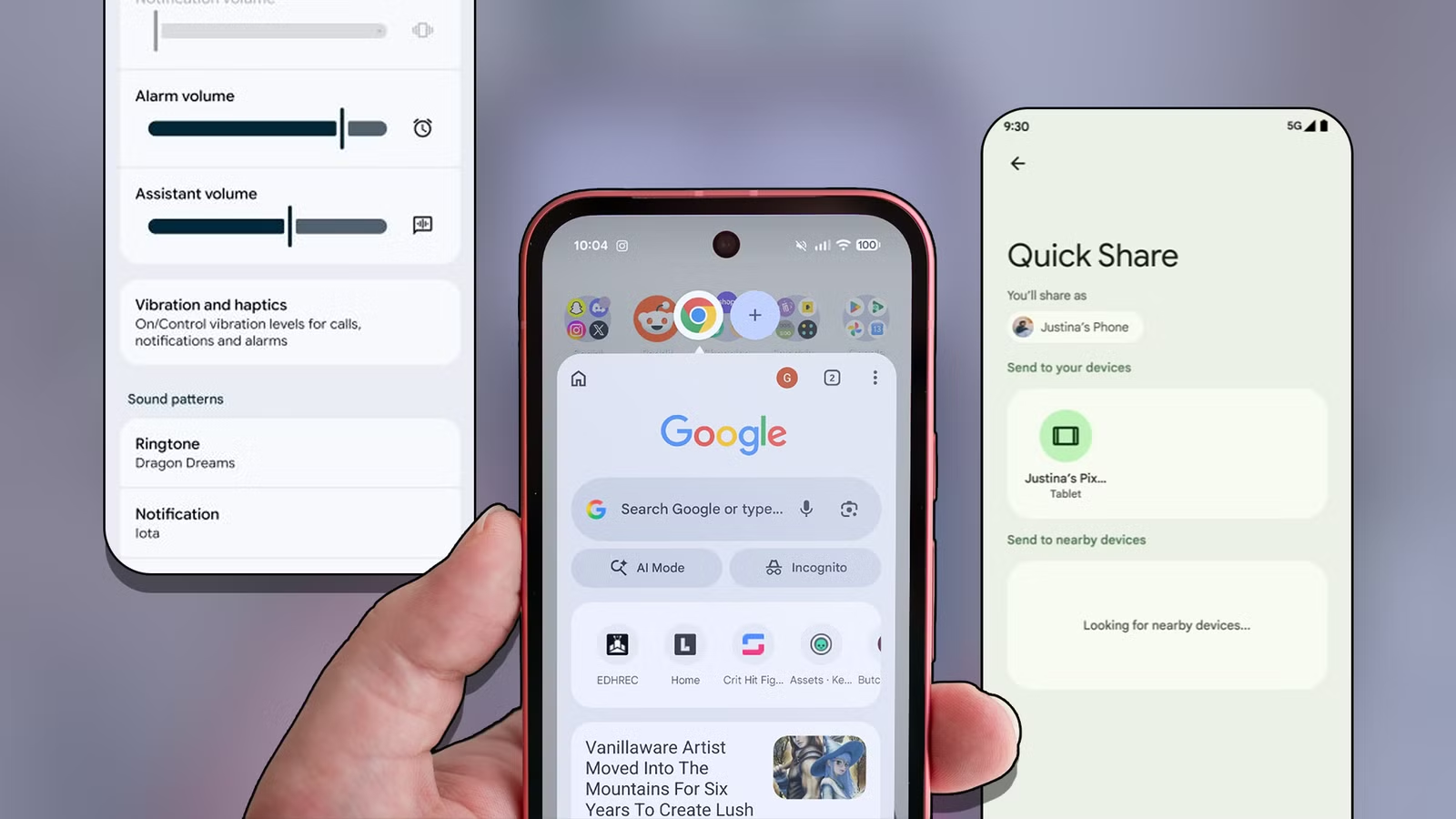
Over the last year or so, Google has focused heavily on adding new AI features to Android, its Pixel phones, and Gemini.
While some are useful, the company has also made subtle changes to Android during the same period that haven’t received as much attention as they deserve.
Across Google’s AI advancements, these smaller improvements have made a bigger difference in how I use my phone. They have made everyday tasks more convenient — something I appreciate more than another flashy AI feature.
Quick Share makes sharing with my Mac easier
One less app between my Android phone and Mac
I did not pay much attention when Google announced AirDrop support for Quick Share in November last year. Initially limited to the Pixel 10 family, the feature has since expanded to more Android phones.
Almost a year later, it’s one of those little Android improvements that has made my life easier. It’s not like I couldn’t wirelessly transfer files between my Android phone and Mac or iPad before. Plenty of apps have already made that easy.
But native AirDrop support in Quick Share brings that extra convenience: I no longer need to open another app to send files to my Mac. That might seem small, but removing that extra step makes a difference. Quick Share is now my default way to transfer files between my Android phone and Mac.
Dedicated Assistant volume control
My music and Gemini no longer need to share a volume level
AI assistants will play a bigger role in how we use our PCs and smartphones. Google still needs to make plenty of changes to Android to make that happen.
But Android 17 has made one small quality-of-life improvement: a dedicated assistant volume control.
I recently got Android 17 on my phone, so this is new for me, but I’m already appreciating it. I can now adjust the assistant’s volume independently of my phone’s media volume.
This may not seem like a big deal, but it makes a difference in daily use. I can keep the assistant’s responses at a comfortable volume without changing my music or video volume.
That’s becoming more useful as I spend more time talking to the assistant on my phone. This isn’t a flashy AI feature, but it makes the experience of using AI agents better.
Pinned tabs in Chrome
Bringing a little order to my tab chaos
At any point in time, I have around 20 to 30 tabs open in Chrome on my phone. Some are articles I plan to read later, while others are pages I keep coming back to. The rest are tabs that I forgot to close.
The problem is that those frequently used tabs, or articles I plan to return to later, get buried under clutter and unwanted tabs after a few days or weeks.
Earlier this year, Google added the ability to pin tabs in Chrome for Android. Again, this may not seem like a big deal, but it’s made my life easier.
Pinning keeps important pages at the front of the tab view, so I don’t have to scroll through dozens of open tabs to find them.
I could bookmark these pages, but that makes more sense for things I want to save for the long term. For an article I want to finish or a page I check regularly, keeping the tab pinned feels more convenient.
It hasn’t solved my habit of leaving too many tabs open, but it makes that habit a little easier to live with.
Bubbles make multitasking a breeze
A longtime Samsung convenience finally comes to Pixels
For all the AI features Google keeps adding to its Pixel phones, some basic things are still easier to do on a Samsung or OnePlus phone.
One of them is running apps in floating windows, a feature that’s been available on almost every other non-Pixel Android phone for years. Its absence on Pixels has always made multitasking feel a bit more cumbersome when I switch to one.
Google finally addressed this limitation with Android 17 this year. I can now open an app in a floating window instead of constantly switching back and forth.
Split screen was already an option, but it didn’t always suit what I wanted to do, especially when I needed to keep an app open to follow updates.
Bubbles lets me keep that app within reach without giving up half my screen.
If you use a Samsung or a OnePlus phone, you will not understand how limiting multitasking felt on the Pixel. So, I’d take this improvement over any other AI feature.
Privacy-focused contact picker
Credit: Lucas Gouveia / Android Police
I have always avoided giving apps access to my phone book unless necessary. In some cases, though, apps wouldn’t work or restricted certain features without access to my contacts.
With AI, I’m even more reluctant to give apps access to my phone book and other information.
Google introduced a useful middle ground with Android 17 earlier this year. It lets me give supported apps access to selected contacts instead of opening up my entire phone book.
The catch is that apps need to support this option, and developers have been slow to implement the change. Still, it gives me more control over my data and lets me keep the rest of my contact list private.
Hopefully, it is only a matter of time before developers fully adopt Android 17’s new privacy-focused contact picker.
More of this, Google
I am not against Google adding more AI features to Android. I think the company could do better there. But I don’t want that focus to come at the expense of smaller improvements that deserve just as much attention.
These changes make everyday tasks on Android easier and fix annoyances I’ve put up with for years.