


Joe Maring / Android Authority
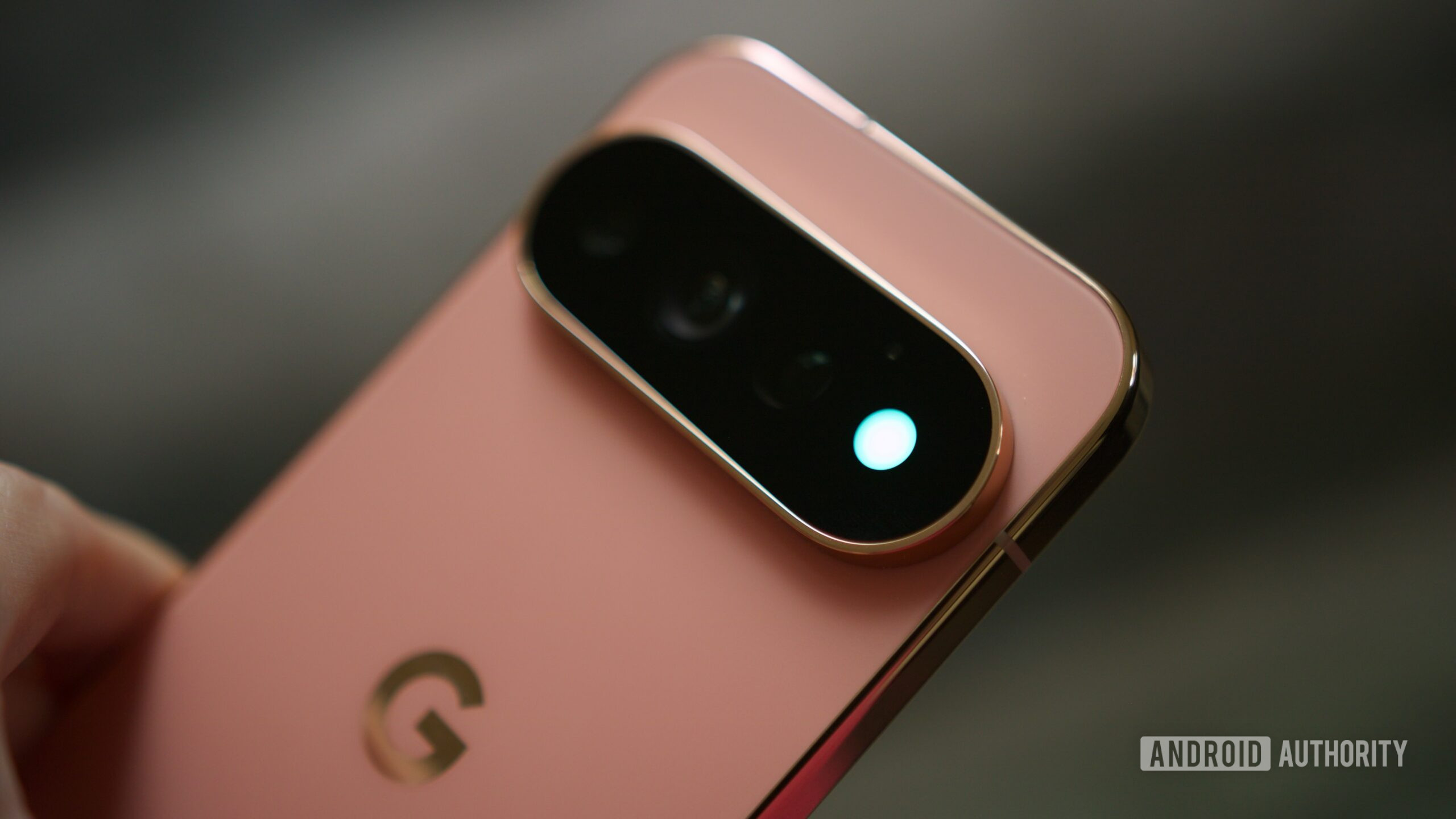
I miss the days when notification LEDs were a thing. I still remember the red light flashing on my BlackBerry whenever a notification came in. I’d immediately pick up my phone and check what I’d missed. Smartphones have mostly left that idea behind. Yes, Nothing did bring it back in its own way with the Glyph lights, but personally, that feels like a little too much of a light show. That’s why Google’s HiLight feature on the Pixel 11 Pro series immediately caught my attention.
Right now, HiLight can glow when I get a call from one of my favorite contacts, and it can also show me when Gemini is thinking, responding, or speaking. Those are nice touches, but they also make the feature feel like it’s only scratching the surface. Because if Google has already put this colorful light on the back of my Pixel, why stop there? Which brings me to my wishlist, because I have plenty of ideas for what Google should make HiLight do next.
How do you feel about the Pixel 11 Pro’s HiLight feature?
30 votes
Love it, it’s a perfect modern notification LED.
7%
Like it, but it needs way more customization.
47%
Meh, I don’t miss notification LEDs.
20%
I’d rather have Nothing’s Glyph lights.
27%
A different light for every notification, not just calls
Shimul Sood / Android Authority
Call notifications are a good start, but I’d love HiLight to go one step further and tell me which app is trying to get my attention. Imagine being able to assign a different color to each one: Instagram could glow pink or purple, WhatsApp could be green, and regular text messages could be white. After a while, I wouldn’t even have to think about it. One glance at the back of my phone would tell me exactly what had come in.
That would be especially useful while I’m working. I could give Slack and Teams their own HiLight colors, so the moment I see one of those colors flashing, I know it’s probably worth picking up my phone. At the same time, if I see the pink glow I assigned to Instagram or the green one for WhatsApp, I can leave my phone where it is and keep working.
Instead of every notification giving me another excuse to unlock my phone, the light itself could help me decide what actually deserves my attention. It could even help me avoid those moments that turn into 20 minutes of doomscrolling.
Some people deserve their own glow
Shimul Sood / Android Authority
What would make this even better is being able to assign HiLight colors to individual contacts, similar to how Google already lets you customize the light for calls from your favorites. That would take the guesswork out of notifications almost entirely, because I wouldn’t just know which app sent something; I’d know who was trying to reach me.
For example, when I’m working, I usually try to ignore Instagram and WhatsApp notifications altogether. But what if my mother messages me on WhatsApp? I could give her something completely unmistakable, like a rainbow HiLight. The moment I see that color flashing, I’d know it’s her and could pick up my phone without wondering whether I’m about to check something important or get sucked into another group chat.
The same could work for your partner, your child, or anyone else whose messages you wouldn’t want to miss. And for someone like me, who can open WhatsApp to reply to one message and somehow end up chatting with my best friend for the next hour, knowing exactly who messaged me before I even pick up my phone would be an absolute game changer.
Lighting up for my other Google gadgets
Joe Maring / Android Authority
Google could take HiLight a step further by making it a status indicator across the entire Google ecosystem. I keep my phone face down most of the time, and connecting my earbuds or smartwatch is already part of my everyday routine. So why not use that little light to tell me when everything is connected and ready to go?
A quick colorful flash on the back would be enough to tell me I’m good to go.
For example, HiLight could briefly glow one color when my Pixel Watch connects to my phone and another when my Pixel Buds connect. A quick colorful flash on the back would be enough to tell me I’m good to go. And this doesn’t necessarily have to stop with wearables and earbuds, either. Pixelsnap feels like another obvious place where HiLight could come in handy. The moment I drop my phone onto a Pixelsnap charger, the light could give me a quick pulse to confirm that charging has actually started.
None of this would completely change how I use my Pixel, of course. But that’s also the point. These are tiny interactions that happen several times throughout my day, and making them a little more effortless could go a long way.
A red flag I’d actually appreciate
Adamya Sharma / Android Authority
Another place where HiLight could save me is when my battery is running low. I have a terrible habit of forgetting to charge my phone, and because I keep it face down most of the time, I don’t always notice those low-battery warnings either. More often than I’d like to admit, I only realize my phone is nearly dead when I’m about to head out the door.
This is where HiLight could give me a much-needed nudge. Once the battery drops below a certain percentage, it could blink three times in a very hard-to-miss blood red. That would be my cue to plug the poor thing in finally and, like every other normal human being, give my phone a chance to charge before I need to leave.
The world’s best camera countdown timer
Adamya Sharma / Android Authority
Finally, I’d love to see HiLight double as a camera countdown. Sure, the regular flash could probably do something similar, but HiLight feels almost made for those group photos where I prop my Pixel up somewhere, set a timer, and then run back to join everyone else.
I take far too many group photos whenever I’m out with friends, and the awkward part is that nobody really knows exactly when the picture is about to be taken. We’re all staring at the phone, holding our smiles and wondering, “Did it take the photo yet?” HiLight could solve that with something as simple as three or four flashes, getting faster as the shutter closes — maybe even with a different color right before the picture is taken.
Everyone would know exactly when to smile, hopefully fewer people would get caught blinking or looking away, and we wouldn’t have to stand there frozen for another five seconds wondering whether the photo has already been snapped. And considering how many group photos I take, I’d probably end up using this all the time.
HiLight can (and should) do so much more
I really appreciate what Google is trying to do with HiLight on the Pixel 11 Pro series. Bringing back the notification LED in a way that feels at home on a modern smartphone is a great idea. But after using it and thinking about everything that light could be doing, I can’t help feeling like the idea was left unfinished.
Thankfully, I don’t necessarily have to wait for HiLight to get better. A YouTuber-turned-vibecoder has already created an open-source app called HiLight Studio that pushes the feature much further. Instead of limiting the light to calls from favorite contacts and Gemini activity, the app lets you configure it to work with notifications from practically any app you choose. That already gets surprisingly close to one of the biggest things on my wishlist.
So, until HiLight officially becomes more capable, HiLight Studio is probably what I’ll be using. But the fact that a third-party app can already do this also highlights exactly what’s missing. I shouldn’t need another app to unlock the potential of something that’s built into my phone. The hard part is already done: HiLight exists, it looks great, and it has made me care about notification lights again. Now, it just needs the features to match its potential.
Thank you for being part of our community. Read our Comment Policy before posting.