


Let’s face it, my home network has been embarrassing for a while. There’s a Synology DS1621xs+ in the rack with a 10 GbE port that came out of the box, and until last month it had spent its entire life plugged into a switch that topped out at 2.5 GbE, which is its own kind of bottleneck nobody warns you about when you upgrade a NAS to 10 Gigabit. My desktop wasn’t any better: the MSI MPG X870E Carbon WiFi has a 5 GbE port onboard that has never once negotiated 5 GbE, because nothing else in the house speaks it. I’d built a lab full of multi-gig hardware and connected it with what amounts to a slightly faster Gigabit.
The fix was a used Dell-branded Mellanox card off eBay that cost about the same as the cable I plugged into it. And the thing is, this isn’t a story about a good deal. It’s a story about a market that flipped when nobody was looking, because a 10GbE network card went from something you budgeted for to something you buy with the change from a RAM upgrade. Three things changed at once, and the switch, which everyone assumes is the expensive part, is the least interesting of them.
Related
HBA cards unlock cheap enterprise storage for your NAS, but the gotchas are real
HBAs come with their own quirks when installed in consumer-grade hardware, but they’re well worth your while
The PCIe card is the cheap part now
I picked up my ex-data center card for less than lunch money
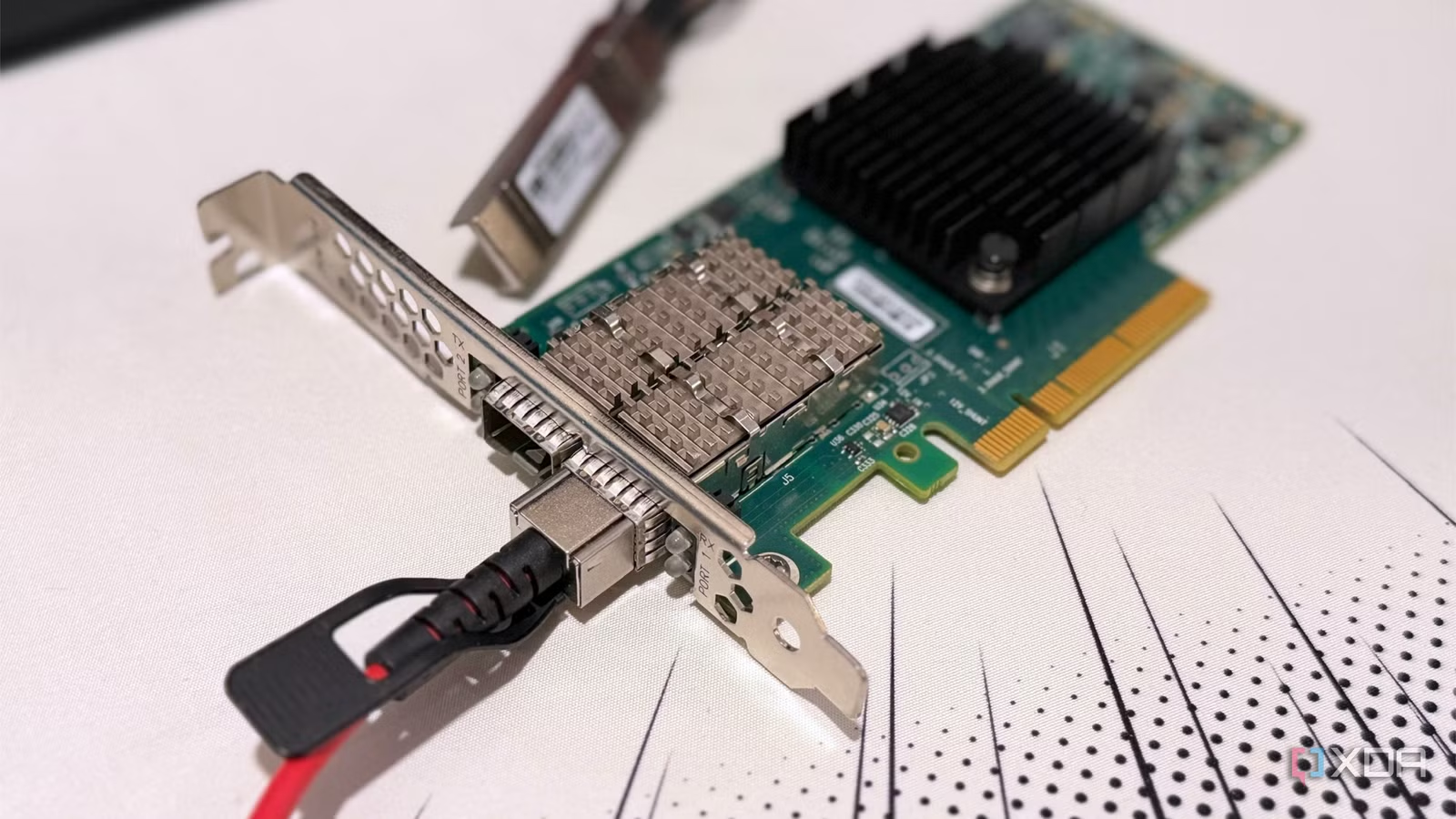
The PCIe card I picked up was the Dell Mellanox CX4121C, a dual-SFP28 port card capable of 25 GbE. It runs over PCIe 3.0 x8, cost me $27 shipped, and used listings currently are a few dollars higher, but not by much. It’s the networking equivalent of buying last-gen Xeon boards, because the data centers all moved to 100 GbE and beyond, so all the 10 GbE hardware got scrapped.
I don’t need the 25 GbE capability yet, but it’ll negotiate fine at 10 GbE, and that’s perfect for my current needs. I noticed a ton of Intel X540-T2 cards while I was browsing, but Proxmox forum users say they run hot and don’t get the full speed, so the Mellanox cards are going to be a better option.
Your operating system now has the drivers
No more weird driver shenanigans for many 10 GbE cards
Price was never the thing keeping these PCIe cards out of desktop PCs, because they’ve stayed around the same price since eBay got flooded with them. But driver support was abysmal, and you had to download a vendor file, flash the firmware, and find a five-year-old forum post that had the steps to get it running.
But you don’t need that anymore for Windows 11, because Nvidia’s WinOF-2 driver is shipped for the ConnectX-4 to ConnectX-6 family. That’s certainly been the case with my ConnectX-4 card, which installed with no issues after a quick reboot. It wasn’t completely painless, though, as a copper DAC cable refused to negotiate a link with the switch, and I had to spend $20 on a Brocade active optical cable to get the link working.
Oh, and that’s why you skip the $20 ConnectX-3 cards that are also all over eBay and other secondhand hardware vendors. There’s no in-box Windows driver, and getting it working is a pain.
Related
Please stop using third-party drivers update utilities
Most driver update utilities are just bloatware
Realtek made the RJ45 route cheap
Now you can get 10 GbE for under $50
If you’d rather stick with RJ45 ports and not buy new cables, Realtek’s RTL8127 is the low-cost option, and you can pick up a PCIe card with one and 10 GbE speeds for under $50. It uses under 2W of power, runs on a single PCIe 4.0 lane, and the Linux kernel got driver support in version 6.16.
Before that, cards using the Marvell AQC113 were the lowest-priced to enter, and they were around $70 when launched. The only issue with using 10GBASE-T is heat, because an average port uses 2 to 5W, compared to less than one watt for SFP+. I use an SFP+ to RJ45 adapter to connect to my NAS because Synology charges $200+ for a compatible SFP+ add-in card, but I’d be lying if it stayed cool when used.
Related
RJ45 vs. SFP: Which network interface should you use?
Having a hard time choosing the ideal port for your networking needs? We’re here to help out!
A managed switch is where the money goes
Which is why SFP+ matters for your hardware
A $50 10 GbE PCIe NIC is a great thing to have, but if you have nothing to plug it into, you’re just indulging in retail therapy. And that’s where math stops making sense again, because a 10 GbE switch is still $150+, or closer to twice that for a name you recognize.
But most home users don’t need eight 10 GbE ports, or even five. I have dozens of machines in my office, and only two things that hold data regularly use 10 GbE: my desktop PC and my NAS. My home server also has 10 GbE, but it’s not always turned on to save electricity, and it’s booted up only for heavy tasks.
Related
A $30 managed switch does what your $300 gaming router can’t
I stopped trusting gaming routers for traffic management after learning what a managed switch actually does.
The market wants you on 5 GbE
Then it can sell you 10 GbE later on, as well
Here’s the thing. The consumer market has barely decided to sell 2.5 GbE equipment, whether that’s PC motherboards, mini PCs, routers, or network switches. They don’t want to jump straight to 10 GbE across everything, because there’s a 5 GbE stepping stone along the way. The only segment that disagreed was the NAS makers, who went straight from 1 GbE to 10 GbE. There’s a fair case that 2.5GbE was the right choice all along for most homes, and I don’t disagree. Just not for the two machines that actually move files.
Onboard 10 GbE does exist, but only when you get into the prosumer and top-end motherboards. I couldn’t find one under $400 with it, and the closest is probably the Asus X870e ProArt. So your choices are between an expensive motherboard that you might upgrade when the next CPU generation comes out, or a relatively inexpensive PCIe card that can work with many future PCs.
Related
I connected my NAS directly to my PC with 10 gigabit Ethernet, and skipped upgrading the rest of my network
You don’t necessarily need a 10G switch to get blazing-fast transfer speeds between your PC and NAS
Your next 10 GbE upgrade has already been paid for by the enterprise market
Add it up: a used ConnectX-4 Lx for $26 to $50, an SFP+ cable for $20, and a two-port SFP+ switch for $120 that you buy once. The NAS port that’s been sitting idle since the day you unboxed it finally has a partner, and the whole thing plugs in and works on Windows 11 without a driver download. Three years ago, 10 GbE at home meant a fan-cooled switch, an Intel card that could cook an egg, and a driver with a known-issues list longer than this article.
You still have to make some decisions. You pick SFP+ over copper or pay the heat tax on 10GBASE-T, and you accept that two fast ports is the whole upgrade rather than a rack full of them. But if you’ve got a NAS with a 10GbE port and a PC with a spare PCIe slot, the cheapest thing you can do for your home network right now is stop waiting for the motherboard makers and buy the card the data center threw away.