


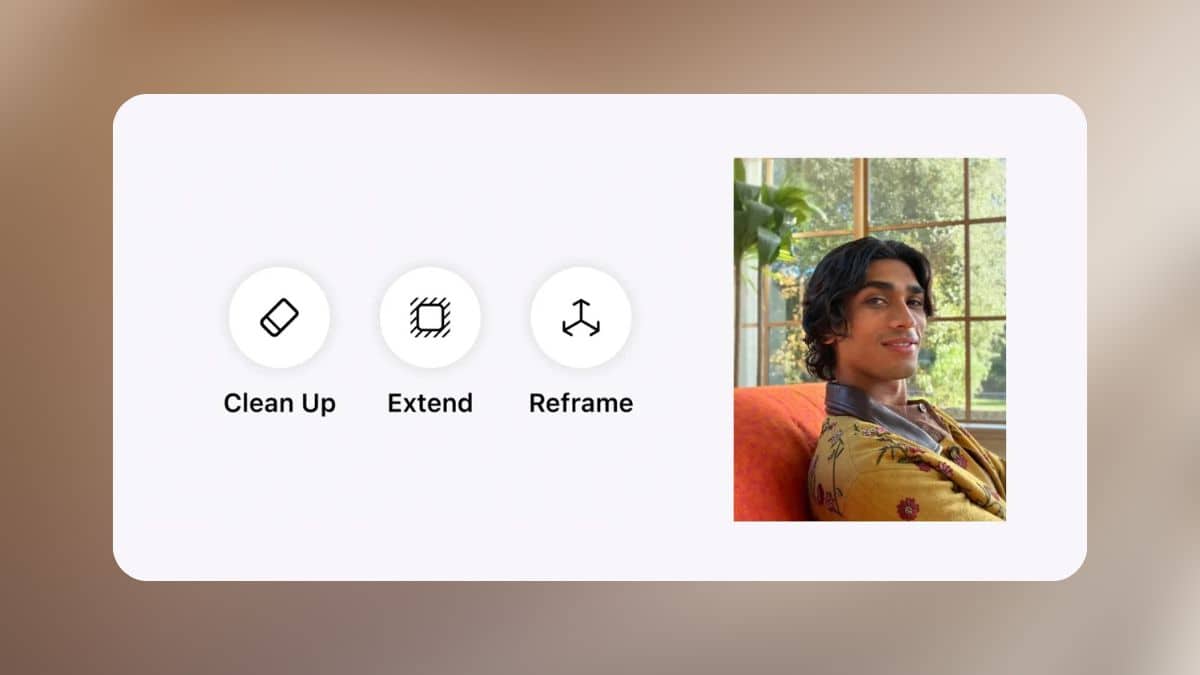
The new iOS 27 AI photo editing tools that Apple showed off at WWDC 2026 aim to fix the small framing mistakes that used to leave you with an almost-great photo. Instead of settling for a shot where the subject sits half a step off-center, or a landscape ruined by someone walking through the background, Apple Intelligence in the native Photos app now offers post-capture rescue tools grouped under a new Apple Intelligence Tools section: Reframe, officially called Spatial Reframing, Extend, a considerably smarter Clean Up, and a fourth tool called Enhance for automatic color and lighting adjustments.
These are not gimmicky filters. They target the same complaints that push people toward desktop editors and third-party apps, and they live inside the default Photos app across iOS 27, iPadOS 27, and macOS 27.
Here is what each tool does, how it changes your workflow, and what to expect when the update ships.
Reframe: Fix the Shot You Wish You Had Taken
Reframe is the headline addition, and it is also the one Apple named explicitly in its own official materials. The idea is straightforward. Instead of being locked into the exact angle and zoom of the moment you tapped the shutter, you can reposition the frame after the fact, as if you had physically shifted the camera at the time of capture.
You activate the tool inside the Photos editor, then touch and drag to explore new perspectives. Multi-touch gestures let you shift the vantage point, tilt slightly, or zoom out to reveal more of the scene. When you save, the image is sent to Apple’s cloud servers, where the generative models fill in the areas exposed by your new perspective.
There is an important design choice here. The AI only generates what it needs to fill the gaps created by the perspective shift. It does not reimagine or alter the parts of the original photo you liked. The goal is consistency with what you actually captured, not a new interpretation of it.
Practical use cases are exactly the ones you would expect. A group photo where someone’s head is cropped awkwardly. A candid portrait where the composition would be stronger with the subject slightly to the right. A vacation shot where you wish you had stepped back to include more of the skyline.
Reframe will not rescue a completely wrong angle, but it does give you a second attempt at the shot you meant to take.
Extend: Give Your Photos Room to Breathe
If Reframe is about repositioning, Extend is about expanding. This tool lets you push the borders of an image outward, generating content around the edges that was not in the original frame.
The practical use cases are surprisingly everyday. A portrait where the subject feels cramped against the top edge? Zoom out and let the AI extend the sky above. A landscape ruined by a tilted horizon that you could not fix without cropping into the sky? Extend can straighten the frame without sacrificing what sits at the edges.
You are essentially giving the image more breathing room, and the model fills in what should logically be there based on the context of the scene.
This kind of capability has existed in Adobe’s Photoshop Generative Fill for a while, and Google and Samsung have shipped similar tools on Android. What is new is having it inside the iPhone’s native Photos app, with no additional apps, no subscriptions, and no export step. That is the Apple play here: taking a pro-level capability and making it frictionless.
Clean Up Gets a Serious Upgrade
Clean Up has been in Photos since 2024, but its ceiling was always visible. Complex backgrounds, intricate textures, and busy scenes often produced noticeable artifacts or awkward fills. Apple itself has acknowledged the tool was not matching what Samsung’s Magic Eraser or Google’s Magic Editor could do.
That ceiling just moved up considerably. The upgraded Clean Up runs on new AI models that split work between the device and Apple’s cloud. Object removal now handles far more complex scenes with meaningfully better realism, and the interface stays the same: tap, brush, or circle whatever you want gone.
Everyday scenarios where the difference should show up include removing a stray piece of litter from a street photo, erasing a power line that cuts across a sunset, or eliminating a stranger in the background of a family shot. Apple showed convincing examples during the keynote, though as with all AI tools, real-world results will vary with image complexity and how much content the model has to generate.
Enhance: The Quiet Fourth Tool
Alongside the three headline additions, Apple also grouped a fourth tool called Enhance into the same Apple Intelligence Tools section. It applies automatic adjustments to color, lighting, and overall image quality in one tap, rather than requiring the manual sliders longtime Photos users are used to. It has drawn far less attention than Reframe or Extend, but it rounds out the section as a quick fix for a photo that is fine but flat, rather than one with a composition problem.
What Apple Actually Confirmed, and What Came From Reporting
Worth being precise about here: Spatial Reframing is the one tool Apple named explicitly in its own newsroom materials and developer session video. Extend, the upgraded Clean Up, and Enhance were confirmed at the same keynote and corroborated independently by multiple outlets covering the event live, including TechCrunch and AppleInsider, but they come from reporting on what Apple demonstrated rather than Apple’s own written copy naming each one individually.
In practice this is a reliable, well-sourced distinction rather than a real doubt about whether the features exist. It just means the full four-tool lineup is confirmed through strong press coverage of the keynote rather than Apple’s press release alone.
On-Device Plus Cloud: The Trade-Off Worth Understanding
One detail that is easy to miss in the excitement is a subtle but important shift in how these features work under the hood.
The original Apple Intelligence features were largely processed on-device, which Apple framed as a major privacy advantage. The new photo editing tools rely on a hybrid model instead. Some processing happens locally, but the more demanding operations, particularly Reframe, hand off to Apple’s Private Cloud Compute infrastructure.
Apple has consistently stated that Private Cloud Compute is designed so that even cloud-processed data is not accessible to Apple itself. Still, the distinction is worth knowing, especially for sensitive images. Apple’s own software chief also raised the broader trust question during the keynote, acknowledging that easier photo editing tools sit alongside real concerns about whether people can still treat photos as reliable evidence of what actually happened. That is a notable thing for Apple to say out loud while announcing tools that make photos easier to alter.
This shift also explains why the output quality has jumped. Cloud models have far more computational headroom than anything running on a phone chip.
Device support and availability
The photo editing tools require Apple Intelligence, which sets a strict hardware floor. Apple has not published an official, tool-specific device list for Reframe, Extend, Clean Up, and Enhance individually.
Based on Apple Intelligence’s established requirements and how Apple has gated deeper AI features elsewhere in iOS 27, expect the floor to land at the A17 Pro chip and 8GB of RAM. That covers the iPhone 15 Pro and 15 Pro Max, every iPhone 16 model, every iPhone 17 model, and iPhone Air. iPad models with M-series chips or the A17 Pro iPad mini, along with any Apple silicon Mac, should also qualify.
Here is the expected eligibility at a glance:
DeviceExpected requirementiPhoneiPhone 15 Pro / 15 Pro Max, all iPhone 16 models, all iPhone 17 models, iPhone AiriPadM1 chip or newer, or iPad mini with A17 ProMacAny Apple silicon Mac
Two caveats matter for who actually gets to use these tools. Regional availability is limited at launch. Apple Intelligence ships in a defined set of countries and languages, and EU availability at launch remains uncertain due to Digital Markets Act considerations.
iOS 27 itself installs on a much wider range of hardware. Every iPhone that supports iOS 26 can run iOS 27, going back to the iPhone 11. But the Apple Intelligence Tools section inside the Photos editor will not appear on those older, non-Pro models. Older supported devices install the update fine and skip the AI photo features entirely.
All four tools ship with iOS 27, iPadOS 27, and macOS 27 later this year alongside the general software update cycle. If you want to try them early, our guide to installing the iOS 27 beta walks through getting onto a pre-release build.
The Bottom Line
What Apple announced at WWDC 2026 is not a headline feature drop. It is a meaningful shift in what fixing a photo means on an iPhone. Reframe, Extend, Clean Up, and Enhance collectively address the small, real-world frustrations that photographers, amateur and professional alike, actually run into.
The fact that all four tools live inside the native Photos app, with no additional apps or subscriptions required, is the point. Apple is not trying to compete with Lightroom or Photoshop on depth. It is trying to make good enough feel genuinely great for the vast majority of photos that live and die on your phone.
On that front, iOS 27 looks like a significant step forward.
What is iOS 27 AI photo editing?
It refers to a set of tools built into the iOS 27 Photos app under a new Apple Intelligence Tools section: Reframe (Spatial Reframing), Extend, an upgraded Clean Up, and Enhance. Each one targets a common photography mistake and works inside the native editor without a third-party app.
Which iPhones support the new photo editing tools?
Apple has not published an official tool-specific device list, but based on how Apple Intelligence is gated elsewhere in iOS 27, expect support to require an A17 Pro chip and 8GB of RAM. That means iPhone 15 Pro, iPhone 15 Pro Max, every iPhone 16 model, every iPhone 17 model, and iPhone Air.
Is Reframe the same as cropping a photo?
No. Cropping trims what’s already in the frame, while Reframe shifts the virtual camera perspective and asks Apple Intelligence to generate the new areas that shift exposes. The result looks like a repositioned camera rather than a tighter cut of the original.
When does iOS 27 release?
Apple confirmed iOS 27 at the WWDC 2026 keynote on June 8. The public release follows Apple’s usual pattern of arriving in September, alongside iPadOS 27, macOS 27, and the new iPhone lineup.
Disclosure: Tech Nerdiness is reader-supported. When you buy through links on our site, we may earn an affiliate commission at no extra cost to you.
Learn more.