


When Nvidia first announced DLSS 5 neural rendering, many were quick to label it “AI slop.” And I get it. We’re definitely getting some uncanny valley vibes.
Now that it’s here, the AI slop allegations persist, but I’d say we’re all focusing on the wrong thing entirely. The problem with DLSS has nothing to do with the all-too-realistic-but-also-not-realistic faces in games. The problem lies entirely elsewhere, and it’s arguably bigger than just liking the aesthetic.
The frame rate hit is real
And it hurts a lot
I’m not here to debate whether Nvidia’s DLSS 5 looks good. For some people, it’s great. For others, it’s awful. Some say they can barely see a difference. No matter where you land in that particular conversation, there’s one downside to DLSS 5 that’s undeniable: the performance hit. It’s real. It’s too real, even.
I personally own an RTX 4080 Super, so the only way I can test it is with DLSS Swapper, and yes, I’ve noticed the performance difference—but that makes sense. Nvidia didn’t officially release DLSS 5 for the RTX 40-series, after all, so forcefully injecting it into a game that was never meant to have it on my GPU should result in performance issues. Naturally.
Only, it’s not just me.
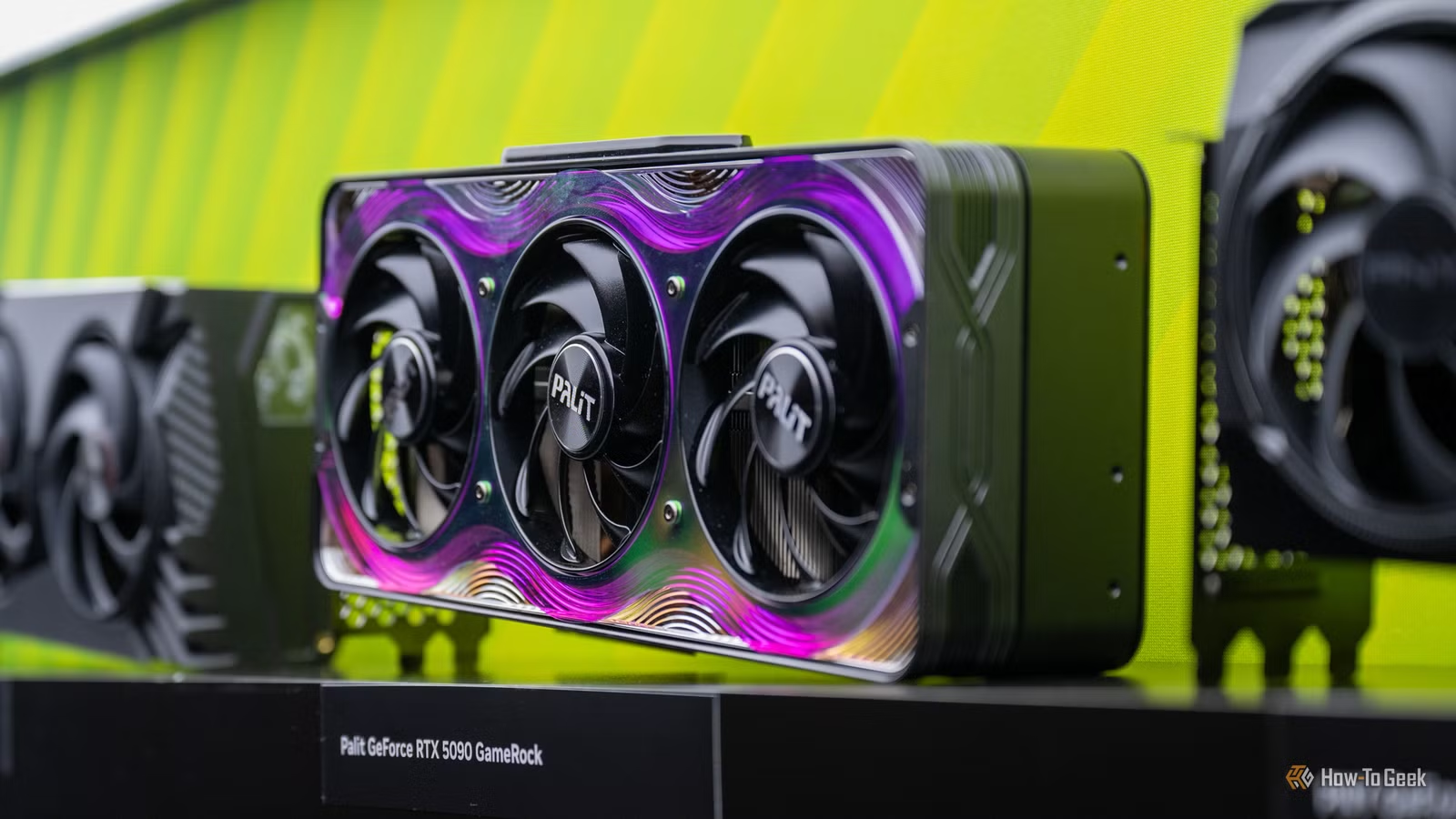
Some of my colleagues here at How-To Geek have tried it on RTX 50-series cards, including the ever-overpriced RTX 5090, and we’re all united with the same opinion: DLSS 5 results in a massive performance hit across the board. No, it’s not just us.
Nvidia itself has said that turning DLSS 5 on will result in a 50-60% performance reduction. But some reviewers notice it doing even worse: TechSpot saw the RTX 5080 falling from 185 fps to 53 fps at 4K, which is a 71% drop. Even the RTX 5090 ran 60% slower at 4K, matching Nvidia’s worst-case scenario.
So, is it playable? It depends.
Related
I tried NVIDIA’s DLSS 5 before its official release—it’s incredible
DLSS 5 isn’t slop.
You can’t tune your way out of it
Nothing can save you from an fps drop
Credit: Monica J. White / How-To Geek
In the last few years, or should I say, last few generations, Nvidia’s gotten really good (and shall I say, really reliant) at letting you optimize your GPU with the help of AI.
Upscaling helps you “cheat” a little. Frame gen helps you “cheat” a lot. We’re all allowed to believe that our GPUs are better than they actually are, while also offsetting for the fact that these days, frame gen and AI come baked into the software and the hardware. Performance expectations are built around the idea that you’ll be using these features, and you’ll be using them a lot.
So, we’ve all gotten used to the idea that the DLSS section is the place to go when your game isn’t running as smoothly as you’d like. But with DLSS 5, that’s no longer true.
Although DLSS 5 lives in the same menu, it won’t up your frame rates; it’ll drastically reduce them. Moreover, lowering the other settings to make up for those precious AI-generated faces isn’t going to help you much. TechSpot found that on an RTX 5090 at 4K, dropping from max settings all the way down to low gives you a measly 9 fps back. There’s no universe where that’s ever going to be worth it.
That’s because DLSS 5 is largely tied to your output resolution, and it runs on the finished frame after upscaling rather than before it. Enabling upscaling doesn’t help either; the gains are negligible. You can’t cheat your way out of the performance tax on this one.
Nvidia’s own launch benchmark hides the real problem
‘Fake frames’ to the rescue
Credit: Nvidia
Nvidia’s own launch benchmarks are super encouraging. The RTX 5090 scores 370 fps with DLSS 5 on, ray tracing on, on the ultra preset. This is in NBA 2K27, which is the only game that currently officially supports DLSS 5. The RTX 5080 pulls off an impressive effort, too, hitting 233 fps on average.
You know what I’m getting at, right? These figures have been captured with 6x multi-frame generation and DLSS Super Resolution set to Performance. So, the game was being upscaled from 1080p, and five out of six frames have been interpolated.
I’ve learned to embrace the “fake frames” to the point of believing this type of tech is the future of GPUs. Even then, we can’t treat these numbers as absolute, as the GPUs are getting a lot of AI-powered help here. If we strip the frame gen away, the RTX 5090 is rendering at around 62 fps, and the RTX 5080’s 233 result works out to roughly 39 fps.
You might say that fps is fps, and if it works, it works. Sure, but frame gen multiplies frames, not responsiveness, and a 39 fps base fps still feels like 39 fps. Input latency makes games feel sluggish when played with DLSS 5 on, and that’s something that doesn’t show up on benchmarks.
Whether it’s unplayable depends on your resolution
And your GPU, of course
Credit: Monica J. White / How-To Geek
In all fairness, DLSS 5 is very much playable. At 4K, sure, TechSpot’s testing shows the DLSS 5 pass alone takes longer than 16.7ms. That’s on every GPU in the RTX 50 lineup, by the way.
Dropping down to 1440p, or better yet, 1080p, makes things much less grim, obviously. Even an RTX 5060 can do some type of successful work with DLSS 5 if you play at 1080p. Meanwhile, the RTX 5090, when propped up by all the fancy stuff Nvidia has to offer, will still do a good job.
Is DLSS 5 worth it right now?
The problem is that this “good job” isn’t anywhere close to being an across-the-board type of experience. You should try it, because why not, but will it feel good to actually game with DLSS 5 on? Probably not. But it’s still early days—I expect the tech to improve over time.