


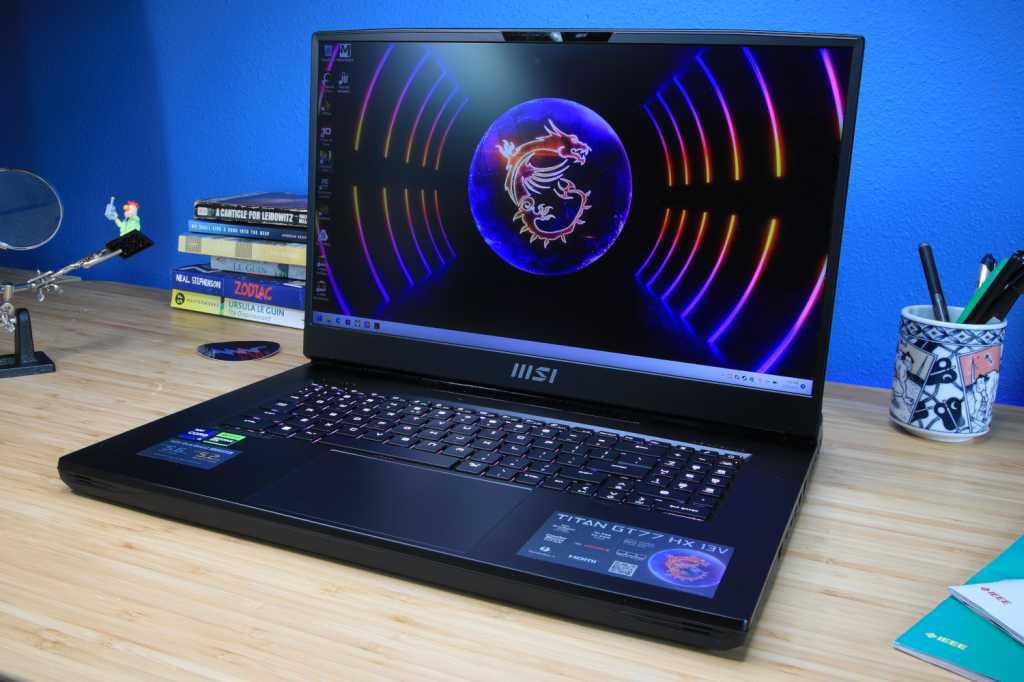
At PCWorld, we’ve put every laptop on this list through hands-on testing. And we didn’t just stop at the specifications, either! We looked at everything, including keyboard feel, port placement, performance consistency, and display quality.
Why you should trust PCWorld for laptop reviews and buying advice: It’s in our name! PCWorld prides itself on laptop experience and expertise. We’ve been covering PCs since 1983, and we now review more than 70 laptops every year. All of the picks below have been personally tested and vetted by our experts, who’ve applied not only performance benchmarks but rigorous usability standards. We’re also committed to reviewing PC laptops at every price point to help you find a machine that matches your budget.
Alienware 16X Aurora – Best gaming laptop overall
Pros
- High-end CPU performance
- Bright and beautiful display
- Great gaming experience
- Very competitive price
Cons
- You can get better gaming performance with a faster GPU (of course)
- Some hot air blows out the sides
Best Prices Today:
£1749
Who should buy the Alienware 16X Aurora?
If you want a high-end gaming laptop that punches well above its price point, the Alienware 16X Aurora is the one to spring for. It’s fast, powerful, and surprisingly good value for what you’re getting. The Intel Core Ultra 9 275HX CPU is an absolute beast for gaming (or productivity!), and the RTX 5070 graphics handles modern titles just fine at high settings, even at higher resolutions. Whether you’re jumping straight into AAA games or streaming your favorite titles, this laptop will definitely keep up.
The 16-inch 2560×1600 IPS display is bright, colorful, and buttery-smooth thanks to its 240Hz refresh rate. It’s great for competitive gaming or fast-paced action games. You also get a full-sized keyboard, a responsive trackpad, and a crisp 1080p webcam with Windows Hello face login. The build is solid, too. It feels premium and the design doesn’t lean very much into the flashy gamer aesthetic.
Alienware 16X Aurora: Further considerations
The Alienware 16X Aurora isn’t the lightest laptop in the room at 5.86 pounds and that’s okay. The aluminum and plastic construction keep it premium-feeling, though it does pick up fingerprints more than we’d like. The keyboard and trackpad also aren’t the best.
The RTX 5070 GPU isn’t top of the line, but it offers plenty of oomph for high-end gaming at 1440p. If it’s a fancy OLED display and an all-metal build you’re after, you’ll definitely pay significantly more for those features. Finally, battery life is about average for a gaming laptop (we eked out seven hours on a single charge), but you’ll probably be plugged in anyway for those intense matches.
Read our full
Alienware 16X Aurora review
Acer Nitro V 16 – Best gaming laptop under $1,000
Pros
- Large touchpad compared to alternatives
- 16-inch 1200p display at a low price
- Lots of physical connectivity
- Good battery life for a budget gaming laptop
Cons
- Sub-par CPU performance
- Terrible audio quality from built-in speakers
- Wireless connectivity stuck on the Wi-Fi 6 standards
- Slightly more expensive laptops offer better value
Best Prices Today:
Who should buy the Acer Nitro V 16?
If you’re a gamer on a budget who wants modern RTX 50-series performance, you can’t get much better than the Acer Nitro V 16 AI. The RTX 5050 GPU handles most 1080p games smoothly, hitting high frame rates in titles like Rise of the Tomb Raider and even running more intensive games like Cyberpunk 2077 at playable settings.
This laptop also offers surprisingly good battery life. You can get anywhere from eight to 12 hours on a single charge depending on usage. Plus, the 16-inch 1200p display at 180Hz is slightly better and smoother than the standard 15.6-inch 1080p screens on similar budget laptops.
Acer Nitro V 16: Further considerations
There are some trade-offs to keep in mind. First, the Ryzen 5 240 CPU is entry-level, so CPU-heavy tasks like video editing or streaming may feel sluggish if you’re pushing the machine pretty hard. Storage and RAM are also limited to 512GB and 16GB. That’s fine for gaming, but it could require updates over time. Speakers and webcam are also basic, and Wi-Fi isn’t cutting-edge.
Read our full
Acer Nitro V 16 AI review
Razer Blade 14 (2025) – Most portable gaming laptop
Pros
- Thin, light, and compact
- Solid gaming performance
- Beautiful OLED display
- Premium quality all around
Cons
- Expensive
- Bulkier gaming laptops will perform better
Best Prices Today:
Who should buy the Razer Blade 14 (2025)?
Looking for a gaming laptop that won’t kill your back? The Razer Blade 14 (2025) is only 3.59 pounds, which is crazy light for a beast like this. It’s packing an AMD Ryzen AI 9 365 CPU and an RTX 5070 GPU, so it can easily handle modern games on High or Ultra settings. The 14-inch 2880×1800 120Hz OLED screen is a delight to behold and, somehow, the laptop itself manages to stay cool and quiet even when it’s under load. Oh, and that matte-black finish? Pretty slick.
Razer Blade 14 (2025) : Further considerations
It’s not cheap or super flashy, but it hits the sweet spot for power and portability. Battery life is pretty good for a gaming laptop (just over 11 hours!), but don’t expect to game unplugged all day. The keyboard and touchpad are fine, speakers could be better. Still, if you want a capable gaming rig that you can carry with ease, this one’s worth it.
Read our full
Razer Blade 14 (2025) review
Alienware Area-51 – Best high-end gaming laptop
Pros
- Sturdy build quality
- Excellent optional mechanical keyboard
- Lots of physical connectivity including Thunderbolt 5
- Extremely powerful CPU performance
- Respectable GPU performance
Cons
- Heavy and thick, design is a mix bag
- Tiny touchpad
- Short battery life on OLED model
Best Prices Today:
Who should buy the Alienware Area-51?
If you want a super-powerful gaming laptop, the Alienware Area-51 fits the bill. It’s made for enthusiasts who don’t want to be tethered to a gaming tower. Inside it’s got an Intel Core Ultra 9 290HX processor and RTX 5080 graphics, so it’s well-equipped to handle demanding games at high settings.
Visuals look gorgeous, too. The 16-inch 2560×1600 OLED display delivers deep blacks and vibrant colors. The 240Hz refresh rate (plus G-Sync support!) also makes it a good fit for fast-paced gaming.
Alienware Area-51: Further considerations
The Alienware Area-51 is designed to be a desktop replacement, a role it excels in. The real trade-offs here are portability and price. It’s a beastly thing at more than 7 pounds. The high-end hardware also comes at a premium price. This configuration, for example, costs well over $4,000.
Read our full
Alienware Area-51 review
Other gaming laptops we’ve tested
We’ve also tested a few other gaming laptops that impressed us, even though they didn’t make the final cut in the end. The Maingear Super 16 is an absolute beast of a laptop with an Intel Core Ultra 9 275HX, an RTX 5070 Ti, 32GB of RAM, a 2TB SSD, and a 16‑inch 2560×1600 300 Hz display, but it’s expensive–you’ll spend well over $2,000.
The Acer Predator Helios Neo 14 AI, on the other hand, is a more compact machine. It’s got an Intel Core Ultra 9 285H processor, an RTX 5070, and a 14.5-inch 2880×1800 120Hz OLED panel, and it’s on sale for just $1,499.99 at Amazon right now. at the time of this writing.
And then we’ve got the Asus ROG Zephyrus Duo, which is the unicorn of the gaming laptop world. It’s got two 16-inch OLED 2880×1800 displays that you can position either horizontally or vertically.
How we test gaming laptops
The PCWorld team puts each and every Windows laptop through a series of benchmarks that test GPU and CPU performance, battery life, and so on. The idea is to push the laptop to its limits and then compare it against others we’ve tested. Chromebooks, on the other hand, undergo a series of web-based tests.
For a much deeper look at our review methodology, check out how PCWorld tests laptops.
Who curated this article?
Hi, I’m Ashley Biancuzzo, and I oversee all laptop and Chromebook coverage at PCWorld. While you’ll see me review Chromebooks on occasion, I’m also really into the broader world of consumer tech. I spend a lot of time writing and thinking about where laptops are headed, from AI and sustainable designs to long-term trends. When I’m not deep in the world of tech, you’ll probably find me gaming, getting lost in a good book, or chilling with my rescue greyhound, Allen.
How to choose the best gaming laptop
To find the best gaming laptop for your needs, pay close attention to the following features.