


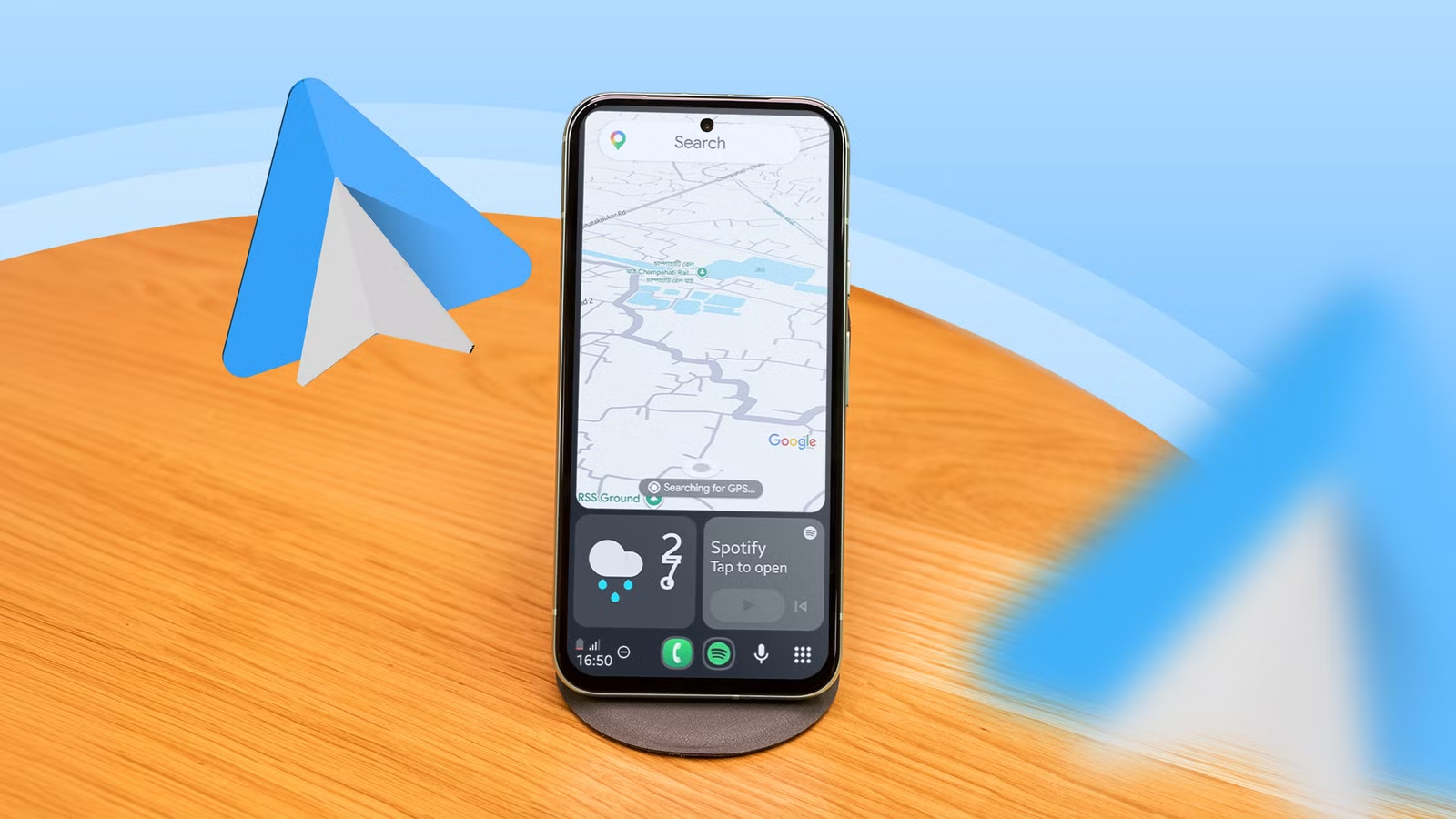
Although I have an iPhone 16e, I have never connected it to my car’s infotainment system. That’s because I gave that space to Android Auto a long time ago, and I’m happy with how it controls my car’s infotainment system.
I admit it got a bit boring after all these years, but then I learned you can run Android Auto on cars that don’t support it. All you need is a spare Android phone to act as your car’s display.
I loved experimenting with it on an old car, though the setup wasn’t as smooth as I’d love. That car wasn’t mine, but I hadn’t quit using Android Auto on my spare phone even though my car supports Google’s system.
I don’t use the spare phone running Android Auto for navigation when driving my car, since the built-in system always works better. Instead, I now use the spare phone running Android Auto outside my car.
Related
I stopped reaching for my phone after fixing these Android Auto settings
I optimized Android Auto for safer drive
How I turned a spare phone into an Android Auto screen
It doesn’t cost money if you know how to do it
There is no hidden setting for this. You need to install an app called Open Headunit on your phone to get things going. The app is available for free on GitHub, but if you get it from the Google Play Store, you’ll pay $4.
I got it from GitHub, but I needed guidance from one of my colleagues (Thank you, Mark) at Android Police to install it. After installing the app, I enabled Developer mode for Android Auto and started Self Mode in the app to start the process.
Lastly, I opened Android Auto on my phone and chose the Start Headunit server option in the three-dot menu in the upper-right corner. I ran the Open Headunit app again in Self Mode, and it worked.
I’ve used a spare phone for this, but you can repurpose an old tablet to run Android Auto outside your car. But why bother using it when I don’t drive, you ask?
The answer is straightforward: The Android Auto interface on a phone, in my opinion, is the best way to remain distraction-free. No other Android launcher comes close.
I use Android Auto on my desk, and it helps me remain focused
I finally have the ultimate minimalistic screen
Android Auto isn’t technically a launcher, but the Open Headunit app makes it feel like one. While the Niagara launcher is the most practical minimalist launcher on phones, Open Headunit doesn’t care about practicality because it isn’t a regular phone launcher.
Its only purpose is to bring the Android Auto interface onto your phone, and it does exactly that. As with a built-in Android Auto system, it shows only a select few apps your car’s dashboard can run.
On my spare phone, the App launcher appears in the lower-right corner, and when I tap it, it shows only a select few apps but not the full list of apps installed on my phone.
I can see all my navigation and music apps, but not video streaming apps like YouTube and Netflix. Social media apps like Instagram and WhatsApp aren’t available in the interface.
So, even if I get the urge to open social media or watch Shorts on YouTube, a boring interface with no access to these apps immediately kills the temptation.
Even the call screen doesn’t show up when someone calls me on my Android Auto phone. The Status elements that appear in the lower-left corner show battery status, clock, and network signal. I can tap it, and it shows whether someone dropped a message.
That’s how quiet my phone is. Android has built-in Digital Wellbeing features that can help you remain distraction-free, but those can’t get you nearly as close to this level of silence as the Open Headunit.
It also shows a microphone icon, allowing me to talk to Gemini. But that’s not how I do it; instead, I say “OK Google” and ask Gemini my questions.
It gives that science-fiction movie vibe where the hero keeps asking various questions to his digital assistant.
It’s definitely distraction-free, but it’s never boring.
My Android Auto phone lets me disconnect without feeling disconnected
No one should ever do this on their primary phone because Open Headunit takes minimalism to such an extreme level that you lose more than you gain.
The biggest downside is that it drains your battery quickly, because the screen is always on unless you turn it off. This is the biggest reason I use it only on my desk and don’t take it with me outside.
When it’s on my desk, it acts as a shield and saves me from distracting notifications. I only talk to Gemini when I’m bored or listening to my favorite music on Spotify.
This is the most effective way to disconnect without giving up on the fun at home.