


When I’m not reading or writing about technology, I like to sit down and brew a cup of Joe.
It’s a hobby I’ve been enjoying for over half a decade. I appreciate the analog nature of coffee brewing and the variety of brewers, recipes, and beans.
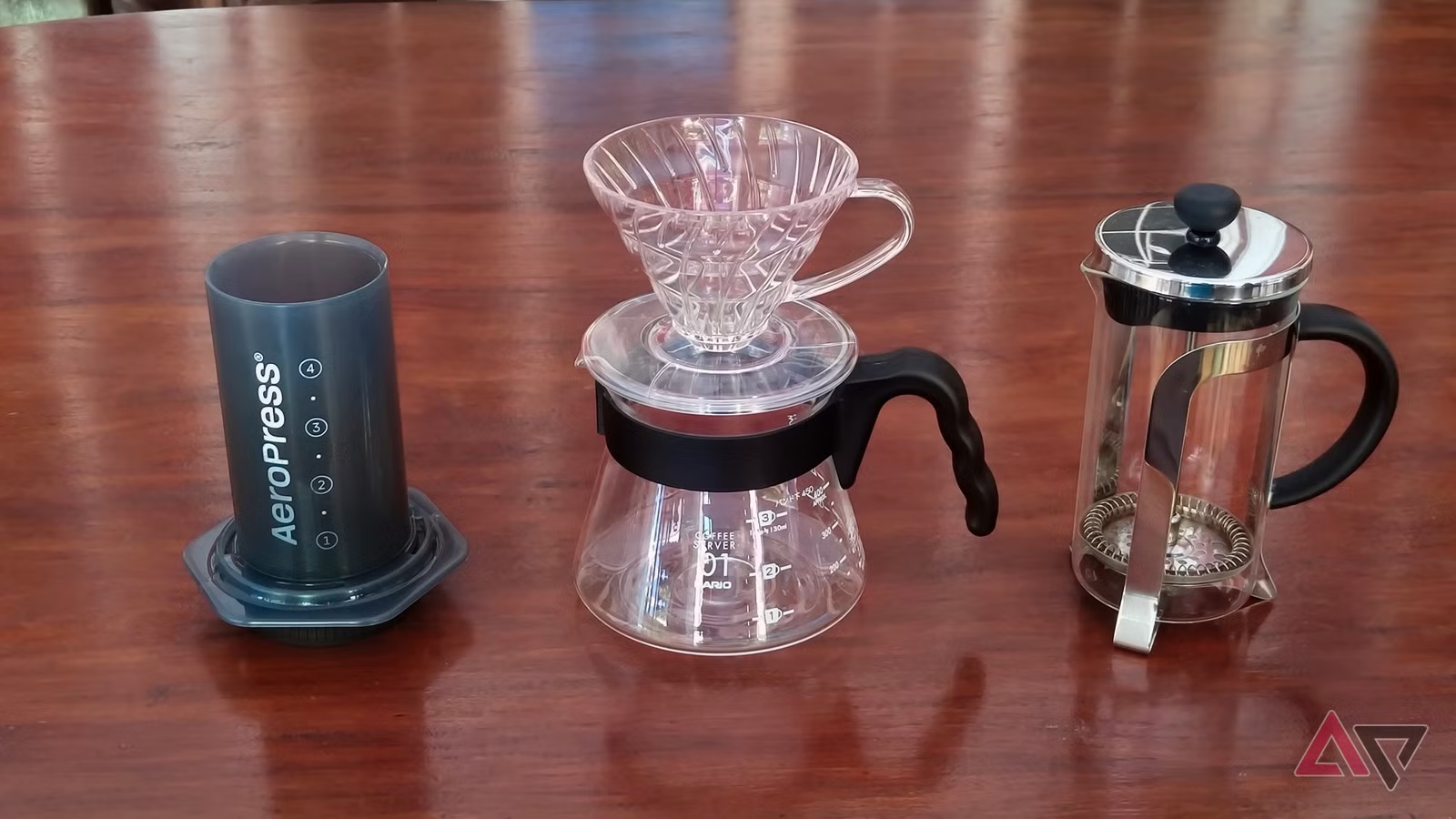
I have three brewers: an AeroPress, a French press, and a Hario V60. Each coffee maker has its own set of brewing methods and flavor profiles. There are so many variables to consider.
A longer immersion time or a finer grind size can make the difference between bitter-tasting coffee and just right. Beans are a major factor, too. I prefer those on the fruity side.
To keep track of everything, I use my phone. Five Android apps have helped me dial in new recipes and track every bean that enters my kitchen.
Related
I used Gemini to restart a hobby I abandoned 20 years ago — and I found something unsettling
AI is very helpful, so why does it feel so wrong?
Aeromatic
A must-have for the AeroPress
Out of all my brewers, the AeroPress is the most versatile. I can adjust the coffee’s strength based on steep time and agitation. I can even brew several cups with a single press, depending on how concentrated I make a single shot.
There are tons of recipes online, and new ideas are brought up every other week. With so many techniques to choose from, it’s tiring to update a Google Keep or Obsidian note.
I found solace in the Aeromatic app. It’s focused only on the AeroPress. It consolidates recipes from competitions and well-known baristas. I can save the ones I like or upload my own.
Each recipe has a stopwatch at the bottom, so I don’t have to switch apps while brewing. I can also add notes at the bottom of each page.
There’s a premium version for adding more recipes and backing them up, but the free version is more than enough for daily brews.
Beanconquerer
An all-around coffee diary
Remembering every bag of beans is one thing; tracking all the tasting notes and roast profiles is another. Beanconquerer has been my best coffee diary.
I like to try out different beans from multiple roasters. I avoid repeat purchases as much as possible to explore more varieties. The app’s great at recording all my beans and how I feel about each one.
It’s most useful when I use multiple methods with my three brewers and rotate bags of beans. Beanconquerer lets me organize these factors on a single platform, without annoying ads or locked features behind a paywall.
Timer.Coffee
My go-to pour-over companion
The Hario V60 may look basic, but it’s the most complex brewer I own. It creates delicious pour-over coffee almost every time. Yes, almost every time.
A lot can go wrong when making pour-over coffee. Picking the wrong grind size or water temperature for a specific bean could ruin an otherwise good recipe.
Timer.Coffee handles many brewing methods, but I use it for my V60 and, sometimes, my French press. The page-by-page guidance ensures that I don’t miss a step or pour too much water.
I love how the screen fills up with coffee as time goes by. It’s the perfect visualizer while brewing. Timer.Coffee also has stats to monitor how much I’ve brewed on my V60 and French press so far.
CoffeeBee
Explore the best roasters
Experimenting at home isn’t enough. You have to go out and look for the right beans.
Several localized apps help you find roasters and cafés that sell coffee beans. A good starting point is CoffeeBee. It’s a diary for the cups of coffee and beans I find outside my home.
When I visit a roastery or café, I can rate my orders and add my own photos. What makes CoffeeBee unique is its taste profile summary. After rating five orders, the app tells me my preferred coffee flavors. I can use this information to pick my next beans for home brewing.
I can also scan a bag of beans to log its taste profile into the app. This helps the app’s map predict which roasters I would like in the area.
CoffeeBee doesn’t require a subscription. You sign up using your Google account. There’s no guest account or alternative way to log in.
European Coffee Trip
How to train your palate
When I’m traveling, I make it a point to visit new cafés. This helps train my palate with different coffee bean profiles.
I normally use Google Maps to pin locations and neatly place them in custom lists. Unfortunately, Maps is terrible at differentiating specialty coffee shops from the Starbucks near my hotel.
The best coffee-travel app I’ve tried is European Coffee Trip. It has a database containing thousands of coffee shops across dozens of countries. I can set my preferences first, whether I prefer espresso or filter coffee, before picking the café I’m about to visit.
European Coffee Trip is free and works offline, which saves me from excess roaming data charges while traveling around Europe.
Coffee brewing has already entered the digital age
These apps help me tie all the variables into consistent, repeatable results. At the same time, they introduce me to recipes and beans I wouldn’t have otherwise discovered.
Technology shouldn’t complicate the process. It’s fine to go full analog when you don’t want to check your phone while brewing. I know I do most mornings.
When I’m trying new brewing methods or recipes, I check these apps for fresh ideas and save the ones I love.
Offloading the mental work to apps lets me enjoy my morning coffee even more.