


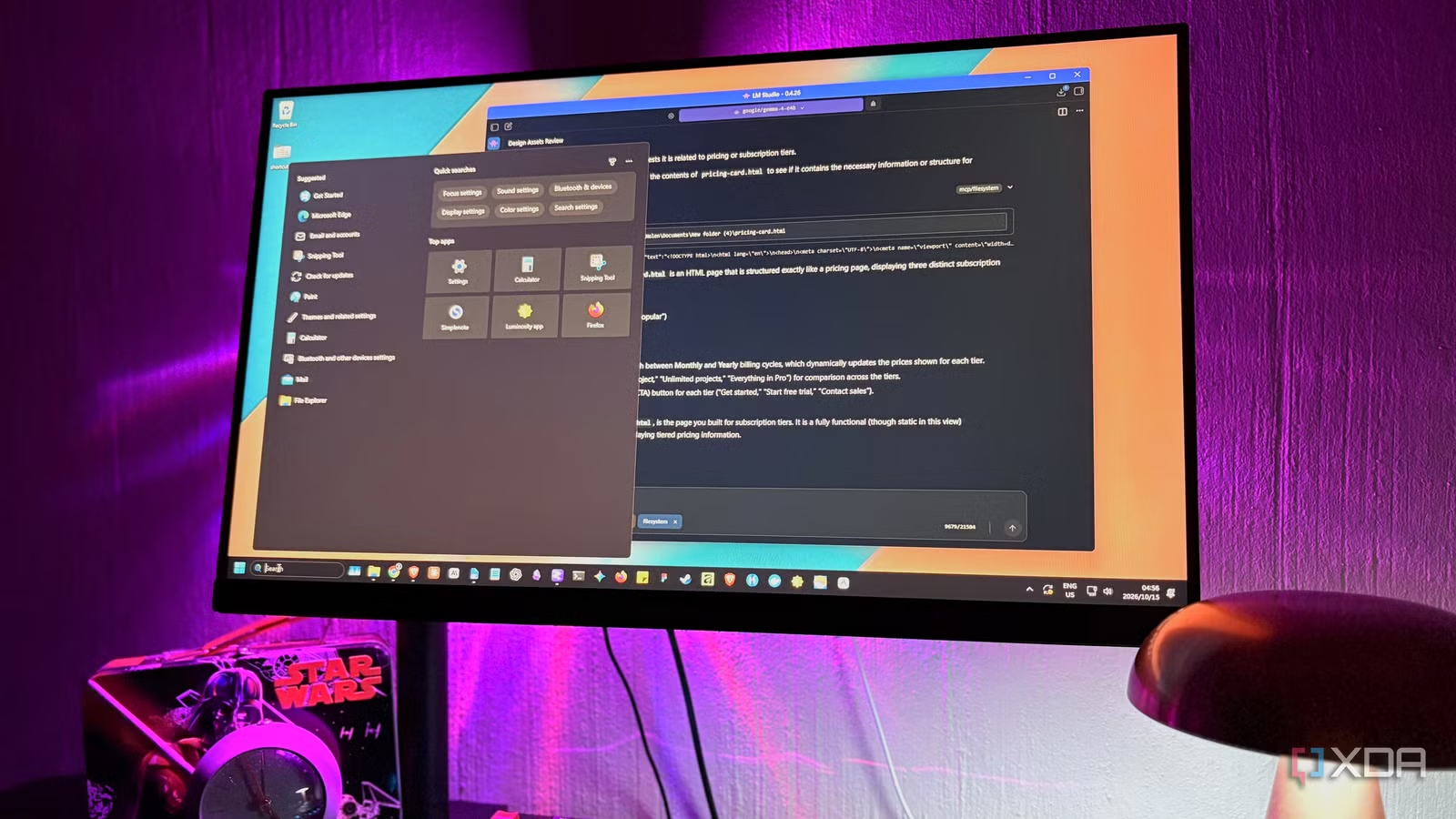
Most people remember files by what was in them rather than what they’re titled, which is a problem when the thing you use to search needs the literal words. You’ll have a rough idea of the note and remember putting it somewhere, but Windows Search wants the exact term you used six months ago. Type the wrong keywords and you might get a list of files that technically match, and probably just a bunch of web search results.
Local LLMs have gotten pretty good at reading text and working out what it’s about, plus a lot of them run fine on a regular GPU like mine now. Pointing one at a folder of my own files and treating it as a search box was a bit of a game-changer for my local AI workflow. And I didn’t realize this at first, but it kind of started replacing Windows Search for me.
Giving a local LLM access to your folders
Just pick a drive or a specific folder it can see
Everything here runs on the official filesystem MCP server. MCP (Model Context Protocol) is an open standard that lets an app give a model extra tools, and this server’s tools let it list and read files inside folders you’ve approved. It’s a Node.js server, so Node.js needs to be installed for the npx command to work. The config is just a little block of JSON:
“filesystem”: {
“command”: “npx”,
“args”: [
“-y”,
“@modelcontextprotocol/server-filesystem”,
“YOUR DIRECTORY”
]
}
My go-to is still LM Studio, which keeps this in its mcp.json file where all the other MCPs go as well. You can open it from the Program tab in the right sidebar under Install, or edit it straight from the .lmstudio folder in your user directory, and it loads the servers once you save. Other runners accept the same block, but it might just be in a different place. AnythingLLM has its own anythingllm_mcp_servers.json file, while Jan wants it added through its MCP Servers settings after you turn on experimental features.
The path you configure at the end of the command is what determines what the MCP has access to. It can be one small folder, a larger overarching folder like Documents, or an entire drive as the root. It does have write tools as well, but I’ve set LM Studio to auto-approve reads only, so when my local LLM tries to edit or move a file I still have to approve.
Related
I ran a local LLM entirely off a NAS, and it turned my storage box into an AI-hosting workstation
Edge LLMs and embedding models perform well even on NAS CPUs
Windows Search has a precision problem
Microsoft did make a smarter version, just not for my PC
Windows 11 does have a smarter search, to be fair. Microsoft added semantic indexing to the regular index, so you can type the context in plain language in File Explorer or the taskbar, and it will try and match the meaning. But that’s only for Copilot+ PCs, which need an NPU. My i7-13700F has no NPU, so on my desktop it just isn’t an option. Even if I had one, I’m not sure I’d turn it on. It runs locally and it’s separate from the Copilot app, but semantic indexing is on by default on those machines and you exclude locations after the fact. I don’t want Copilot-anything on my PC, honestly.
This leaves me with regular search which only matches keywords. So a “dark mode” note won’t show up when I look for “night themes”, for example. Classic mode indexes Documents, Pictures, Music, and the desktop by default, and file types set to properties-only can be found by name but never by what’s inside them. Moreover, the Start menu mixes Bing results into everything on top of that, which is a little annoying. There is a toggle to switch them off that started rolling out, but my PC doesn’t have it yet.
File Explorer has its own version of the problem. Anywhere outside the index it only goes by filenames, unless you dig into Folder Options and turn on content search, which then crawls through every file each time you search.
Related
5 best free software for searching files on Windows
Search for files on Windows easily with these five free software tools. They also offer advanced features for instant search results.
What searching with a local LLM actually looks like
It looks for the idea, and the keyword is optional
I’ve been using my local filesystem MCP in LM Studio in place of Search for a hot minute now, but I did some side-by-side comparisons that made the difference obvious. Typing “night theme” into Start got me Pinterest boards and Edge add-ons. Gemma E4B’s first filename search came up empty as well, but then it spotted my dark mode audit in the folder and offered it, since the two are basically the same idea. And this is exactly the type of context that regular Windows search can’t dig for.
This pattern kept repeating with all my searches. My local LLM searches by meaning, so remembering the words in the file, or the entire filename, doesn’t matter as much anymore. And it answers questions too, obviously. When I asked which note explains why people freeze with too many options, it went for my cognitive load summary, read it, then explained the bits about overloading working memory. Windows did find an exact match for my “too many options”, but in an old onboarding note from a different folder that Gemma dug through.
Searching “subscription” was worse – The top result was a Windows Settings page for managing subscriptions, followed by a pile of folders called subscription buried in old code projects, while the LLM went straight to my pricing card page, which is exactly what I was looking for.
There are downsides, though. You can’t double-click the results to open them directly in a local LLM, but you can see which files the AI accessed and copy the path into Explorer. And naturally, on my smaller 8GB GPU, speed can sometimes be an issue, whereas Windows Search is pretty instant.
Related
I finally found a local LLM I want to use every day (and it’s not for coding)
Local AI that actually fits into my day
Searching for what I meant, not what I typed
It’s a little funny that the graphics card Microsoft won’t count toward Copilot+ is what’s handling my file searches now. I think Windows’ semantic search will probably get good eventually, and maybe it even reaches PCs like mine. But for now I think I’d take the slower version that gets what I mean rather than requesting the exact keywords.