


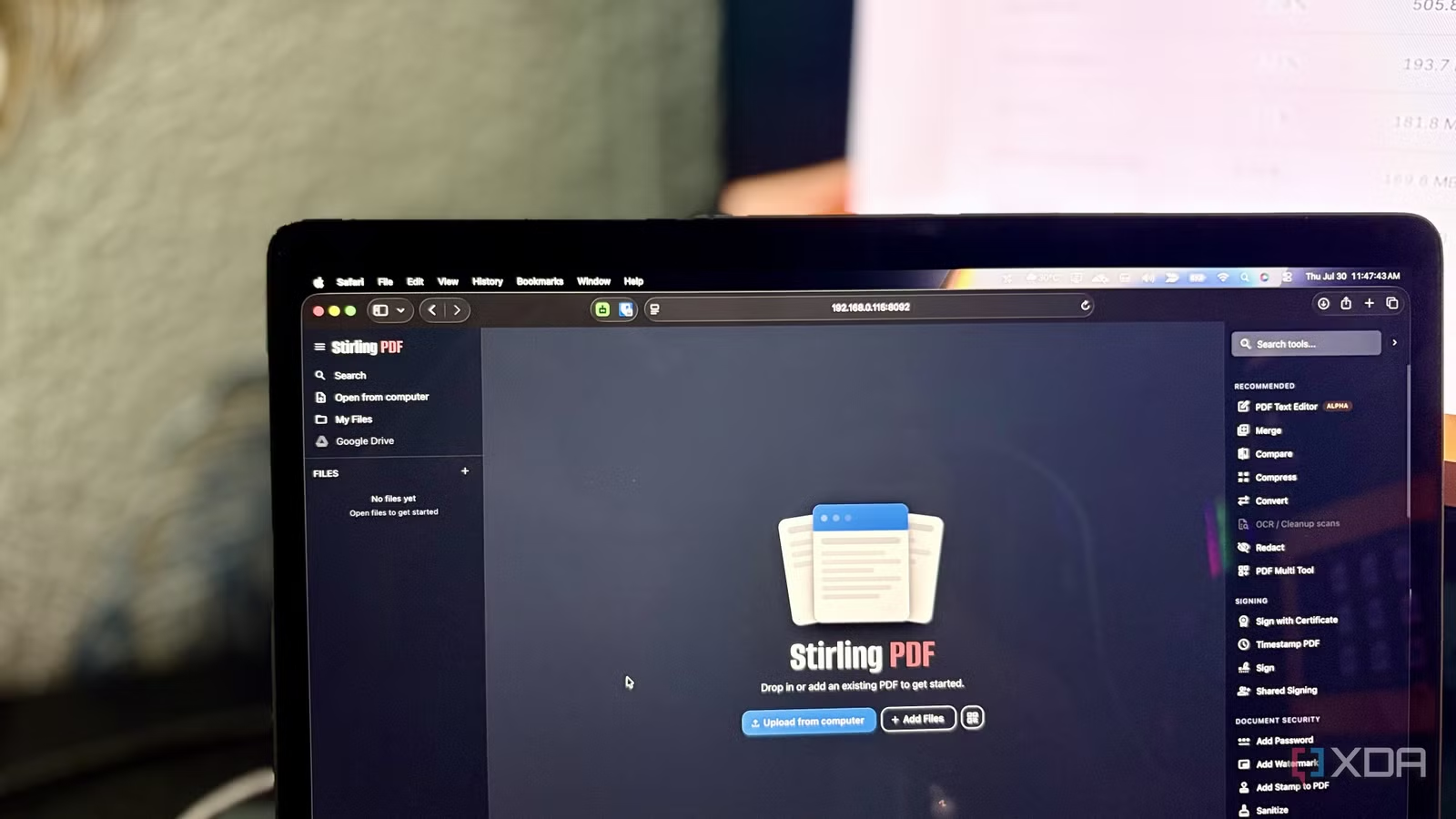
Like most, I had made Acrobat my default for PDFs because everyone suggested it. I didn’t challenge the suggestion because I never had any complaints, so there was never a reason to. I wasn’t shopping for a replacement when I started using Stirling PDF. I installed it on my home server as an impulsive act of self-hosting energy. But once I started using it, I didn’t even notice I hadn’t opened Acrobat in a while. In the process, I realized I didn’t just replace Acrobat but also accepted the cost that came with it.
Related
4 free open-source Adobe Acrobat alternatives for Windows
Acrobat doesn’t have to be your default
It started as a container I almost forgot I installed
I wasn’t hunting for a replacement — Stirling found me instead.
From school assignments to college projects and now work, PDFs have been a daily part of my life. Adobe products have also been part of my life, since before I could afford any of the paid ones. To clear the air before you ask: I used to share a family subscription.
Acrobat became the default for anything PDF simply because it was always there. Until a few weeks ago, I was on my own paid version. The use cases were obvious. Viewing, editing, merging, splitting, signing, and many more were among the most used.
Now, coming to the topic at hand, the interesting thing was that I wasn’t frustrated with Acrobat, nor was I actively looking for an alternative. I have already hosted plenty of services in my homelab. You know the self-hosting mindset of adding more and more to the stack, right? When one service worked, I wanted to host another, then one more. While I was thinking of expanding my stack, I came across Stirling PDF. At the time, I was also working on a media toolkit that was similar to the Stirling PDF. So, I installed it out of curiosity, not necessity, but never used it.
Fast-forward to last week. I was cleaning up my homelab after finishing a few backlog experiments. While cleaning, I noticed Stirling PDF sitting idle. I decided to give it a try before cleaning it up. I started with a simple edit task, then a merge, and then another PDF job — one small task kept leading to the next. In a few days, even I didn’t believe what happened next.
Acrobat just… stopped happening
My default became a browser tab, and I didn’t notice for weeks.
Within a few days, my habit of opening Acrobat for everything started to change. Each new PDF task sent me back to Stirling, not Acrobat. Instead of hunting for another tool, I kept finding that Stirling already had the feature I used to reach other software or websites for. And within a week, it stopped feeling like another use-and-throw homelab experiment and became the first place I reached for anything PDF.
But the real surprise wasn’t that it had more features but that it was simply more convenient to use. Because it’s self-hosted, the experience was consistent across every device on my network. No matter which device I was on, I just had to open it in any browser using the local IP or NetBird IP, and I was good to go. I wasn’t concerned about software installation, updates, or licenses. I noticed a regular pattern in my workflow: instead of launching Acrobat, I just opened a new tab. That convenience ended up changing more than just which app I opened.
And the best part, for a self-hosting and privacy-conscious person, is that the win wasn’t really about software at all. The local web interface also replaced the scattered collection of online PDF tools. I stopped looking for sketchy third-party PDF tools online and Googling ‘compress PDF’ or ‘merge PDF online’ when I wasn’t on my main PC. Since it was self-hosted, the files never left my network. There were no upload size limits, no watermarks, and no premium gates. Everything happened locally.
It felt like the perfect replacement until I looked at what was happening in the backend. It turned out replacing Acrobat was only half the story.
The bill nobody puts in the spec sheet
Self-hosted doesn’t automatically mean lightweight.
Before I talk about the next half of the story, here is a little bit about my setup. I run my homelab on an 8-year-old business laptop. It’s a Dell Latitude 7480, featuring a Core i5-6300U CPU, 12GB of RAM, and a 256GB SSD. It has already run more than 20 stacks on it, including a few of the resource-hungry services such as Jellyfin, Omada Controller, Immich, and AdGuard Home. With so many containers, my server was already running close to the edge.
Now, coming back to the second half. I initially installed the full version of Stirling PDF (frooodle/s-pdf:latest), an almost 1.6GB image, and ran it as a complete Spring Boot app server. Because of that, the JVM kept everything resident in memory, and its garbage collector didn’t release RAM back to the OS after a job. As a result, the memory footprint was higher even when the container was idle.
After digging a little more, I discovered that underneath it was running tools like PDFBox, LibreOffice, Tesseract, and QPDF. By comparison, Pixlyzer, a lean Python backend I’m building myself, handles comparable work at a flat ~500MB with no JVM, no embedded database, and no idle creep. It’s straightforward proof that the overhead sits in Stirling’s app-server layer, not in the actual PDF processing.
Because of the nature of the server, Stirling kept all its dependencies running even before I processed a single PDF. It was a complete web application, not just a lightweight PDF utility. For a small home server like mine, where I was already using more than 70% of the memory, it was a little tough to accommodate the full Stirling version. Whatever memory I threw at it (via the compose file), Stirling just ate it within a few moments after being restarted. It was the JVM heap’s behavior of not immediately returning memory to the OS.
Finally, after all that digging, I switched to the ultra-lite version and capped it at 1024 MB. It lacked a few features, but frankly I didn’t need them. But all in all, replacing Acrobat wasn’t a compromise. It was a trade-off worth making.
Related
I tried a dozen free PDF editors and finally found the best one
From splitting and merging to OCR, this one’s got it all
Nothing dramatic, just different
I didn’t intend to replace Adobe Acrobat before using Stirling PDF. After a couple of weeks with it, my workflow shifted from Acrobat even before I realized it. The resource overhead is real, and it’s not something I’d ignore, especially since I’m self-hosting on this modest hardware. But in the end, my day-to-day experience mattered more than the architectural trade-off.