


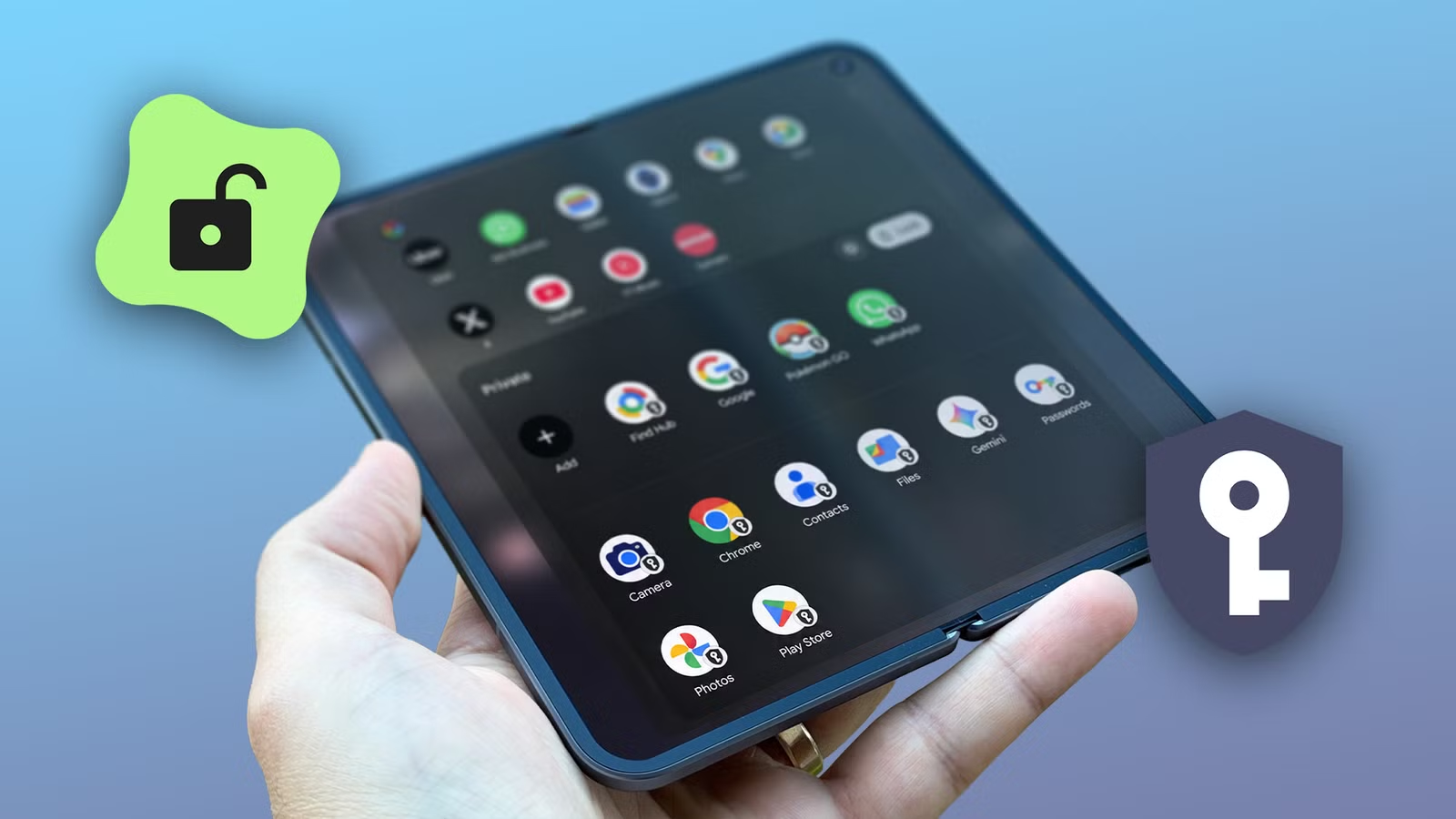
After I switched from the OnePlus Open, I thought my Google Pixel 11 Pro Fold had kneecapped my multitasking ambitions.
I was starting to think my power user requirements of juggling multiple app windows were reserved for Samsung foldables.
The grass always looks greener on the other side, until you start watering your own garden, right?
So I dug deep into the Google Pixel 11 Pro Fold settings and found the most overlooked feature. It lets you clone apps and create a separate space within the device.
Think of it as a second user profile, but with some restraints.
Related
The Pixel 11 Pro Fold is not for specs-chasers, but I still loved holding it
This is the phone I wanted my Pixel 10 Pro Fold to be
Why do I clone my apps?
I am addicted to work … and play
I demand a lot from my devices, especially when they come with a hefty $1,899 price tag.
For almost two grand, the Google Pixel 11 Pro Fold has a clean UI, fantastic cameras, and a processor that raises some eyebrows.
Regardless, it has all the ingredients I want to open multiple apps and juggle multiple windows.
It even has dual SIM support, which is precisely what I needed to get rid of my second smartphone.
However, plonking a second SIM in the Pixel 11 Pro Fold means I need to choose between the two SIMs for most apps, or use built-in account switchers (like WhatsApp has), which I don’t find convenient.
The Pixel UI doesn’t have a native app-cloning solution for this problem. However, the Private space feature can help in some way.
Google introduced Private Space to the Pixel smartphones with Android 15, but it’s advertised as a privacy feature.
Which, it fundamentally is, because of the restrictions Google has on it.
The elevator pitch for Private Space is that it lets you create a sandboxed experience within the Pixel smartphone.
I don’t mind the shortcomings because it also lets me separate my personal and professional life.
My work number and the linked Gmail and WhatsApp accounts are now tied to the Private Space section. And I can easily silence notifications over the weekends.
Learning about the private parts
As private as a Facebook account
My goal was to clone apps because the Pixel UI doesn’t allow it. So, I think I can call Private Space a workaround.
The fastest way to get started is to go to Settings, tap Security and privacy, and scroll down to Private space.
Google doesn’t recommend using this feature for apps that require sending critical notifications, like discussing what to eat for lunch in the office group.
Additionally, when Private Space is locked, notifications and background activity for an app are blocked. The default setting locks your Private Space every time the device locks.
I immediately switched this setting to lock Private Space only after the device restarts.
This one tweak unshackled Private Space and turned it into a jerry-rigged app cloner.
To test it, I created a second Pokémon Go account (this is a lie, I already had one) and walked around the block to see if the app could track my activity when the phone was locked.
Safe to say, I hit the Pokémon Go jackpot.
I was now walking around the block with a $1,899 foldable smartphone playing Pokémon Go like it’s 2016.
Two of the same apps running simultaneously on two different accounts, with location tracking. This was Pokémon Go nirvana.
Like most Go players, I have increased my odds of finding a shiny Pokémon, but now I only have to use a single device that folds into my pocket.
This should’ve been easier
Nothing’s private; it’s only difficult
Google somewhat nailed the multitasking on Android foldables with floating bubbles.
It’s easier than ever to open more apps on my tablet-esque smartphone. I can move files between apps by dragging and dropping.
I can now clone these apps as well, and now the multitasking experience feels elevated.
Many Chinese smartphones such as OnePlus and Oppo come with a dedicated setting for app cloning, but I am forced to use Private Space to do the same thing.
Even if Google is right about the privacy bits, I don’t see the point. Why is privacy sold as a feature and not a standard?
I’d like to put Instagram inside the Privacy Space, but sometimes the ads are too perfect. How many times have you thought of buying a natural wood cutting board and found the exact size and color for your kitchen?
The only downside to using Private Space as your app cloner is that you cannot pin these apps on the home screen, and the apps are located at the bottom of the app drawer.
So getting there takes a second or two, which sours the experience of jolting around the UI.
I hope smartphone brands start treating foldables as a product for power users as well, and not a luxury.