


Brady Snyder / Android Authority
Add Android Authority on Google:
When I first heard of Samsung’s plans to make a wide Galaxy Z Fold 8, I knew I’d want one in my pocket. The 16:10 cover screen and 4:3 main screen aspect ratios sounded perfect for widescreen content consumption, and made for a compact form factor when shut. Before I bought a Galaxy Z Fold 8 for myself, I skimmed the spec sheet and looked for any notable downgrades. Neither the slightly smaller battery nor the rear dual-camera system disappointed me, but the lack of Flex Mode initially stunned me.
Flex Mode allows you to prop up a foldable like a laptop. It uses a mix of hardware that keeps the hinge in a fixed position and software that makes the most of the split-screen UI. I’ve been using Flex Mode on Samsung foldables since the Galaxy Z Flip 3, and it became my preferred way to watch videos on a table or desk.
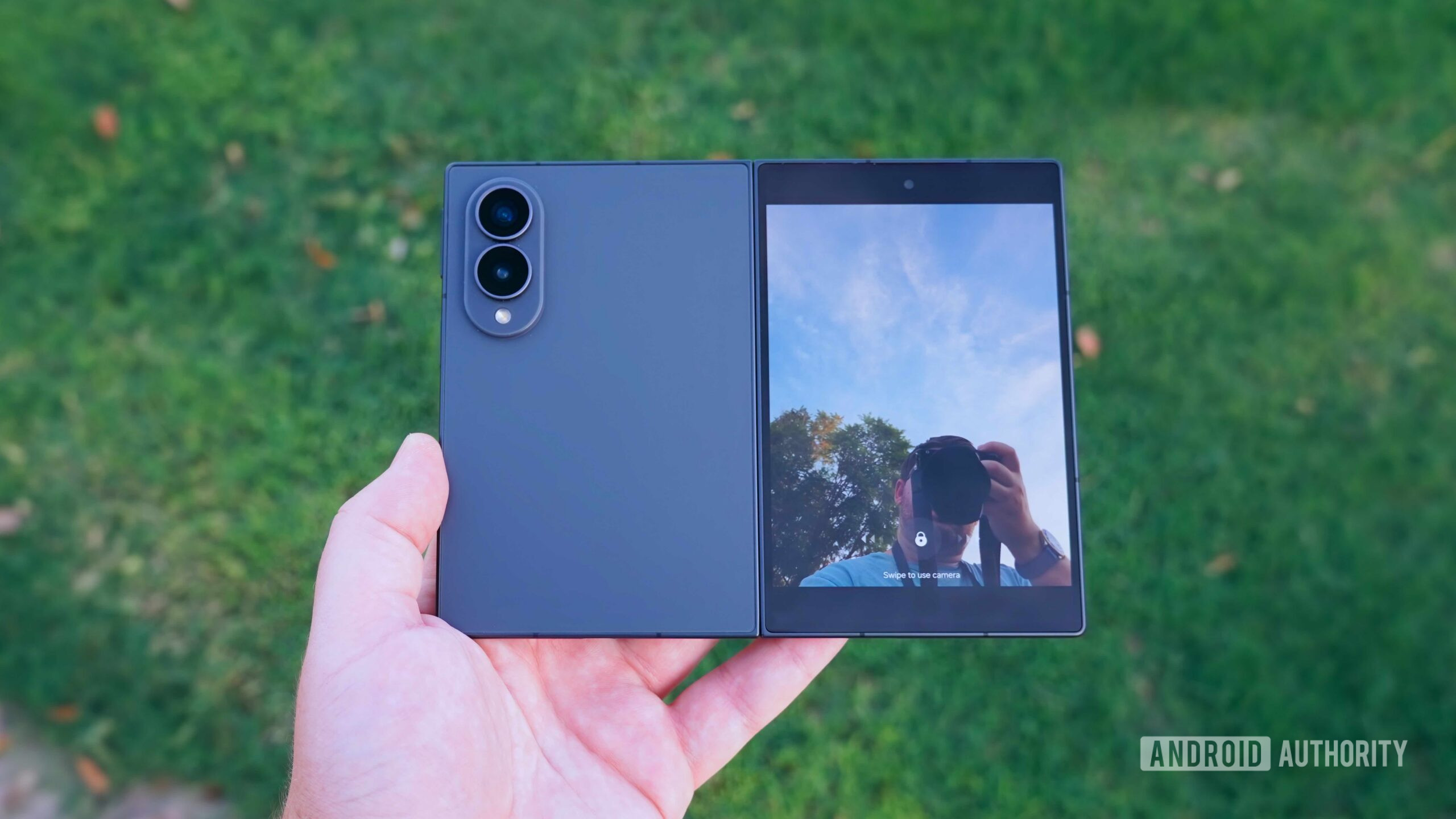
The wide Galaxy Z Fold 8 leaves Flex Mode behind because of a tweak to the hinge, and I worried it’d ruin what was otherwise my dream foldable. Instead, the new Galaxy Z Fold 8 hinge ended up being my favorite thing about it.
Is the Galaxy Z Fold 8’s lack of Flex mode a dealbreaker?
7 votes
Yes, it’s a must-have feature
0%
No, but I would’ve liked it
71%
No, tent mode is great
0%
No, I never used it
29%
The Galaxy Z Fold 8 hinge makes me want to open it
Brady Snyder / Android Authority
The hinge on older Samsung foldables was excellent at holding itself in place. You could open the Galaxy Z Fold 7 about halfway and enjoy a split-screen experience in Flex Mode. The hinge remained in a fixed position, and One UI added intuitive software features tailored to the laptop-like mode. For example, the bottom half housed media controls while the top half played videos. Another feature turned the bottom half of a Galaxy Z Fold or Galaxy Z Flip device into a virtual trackpad, leaving the top half reserved for One UI. This year, only the Galaxy Z Fold 8 Ultra retains Flex Mode support.
Initially, I feared the Galaxy Z Fold 8 lacked Flex Mode support merely to help differentiate it from the Galaxy Z Fold 8 Ultra. This would’ve been frustrating as a Galaxy Z Fold 8 buyer. Instead, the feature is missing because the Galaxy Z Fold 8 has a new hinge that works differently from the one on older Galaxy foldables and the Galaxy Z Fold 8 Ultra. Samsung says that a new titanium-based display structure, refined hinge mechanics, and magnetic force “make unfolding feel smoother, lighter and more natural.”
You have to start unfolding the phone yourself, but the hinge finishes the job.
In practice, the changes mean that the Galaxy Z Fold 8 is significantly easier to open. As you unfold the Galaxy Z Fold 8, your fingers and hands are doing all the work for roughly the first three-quarters of the way open. You’re fighting the hinge mechanism’s own resistance. What’s new is that as soon as you cross the 75% threshold and the phone is almost fully open, the hinge snaps into place. After that point, the hinge mechanics and magnetic force are doing all the work for you.
If you haven’t used the Galaxy Z Fold 8 yourself, picture what it’s like to use a car’s steering wheel. As soon as you move the wheel to make a turn, you can loosen your grip on the wheel, and it’ll return to the center position on its own. You’re moving the wheel to cause the car to turn, but it takes virtually no effort of your own for the wheel to come back to you. The opening process for the Galaxy Z Fold 8 feels similar. You have to start unfolding the phone yourself, but the hinge finishes the job.
The ease with which I could open the Galaxy Z Fold 8 made me want to use its 7.6-inch folding display more than any other foldable. There’s usually a lot of friction to opening up the main display on a foldable. You need two free hands and a few seconds to unfold it, which is why many foldable users end up spending most of their time on the cover screen. The Galaxy Z Fold 8’s quick-opening hinge has me using the folding screen way more than the cover screen, and it makes the phone’s $1,899 sticker price worth it.
Tent mode is just as useful as Flex Mode
Paul Jones / Android Authority
Flex Mode’s split-screen UI was nice, but what I really loved about it was using my Samsung foldable propped up. I hate watching videos with my phone lying flat on a desk or table, and Flex Mode solved that problem. Luckily, there’s a way to prop up my Galaxy Z Fold 8 on a flat surface while watching videos. It’s commonly known as “tent mode.” All I have to do is activate the cover screen, crack open the hinge, and set the foldable down like a tent. The cover screen stays properly positioned at an ideal viewing angle, and I can watch videos exactly like I did with Flex Mode.
There are a few drawbacks to using tent mode compared to Flex Mode. For one, you miss out on all the One UI software magic that comes with Flex Mode. Tools like the virtual trackpad and system-wide media controls are gone. Still, I find having to tap the screen to manage playback or scrub timelines to be a mild inconvenience. I’d still pick the Galaxy Z Fold 8 over the Galaxy Z Fold 8 Ultra, because the former’s 16:10 cover screen is nearly perfect for widescreen content. It nearly fills the cover screen without having to zoom in.
Stephen Radochia / Android Authority
Tent mode on the Galaxy Z Fold 8 is more stable than Flex Mode on the Galaxy Z Fold 7 or Galaxy Z Fold 8 Ultra. The thin-and-light form factor of Samsung foldables, paired with their large rear camera bumps, makes finding the perfect Flex Mode position trickier than it used to be. As someone with a disdain for scratches, I didn’t like having to rest my cover screen on flat surfaces while using Flex Mode. I’ve been enjoying tent mode on the Galaxy Z Fold 8 as much as, if not more than, Flex Mode on other Samsung foldables.
If you need Flex Mode, get the Galaxy Z Fold 8 Ultra
Paul Jones / Android Authority
It’s good that Samsung kept Flex Mode on the Galaxy Z Flip 8 and Galaxy Z Fold 8 Ultra, because it’s a useful feature that some foldable fans won’t want to give up. It makes more sense for the Galaxy Z Fold 8 Ultra, which is designed for productivity and multitasking rather than content consumption. On the flip side, the Galaxy Z Fold 8’s short and wide form factor is best when unfolded. Samsung made the right choice by changing the Galaxy Z Fold 8’s hinge mechanism to make it easier to open, even if we lost Flex Mode along the way.
I’ve tested many foldables, and purchased a few myself, but rarely felt the folding display was worth the added cost and bulk. I didn’t feel I used the main screen enough to justify all the drawbacks. Samsung’s Galaxy Z Fold 8 finally flips the script. I almost always unfold it, regardless of whether I’m sending a quick text, reading an article, or watching a TV show. The quick-opening hinge is to thank. I now use the folding display to its fullest potential, and that’s more valuable to me than having Flex Mode for the few times I’d need to use it.
Thank you for being part of our community. Read our Comment Policy before posting.