


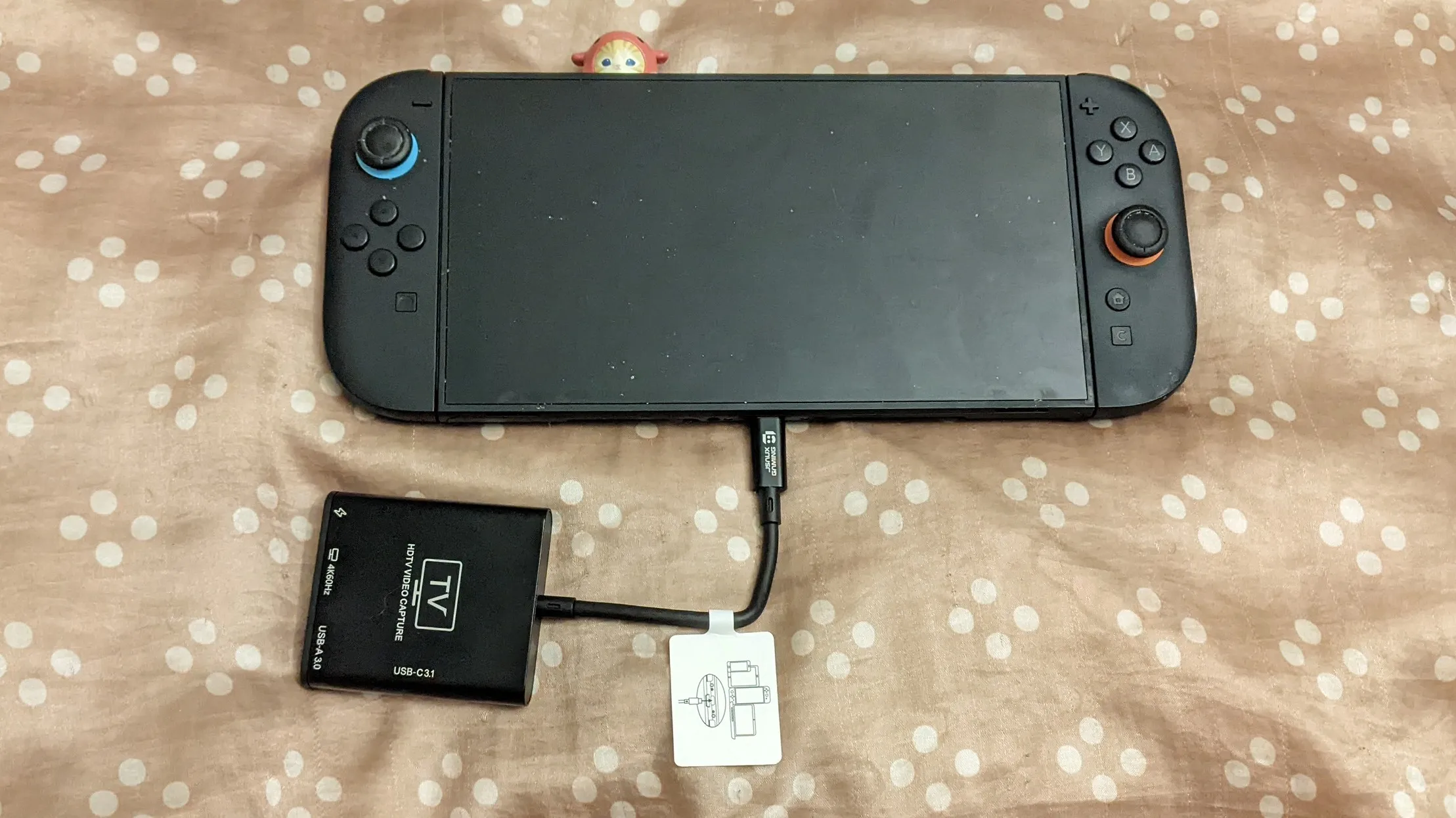
Now that the Switch 2 is a year old we’re seeing more accessories like the JSAUX video capture card that essentially acts as a plug-and-play device for streaming and recording. And in this case, it’s a handy little item. The whole thing is around eight inches long and, as long as you have a PC with OBS installed, makes it easy to share gameplay. There are a few minor issues, but for something that typically ends up being a $30-40 budget device, it’s rather convenient.
First the form factor for the JSAUX Switch 2 video capture card is extremely portable. This is handy, as it could easily be tossed into a console back with it. Since it also can work with the Switch 2 charger or a USB-C cable plugged into a charging brick or USB-C outlet, it helps with cutting down on needed cords. The HDMI output lets it act as a dock, if needed. And plugging it into a computer for video and audio capture is as easy as a final USB cable. In short, it’s convenient and I appreciated that.
And as a dock, it works absolutely great! It takes up basically no room, which is handy. Again, it’s easy to toss in somewhere for travel purposes. The video quality seemed fine when I tested it on two TVs. So for those situations, it can be quite handy.
When it comes to gameplay capturing and streaming, the JSAUX Switch 2 video capture card is also extremely simple to set up. If you’re just going with a straightforward video capture, you plug the top cord into the bottom of the console, plug in a power cord on the labeled right-most port, and plug it into your PC or laptop via the left-most port. Open OBS, choose the Video Capture Device option, select the USB device, and you’re set. There’s an included instruction manual to walk folks through this as well in a clear way in multiple languages with pictures as well. It’s pretty effortless.
The thing is that the JSAUX Switch 2 video capture card is, at the same time, inconvenient. The first is with the built-in USB-C cord built into the device. The cord is between three and four inches long. If you’re going to be using this with a Switch 2, as I did, it feels like not it is not nearly long enough whether you’re intending to play with it attached to a TV or in Handheld or Tabletop mode. A longer cord here would have been very much appreciated. Even better would have been a detachable cord, so I could have used one I already owned for even more freedom. Also, note that if you aren’t plugging this into the bottom Switch 2 USB-C port, it won’t work.
The other issue I ran into is that it is reliant on a USB-A port for capture output. The thing is, Windows and Mac laptops I had access to only featured USB-C ports. I don’t even own any USB-A to USB-A cables anymore, so I needed to borrow some to get things settled and working. Again, it involves an adjustment and I was surprised to see that sort of restriction. So if you do get this card, you should also make sure a USB-A male to USB-A male cable is included in your order and you own a USB-A female to USB-C male adaptor or cord. (Because guess what? No stores sell USB-A to USB-A nearby and all of them require you to ship it.)
But once you do get things connected and set up, the JSAUX video capture card works! For the sake of recording, since I did do one of a game with copyrighted music, audio is off. But you can see how solid the video quality can be. For example, here’s a brief Pokemon Pokopia clip:
It’s good at capturing a more active 2D game like Groove Coaster Future Performers.
And finally, here’s a sample of it recording the Final Fantasy Resonance demo on the Switch 2.
The JSAUX video capture card can be really handy for Switch 2 users, just as long as you remember to get a USB-A to USB-A with it. It’s a functional portable dock in a pinch. It is essentially a plug and play device. It’s easy to turn the audio off if you’re worried about copyright strikes on certain videos due to the background music. I do wish it supported USB-C or maybe had a longer cable to connect to the system, but it generally works well!
The JSAUX video capture card is available now and compatible with the Switch 2, handheld gaming PCs, and some mobile devices.