


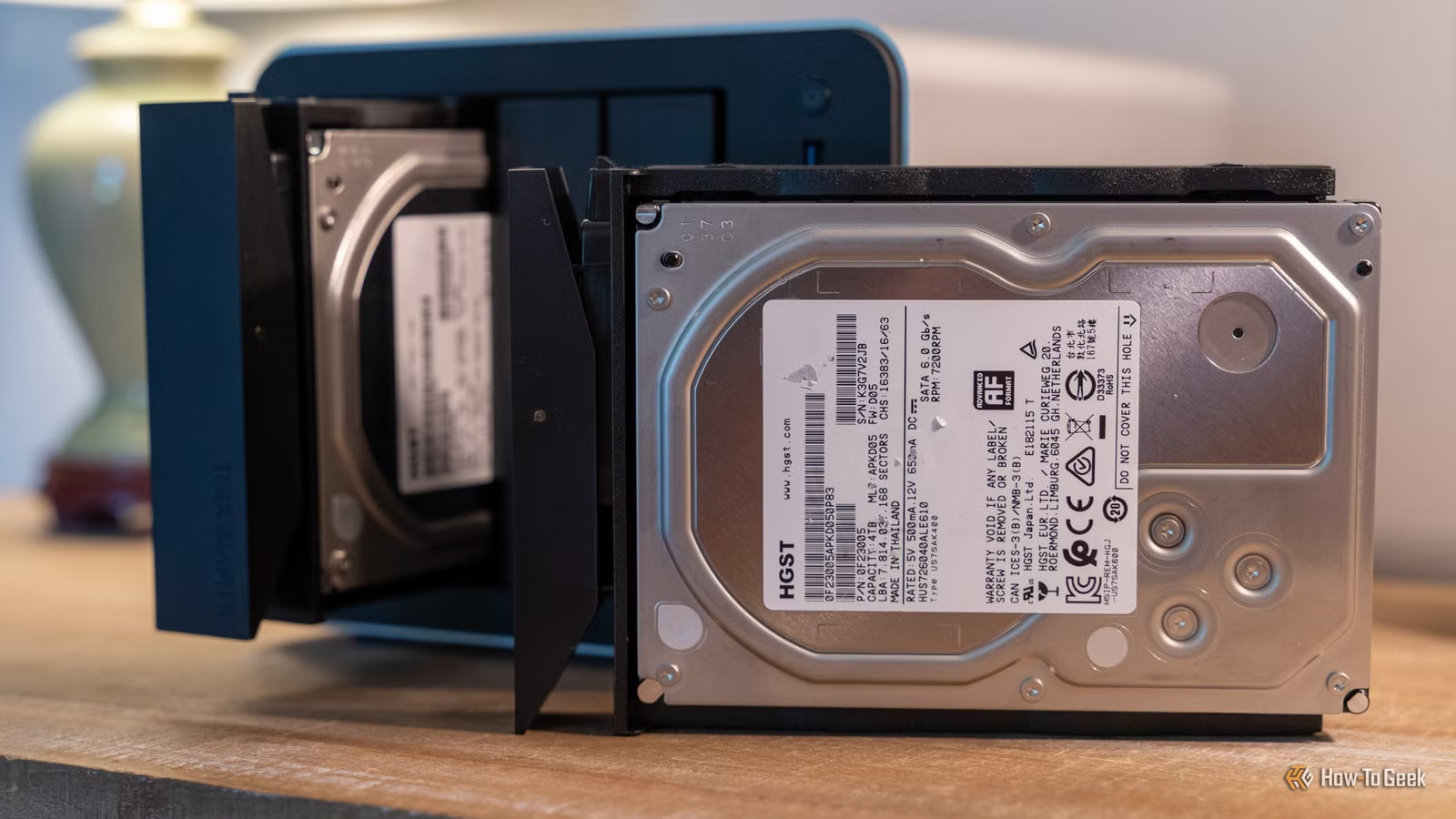
A NAS is one of the cheapest and most convenient ways to keep your data backed up. It’s also fairly reliable, but while HDDs and SSDs can last for years, they will fail eventually. When they do, you could lose everything stored on them, so here are some cheap ways to back up your NAS before that happens.
Keep an off-site NAS backup in the cloud
Let the cloud handle it
The idea of using cloud storage to store your backups might seem counterintuitive at first glance, as many people buy a NAS precisely because they want to avoid subscriptions, but truthfully speaking, it remains one of the most reliable ways to store data long-term. Cloud storage providers have built-in redundancies that make losing data to an individual hardware failure extremely unlikely, which is something you simply can’t match on a smaller scale.
That being said, there are many ways to store your data in the cloud beyond just copy-pasting important work documents into the free 15GB tier on your Google Drive.
Cloud object storage is a fairly affordable way to store large amounts of data. Backblaze B2 and Wasabi are both fine options that cost less than $10 per terabyte of storage, which actually is pretty decent value for storing data that you absolutely can’t afford to lose.
Cold cloud storage is even cheaper, though you might have to wait several hours and pay a retrieval fee whenever you need to access the data. But since you already have the data readily available on your NAS and might only need the backup in case your drive fails, it might just be the best option available.
Turn an external USB drive into an automatic backup for your NAS
Simple and surprisingly effective
Credit: Ismar Hrnjicevic / How-To Geek
If your NAS drive bays are already occupied and you don’t want to waste time hooking up drives, an easy way to instantly add an external backup drive is through your NAS’s USB port.
This could be a USB flash drive or SSD, but if we’re talking about backups, traditional hard drives remain the most affordable solution for large amounts of storage.
Once you connect the hard drive to your NAS, set up an automatic backup schedule for your most important files through your NAS’s software or an app like Duplicati.
It’s much easier and more reliable than manually transferring files whenever you remember to do so. If you want to take it a step further, you could unplug it as soon as the scheduled backup is finished to keep it safe from potential malware. Just don’t forget to set a reminder to plug it back in.
Related
I tried to ditch Google Photos for a local server. The math didn’t work out
Your homemade photo server will cost you $600 before you even add backups
Build a cheap cold storage backup setup with used SATA drives and USB dock
Skip the expensive enclosure
Credit: Corbin Davenport / How-To Geek
If you like the idea of using an external USB drive but only have internal SATA drives at hand, then you almost have everything you need to build your own external backup drive. The only thing missing is a cheap adapter.
This Insignia SATA-to-USB-C adapter is only $12 and is perfect for 2.5-inch drives, while this GODO HDD enclosure is a cheap solution for 3.5-inch drives, as they require a separate power source.
Both an adapter and an enclosure make it easy to swap, replace, and repurpose your storage drives down the line.
So, if you have multiple smaller drives that you don’t use anymore, this could be the perfect way to put them to use. In the case of very old drives, make sure to check their SMART health status before using them to back up your precious data.
Buy or build a budget backup NAS from spare hardware
A NAS for your NAS
Credit: Ismar Hrnjicevic / How-To Geek
A second NAS for backing up the files on your NAS might seem a little counterintuitive at first, but it’s actually one of the more reliable ways to store a second copy of your data—especially if you use RAID.
The good news is that the second NAS doesn’t need to match the performance or even storage capacity of your main NAS for the backup to be effective. You could buy a cheap NAS enclosure or, better yet, repurpose an old desktop, laptop, mini PC, or even Raspberry Pi as a dedicated backup target for your primary NAS.
You have to be careful about how you set up your backup NAS, though. Instead of just mirroring the files on your main NAS, set up scheduled versioning or snapshots so your backup NAS keeps older versions as well.
This way, if you accidentally delete a folder on your main NAS, it won’t automatically disappear from your backup NAS too.
Store backups of essential data on your PCs
It’s surprisingly convenient
Credit: Ismar Hrnjicevic / How-To Geek
Normally, a NAS is something people use to store backup files from their PCs, but if you think about it, it makes perfect sense to set it up the other way around too.
While your laptop or desktop PC might only have a terabyte or two of storage available, and you probably shouldn’t waste it on massive 4K movie rips, it makes sense to use your PCs as additional backup destinations for your work files, most important photos, and other personal data.
You can use Syncthing with File Versioning enabled to sync the folders you want between your machines. If a single machine fails, or files get corrupted on one machine, you still have copies on the other two. And if one of your PCs only gets turned on occasionally, that can arguably make your backups even safer, since it’s disconnected from your data most of the time.
Your NAS should never be your only backup
If there’s one takeaway from this article, it’s that you should never treat your NAS as your only backup, because you can never really know when a drive is going to fail.
Keep multiple copies of your most important files on as many different devices and in as many different locations as you can, and if you have data you absolutely can’t afford to lose, there’s no shame in turning to a cloud backup solution.