


I usually work long hours — sometimes I sit for five hours straight, and other days I might sit longer, depending.
As a result, there are countless times when I am barely active — I get very few steps in, I don’t stretch between writing segments, and I don’t drink enough water.
It’s embarrassing to admit that I don’t always put my health first, but this is also a byproduct of how tunnel-visioned I can be when I am writing and researching.
Anyone with a desk job should understand these woes.
That’s why anyone who uses their Microsoft, Apple, or Google workstation all day should be more mindful of their health.
Thankfully, I found a wholesome app that gives a quiet nudge to take care of my well-being. Since I’ve been using it, I feel I have finally made real progress in improving my physical and mental health.
Related
The Wear OS apps I rely on every day (and why I always install them first)
These apps are indispensable to me
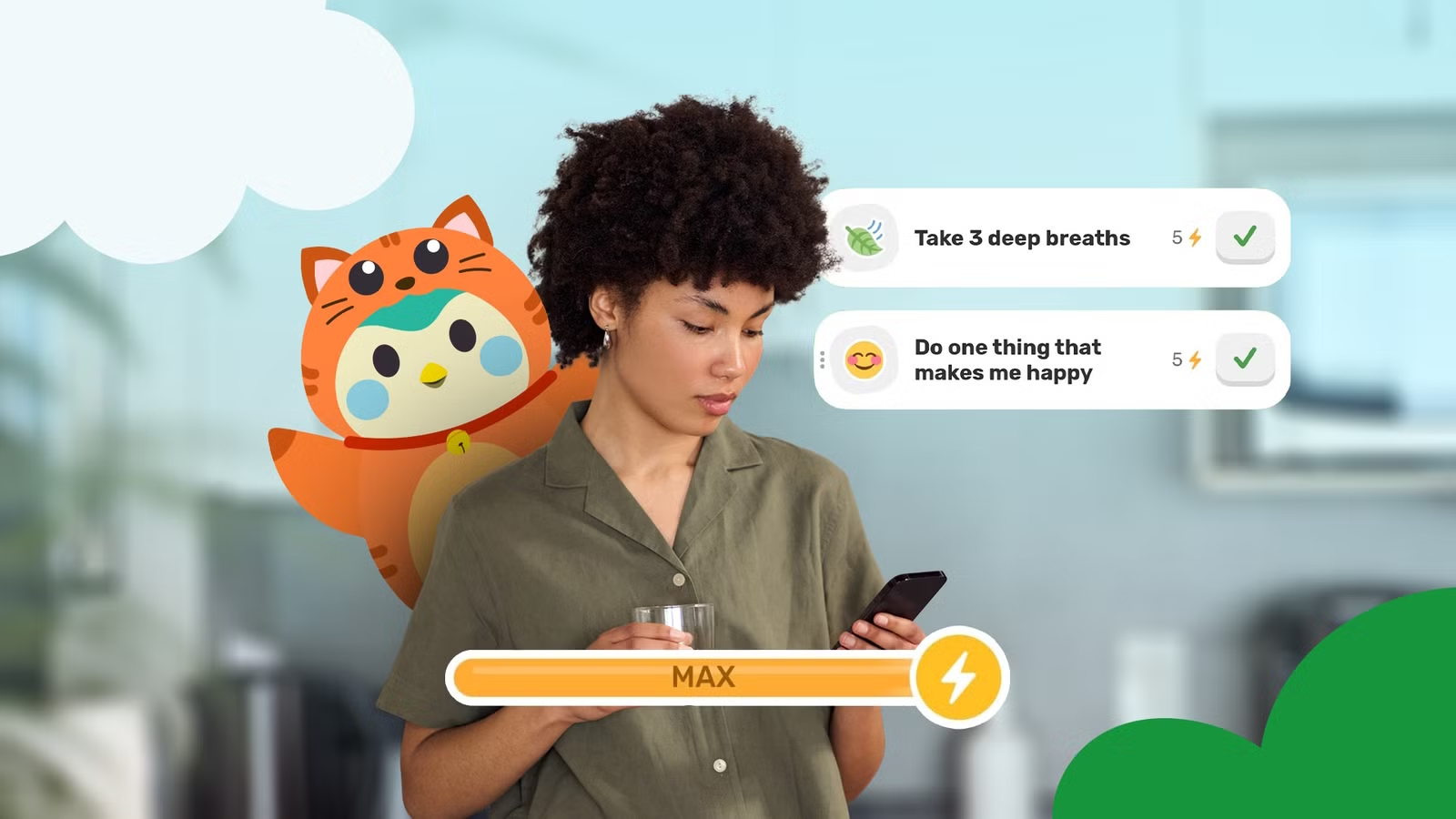
Finch: Self-Care Pet is my digital caretaker
Downloading this app helped me jump-start a healthier routine again
Credit: Finch Care PBC
I really wanted an app that reminded me to take breaks, drink water, and get a few steps and stretches in between my tasks.
I wasn’t keen on setting up my Calendar app to give me these prompts, as I’d like to reserve it for routines structured around work and chores (my goal is to strike a better work-life balance).
I even debated returning to Pokémon Go full-time, but decided against it because the app feels too bloated.
But I realized I wanted something similar to Pokémon Go so that whatever activity I did counted as something fun, while being wholesome.
For reference, I loved the idea of watching eggs hatch into Pokémon by going on long walks around my neighborhood, then stopping by PokéStops to replenish my item stock.
That’s when I found a similar app that feels as rewarding. It’s the Finch: Self-Care Pet by Finch Care Public Benefit Corporation.
The app’s premise is that as you take care of yourself, mentally and physically, you are also taking care of your cute little Finch.
Then, as you continue, your Finch develops and grows into its own creature. As a result, it gains a unique personality and will eventually find eggs — micropets.
The micropets feature is also similar to hatching eggs. You can also get more heavily into it, but my highlight is raising my pets as I complete tasks or go on “adventures,” also known as self-care.
How Finch: Self-Care Pet works
My favorite features of this app
Credit: Finch Care PBC
First, my eyes immediately went to this app because the graphics really appeal to me. I love the pastel colors and the chibi art style — it is all very expressive and makes the app feel more alive.
Plus, I am more likely to keep the app installed because it appeals to my love of gaming and art.
The app even has an optional widget you can add to your home screen that shows your birb and streak.
When you first start the app, you hatch your first birb, choose its color and characteristics, customize the notifications, and complete a questionnaire to get a snapshot of your health profile.
If drinking more water is one of your goals, I recommend turning on notifications when the app prompts you.
I like that there is a progress meter within the app, and when you do a simple self-care activity, such as adding in steps, being productive, and practicing self-kindness, you earn points.
These points add to your goal progress, which is what your pet calls “going on adventures,” and you get something to do daily, even if it is something simple like getting out of bed or washing your face.
When you send your finch to go adventuring, it takes time, usually like a full work day at the start.
After that, your birb comes back; that’s when you see it grow and shape its personality (on day 2 I learned that Poko dislikes cherries that she found in the wild).
Part of feeling empowered is seeing the ongoing streak and viewing your steady progress. I am motivated by this because if I break it, I feel let down and guilty — and I feel sad that I neglected my birb.
But part of my experience is accepting that it’ll take several weeks to develop a healthier routine — that’s normal, and there is no shame in that — and it isn’t like my bird will suddenly abandon me or die (it isn’t like a Tamagotchi).
I also like that the app doesn’t only target your physical well-being; it supports your mental health, too.
To reflect this, my widget changes each day, showing my bird with words of encouragement or even silliness. On the third day, she said, “You’re the berry best” and had a picture of a giant berry on a plate.
It was super silly, but it made me smile — that goes a long way after a stressful work week.
Technically, you can use the app to add other friends and send words of encouragement each day.
I don’t have friends on the app, and I don’t plan to yet, because I generally don’t engage with the social aspects of these kinds of apps unless I have to (it’s my personal preference).
Still, it is great to know the option is there if you want it.
The app offers paid benefits if you subscribe for around $10 a month. I ignored this because I don’t care much about the extras — it doesn’t alter how I use or engage with the app or block me from features I want to use.
If you subscribe, being a Plus member means you get more cosmetics, discounted shop items, some extra soundscapes/movement exercises/breathing techniques, and seasonal perks.
For me, the app’s core experience is enough since my favorite aspects involve raising my pet through simple care activities, rather than fully engaging with the app’s mechanics.
So don’t worry too much about skipping the “one-time” offer the app shows you when you sign up.
The right health app is around the corner
You could be a Fitbit fan but can’t stand the Google Health Coach, or you might be synced to Samsung Health but don’t use all its features.
No app is perfect, which is why it’s more about cultivating your own experience.
Either trim the bloat or personalize it — like how I used the Finch Health app as a motivational tool to fix my lifestyle.