


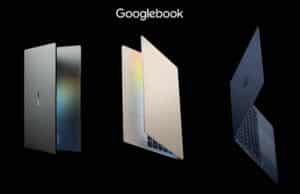
We’re discussing Googlebook laptops in this article, going over the particularities and specifics you should expect from this new breed of devices, as well as what to expect from each of the actual products available in stores.
Briefly, the narrative for Googlebooks is simple: laptops primarily meant as companions for Android phone users, designed to seamlessly integrate with your phone and enhance your experience with the help of a larger display, keyboard and touchpad, ports, etc. That doesn’t mean you can’t use these as standalone computers, but that’s not how they excel.
Hardware-wise, Google sets a selection of quality criteria regarding the build, displays, hardware specs, and functionality for these Googlebooks, and that’s why the launch-day models are premium devices that cost a fair bit more than the standard Chromebooks available so far, including those higher-tier Chromebook Plus models. But at least they included some bundled subscriptions that can shave about $250 off those prices.
Functionally, these devices run Googlebook OS, an update of the Chrome OS offered so far in Chromebooks. This allows you to run standard Android phone apps, as well as apps optimized or created specifically for a desktop environment. Furthermore, the OS integrates closely with Google’s various services, including Gemini AI, with various potential benefits.
Now, one could easily call these Googlebooks Chromebooks on steroids, with a hefty price tag. And that’s at least half-true, although you’d better research the specifics of the software/hardware package offered before concluding whether these are right for you or not. You’ll just not buy these for the same reasons as with an inexpensive Chromebook, that’s for sure. And given the price level, schools and the likes won’t gobble them up as they do with inexpensive Chromebooks.
Furthermore, I must note that these Googlebooks are not meant to replace Chromebooks. The two sets of devices will coexist alongside, at least for a while.
Googlebook OS software, Gemini Intelligence
We’ll briefly go over the software particularities of the Googlebook OS that runs on these devices (and might be compatible with some existing Chromebooks as well, although that’s a topic for a different article).
Googlebook OS is designed to offer a universal software experience on all Googlebook devices, regardless of model and brand. It’s meant to provide a seamless experience between an Android phone and a laptop chassis, with full access to the phone from the desktop environment. The phone and laptop connect through Bluetooth/WiFi, which means the two need to be in proximity to each other.
Once connected, the laptop can mirror your phone screen and all its functionality, allowing you to use it from the desktop and without actually having to pick up the phone. The desktop OS looks and feels much like the latest core Android versions from Pixel devices, with similar notifications, quick settings, widgets, and general UI. Just scaled up to a larger display.
Furthermore, with Continue On, you can pick up a task from your phone on the laptop and benefit from the larger display, keyboard, etc. For instance, let’s say you’re working on a spreadsheet on your phone; you can then open up the laptop and continue working on the same file on the bigger screen. However, just note that only some apps allow this functionality, as Continue On requires work from the app creators to enable this seamless integration.
When it comes to apps, Googlebook OS works with the Chrome browser just like Chromebooks, or supports all the apps available in the Google Play Store. However, the Play Store interface will let you know whether some apps are specifically created for desktop use, or at least optimized for it through dynamic rescaling for the bigger screen. Apps not optimized for desktop will run in a phone-like window.
Real support for desktop-grade apps is in fact going to be crucial for the potential success of this series. Since Google seems committed to the environment, they’ve mentioned they’re working with 3rd-party developers to create desktop apps for Googlebook OS. Among those, Adobe apps should get such versions, although it’s unclear how close these are going to be to their Windows/Mac variants. For now, the existing Adobe apps (Premiere, Photoshop) are those already available for Android.
Among other things, Google showcased a few software particularities of this OS, starting with the file manager that integrates with all the content associated with your Google account (drive, phone, laptop) or even third-party apps such as Dropbox, and gives you quick access to all this content. Besides access, it includes an AI-powered smart search that lets you search not just file names, but also inside files and images.
This is just one of the AI enhancements provided by the Googlebook environment, with Gemini Intelligence baked in. You also get functions like Rambler and Create my Widget that work with the AI as well, as well as the ability to quickly launch an AI task by jiggling the mouse cursor (which Google calls magic pointer). Rambler can be quite interesting, as an enhanced voice dictation assistant that transforms your verbal instructions into actual actions, tasks, or apps – you can create a widget with specific data in it, you can launch search instructions, or even create an app by simply describing it. Of course, part of this is still marketing, as with all AI assistants today, so the actual benefits of using Gemini in this environment are going to vary for each and everyone of you.
Other more practical aspects worth mentioning are the inclusion of a 12-month Google AI Pro subscription (which gives 5 TB of Cloud storage space and improved access to Gemini/Antigravity), 3 months of YouTube Premium, and a few others. These bundles are worth about 250 USD/EUR, and can weigh down the overall cost of these devices if you’re already using those services. However, it’s unclear how these offers apply to already existing subscriptions – I’d hope they add up?
There’s also a GeForce Now subscription included with Googlebooks, which should deliver a solid gaming streaming experience in supported titles. However, some sources mention that Google noted in their pre-launch calls that other ways of playing games are coming to Googlebooks as well, but without giving more details. Since Steam can run on Chromebooks, hopefully a desktop-grade version is coming to Googlebook OS as well.
And then there’s also full access to the Linux terminal, which can make these devices particularly interesting for Linux users and developers. As far as the Linux experience goes, Googlebook OS provides access to a full Debian Linux environment through the Terminal app, which means it can run native Linux applications. From what I understand, the installed apps don’t appear in the standard app drawer, at least for now. It’s also unclear whether Linux supports 2D/3D graphics acceleration, among other things.
For builders and programmers, Googlebook includes the Antigravity agent development platform, allowing building and deploying apps right on the device. Developers also get a full terminal environment to run agentic coding tools like Claude Code or Antigravity CLI. That’s a topic to further look into if particularly interested in this matter.
Finally, Google mentions up to 10 years of updates and security patches for the Googlebook OS, which means they’re quite invested in making these devices and software platform stick around for the long term.
I’d also watch this video below for more details on the OS and Googlebook hardware.
As well as this video, which answers a few more questions that most other creators didn’t touch on, such as support for Windows, gaming, and third-party applications.
Hardware requirements for Googlebooks
Software aside, Google imposed a set of hardware criteria required for Googlebooks. Here are the important ones:
- these devices need to be premium chassis and builds, made entirely out of premium materials such as aluminum, magnesium, and carbon-fiber alloys; so no plastic parts on the chassis;
- they need to come with a touchscreen, and the panels can be either OLED or LCD, but with good quality panels with sufficient brightness and rich colors;
- must offer a backlit keyboard, and the keyboard layout has a few quirky particularities: all fonts are lowercase, there’s a mandatory G key, and an unusual CapLock key that defaults to Quick Insert (but also acts as Caps Lock with the combination of Shift + key);
- must run on higher-end processors, either Core Ultra Series 3 or Qualcomm X Elite at launch (with later updates as new platforms are launched);
- must include a Glowbar on the lid, which is a narrow RGB functional lightbar – shows battery state by default, but can be customized as well.
So that means these Googlebooks are higher-class premium notebooks with high-quality displays and inputs, as well as modern and fairly capable hardware specs. All these explain their price tags. In fact, most of these designs are iterations of what each OEM already offers in the Windows space, at even higher prices today.
Complete list of Googlebook laptops
There are only five Googlebooks available at launch, in the Fall of 2026, with more most likely coming later on. They’re made by partner OEMs, and there’s no actual Google Googlebook, like in the past when Google offered the Pixelbook notebooks.
As mentioned already, most of these are premium-tier devices selling for between $899 and $1299 in the US, 999 to 1199 EUR in Europe, and £999 to £1199 in the UK. These are only available in a few markets at launch, shipping from early October 2026.
There are a few aspects that make some of these options stand out from the bunch.
For instance, the XPS 13 is the most compact option, but is also the only one available with an IPS display, bundles a smaller battery, and has very limited USB-C-only I/O. It’s also built on Snapdragon X hardware, which is a 2024 platform, but still a decent and efficient performer in this sort of lightweight software environment. The HP Googlebook 14 is the only other option built on the same Snapdragon hardware, with still limited IO, but with a chassis and keyboard that resemble the popular EliteBook X series.
That aside, the other three are built on more recent and more capable Intel Panther Lake Core Ultra Series 3 hardware, with either Core Ultra 5 or Ultra 7 processors. Among them, the Acer Googlebook 14 is the only convertible format and the most affordable of the entire roster, while the Lenovo option is the largest model with a 15-inch display, and the Asus variant comes in between as a clamshell 14-incher that still only weighs 2.2 lbs. In fact, this chassis is similar in many ways to the ExpertBook Ultra chassis, which is a much more expensive Windows device (albeit with faster hardware and a Tandem OLED display in the Windows variant). What also sets the Asus Googlebook apart from the other options is the full IO and the fact that it comes with an anti-glare OLED display, while the other options are all glossy.
Here are more exact details of these Googlebooks. We’re filling in the blanks as we go, so if you spot any mistakes or details that should be corrected, let me know.
Model
Screen
Hardware
Battery
Weight
Acer Googlebook 14
14-inch 2.8K OLED touch
from Intel Core Ultra 5 325,
16 GB RAM, 512 GB SSD
71 Wh – up to 16 h
2.51 lbs / 1.14 kg
convertible 2-in-1 format with 360-degree display;
aluminum chassis, .55″ thin, weighs 2.51 lbs,
314 x 223 x from 13.9 mm (12.3″ x 8.8″ x 0.51″) dimensions;
white backlit keyboard, 1.3 mm travel, glass touchpad;
14-inch 2.8K 120Hz OLED panel, 500-nits, touch, glossy; supports USI 2.0 stylus (not included);
3x USB-C ports, including one Thunderbolt 4, audio jack; WiFi 7 and Bluetooth 6.0;
starts at Intel Panther Lake Core Ultra 5 325, 16 GB of RAM, 512 GB SSD specs;
goes up to Core Ultra 7 355 with 32 GB RAM;
71 Wh battery, up to 100W USB-C charging;
dual up-firing speakers;
5 MPx camera with privacy shutter, no IR, fingerprint sensor in the Power key
Price: from $899 – latest configurations and prices
Asus Googlebook 14
14-inch 2.8K OLED touch
from Intel Core Ultra 5 325,
16 GB RAM, 512 GB SSD
70 Wh – up to 16 h
2.2 lbs / 1 kg
Googlebook 14 CX9405CAA code name, dusk ash color;
clamshell format with 145-degree display, similar chassis to the ExpertBook Ultra;
aluminum and magnesium alloy chassis, .43″ thin, weighs 2.2 lbs,
311 x 212 x 10.9 ~ 16.4 mm (12.24″ x 8.38″ x 0.43″ ~ 0.65″) dimensions;
white backlit keyboard, 1.5 mm travel, glass haptic touchpad;
14-inch 2.8K 120Hz OLED panel, 450-nits, touch, anti glare finish;
2x USB-C ports with Thunderbolt 4, 2x USB-A, HDMI, audio jack; WiFi 7 and Bluetooth 6.0;
starts at Intel Panther Lake Core Ultra 5 325, 16 GB of RAM, 512 GB SSD specs;
goes up to Core Ultra 7 355 with potentially up to 64 GB RAM;
70 Wh battery, up to 100W USB-C charging;
6x up-firing speakers – 2x dual force-cancelling woofers and 2x tweeters;
2 MPx camera with privacy shutter, no IR, fingerprint sensor in the Power Key
Price: from $1299 – latest configurations and prices
Dell XPS Googlebook
13.4-inch 2.5K LCD IPS touch
Snapdragon X Elite,
16 GB RAM, 512 GB SSD
52 Wh – up to 18 h
2.2 lbs / 1 kg
XPS 13 DX13267 code name, sky color;
clamshell format with 135-degree display, similar chassis to the XPS 13 DX13260 Windows model;
CNC aluminum chassis, .5″ thin, weighs 2.2 lbs,
297 x 201 x from 12.7 mm (11.69″ x 7.9″ x 0.5″) dimensions;
white backlit keyboard, 1 mm travel, glass touchpad;
13.4-inch 2.5K 120Hz LCD IPS panel, 500-nits, touch, glossy;
2x USB-C ports, no audio jack; WiFi 7 and Bluetooth 6.0;
Snapdragon X1 Elite X1E-801-100, 16 GB of RAM, 512 GB SSD specs; up to 32 GB RAM and 1 TB SSD;
52 Wh battery, 65W USB-C charging;
4x up-firing speakers – 2x dual sided woofers;
2 MPx camera, no IR, fingerprint sensor in the power key
Price: from $999 – latest configurations and prices
HP Googlebook 14
14-inch 2.8K OLED touch
Snapdragon X Elite,
16 GB RAM, 512 GB SSD
56?? Wh – up to 19 h
2.74 lbs / 1.25 kg
clamshell format with 145-degree display, atmospheric blue color; borrows design cues from the EliteBook X lineup;
CNC aluminum chassis, .43″ thin, weighs 2.75 lbs,
297 x 201 x from 12.7 mm (12.25″ x 8.53″ x 0.43″) dimensions;
white backlit keyboard, 1.5 mm travel, glass haptic touchpad;
14-inch 2.8K 120Hz OLED panel, 500-nits, touch, glossy;
2x USB-C ports, audio jack; WiFi 7 and Bluetooth 6.0;
Snapdragon X1 Elite X1E-801-100, 16 GB of RAM, 512 GB SSD specs; up to 32 GB RAM and 1 TB SSD;
vapor-chamber cooling;
56 ?? Wh battery, 65W USB-C GaN charging;
quad speakers;
5 MPx camera with IR, face unlock, fingerprint sensor
Price: from $1199 – latest configurations and prices
Lenovo Googlebook 15
15.3-inch 2.8K OLED touch
Intel Core Ultra 5 325,
16 GB RAM, 512 GB SSD
?? Wh – up to 15 h
2.84 lbs / 1.29 kg
clamshell format with ??-degree display;
magnesium and carbon-fiber alloy chassis, .63″ thin, weighs 2.84 lbs,
white backlit keyboard, 1.5 ?? mm travel, glass touchpad;
15.3-inch 2.8K 120Hz OLED panel, 500-nits, touch, glossy;
2x USB-C ports, USB-A, HDMI, audio jack; WiFi 7 and Bluetooth 6.0;
Core Ultra 5 325, 16 GB of RAM, 512 GB SSD specs; up to 32 GB RAM and 1 TB SSD;
?? Wh battery, 65W USB-C charging;
dual up-firing speakers;
2 MPx camera with IR, face unlock, fingerprint sensor
Price: from $1299 – latest configurations and prices
I’ll also leave you with some images of these Googlebooks.
That’s about it for now, but we’re updating the article as it goes.
At this point, I don’t expect these to be widely successful. Chromebook fans don’t seem to take the pricing well – sure, you get the premium construction and features, but 1K for a companion Android device is hefty. However, the Google AI Pro, YouTube Premium, and even GeForce Now software bundled should be considered in your decision as well; if you’re already using those, buying a Googlebook shaves off their cost, which amounts to about 200-300 USD/EUR/GBP.
Furthermore, some places like BestBuy in the US bundle a few extras as well, such as a pair of Google Pixel Buds 2am, which are also worth about 130-150 USD/EUR.
Still, these are not Google’s first try with high-end, expensive Chrome devices. Remember the Pixelbooks and how well those sold in their day? Things might end up differently this time around, but as mentioned already, the potential success of this environment is going to depend on how Google convinces third-party app developers to create desktop-grade apps for Googlebook OS. Sure, you’re not going to get everything that’s available on Windows/Mac, but the basics need to be there in functional and supported desktop variants.
As for regular Windows/Mac buyers, they are hardly at all in the market for these “Android laptops”. Still, perhaps some people currently using Windows ultraportables might steer away to this subclass if these Googlebooks can eventually provide the functionality they would require for their daily chores. What do you think?
I also wonder if Google is just launching the premium, expensive options right now and will bring mid-tier options later as well, closer to what existing Chromebook Plus devices offered over the last few years. After all, there’ve been rumors of some MediaTek-powered options like a Sapphire/Duet Lenovo tablet running Googlebook OS, but that hasn’t been announced yet. I’ll keep you posted.