


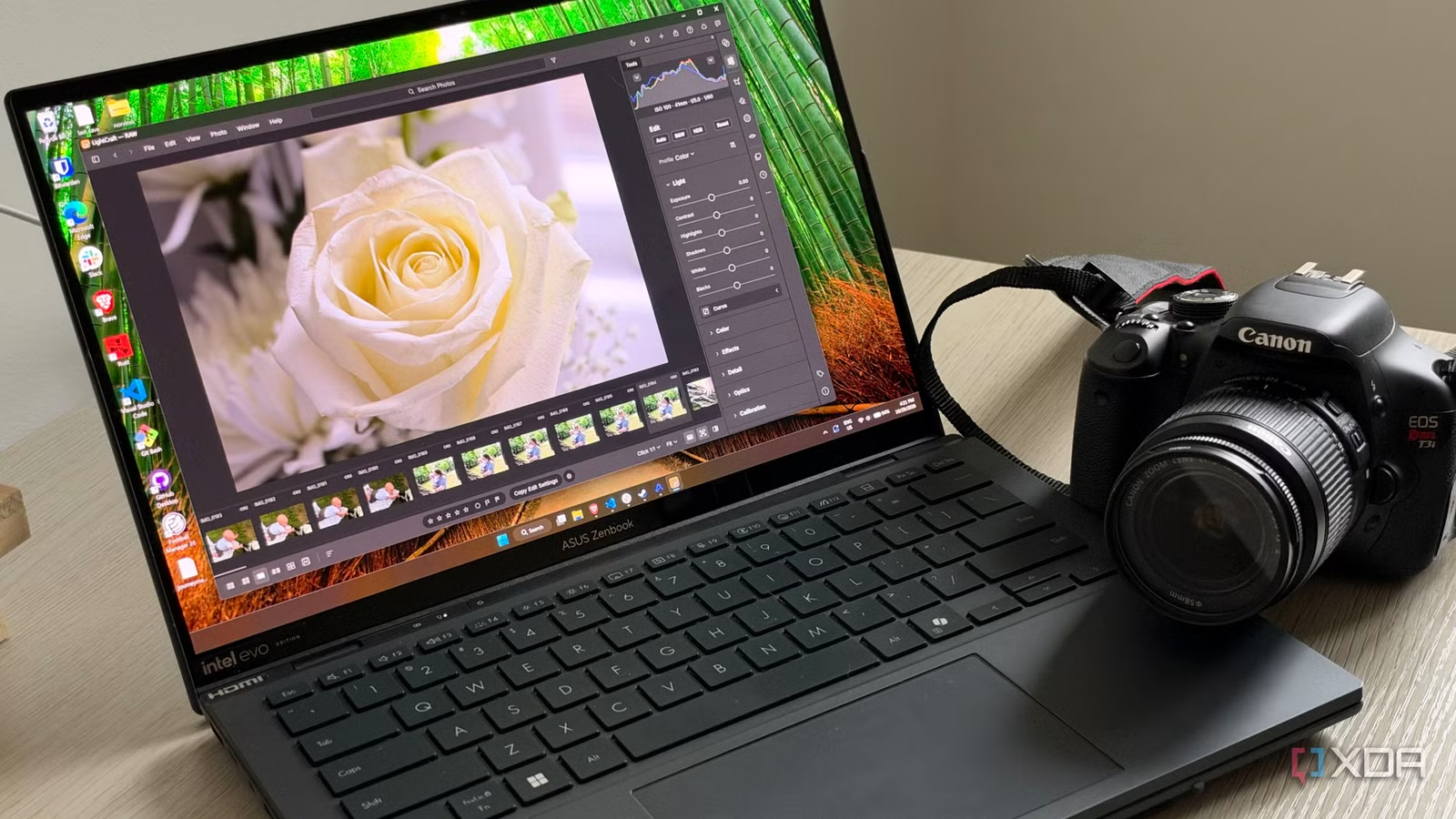
The industry standard for working with RAW files has been Adobe Lightroom for nearly two decades, but being tied down to a subscription has left myself and many other users with a bad taste in our mouths. Paying every month for software I mostly use for product shots has always felt like renting a screwdriver, and the free alternatives all had their own unique workflow that I didn’t want to adopt in full.
LightCraft is the first one I’ve come across that doesn’t force me to change my workflow but also has most of the features I use daily. It’s very young and was made with some heavy assistance from Claude Opus, so there are some places where it doesn’t match Adobe, but for the way I shoot, it’s the perfect replacement.
Related
An open-source Adobe suite built with AI is almost ready to replace the real thing
ArtCraft has seriously impressed me
It feels like Lightroom, which is so important
I’m not re-learning how to import and edit photos with LightCraft
I primarily shoot product shots on my iPhone 18 Pro, but on occasion, I do shoot on a Rebel T3i, which give me 14-bit CR2 files. These are a very common older format that could trip up a newer piece of software if it’s not configured correctly, but LightCraft imports them easily, and has supported them from its earliest working build. The project has since checked decoded CR2 files from a long list of Canon bodies against each one’s own JPEG, so it’s got pretty good support for them.
The file import process is very similar to Lightroom, and once the files are in, editing them feels very natural. Exposure, white balance, tone curves, masking, cropping and upright perspective correction sit roughly where a Lightroom user would expect them, and every change made to the photo is stored as an edit rather than written into the original file. Presets, version history and copying settings across a batch also work the way they do in Lightroom.
Related
RapidRAW is the free, open-source Lightroom alternative I’ve been waiting for
Editing photos is about to get a whole lot easier
It ditches the parts of Lightroom that make Adobe apps a pain
No subscription, compatibility with Linux, and completely open-source
I think the thing that has me truly hooked onto LightCraft is the bits that aren’t technical, though. Lightroom’s primary lock-in is years of habit, and thankfully, LightCraft doesn’t make any statements with its design or UI. It’s trying to be 1:1 for the stuff you’ll use in the app, and it ditches most of the annoying things that make Adobe apps painful to use.
LightCraft is completely free and open-source, which is huge for an app that feels so close to a first-party Adobe app. Everything runs locally on Windows, macOS, and even Linux, which is a bonus for someone like me who doesn’t want to constantly switch devices from the Linux machine I’m writing on to edit photos. It’s also really fast to boot up and feels snappy to click around in—I didn’t notice any slowdowns while editing or scrolling through my library.
Related
6 reasons Darktable is better than Adobe Lightroom for hobbyist photo editors
Why pay for Lightroom when Darktable does more?
Where it still falls short of Adobe Lightroom
LightCraft won’t be a complete replacement for many
Color is by far the biggest gap between LightCraft and Lightroom, and it’s not particularly close. Adobe ships tuned profiles for an enormous range of cameras, including Camera Matching profiles that mimic each body’s in-camera looks. LightCraft can’t use those. It relies on data stored in DNG files, its own fitted profiles for a handful of cameras, and look estimates built from camera JPEGs for certain formats. Older CR2 files like mine aren’t on that list, so they start from a more neutral rendering.
Lens correction is another place where it falls behind a bit. Lightroom matches thousands of lens profiles automatically, while LightCraft only applies the corrections that the camera wrote into the file itself. My camera doesn’t produce a format it can read those from, so things like distortion and vignetting on my kit lens are manual adjustments I have to make.
AI features like masking and denoise are still in progress, but there is the ability to load a local model to perform some actions within LightCraft. Subject and sky selection use more traditional detection rather than an AI model, while object selection and AI denoise both depend on optional local models you install yourself. AI Denoise also only works on traditional Bayer-sensor RAW files for now, so it won’t touch my iPhone’s ProRAW shots. I haven’t tested how well the local tools perform myself.
Related
I tried replacing Photoshop, Lightroom, and Acrobat with free vibe-coded alternatives, and they’re surprisingly good
Got to give credit where credit’s due
Where familiar still beats the mature options
Lightroom refugees that perform the simple edits will be at home
Credit:
Friction is such a large part of why LightCraft exists in the first place, and I think eliminating it is naturally going to pull a lot of users off of Lightroom and other FOSS options, even if it’s not totally feature complete. For the average person editing some photos that their iPhone took in ProRAW or their older DSLR, the features are already there. The professional photographer will still need what Adobe offers, at least right now. And for them, the monthly investment in the software is absolutely worthwhile. Things like gaps in color profiles and lack of support for some formats just means it will be unusable for those kinds of users, but for the weekend photographer like me, it’s perfect.
Related
I replaced the Adobe suite with a free open source alternative that Claude can control directly
Artcraft clones Adobe’s apps for free, and Claude can run them for you.
Should you cancel your Adobe subscription?
Whether you should actually cancel your subscription depends on what camera you shoot with and what you actually use Lightroom for. If your body is well-supported, your edits are mostly global adjustments and presets, and you’re comfortable doing lens corrections by hand, LightCraft is already a credible free replacement, with seemingly more features on the way. If you depend on Adobe’s camera profiles, automatic lens corrections, AI denoise or mobile sync, I’d keep paying for now.