


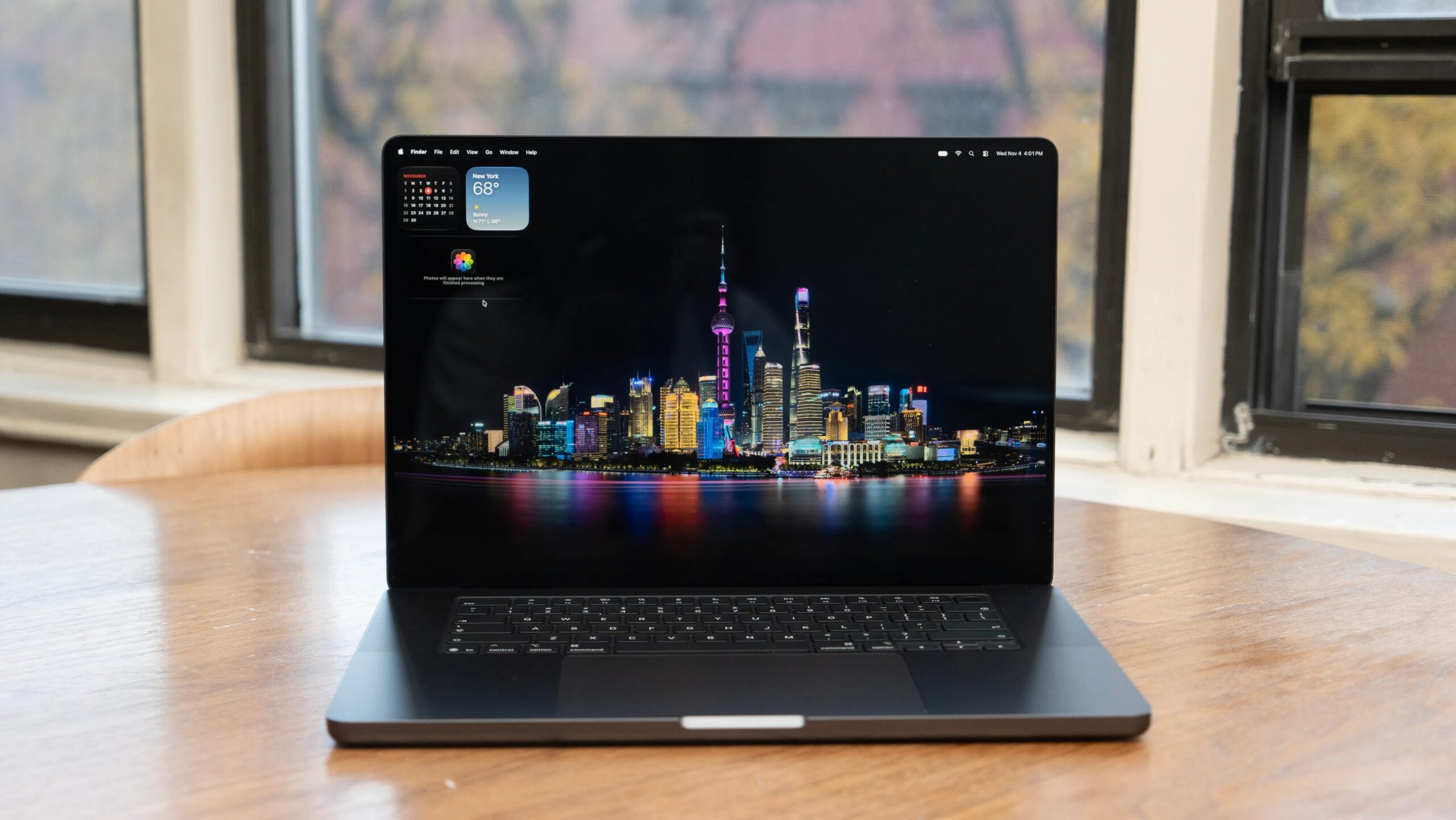
Wallpaper photo by Paul Reiffer, Photo by Lori Grunin/CNET
Apple MacBook Pro with PROLED XDR Display
Pros & Cons
-
Excellent, bright, precise color-accurate display -
Dynamic Island is a nice-to-have and doesn’t require touch -
Updated audio does sound better and bassier -
Nice touchscreen implementation
-
Noticeable drop in performance in low-power mode
There’s a lot to unpack with Apple’s new flagship MacBook Pro, starting with its updated design and new OLED touchscreen. The display certainly lives up to its billing, but mostly because of its relatively smart and practical touch implementation, professional color-critical accuracy, and pleasing OLED contrast and color pop that make video look great. The laptop itself is more of a refresh than a redesign, but at least for weight, every ounce counts. So the drop to 4 pounds is welcome.
I’m still working on the screen and performance testing, plus I need some more quality time with the laptop. Once my testing is done, I’ll include the results here. As it stands, though, it’s on its way to earning the highest rating I remember giving to a laptop, and my second-highest-rated product. The first is the recent Mac Studio with the M5 Ultra.
It’s just sad that due to the RAMageddon component supply crunch, the system is pretty expensive, and I suspect it will play hard to get, too. The unit I’m typing on right now (16-inch equipped with the top-end M5 Max, 128GB RAM and a 2TB SSD) costs $7,399. Across all configurations, the PROLED XDR display, which I’m abbreviating to PXDR going forward, adds a flat $400 compared with the older Liquid Retina XDR in the standard MacBook Pro.
The 16-inch M5 Max PXDR models have a 16TB SSD option not available in other configurations. It adds a cool $7,000 to the price, $4,000 more than the 8TB choice.
MacBook Pro 16 with PROLED XDR displayPrice as reviewed$7,399Display16.3-inch PROLED XDR: tandem OLED touchscreen, 3,472×2,266 120Hz, 1000 nits SDR (2,000 nits autobrightness), 2,000 in HDRCPU4.3GHz Apple M5 Max 18 cores (6S/12P)Memory128GB LPDDR5Graphics40C iGPUStorage2TB Apple SSD AP2048Z, SD card slotPorts3x USB-C/Thunderbolt 5, 1x HDMI 2.1, 3.5mm audioNetworkingApple N1 chip Wi-Fi 7 (802.11be), Bluetooth 6Operating systemMacOS Golden Gate 27.2Weight4.0 pounds (1.8kg)Ship dateNovember 2026
Streamlined design
The PXDR models are a tiny bit smaller and thinner because the display is thinner. I don’t find it particularly noticeable, but you might find the 11-ounce weight reduction in the 16-inch (9.6 ounces for the 14-inch) perceptible. The screen feels bigger, though, thanks to the smaller bezel on the bottom. Otherwise, it looks and feels the same as the older models. Except, of course, the touchscreen.
Apple shaved some thickness off and reduced the dimensions of the PROLED XDR model, but the difference is somewhat subtle.Lori Grunin/CNET
The MacBook Pro’s touchscreen is a good first try
The PROLED XDR display is pretty standard as far as touchscreens go, but to be fair, I’m not a huge touchscreen laptop user. That might be because my primary system at the moment is a corporate MacBook Pro, though. When the system’s on my lap in bed, the bottom of the trackpad is inconvenient to reach, so I find touch very handy on this system.
Apple has tweaked MacOS a little to make using it easier, including growing the window controls when you touch the corner. They expand large enough that your fingertip doesn’t completely obscure your selection. I find it easier to drag and drop files in Finder than with the trackpad as well, because with the pad I frequently tend to accidentally launch a file, enter rename mode or get a Quick Look.
The PROLED XDR screen on the MacBook Pro 14 (left) is slimmer than the traditional MacBook 14.Tara Brown/CNET
Some people might feel a disconnect since certain touchscreen gestures are different from those on the trackpad; I thought the touchscreen had become unresponsive for a second because I was trying to scroll with two fingers as you do with the trackpad. You can select text with your finger, but it’s relatively imprecise because your finger blocks what you’re selecting. I’d love the ability to tap the MacBook Pro’s touchscreen to select a word, for example, like you can on the iPad or iPhone.
In the Accessibility settings, you can calibrate a touch offset to compensate for an inability to hit the right spot on the touchscreen. But otherwise there aren’t a lot of customizable settings, just a few operations you can choose from, similar to the trackpad options.
I’d like to be able to swipe between browser tabs, for instance, since reaching the tabs at the top of the screen is either just a bit too far for my reach or at an awkward angle at my preferred usage distance and screen tilt.
The PROLED model of the MacBook 14 (left) has a reduced bottom bezel on the screen compared to the MacBook Pro 14 with the M6.Tara Brown/CNET
The Dynamic Island takes over some functions that used to sit in the menu bar. In one nice tweak, the webcam settings now live on the Island next to the “I’m watching you” green LED light. I thought I’d dislike it, but as with my iPhone, I don’t really notice it anymore.
And I still wish it had Face ID.
But the display itself is stellar
Thus far in my testing, the screen doesn’t disappoint. I like the optional nano-texture matte layer, though a lot of people don’t. To me, this screen falls comfortably between too glossy and too matte.
The window controls grow when you touch them.Tara Brown/CNET
It supports the same set of reference modes as the desktop Studio Display XDR, which makes it a good match. PXDR adds DICOM (a medical image viewing standard) 350- and 600-nit to those available on the Liquid Retina XDR and, finally, the color gamut expansion to include Adobe RGB (D50 as well as D65). Like the touchscreen, I never thought I’d see support for the Adobe standard, which Apple dissed when it decided to back only P3. Because Adobe RGB was designed for print, it has cyan, yellow and magenta primaries which differ from P3, and the ARGB cyan primary is out-of-gamut for P3.
All the SDR reference modes are spot on, and Apple’s modes have always been true references. They’re not just clamped to the gamut and matching gamma/tone curves, but also brightness locked to the standards. My measurements showed average delta E values less than 1 and maximum delta E less than 2, at most; brightness within 2% and white point within 100K of each standard; and gamut coverage upwards of 98% (they’re effectively 100% but can fall short because math).
If you look closely, you can see my reflection in the black area of the screen, but it’s not nearly as bad as similar screens.Wallpaper photo by Paul Reiffer; photo by Lori Grunin/CNET
Starting with the Studio Display XDR, Apple’s transitioning its monitor characterizations to Apple CMF 2026 from the old CIE 1931-based CMF (color-matching function) using a new perceptual model, though for the moment it’s retaining support for the old CMF as well. The bottom line is that it may complicate your life at some point, since not all calibration hardware and software supports it, nor has it been ratified as a standard yet.
There are some potential drawbacks to OLED for color-critical work. I hadn’t really thought about drift — the tendency of the brightness and color of a screen to shift over time due to decay and wear on the pigments and backlight — for a while. Drift is the enemy of reference.
And OLED requires a lot of babying by a system to prevent not just burn-in, but the faster-than-usual, uneven degradation of the organic material. Apple is applying a handful of mechanisms for preserving accuracy and longevity, notably pixel-level correction and compensation in real time. But we’ll only know the practical drift characteristics after the display has been in the wild for a bit.
Performance testing is also a work in progress, but thus far it’s unsurprisingly similar to that of the MacBook Pro I reviewed earlier this year, which was equipped with the same components. That includes battery life, which was about 21 hours this go-round on our low-demand video streaming test.
Lori Grunin
See full bio