


Ethernet should always be the default choice when it’s available, but that’s not always the case. Sometimes, you don’t want to go to the trouble of routing a LAN cable to your PC, and you don’t have onboard Wi-Fi either. All you need is a dependable Wi-Fi adapter that can take you online, handle the demands of your job, and not flake out during online gaming. If you started your journey with USB Wi-Fi adapters, you know all of that is too much to ask for. USB wireless adapters are usually riddled with too many faults to count, and it’s just easier to pick an internal PCIe adapter instead. On the off chance you weren’t aware of how much they suck, here’s a complete breakdown to help you always look the other way.
USB Wi-Fi dongles are only good for…nothing
Don’t waste your $10
Credit: Wikimedia Commons
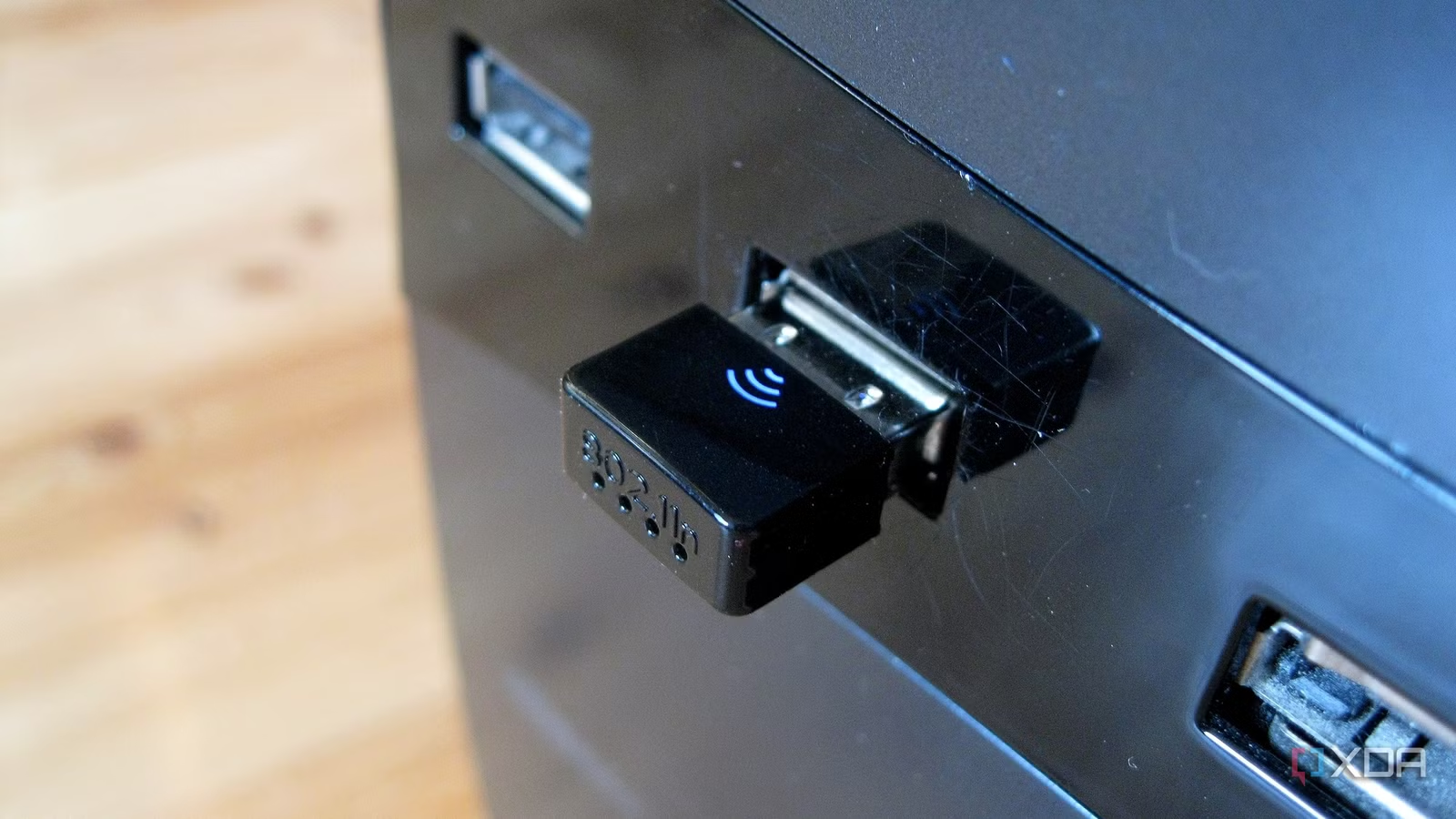
The dongle variety of USB Wi-Fi adapters is the worst of the bunch. They barely have space to pack in a competent receiver, and suffer from insufficient speeds and dropped connections even during light workloads like web browsing, despite being rated for 150–600Mbps. I’ve used these dongle adapters in the past, hoping to get a decent signal to get my articles done, but I gave up on them completely. Without a decent pair of antennas sticking out of a USB adapter, it’s not possible to ensure a half-decent connection.
Another common problem with these tiny adapters is poor shielding and build quality. They are prone to overheating during online gaming and large downloads, as the internal hardware fails to keep up. These USB dongles might be attractive from a pricing standpoint, but you end up achieving nothing, wasting even the $10 you spent on one. It’s simply better to opt for a slightly pricier but far better adapter if a wired connection is out of the question.
Related
5 things to consider before buying a Wi-Fi adapter for your PC
Okay, you want your computer to have wireless connectivity but which adapter do you need?
Antennas don’t always overcome USB limitations
USB isn’t the most ideal way to get online
You might think you’ll solve all your problems with a $20–$40 USB Wi-Fi adapter with a larger form factor, long antennas, or an extension dock. These adapters are undoubtedly faster and better equipped than the tiny USB dongles, but they’re not immune to the limitations of the USB port itself. Firstly, the legacy USB 2.0 ports are a huge bottleneck for all the cutting-edge specs of your advanced Wi-Fi adapter. The 480Mbps maximum bandwidth of USB 2.0 is much lower in real-world conditions, and limits your high-speed Wi-Fi connection even before any other factors come into play.
Secondly, even the USB 3.0 ports on your motherboard are prone to interference from all the electronics surrounding it. This is where the so-called “other factors” can take a hit on your connection quality. Plus, if you have any USB 3.0 devices connected next to your Wi-Fi adapter, the resulting interference in the 2.4Ghz band will cause unpredictable behavior on the wireless connection. Switching your connected device to a USB 2.0 port might improve the connection stability, but then you’re crippling the performance of said device.
USB Wi-Fi adapters come in a variety of form factors with varying technical specs, but they’ll always be limited by the USB bus. This can result in unusually high latency, a reduction in speed, and frequent disconnects even if your adapter supports a Gigabit connection and Wi-Fi 6E.
Related
10 common Wi-Fi issues and how to solve them
Wi-Fi issues on Windows are some of the worst, but here are some simple solutions to fix them
PCIe adapters should be your go-to option
Faster and better without being expensive
A USB Wi-Fi adapter, especially of the non-dongle variety, might work great for a laptop, but the limitations on a desktop mean that you have much better ways to inject wireless connectivity into your PC. A PCIe Wi-Fi card will almost always support faster speeds and more recent Wi-Fi standards compared to most USB adapters. The internal PCIe connection on the motherboard ensures reduced electromagnetic interference, and the antennas are usually more performant than those on cheap USB adapters. The direct PCIe x1 link to the motherboard means your adapter isn’t fighting with USB devices like keyboards, mice, and webcams for bandwidth. The larger PCB of a PCIe card ensures more heat dissipation, with the airflow inside the PC further preventing overheating and throttling.
The best part is that you don’t need to spend over $25 to get an AX5400 tri-band PCIe Wi-Fi adapter. That’s a no-brainer compared to a $10–$30 USB adapter. You might see M.2 network cards on the market as well, but I prefer their PCIe counterparts. While both of them use the underlying PCIe connection, M.2 cards are a lot more involved — you often need to get antennas separately and route them to the rear of the PC. They also require E-keyed M.2 slots that aren’t common on motherboards. You probably have standard M-key M.2 ports on your motherboard designed for NVMe SSDs.
Related
Asus PCE-AXE59BT Wi-Fi 6E adapter review: Ethernet-like performance without the wires
The Asus PCE-AXE59BT is a powerful Wi-Fi 6E upgrade for desktop PCs with plenty of speed for gigabit connections or faster.
USB Wi-Fi adapters are usually the worst option
If you’re searching for a Wi-Fi adapter to bring your old PC online or enhance your PC’s existing networking capabilities without buying a new motherboard, steer clear of USB options. They’re either too small and lack reliable hardware to be of any use, or suffer from limited bandwidth or too much interference. PCIe network adapters trump them in performance, cooling, and affordability. You get a direct link to the motherboard, usually better antennas and modern specs, and they don’t even cost more than decent USB Wi-Fi adapters.