


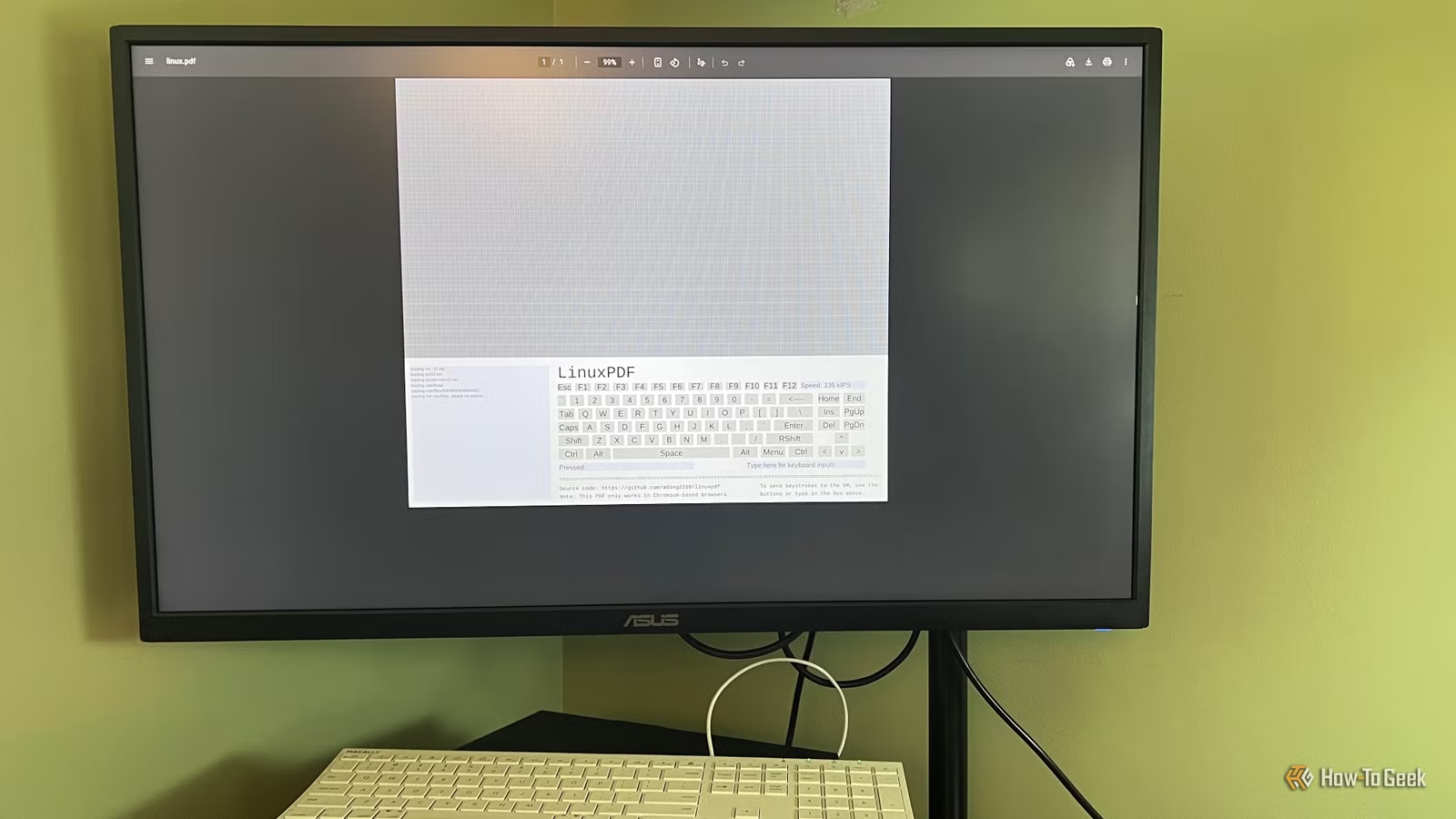
I first came across LinuxPDF in a Reddit thread, and I had to read the post twice to make sure I understood what it was saying. Linux was apparently running inside a PDF file. This wasn’t a screenshot of a terminal or a simulated command prompt. It was an actual Linux environment that you could interact with from the document.
That was enough to send me looking for the project. I knew PDFs were capable of more than displaying text and images, but running an operating system inside one was not something I had ever considered possible. Once I found the LinuxPDF project, I wanted to see whether it really worked and what you could actually do with it.
The setup looked straightforward enough. Download the PDF, open it in a Chromium-based browser, and Linux should start running. I figured I would be poking around in a terminal within a few minutes. Of course, it wasn’t that simple.
How Linux can actually run inside a PDF
PDFs can actually run code
Part of what makes LinuxPDF seem impossible is that most of us think of a PDF as little more than a digital sheet of paper. You open one, read it, maybe fill out a form, and close it. But the PDF format supports more than text and images. It can also contain interactive elements and JavaScript, which gives developers room to make a document actually do something when you open it.
LinuxPDF takes advantage of that by using JavaScript to run a RISC-V emulator inside the document. RISC-V is a type of processor architecture, similar to how an iPhone and a Windows laptop use different kinds of chips and need software built for those processors. The emulator basically pretends to be a RISC-V computer, which lets the PDF run a Linux system built for that hardware.
Linux isn’t being installed on your computer, and the PDF isn’t somehow turning your PC into a Linux machine. The document is running an emulated computer and showing you the Linux terminal through it. Once I understood that, the whole thing made a lot more sense, even if seeing Linux boot inside a document still felt a little strange.
Getting the PDF running was harder than I expected
Zorin OS got me almost all the way there
I decided to build LinuxPDF on my Zorin OS machine, and at first, everything went about as smoothly as I expected. I downloaded the project files, installed the dependencies it needed, and compiled the PDF. Most of that work happens in the terminal, so the screenshots here show the setup process rather than Linux itself running inside the document. Once the build finished, I had the PDF file ready to test.
That was where things stopped going smoothly. LinuxPDF needs to be opened in a Chromium-based browser, so I tried it in Chrome on Zorin. The document started loading, but it never made it past the “Starting the machine. Please be patient” message. I gave it about five minutes, closed it, and tried again with the same result. I went back through the setup to make sure I hadn’t missed anything and started wondering whether Zorin was the problem. The project only specifies Linux as a requirement for building the PDF, so there wasn’t an obvious distro-specific issue to chase down. I still suspected it was some quirk with Zorin.
Related
Web Apps Make Switching to Linux Much Easier
Not enough apps? No problem.
Before giving up, I copied the finished PDF from the Zorin machine to my Windows PC and opened the exact same file in Chrome. This time it worked. After all that troubleshooting, seeing the Linux terminal finally appear inside the PDF was a satisfying moment.
I tested what Linux inside a PDF could actually do
It works, but you hit the limits pretty quickly
Once I had LinuxPDF running, I started trying the kinds of commands I’d normally use in a Linux terminal. The interface takes a little getting used to because you don’t type directly into the terminal. There’s a small text field where you enter your command, and then you have to press Enter on the virtual keyboard inside the PDF to run it. It felt awkward at first, but I was surprised at how well it worked. The overall boot time was just under 30 seconds, and simple commands returned results in about 5 seconds.
Basic commands like ls, pwd, cd, uname, and echo worked normally, and I was able to move around the filesystem without much trouble. For something running through an emulator inside a PDF, it felt much more responsive than I had expected.
The limitations showed up pretty quickly after that. I couldn’t install additional software the way I normally would on Linux. Other familiar tools were missing too, and it became clear that this is a very minimal Linux build rather than something you could actually use to get work done.
This changed how I look at PDF files
LinuxPDF isn’t practical for real Linux work, but that’s not what interested me most. What stuck with me was realizing how much a PDF is actually capable of doing. After seeing Linux run inside one, it’s hard to think of a PDF as just a static document anymore.