


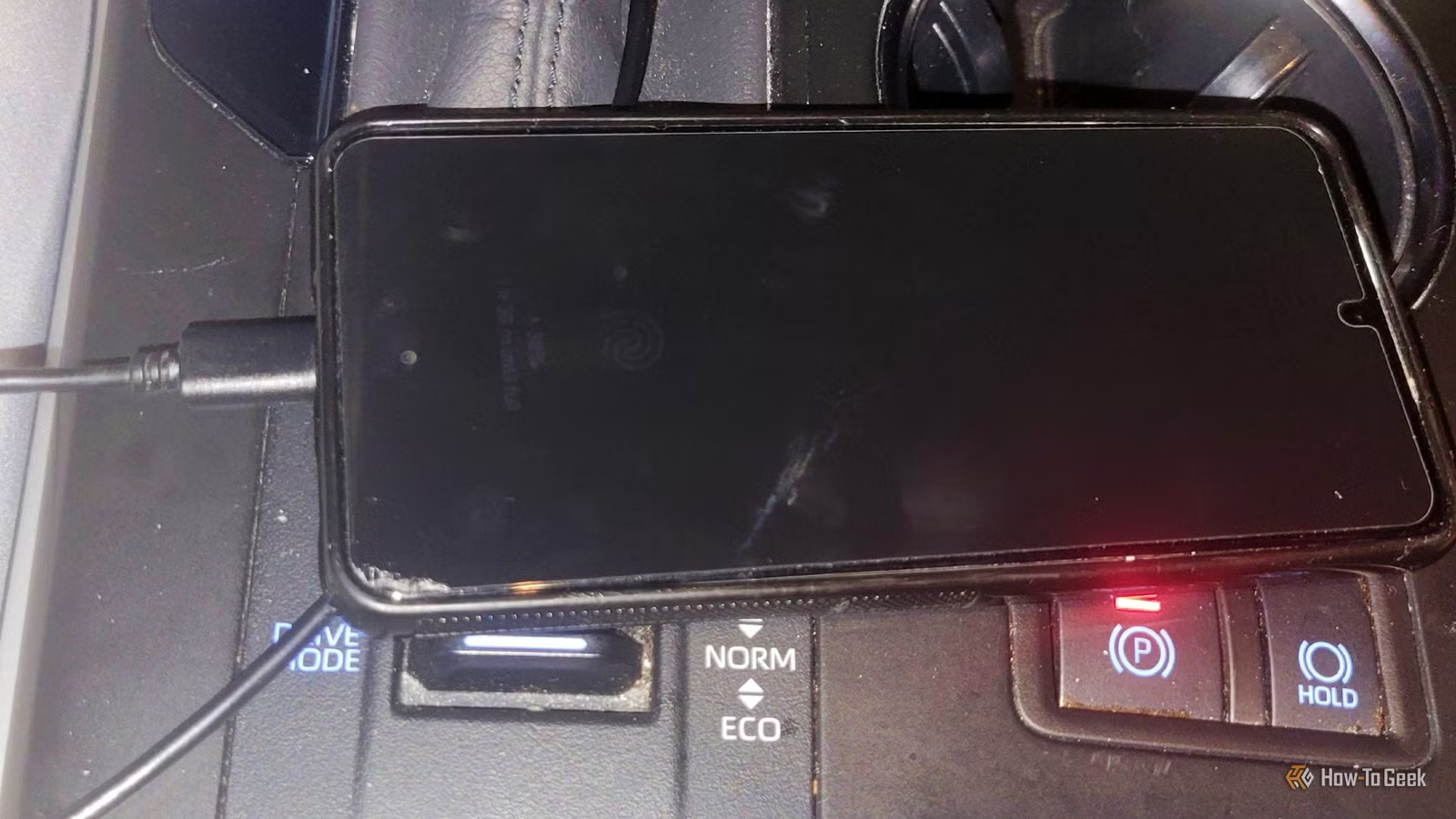
Wireless Android Auto is easy to use. You get in the car, and your phone connects on its own — which is what attracted me to it to begin with. However, as I started to use it more, I realized that the wired setup was actually worth all the hassle. I would rather have a phone that always works than the convenience of wireless.
Wireless Android Auto made my phone way too hot
Running everything over Wi-Fi just cooks your phone
My SUV was the first car I had that could use Android Auto wirelessly. It was great, and I used it for years. But my phone started feeling like a hot baked potato after long drives. I remember once that it felt like it was about to catch fire if I didn’t take the case off and help cool it down. It felt uncomfortable to hold, and heat was coming through the metal and glass.
At first, I thought it was just a weird one-off thing, but it has happened more than once, and I’ve dealt with enough electrical fires to know that it is an issue. Moving to Texas from Vegas made it way more obvious. Both places turn your car into an oven in summer, but I’d argue Vegas is worse.
Dry heat is worse than humidity if you’re dealing with high temperatures. I thought that escaping a place where the sun hurt your skin would stop this heat buildup. It did not.
With wireless Android Auto, your phone isn’t just mirroring a screen; it’s doing all the heavy lifting for your car’s infotainment. Bluetooth handles the initial handshake and voice calls, but then the actual data stream moves to a 5 GHz Wi-Fi Direct connection.
That means your phone’s Wi-Fi radio is running continuously while the main chip is rendering the interface, compressing it in real time with a hardware video encoder, and packetizing everything at up to 60 frames per second.
While all that is happening, your navigation is working with the GPS receiver the entire drive. Streaming music or downloading map tiles keeps the cellular modem, especially power-hungry 5G, in constant upload and download cycles.
All that is going on at once, so a hot phone isn’t a one-off problem. It’s just what happens.
Switching back to a cable fixed all the lag and heat
A simple wire handles the workload much better
Credit: Joe Fedewa / How-To Geek
By the time I ended up driving back to Vegas, I was fully wired for Android Auto. The wireless setup always had this subtle lag in every single interaction, and even starting up was slow. But with a good cable, Android Auto can be incredibly fast to load up and start.
That wireless connection runs on Wi-Fi Direct, so it’s going to be slower than a wire; that’s just how it works. I feel no delay at all with the wired setup. I can even swipe on Google Maps without a delay when it is loading up. I don’t even have issues with changing and loading songs anymore.
The best way I can describe it is Wi-Fi versus an Ethernet cable. Wi-Fi feels a lot more advanced and cooler because it’s wireless. The cable is always on your mind when you’re moving the machine around, so it feels a bit like a step backward.
All that said, when you actually use a cable, it feels more advanced than Wi-Fi because of the speed and responsiveness.
The phone never gets hot anymore. The only time it is an issue is when it is really hot outside. Otherwise, I never have issues with heat anymore.
Plug in a cable and the Wi-Fi workload doesn’t happen anymore. Wired Android Auto uses the Android Open Accessory protocol to manage the USB connection, with USB handling video and audio while Bluetooth stays on just for phone calls.
So now my phone actually charges while projecting instead of slowly dying, and I get to my destination with a full battery.
Using a cable has downsides, but it beats ruining your phone
Dealing with cords is annoying
Credit: AAWireless
I’ve sidestepped a lot of the issues that come from wired that plenty of people know about. The most obvious downside is the mess, and it’s not something you can easily ignore. A cable running across your console looks bad and gets in the way of your drinks, your shifter, and everything else.
You can find a good USB for this specific use that is less than three feet long, but it feels like a waste because you’re not going to be able to use it anywhere else. You also can’t just grab any random cable and expect it to work well. My cable is three feet long. It feels awful to deal with.
And there’s this small but constant annoyance of having to find the cord, plug it in, and put the phone somewhere every single time you get in the car. On short trips, that feels especially dumb. With wireless, you just leave the phone in your pocket or bag, and it connects on its own, maybe 15 or 30 seconds after you start the car.
There’s also the real worry about wearing out the charging port. Plugging and unplugging a USB-C port multiple times a day for years makes people nervous about it getting loose or just failing. On paper, USB-C is pretty tough. The spec says it’s good for at least 10,000 plug cycles, and they designed it, so the fragile springy bits are in the cable, not the phone. The cheap cable is supposed to take the damage.
In real life, cables get yanked sideways, twisted, and kicked around by passengers, and that can bend the tongue inside the port or crack solder joints. Also, lint and dust pack into the port over time, and eventually the cable won’t seat fully. Then you get bad connections, dropped charging, and heat right at the port.
This isn’t perfect, and that’s not my argument. My argument is that this is better than the wireless alternative. I’d rather deal with some annoying bits every once in a while than damage my phone.
In this case, wired is better than wireless
I will never get over how ugly it looks to have a wired setup in the car, mostly because it feels like it’s in the way. Even still, my phone no longer gets dangerously hot, and the interface is faster than it ever was wirelessly. If you’ve been dealing with a hot phone, then a $10 cable is worth the price.