


I am happy to pay for Android apps, but everyone should be able to do certain tasks regardless of budget. These features once required paid apps, but now you can enjoy them for free — often with a better experience than money can buy. Once you know which apps to download, you too can stop paying for these types of apps.
PDF Readers
There’s no need for another Adobe subscription
Adobe created the PDF format, and this has become the standard way to share documents online. Many websites will even still tell you to download Adobe Acrobat Reader in order to properly view certain forms or printouts. Yet, while there is an Acrobat Reader app available for Android, there’s little reason to download it—especially not at the subscription cost that Adobe is asking.
The PDF format is an open standard. This means it isn’t locked to any specific app or platform. When I first installed Linux in 2008, I could open PDFs using pre-installed software. It made little sense why I shouldn’t be able to do the same on my phone.
Now we don’t have to. If you have a Samsung phone, you can view and edit PDFs directly within Samsung Notes. Google Drive or your web browser can be used to display PDFs, but you’ll need something else if you’re looking to edit them. I currently download PaperKnife+ from F-Droid on my Motorola Razr Fold. In addition to viewing my documents, the app supports over 20 distinct capabilities, including signing a PDF, adding a watermark, and rearranging pages. It was already possible to edit and sign PDFs for free on Android years ago, and the options have only improved since.
File Managers
The defaults have gotten better, and you can get an even better one for free
A file manager is a core part of any operating system. Sure, iPhones and iPads initially didn’t come with one, but they were the exception to the rule. Android has had a file manager from the beginning. The problem is, it wasn’t that good.
If you wanted to do anything more than basic copying and pasting, you had to shell out money for a paid or ad-supported file manager. Us long-time Android users have our established favorites: Solid Explorer, FX File Explorer, and more. I don’t pay for any of these anymore.
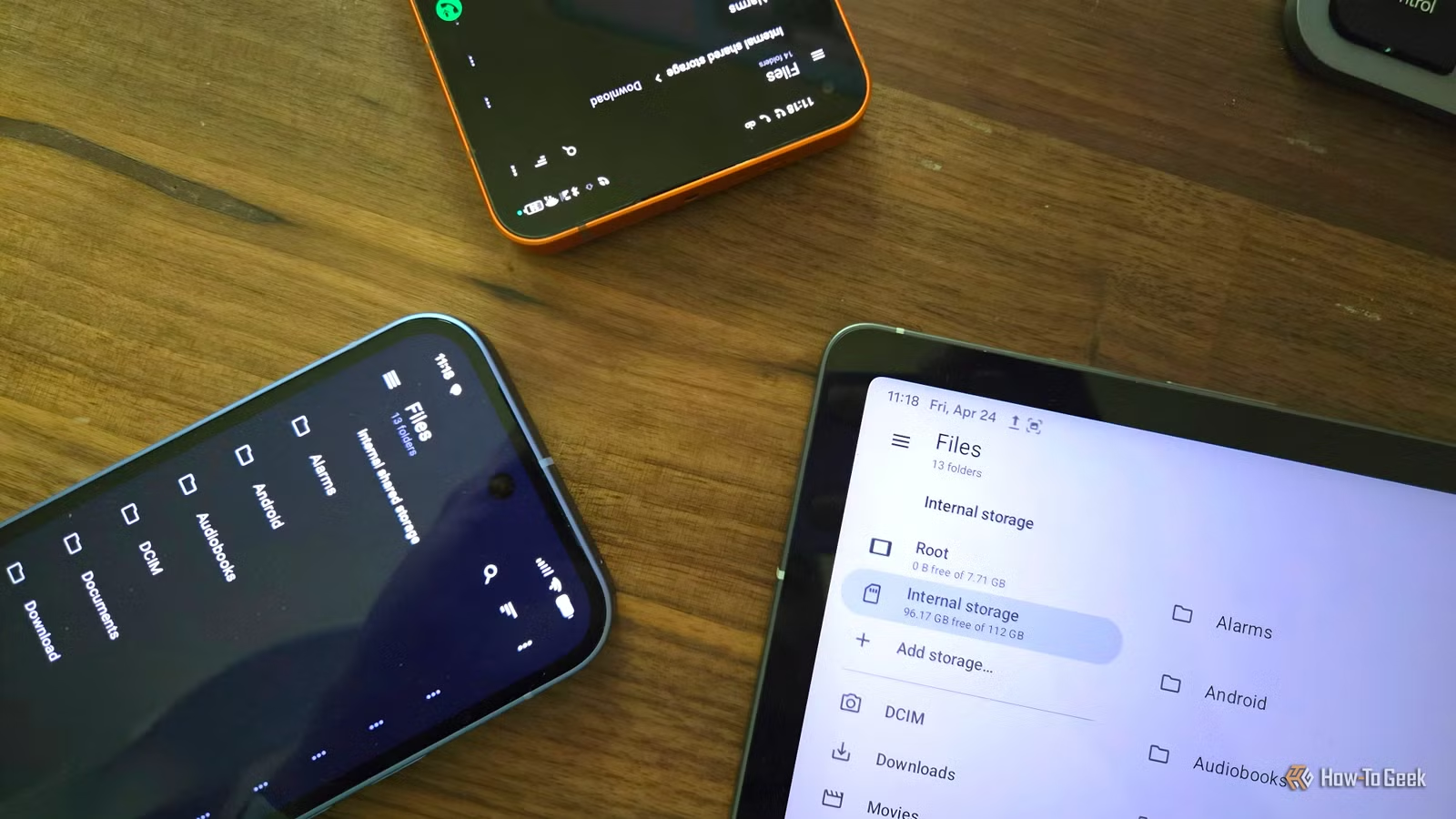
Here is another area where the default options have gotten better, especially if you have a Samsung phone. Samsung My Files is a stellar file manager. I don’t quite feel the same about Files by Google, though it’s probably good enough for most. Yet both still lack functionality considered essential on a desktop computer: the ability to browse files shared over a local network.
There is one reason why I choose to install Material Files. This file manager has a minimalist design that looks at home on just about any phone, yet it’s packed with advanced features such as the ability to turn my phone into an FTP server and transmit files wirelessly. That’s in addition to its ability to browse Samba shares and access webDAV servers.
Document Scanners
Your phone can be a better scanner than your printer (and less likely to break)
Scanning files using a printer is kind of a niche office task, which is why many of us don’t have a scanner at home. We instead turn to our phones.
Scanning apps originally felt like magic, so much so that I understood at the time why I needed to pay. The software was complex. Phone cameras weren’t as good, and it took work to turn the results into a usable scan.
Much has changed. Even mid-range phones have 50MP cameras, and open-source AI models make easy work of prepping a document.
All this means there are now free, open-source tools for scanning documents, which is increasingly vital in a world that expects us to share most documentation via email and online web portals. I’m particularly fond of MakeACopy, which does such an impressive job walking you through the process of making a scan that you’ll be hard-pressed to find a reason to pay for something else.
Handwriting apps
Credit: Bertel King / How-To Geek
I used an S Pen so extensively with my Galaxy Z Fold 6 that when Samsung removed support from the Z Fold 7, that alone was reason enough for me to consider the Motorola Razr Fold instead. Unfortunately, while Samsung Notes was all I needed for handwriting notes, the Moto Notes app is woefully insufficient. This put me in a position to join the leagues of people paying for a handwriting app instead. I eventually settled on Notewise.
Then I discovered Saber, an open-source handwriting app available in F-Droid. Its Material You design means its interface better matches that of the other apps I have on my phone, and I prefer its button placement over Notewise’s when I need to switch between pen sizes or activate the eraser.
Sadly, Saber isn’t quite on par with the paid options. It lacks the ability to transcribe my handwriting into text. To do that, I need to export my note as a PDF or image and import it into another tool. That’s something Google Lens can handle, though I’m still on the lookout for a more private alternative.
Free Android apps are getting better by the day
The Play Store will point you toward commercial apps with millions of downloads, often supported by ads, subscriptions, or data collection. F-Droid, an alternative to the Play Store that only provides free and open-source apps, will instead point you toward options that won’t cost a cent. Want to stop paying for more Android functionality? This is the first place to start.