


Disclosure: When you purchase through links on our site, we may earn an affiliate commission.
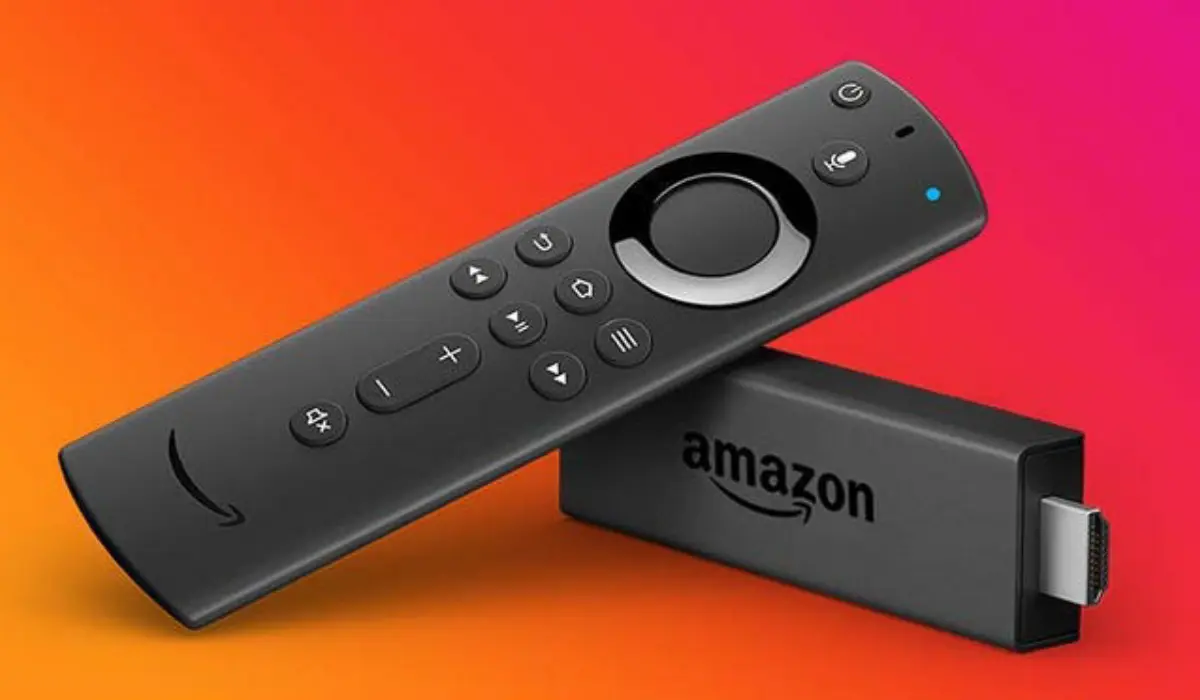
Amazon just refreshed its entire Fire TV Stick lineup for 2026, and all three models now ship with the new AI-powered Fire TV Search and Alexa+ built in. That’s great news if you’re upgrading, but it also means the three sticks look nearly identical on the surface. I get asked constantly which one is actually worth buying, so here’s my straight answer, plus the reasoning behind it.
Quick verdict: most people should get the Fire TV Stick 4K Plus. It’s the sweet spot between price and performance. If you’re on a tight budget and don’t care about gaming, get the 4K Select. If you stream in a house full of connected devices or want the smoothest possible experience, get the 4K Max.
Here’s the breakdown of why.
What all three have in common
Before I get into the differences, it’s worth knowing what Amazon gave every 2026 Fire TV Stick, regardless of price:
- The redesigned Fire TV interface with dedicated content categories and personalized recommendations
- AI-powered Fire TV Search, so you can describe what you want to watch in natural language instead of typing exact titles
- Alexa+ voice control for finding shows, managing smart home devices, and general voice queries
- Access to the same app catalog: Prime Video, Netflix, YouTube, Disney+, Hulu, Max, Peacock, Paramount+, and the rest
- 4K Ultra HD playback
So the search experience and app access aren’t the deciding factors anymore. What separates these three sticks comes down to connectivity, processing power, and gaming support.
Fire TV Stick 4K Select: the budget pick
The 4K Select is Amazon’s entry point. You get full 4K streaming with HDR10+, the new interface, and AI search, all at the lowest price of the three. What you don’t get is Wi-Fi 6, the Select runs on Wi-Fi 5, so if your router is older or you’re streaming in a crowded apartment building with a lot of wireless interference, you’ll notice more buffering than you would with the Plus or Max.
There’s a bigger difference underneath the hood, though. The Select is the first Fire TV Stick to run Amazon’s new Vega OS instead of the Android-based Fire OS the Plus and Max still use. Vega only pulls apps from a smaller Amazon Appstore subset, there’s no sideloading, and there are no games at all, not even cloud gaming. It also ships with 1GB of RAM, half of what the Plus gets, which shows up as slower app-switching in real-world reviews.
None of that ruins the experience for basic streaming, Netflix, Prime Video, and the other major apps run fine, but if you lean on niche apps or expect the same flexibility as older Fire TV Sticks, it’s worth knowing going in.
Buy this one if you mainly watch one stream at a time on the major streaming apps, your home network isn’t under heavy load, and you just want a reliable, no-frills 4K upgrade without paying for features you won’t use.
Fire TV Stick 4K Plus: the one most people should buy
The Plus is where Amazon starts adding the features that matter for a modern living room. It picks up Wi-Fi 6, which handles a house full of connected devices without your stream stuttering every time someone else hops on Zoom or a video call starts on another TV. It also supports Dolby Vision and Dolby Atmos, so the picture and sound quality hold up if you’ve got a decent TV and soundbar.
The feature that seals it for me is Xbox Game Pass cloud gaming. You can stream titles like Call of Duty: Black Ops 7, Hogwarts Legacy, and Ninja Gaiden 4 directly on the stick with a compatible controller, no console required. Even if you’re not a heavy gamer, having that option built in for the same general price bracket as the Select makes the Plus the better long-term buy.
Buy this one if you want the best balance of price and features, you have more than one device competing for bandwidth at home, or you like the idea of casual cloud gaming without buying a console.
Fire TV Stick 4K Max: the one for power users
The Max is built for people who’ve outgrown the basics. It steps up to Wi-Fi 6E, which uses the newer 6GHz band and cuts down on interference even further than Wi-Fi 6, useful if you live somewhere with a lot of overlapping wireless networks. It also has the strongest processor in the lineup, so app launches and menu navigation feel noticeably snappier, and it includes the Fire TV Ambient Experience, which turns your screen into a customizable art and info display when you’re not actively watching something.
It still supports the same Xbox cloud gaming as the Plus, but the extra processing headroom makes for a smoother experience overall, especially if you’re running a lot of apps or have a large, cluttered app library.
Buy this one if you want the fastest, most future-proofed stick in the lineup and you’re willing to pay a bit more for it, or if the Ambient Experience feature genuinely appeals to you.
Side-by-side comparison
Feature4K Select4K Plus4K MaxResolution4K Ultra HD, HDR10+4K Ultra HD, Dolby Vision, HDR10+4K Ultra HD, Dolby Vision, HDR10+Wi-FiWi-Fi 5Wi-Fi 6Wi-Fi 6EAudioHDR audio only, no AtmosDolby AtmosDolby AtmosOperating systemVega OS (Amazon Appstore only, no sideloading)Fire OS 8 (Android-based, full app catalog)Fire OS 8 (Android-based, full app catalog)RAM1GB2GBHighest in lineupXbox cloud gamingNoYesYesProcessorBaseUpgradedFastest in lineupAmbient ExperienceNoNoYesAI-powered Fire TV SearchYesYesYesAlexa+YesYesYesBest forBudget, single-stream households on major appsMost householdsPower users, gamers, large app libraries
So which one should you actually buy?
If you’re weighing this purely on value, the 4K Plus wins. You’re paying a modest step up from the Select and getting Wi-Fi 6, Dolby Vision and Atmos, and Xbox cloud gaming in return, features that will still matter two or three years from now, unlike a slightly faster processor that only shows its advantage in edge cases.
The Select is fine if you genuinely just want a basic 4K upgrade and nothing else, and the Max makes sense if you’re the type of household with five streaming devices running at once or you want the absolute best specs regardless of price.
For most people reading this, though, I’d point you toward the 4K Plus. It’s the one I’d tell a friend to buy without a follow-up question.
Check the Fire TV Stick 4K Plus price on Amazon
Check the Fire TV Stick 4K Select price on Amazon
Check the Fire TV Stick 4K Max price on Amazon
Fire TV Stick 4K Plus vs 4K Select vs 4K Max: FAQ
Does the AI-powered Fire TV Search work the same on all three models?
Yes. The search experience is identical across the Select, Plus, and Max. It’s the hardware around it that differs.
Is Wi-Fi 6 worth paying extra for?
If you live alone with one or two streaming devices, probably not. If you’ve got a smart home setup, multiple TVs, or a busy household, it makes a real difference in stream stability.
Can I play Xbox games on the 4K Select?
No. Cloud gaming through Xbox Game Pass is limited to the Plus and Max models.
Is the Fire TV Stick 4K Max worth the extra cost over the Plus?
Only if you want the Ambient Experience feature or you’re in a household with heavy network congestion where Wi-Fi 6E’s extra headroom actually gets used. For most buyers, the Plus covers everything that matters.
Does the 4K Select run the same software as the Plus and Max?
No. The Select runs Amazon’s newer Vega OS, which pulls apps from a smaller Amazon Appstore selection and doesn’t support sideloading. The Plus and Max both run the Android-based Fire OS 8, which is the full, familiar Fire TV app catalog. If you rely on apps outside the big-name streaming services, that’s a real factor to weigh, not just a spec on paper.