


Proprietary models are amazing! But sometimes what is of importance is configurability rather than raw power. This has led to the emergence of locally hosted models.
The Mac mini has emerged as a surprisingly capable machine for running AI locally. With Apple Silicon, enough unified memory, and tools like Ollama and LM Studio, users can now run capable models entirely on-device.
But which models are worth running, and would they run on your device?
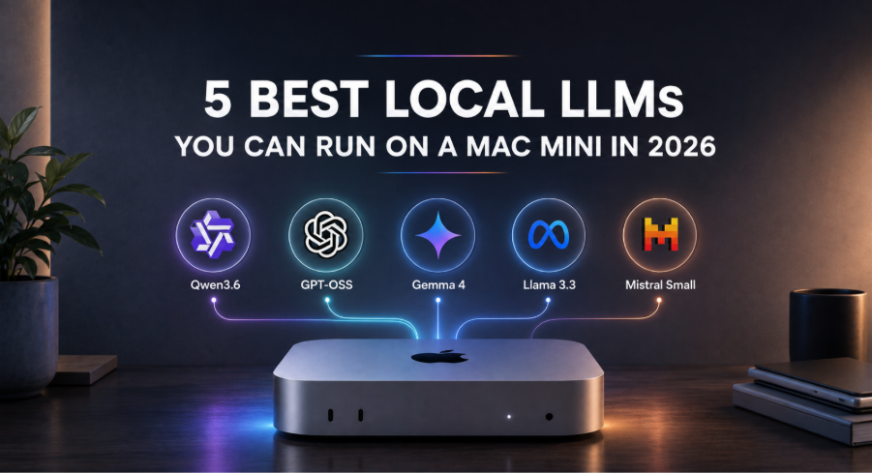
In this article, we look at five of the best LLMs you can run locally in 2026 taking a Mac mini as a reference.
1. Qwen3.6 35B
Best overall local LLM
Qwen3.6 is one of the most interesting choices for a modern Mac mini because it offers a relatively large model without demanding workstation-class memory.
The 35B version is available through Ollama at around 23GB, with a 256K context window and support for text and image input. An MLX version is also available for Apple Silicon.
Qwen3.6 is particularly focused on agentic coding and repository-level reasoning, making it much more interesting than a generic chatbot model.
The 27B version is even easier to fit, at roughly 18GB in Ollama, while the 35B version provides the higher-capacity option for machines with more memory.
Best for: coding, reasoning, general-purpose AI, local agents
Recommended Mac mini: 24GB+ for the 27B model and 32GB+ for the 35B model
Run it with Ollama using the following command:
ollama run qwen3.6:35b
2. Gemma 4 26B A4B
Best multimodal model for its size
Gemma 4 is Google’s latest generation of open models and comes in several sizes.
The particularly interesting version for Mac mini users is Gemma 4 26B A4B, a Mixture-of-Experts model with about 25.2B total parameters but only around 3.8B active parameters during inference. It supports image and text inputs and has a 256K context window.
That distinction matters!
A 26B model does not necessarily behave like a dense 26B model in terms of compute requirements. Only a portion of the parameters are activated for each token.
Ollama currently provides Gemma 4 variants directly, including the 26B model, as well as smaller edge versions and a 31B dense model.
ollama run gemma4:26b
Best for: multimodal tasks, reasoning, coding, local assistants
Recommended Mac mini: 24GB+ memory variants.
3. gpt-oss-20b
Best open-source reasoning model from OpenAI
OpenAI’s gpt-oss models changed the local-model conversation because they are designed specifically to run on infrastructure controlled by the user.
OpenAI released gpt-oss-20b and gpt-oss-120b as open-weight reasoning models. The smaller gpt-oss-20b requires roughly 16GB of memory, making it particularly interesting for Macs with 16GB or more unified memory.
The model is designed for reasoning and agentic workloads and supports configurable reasoning effort. It is also distributed under the Apache 2.0 license, subject to OpenAI’s gpt-oss usage policy.
The model is available directly through Ollama:
ollama run gpt-oss:20b
Ollama currently lists the model at about 14GB, with a 128K context window. That makes gpt-oss-20b one of the most compelling models for a 16GB Mac mini.
Best for: reasoning, coding, tool use, agents
Recommended Mac mini: 16GB+ memory variants.
4. Qwen3-Coder 30B
Best local coding model
If the primary reason you bought a Mac mini is development, Qwen3-Coder deserves a place on the shortlist.
The 30B model has 30B total parameters but only 3.3B activated parameters, and it is explicitly trained for agentic software engineering. It supports a native 256K context window and is designed to understand large repositories and execute long-horizon coding tasks.
Ollama lists the local model at around 19GB.
That makes it viable on a sufficiently equipped Mac mini without moving to the enormous models that require workstation-level memory.
ollama run qwen3-coder:30b
Best for: coding agents, repository analysis, software engineering
Recommended Mac mini: 24GB or more memory variant.
5. Llama 3.3 70B
Best LLM for high-memory Mac minis
The final pick is not the newest model on the list (one of the oldest actually), but it demonstrates just how far a high-memory Mac mini can go.
Meta’s Llama 3.3 70B remains a capable general-purpose open model, and Ollama provides a quantized version at around 43GB with a 128K context window.
That puts it squarely into the 48GB/64GB Mac mini category.
You should not expect a 16GB or 24GB machine to run this comfortably. But on a 64GB M5 Pro Mac mini, a quantized 70B model becomes a legitimate local-AI option.
ollama run llama3.3:70b
Best for: general-purpose reasoning, writing, multilingual tasks
Recommended Mac mini: 48GB+ memory variants and ideally 60GB or more.
Picking LLM for Mac Mini
The easiest way to think about local models is by memory tier.
Mac mini
Models worth considering
16GB
gpt-oss-20b, smaller Gemma 4 models
24GB
gpt-oss-20b, Gemma 4 26B A4B, Qwen3.6 27B
32GB
Qwen3.6 35B, Qwen3-Coder 30B, Gemma 4 26B
48GB
Llama 3.3 70B, alongside smaller models
64GB
Llama 3.3 70B and substantially larger local workloads
These are practical starting points rather than hard limits. Quantization, context length, KV-cache requirements, runtime overhead, and whatever else is running on the Mac all affect how comfortably a model runs.
A model that technically fits into memory may still be unpleasant to use if there is not enough headroom.
How to Run Local LLMs on a Mac mini
You have several options, but two stand out for most users.
Ollama
Ollama is probably the easiest option for developers.
Install it, download a model, and run it from the terminal:
ollama run gpt-oss:20b
Ollama provides local packages for models including gpt-oss, Gemma 4, Qwen3-Coder, and many others.
It also exposes a local API, making it useful when you want to connect a model to your own applications or coding agents.
LM Studio
LM Studio is better suited to people who prefer a graphical interface.
It lets you search for models, download them, chat with them, and expose them through a local OpenAI-compatible API. On Apple Silicon, it supports both llama.cpp and Apple’s MLX inference engines.
For someone buying a Mac mini specifically to experiment with local AI, this is arguably the easiest place to start.
Final Thoughts
The Mac mini is becoming a surprisingly capable local AI box. Especially the M6 series variants. You don’t need a GPU workstation to experiment with serious open models now. A configured Mac mini can run reasoning models, coding agents, and local APIs entirely on-device.
And that is probably the biggest change.
The question is no longer “Can a Mac mini run an LLM?”
It is:
“How large and capable of an LLM do you want your Mac mini to run?”
Frequently Asked Questions
Q1. How much unified memory do I need for a 16GB Mac mini?
A. With 16GB of memory, you can comfortably run models like gpt-oss-20b or smaller variants of the Gemma 4 series.
Q2. Which model is recommended for software engineering tasks?
A. Qwen3-Coder 30B is an excellent choice for coding, as it is specifically trained for repository-level reasoning and agentic software engineering workflows.
Q3. Can I run the Llama 3.3 70B model on any Mac mini?
A. No, this model requires significant resources. It is best suited for high-memory configurations, specifically machines equipped with 48GB to 64GB of unified memory.
Studying, evaluating, and explaining AI systems for over 6 years.
“𝘖𝘯𝘤𝘦 𝘮𝘦𝘯 𝘵𝘶𝘳𝘯𝘦𝘥 𝘵𝘩𝘦𝘪𝘳 𝘵𝘩𝘪𝘯𝘬𝘪𝘯𝘨 𝘰𝘷𝘦𝘳 𝘵𝘰 𝘮𝘢𝘤𝘩𝘪𝘯𝘦𝘴 𝘪𝘯 𝘵𝘩𝘦 𝘩𝘰𝘱𝘦 𝘵𝘩𝘢𝘵 𝘵𝘩𝘪𝘴 𝘸𝘰𝘶𝘭𝘥 𝘴𝘦𝘵 𝘵𝘩𝘦𝘮 𝘧𝘳𝘦𝘦. 𝘉𝘶𝘵 𝘵𝘩𝘢𝘵 𝘰𝘯𝘭𝘺 𝘱𝘦𝘳𝘮𝘪𝘵𝘵𝘦𝘥 𝘰𝘵𝘩𝘦𝘳 𝘮𝘦𝘯 𝘸𝘪𝘵𝘩 𝘮𝘢𝘤𝘩𝘪𝘯𝘦𝘴 𝘵𝘰 𝘦𝘯𝘴𝘭𝘢𝘷𝘦 𝘵𝘩𝘦𝘮.” — 𝖥𝗋𝖺𝗇𝗄 𝖧𝖾𝗋𝖻𝖾𝗋𝗍, 𝖣𝗎𝗇𝖾
Login to continue reading and enjoy expert-curated content.
Keep Reading for Free