


Andy Walker / Android Authority
Add Android Authority on Google:
Most people stick to the defaults when it comes to apps like your calendar, texting app, and clock. The reality is that plenty of third-party apps do the job better, and Chrono is one of them.
Far from a household name, Chrono is an open-source clock app that puts both Samsung and Google’s default Clock apps to shame. It has a great UI, plenty of useful alarm features, and no ads. It’s also easy to overlook because it isn’t officially available on the Google Play Store.
In this guide, I’ll explain why I recommend Chrono, how to install it, and how to keep it up to date.
Do you use your phone’s default clock app or another solution?
0 votes
I tend to stick to the default
NaN%
I like to use Google’s official Clock even on non-Pixel devices
NaN%
I prefer a 3rd party clock app
NaN%
What I love about Chrono and why you should consider it
Chrono is one of the first apps I download when I switch to a new phone or tablet. I refused to use anything but Google’s Clock app for the longest time, but Chrono won me over for a few reasons.
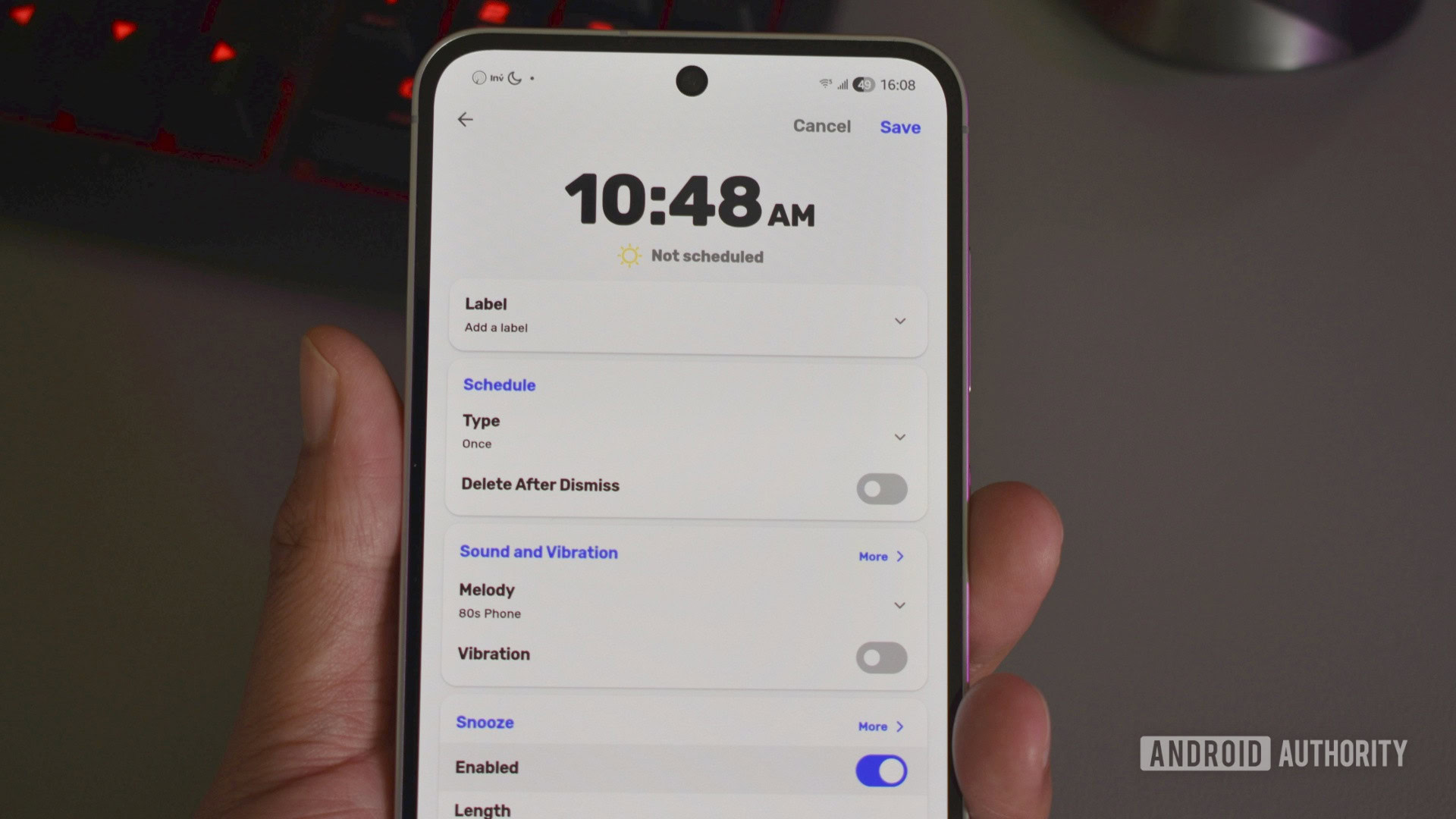
Chrono’s UI isn’t that different from those of other major clock apps. Opening it takes you straight to your alarms, with four tabs in a bar below: Alarm, World Clock, Timer, and Stopwatch. It might be familiar, but there are far more customization options available, including a dark mode, a Google-inspired Material style, and a handful of others.
I love that I can customize the look of the clock app, whereas apps like Google Clock and Samsung Clock limit customization and focus only on the basics.
You can only do so much to make a clock app stand out, but Chrono has managed it somehow.
There are also nice little visual touches, like the day/night/evening icons next to your alarms. They might not do much, but they add the tiniest pop of color to the mix. The app also lets you tag alarms, which makes them easier to organize and group.
None of this is revolutionary, of course. What stands out is how aggressive the alarms can be if you want them to be. You can attach tasks to an alarm that you must complete before it switches off, such as performing a short sequence test, playing a matching game, or retyping a short phrase.
Snooze lengths range from one to 30 minutes, and you can lock an alarm so it can’t be easily dismissed or deleted. Combined with tasks, Chrono can get even the most stubborn sleeper out of bed.
Ultimately, there’s only so much that makes any clock app unique, but if you like customization and have had trouble waking up to other clock alarms, you’ll find Chrono is worth the download.
Heck, even ultra-heavy sleepers like my teen daughter have found that this clock app is enough to get her up and going. That’s a big accomplishment, as I can tell you she’s snoozed through her default alarm clock app many times. By switching to this one app, my morning routine became easier because I didn’t have to waste so much time making sure she was awake.
How to download and install Chrono
There are two ways to download Chrono, and neither involves the Google Play Store. Here’s the quickest approach if you don’t already have F-Droid installed:
- Go to the Chrono page on F-Droid.
- Scroll all the way to the bottom, where you should see a Download button.
- Tap on this and follow the instructions to sideload the app.
- Depending on your device, you might have to go through a few hoops before it will let you install.
- Once installed, you’ll need to use a third-party tool like Obtainium to keep the app up to date, or track updates manually.
Another option is to download the F-Droid store. Once you download the APK from the link, open it and follow any prompts. Android is making it harder to sideload, so there might be some extra hoops to jump through depending on your device.
Once it’s installed, open the F-Droid store and type “Chrono” into the search box. Follow the prompts, and you’ll be running Chrono in no time.
How to ensure the app stays up to date
Yash Wate / Android Authority
Google Play makes it easy to update apps, but Chrono works a little differently. For F-Droid users, it’s actually pretty much as easy as Google’s store. The F-Droid app has a handy updates section and will even automatically install new versions as long as the feature is enabled.
While it should be on by default, you can verify this by going into Settings, found on the bottom bar of the main screen. Just make sure Automatically install updates is flipped on. You can also adjust how often it checks.
If you sideloaded the app directly instead of using F-Droid’s store, you’ll either have to manually check for updates or use Obtainium. This free and open-source sideload manager can track app sources and notify you the second a newer version is available.
Thank you for being part of our community. Read our Comment Policy before posting.