


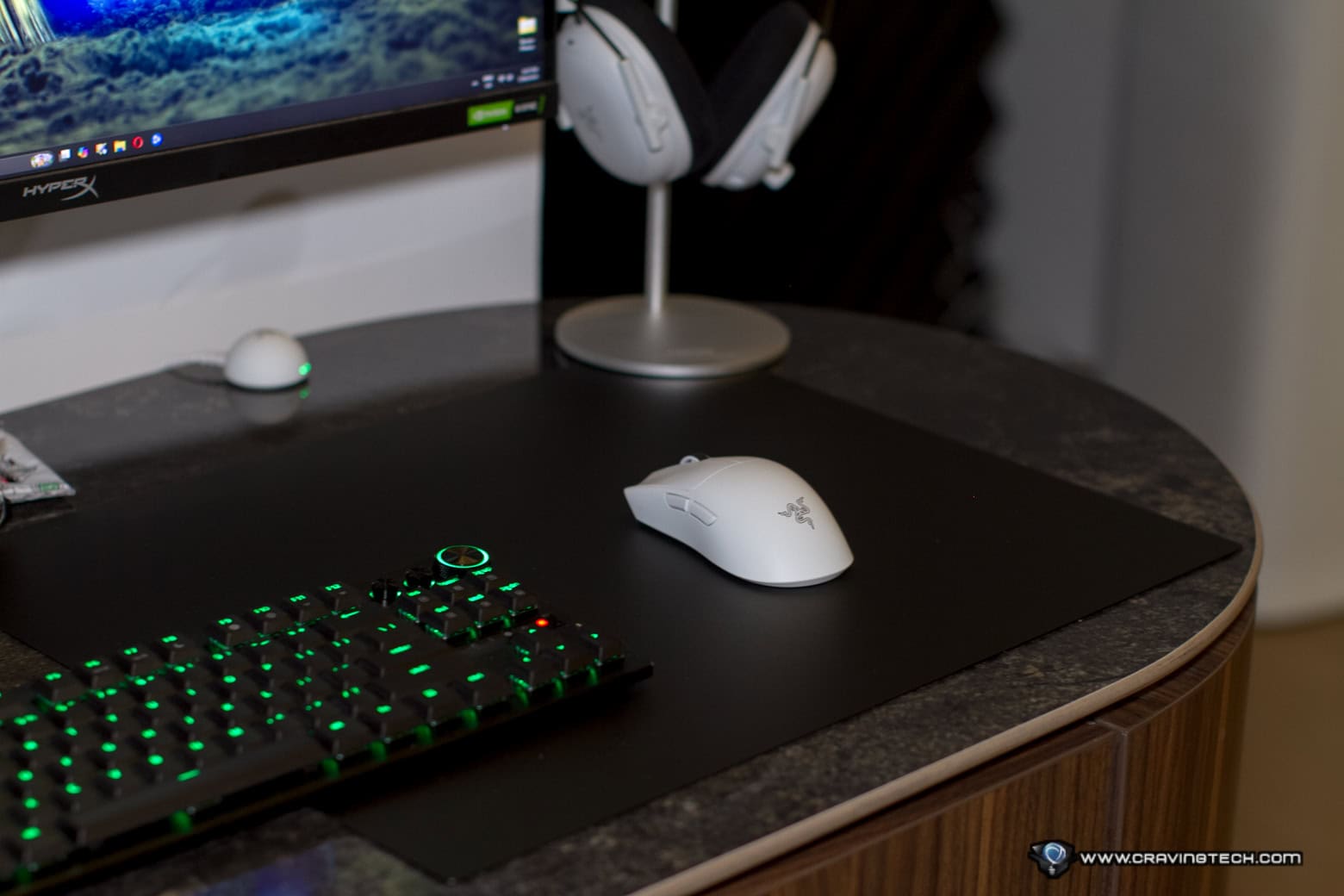
The Razer Atlas is a tempered glass gaming mouse mat designed for fast, consistent movement with modern optical gaming mice. It feels very different from a traditional cloth mat at first, but after spending time gaming on it (mostly Overwatch), the smooth glide and effortless cleaning make a strong case for switching to glass. I thought it would be too slippery for accurate aiming and tracking but thankfully, I was wrong.
This is also a very large mouse mat. That makes it ideal for competitive players who use a low DPI setting and need plenty of room for wide swipes, although gamers with a smaller desk will need to measure their available space before buying one because this thing is huge.
RAZER ATLAS REVIEW – PACKAGING AND UNBOXING
RAZER ATLAS REVIEW – DESIGN AND FEATURES
The Razer Atlas uses a premium tempered glass surface with CNC-milled rounded edges. The glass is micro-etched with 2μm texturing, which is designed to work accurately with optical sensors, while the polished finish gives the mouse an extremely smooth surface to travel across.
As expected from glass, the surface feels solid and smooth, with none of the softness or cushioning you get from a cloth mouse mat. It can feel a little cool when you first place your hand on it, but I never found it cold or uncomfortable, even during a Melbourne winter. That was one of my initial concerns about using a glass mouse mat, and thankfully it did not become an issue during longer gaming sessions.
Its generous dimensions give you lots of room to move. This is particularly useful if you play at a very low DPI and tend to aim with broad arm movements rather than small wrist adjustments. You are unlikely to run out of surface during a sudden turn or long tracking movement.
The other side of that advantage is the amount of desk space it occupies. The Razer Atlas is huge for a mouse mat, so it will not suit every gaming setup. If your keyboard, monitor stand and other accessories already take up most of the desk, fitting the Atlas in comfortably may be difficult. As you can see from my current, smaller desk set up, it occupies some areas of my Razer Huntsman V3 Pro TKL 8KHz (which I’m still reviewing).
The anti-slip rubber base is designed to keep the mat planted during quick swipes and flick shots. This is especially important with a glass mat because any movement underneath your mouse would immediately affect the consistency it is meant to provide.
A MUCH EASIER MOUSE MAT TO CLEAN
The biggest benefit of the Razer Atlas for me is not its premium construction or even how smooth it feels. It is how simple the surface is to clean.
Cleaning a traditional cloth mouse mat properly can be tedious. I normally need to use soap and a toothbrush to scrub dirt out of the material, and even then, it can be difficult to know whether the surface is completely clean. Over time, dust, grime and other particles can build up within the fabric and create subtle inconsistencies as the mouse travels across it. And who has time to keep cleaning your mouse mat, right?
Those changes may be small, but they are not ideal when you want predictable tracking in a competitive game. A dirty, unseen patch can change the glide slightly and make the surface feel less uniform, particularly during slower, more controlled mouse movements. This small inaccuracies matter a lot in games, especially in competitive mode so it’s important to keep your mouse mat clean, apart from having better gaming peripherals (and skill).
The Razer Atlas makes this maintenance almost negligible. Razer recommends gently wiping it with a warm, damp cloth, and that is basically all it takes to remove marks and grime from the coated glass. There is no scrubbing, no soap and no need to leave the mouse mat drying before you can use it again.
This alone makes the Atlas far more convenient to live with than a cloth alternative. Keeping the entire tracking surface consistently clean requires very little effort, which also means I am more likely to clean it regularly.
SMOOTH AND CONSISTENT GAMING PERFORMANCE
I have been using the Atlas with the Razer Viper V4 Pro, an excellent lightweight gaming mouse with large PTFE feet and an accurate optical sensor. The combination works really well, especially in a fast-paced shooter such as Overwatch.
The first thing you will notice is speed. Mouse movement can initially feel fast and somewhat slippery because the polished glass creates much less resistance than a traditional cloth surface. However, I find that I did not need to change my in-game sensitivity or DPI setting at all. And more surprisingly, I didn’t even need to adjust or get used to the feel. Things just.. worked as before. My shots still hit well (if not better) and I had zero issues in adjusting anything.
Tracking on the Razer Atlas has been very consistent. Slow, controlled movements remain smooth, while faster glides do not introduce a jagged sensation or any noticeable pixel skipping. That predictable response makes it easier to follow a moving enemy because the mouse does not suddenly encounter a slower or rougher area on the mat.
The same consistency applies to flick shots. Quick directional changes feel effortless, and the large surface gives me enough room to complete the movement without worrying about reaching the edge. Tracking and flicking require different types of mouse control, but the Atlas has performed well for both during my Overwatch sessions.
Razer has also treated the surface to make swipes quieter than those on an average glass mat. It still has the character of a hard surface, so buyers should not expect it to feel or sound like cloth. Its main strength is the uniform glide it provides at practically any movement speed.
Razer recommends using the original mouse feet supplied with its mice or equivalent PTFE replacements. That is worth keeping in mind, as feet made from other materials could cause unexpected wear to either the mouse feet, the Atlas or both. I honestly never found the need to replace my mouse feet – but that’s probably because I kept on changing my primary mouse due to reviewing opportunities (the Viper V4 Pro is my main now).
IS THE RAZER ATLAS WORTH ITS PREMIUM PRICE?
The Razer Atlas sits in the premium end of the mouse mat market, and there is no getting around that. A regular cloth mat costs much less and may still be preferable if you want more stopping power, a softer feel or a surface that is easy to roll up and move.
The value of the Atlas comes from its durability, consistently smooth movement and simple maintenance. You are not paying only for a branded place to put your mouse. The glass construction changes how the mouse glides and removes nearly all the effort involved in keeping the tracking surface clean.
It will make the most sense for competitive shooter players who value speed and predictable movement, particularly those gaming at low DPI. It is harder to recommend for a small desk, and players who strongly prefer the controlled resistance of cloth may take longer to adjust to its faster glide. Or if you have a budget.
RAZER ATLAS REVIEW CONCLUSION
The Razer Atlas delivers the smooth, consistent tracking I want from a premium glass gaming mouse mat. It has produced reliable results for both tracking and flicking in Overwatch with my Razer Viper V4 Pro, without requiring changes to my existing DPI or in-game sensitivity.
Its effortless wipe-clean surface is what makes it especially appealing for long-term use, although its large footprint and premium price will narrow the audience. If you have enough desk space and want a fast gaming mouse mat that stays consistent without the cleaning routine of cloth, the Razer Atlas is an excellent choice.
It retails for A$169 and is available at retailers around Australia and Razer’s website.
Disclosure: Razer Atlas review sample was supplied for reviewing
Razer ATlas Review
Summary
The Razer Atlas is a premium tempered glass gaming mouse mat that delivers exceptionally smooth and consistent tracking, while its effortless wipe-clean surface makes it far easier to maintain than traditional cloth mats
Pros
- Exceptionally smooth and consistent glide
- Excellent for tracking and flick shots
- Extremely easy to clean and maintain
- Large surface is great for low-DPI gaming
- Premium, solid tempered glass construction
- No need to adjust DPI or sensitivity when switching from cloth
Cons
- No size options, takes a lot of desk space
- Premium price if you are playing casually
- Faster glide may not suit players who prefer the stopping power of cloth
- Not portable or easy to store compared with a cloth mouse mat
About Michael Aulia
Owner of CravingTech.com, Michael is a tech enthusiast who blends a love for gadgets with a passion for gaming. He has been in the IT industry and reviewing consumer products for more than 20 years.
With insightful articles and professional reviews, he navigates the digital landscape, offering expertise on consumer electronics and gaming trends.
–>
Source link