


This post is brought to you in paid partnership with Dell
Buying a laptop for college isn’t a decision made in isolation. Tuition, textbooks, housing, meal plans, transportation, and course materials all compete for the same budget, leaving most families with one question before the semester begins: how much is enough to spend on a laptop without paying for features that may never get used?
For many students, the answer sits comfortably below the four-figure mark. A budget of $1,000 is enough to buy a laptop that can carry you from freshman orientation to graduation, provided the money goes toward the features you’ll notice every day instead of specifications that rarely change the college experience. Weight, battery life, display quality, keyboard comfort, and build quality often shape life on campus far more than another processor upgrade or an extra benchmark point.
Intel/
Shopping becomes confusing because nearly every laptop promises more. Windows 11, AI PCs, Copilot+ branding, faster Intel® Core™ Ultra processors, higher refresh rates, and longer specification sheets can make a $700 laptop and a $1,700 laptop appear much closer than they really are. The better question isn’t which laptop offers the longest list of features. It’s which one will still feel like the right purchase halfway through junior year.
Dell’s current consumer lineup provides a useful way to answer that question. The XPS 13 is the strongest fit for most students shopping under $1,000, while the Dell 16 Plus and Dell 14S solve more specific needs, including access to Copilot+ PC capabilities and additional connectivity for demanding coursework. Understanding where each model fits is often more valuable than chasing the biggest discount during back-to-school season.
If you’re…Prioritize…Dell recommendationTaking notes, writing papers, attending classes, and streaming after lecturesPortability, battery life, display qualityDell XPS 13Planning to explore Copilot+ PC experiences during collegeAI capabilities while staying under budgetDell 16 PlusStudying engineering, architecture, or working with external equipmentConnectivity, durability, flexibilityDell 14SWorking on heavier creative projects that justify a larger investmentDisplay size and additional performanceDell XPS 14 (slightly over budget)
Why $1,000 has become the sweet spot for student laptops
Crossing the $1,000 mark no longer guarantees a dramatically better college experience. Modern processors have reached a point where everyday coursework rarely pushes them to their limits, leaving other qualities to have a much greater impact over four years of ownership. A brighter display makes reading research papers easier. A lighter laptop is appreciated every time it’s carried across campus. Better battery life means one less charger competing for space in an already full backpack.
Budget matters for another reason. PwC’s 2026 Back-to-School Survey found families expect to spend an average of $922 during the shopping season, while National Retail Federation data continues to identify electronics as the single largest expense for college households. Spending the entire back-to-school budget on one device leaves little room for everything else students need before classes even begin.
Laptop makers understand how important this price band has become, which explains why many of their strongest consumer models now sit between $700 and $1,000. Moving below that range often means compromising on the things students interact with every day, including keyboard quality, battery capacity, display brightness, and chassis materials. Moving well beyond it usually brings features that matter most to specialized workloads rather than typical college life.
Finding the right balance is ultimately more valuable than finding the biggest discount. A laptop that remains comfortable to carry between lectures, survives long afternoons in the library, and still has enough battery left for an evening study session often proves to be a smarter purchase than one built around specifications many students rarely use.
How much laptop do students actually need?
Ask ten students what they use their laptop for during the semester and the answers sound remarkably similar. Lecture slides open in one browser tab while Google Docs or Microsoft Word sits in another. Canva, Blackboard, or Moodle stay open in the background alongside email, Spotify, messaging apps, and more Chrome tabs than anyone cares to count. Group meetings happen over Zoom or Microsoft Teams before the day ends with streaming, online research, or another assignment due before midnight.
Very little of that workload demands workstation-class hardware. Most students aren’t rendering complex 3D scenes or processing massive datasets between classes. They’re reading PDFs in the library, taking notes during lectures, collaborating on presentations from a coffee shop off campus, reviewing assignments while waiting for the campus shuttle, and squeezing in an hour of work before practice, a part-time job, or dinner with friends.
Daily routines like those change the way a laptop should be evaluated. Carrying an extra pound across campus becomes noticeable after a few weeks. Hunting for a power outlet between classes quickly becomes frustrating. A dim display that looked acceptable in a showroom becomes harder to live with when sunlight pours through the windows of a lecture hall. Even keyboard comfort starts to matter after writing several thousand words every week.
Different majors naturally raise the bar. Engineering students working with CAD software, architecture students handling large design files, or film students editing video projects will benefit from additional performance and connectivity. Those workloads are the exception rather than the rule. Most students simply need a laptop that disappears into their day, stays reliable through years of coursework, and doesn’t force unnecessary compromises along the way.
Why the Dell XPS 13 fits that routine
Looking at how college students actually use their laptops makes the Dell XPS 13’s strengths easier to appreciate. Every design decision focuses on the qualities that get noticed from the first week of classes through graduation, instead of chasing specifications that spend more time on product pages than in everyday use.
At just 2.2 pounds and 12.7 mm thick, it’s the thinnest and lightest XPS laptop Dell has built. Those numbers don’t mean much in isolation, but they do after carrying a backpack across campus several times a day with textbooks, notebooks, a water bottle, and a charger already inside. The 52Wh battery is rated for up to 17 hours of streaming, making it easier to get through a full day of lectures, study sessions, and commuting without constantly thinking about the next available outlet.
Display quality becomes just as important over time. Reading journal articles, reviewing lecture slides, editing presentations, or watching recorded classes all place different demands on a screen. The XPS 13 combines a 13.4-inch 2560 × 1600 touchscreen with up to 500 nits of brightness, a 30Hz to 120Hz variable refresh rate, Dolby Vision support, full DCI-P3 color coverage, and an anti-glare finish. Those specifications translate into a display that’s comfortable to use in a bright lecture hall, a quiet library, or a dorm room late in the evening.
Where the Dell XPS 13 asks you to compromise
Every recommendation comes with trade-offs, especially when there’s a budget to respect. Knowing where those compromises exist is often more valuable than reading another list of specifications because it helps answer a much more practical question: will those limitations actually affect the way you’ll use your laptop over the next four years?
Memory is the first decision worth making carefully. The base XPS 13 comes with 8GB of RAM, which is sufficient for everyday student needs such as research, note-taking, Microsoft Office or Google Workspace, streaming, and video calls. Choosing the 16GB configuration provides additional headroom for multitasking, helping the laptop remain responsive with more browser tabs and applications open while also making it better equipped for several years of use. At $899.99, the upgrade still keeps the system within the $1,000 budget.
Port selection is the second compromise. The XPS 13 includes two USB-C ports and doesn’t have a built-in SD card reader. Many students will go through an entire degree without giving either much thought, especially if most of their work lives in the cloud and accessories connect wirelessly. The calculation changes for photography students regularly transferring images from a camera, engineering students connecting lab equipment, or anyone who frequently plugs into classroom projectors and external displays. Those situations don’t make the XPS 13 the wrong choice, but they are worth considering before the semester begins instead of discovering the limitation halfway through it.
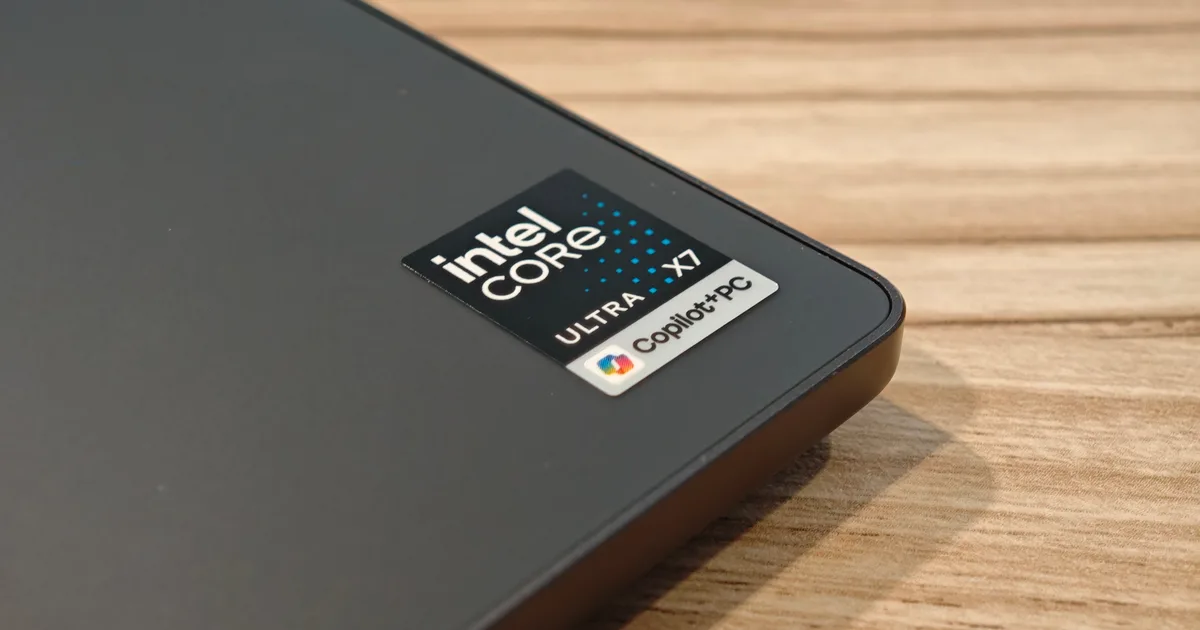
Copilot+ PC support is another point to understand before buying. The XPS 13 configuration featuring Intel® Core™ Ultra Series 3 will qualify as a Copilot+ PC; only the Intel® Core™ Series 3 configuration will not. Students interested in Microsoft’s latest on-device AI features should therefore check the processor configuration before purchasing.
Is an AI PC worth paying for during college?
Artificial intelligence has quickly become one of the biggest selling points in new laptops, but the technology is still finding its place in everyday student life. Many of today’s AI features help summarize long documents, organize notes, assist with writing, transcribe meetings, or speed up repetitive tasks. Those capabilities can certainly save time, but they won’t automatically change the experience of attending lectures, writing essays, or preparing for exams.
Students entering programs where AI tools are already becoming part of the curriculum may see greater value in buying an AI-ready laptop from the start. Others may prefer investing in qualities they’ll notice every day, such as a lighter design, a better display, or stronger battery life. Neither approach is wrong. The right choice depends on how you expect your coursework to evolve over the next several years.
Dell’s answer for students who want to explore Windows 11 and Copilot+ capabilities without crossing the $1,000 threshold is the Dell 16 Plus. Starting at $799.99, it meets Dell’s published Copilot+ requirements with an Intel® Core™ Ultra processor featuring a neural processing unit capable of more than 40 TOPS, paired with 16GB of memory and 256GB of storage. Dell also rates it for up to 20 hours of battery life, making it a compelling option for students who see AI becoming part of the way they learn and work.
Choosing between the XPS 13 and the Dell 16 Plus isn’t about deciding which laptop is “better.” It’s about deciding which features you’ll continue to appreciate after hundreds of lectures, assignments, and study sessions. Students who spend more time moving between classrooms may value the lighter XPS 13 every single day. Students planning to make AI-assisted workflows part of their routine may decide the Dell 16 Plus is the smarter investment.
When paying more actually makes sense
Most students don’t need to spend beyond the $1,000 mark. Some do, and the reason usually has less to do with processing power than with the way their coursework unfolds.
An English major writing essays in Google Docs, a business student building presentations, and a psychology student attending online seminars rarely ask the same things from a laptop as an engineering student connecting laboratory equipment or an architecture student working across multiple external displays. A machine that spends part of every week plugged into monitors, storage drives, or specialized hardware benefits from more built-in connectivity than a thin-and-light laptop is designed to provide.
The Dell 14S is built around those practical needs. Starting at $1,319.99, it includes two Thunderbolt 4 ports, HDMI 2.1, two USB-A ports, and a headset jack while pairing them with an aluminum chassis validated to MIL-STD-810G standards. Carrying an adapter every day may sound like a small inconvenience, but repeating that routine across four years of college quickly changes the calculation. Having the right ports available from the start can be the difference between a laptop that quietly supports your coursework and one that constantly asks you to work around it.
Paying more only makes sense when those additional capabilities solve a problem you’ll encounter regularly. Buying a more expensive laptop simply because it sits higher in the lineup rarely delivers the same long-term value as choosing the one that genuinely matches the demands of your degree.
Spending smarter, not spending more
Buying a college laptop isn’t about squeezing every last specification into a fixed budget. It’s about choosing the machine you’ll rely on through thousands of lecture notes, late-night assignments, group projects, and exam weeks without wishing you’d made a different decision.
For many students, the Dell XPS 13 strikes that balance exceptionally well. Starting at $699.99, or $599 for verified students through Dell’s current education offer, it delivers the qualities most students notice every day: a lightweight design that’s easy to carry across campus, a display that’s comfortable to work on for hours, and battery life that reduces the need to spend every break looking for an available outlet.
Students who expect AI tools to become a meaningful part of their coursework have a clear option in the Dell 16 Plus without exceeding the same budget. Buyers who know they’ll depend on additional ports, greater durability, or more flexible connectivity can justify stepping up to the Dell 14S because those features solve a genuine need rather than adding another line to a specification sheet.
College lasts four years. A laptop should quietly support all of them without becoming something you constantly think about. Few graduates remember the processor inside the computer they bought as freshmen. Most remember whether it survived years of commuting across campus, stayed charged when deadlines piled up, and felt just as dependable near graduation as it did on the first day of class. That’s the kind of value worth paying for.
Frequently Asked Questions
Is a $700 laptop good enough for college?
It can be, provided it focuses on the fundamentals that matter most. Battery life, portability, display quality, and build quality often have a greater impact on everyday student life than chasing higher-end processors. The Dell XPS 13 starts at $699.99 while offering a premium design and features that comfortably handle the workload of most college students.
What’s the best laptop under $1,000 for college students?
The Dell XPS 13 at $699.99 (or $599 for verified students) is the strongest pick for most students under $1,000, with the Dell 16 Plus and Dell 14S as the two named alternatives for AI features and extra ports respectively.
Is 8GB of RAM enough for college in 2026?
For many students, yes. Coursework built around research, writing, productivity software, video calls, and web browsing runs comfortably on 8GB. Students who expect to do heavier multitasking, however, should consider moving to the 16GB configuration.
Should students buy a Copilot+ PC?
Only if those AI capabilities are likely to become part of everyday coursework. Students interested in Microsoft’s latest AI experiences can look at the Dell 16 Plus, while those who value portability and display quality above all else may find the Dell XPS 13 a better fit. Windows 11 comes with a modern design and multitasking tools to help you get it done faster, easier, and with style.
Which Dell laptop makes the most sense for engineering students?
Students regularly connecting external monitors, storage devices, or lab equipment should consider the Dell 14S. Its broader port selection and durable aluminum chassis make it a practical choice for technical disciplines where connectivity matters as much as performance.
This content is paid for by the brands indicated. Digital Trends works closely with advertisers to highlight their products and services to our readers. Although this article is informational and not opinionated, it reflects thorough fact-checking by our team to ensure accuracy. Our dedicated partnerships team, not external advertisers, crafts all branded content in-house. For more information on our approach to branded content, click here.