


Pi-hole is usually the go-to solution when someone asks about network-wide ad blocking or a basic network monitor, and for good reasons: it is simple, well-documented, and works well for most situations.
However, its very strength is also a bit of a weakness. It is a DNS sinkhole first. The other things it can do—like act as a DNS server, as one example—are more like add-ons than core features.
Technitium DNS Server can do what a Pi-hole does and then some. If you’re into tinkering with your network, the differences are interesting enough that you should try it.
Technitium is a DNS Server first
Adblocking is a byproduct
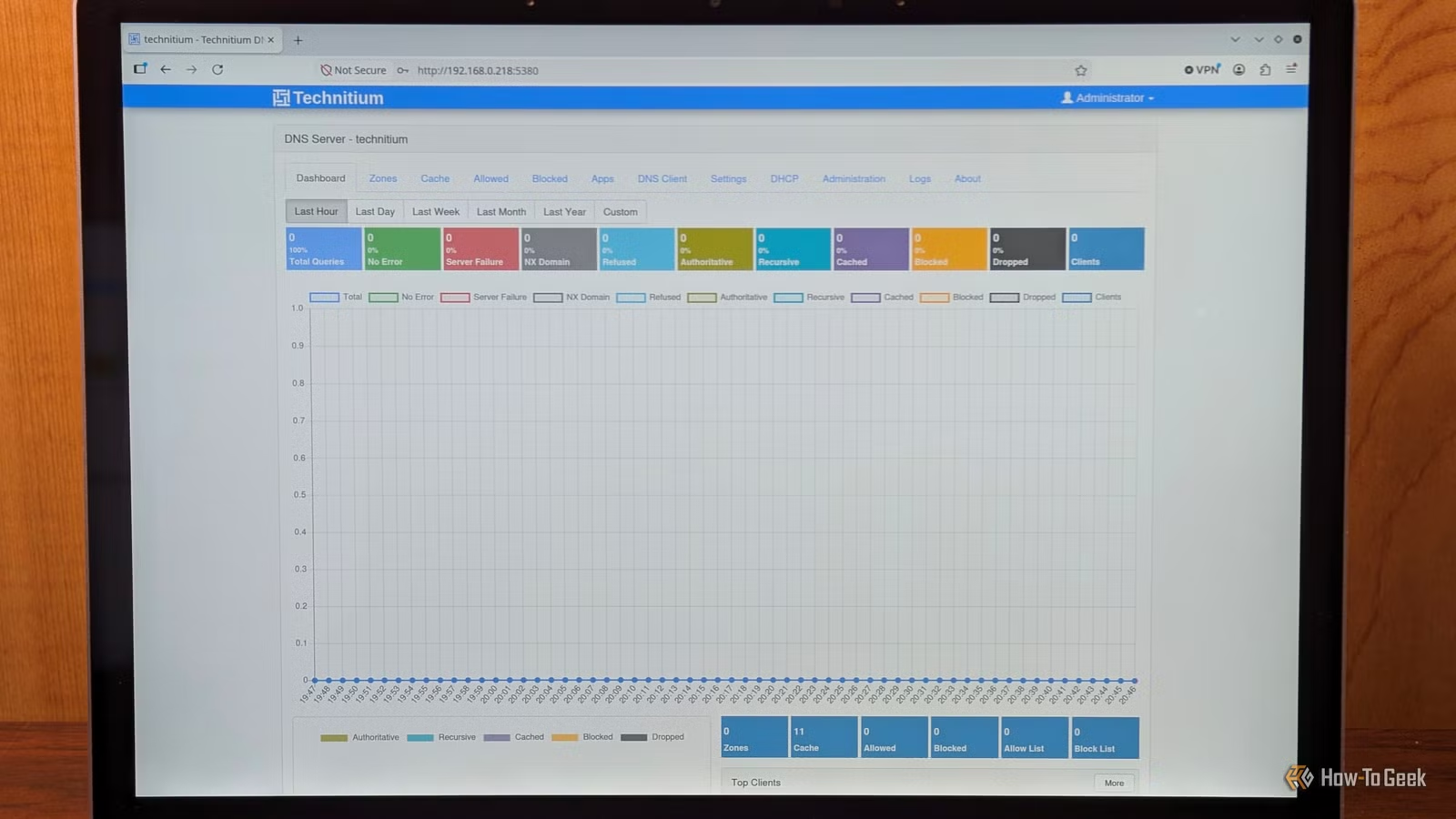
Technitium is an open-source program designed to function as a tiny complete DNS Server. In that role, it can block ads like Pi-hole, but it is more of a consequence than the intent.
It can do much more than that. You can use it as a recursive resolver to talk to root servers directly—meaning you don’t need an upstream DNS server—or as a forwarder to any upstream via UDP, TCP, DoT, DoH, or DoQ.
Related
I built a Raspberry Pi DNS monitor to see what my ISP was tracking—and I wasn’t prepared for what I found
How a cheap Raspberry Pi revealed everything my ISP knows about me
It also functions as an authoritative server for your own zones and a DHCP server that automatically registers DNS records.
Technitium runs on Windows, Linux, or macOS, and there is even a Docker image if you prefer to run your homelab that way.
Encrypted DNS is native
Don’t let anyone snoop on your DNS records
If you’ve ever taken a Pi-hole beyond simple ad-blocking, you’ve encountered the need for cloudflared (now deprecated), Unbound, or a reverse proxy just to get DNS-Over-HTTPs (DoH) working. Technitium includes all that natively.
Every time a device on your network tries to connect to the internet, it connects to a DNS server and tries to retrieve an IP address. Normally, that information is just broadcast across the web unencrypted—anyone that intercepts it can read which website you tried to look up. Technitium allows you to force that information to be encrypted, so long as the upstream DNS server that you use supports an encrypted standard, like DoH.
On the inbound traffic side of things, you can configure Technitium to work with DoH, DNS-over-TLS (DoT), or even DNS-over-QUIC (DoQ) too.
You can use that to be sure that your phone or laptop connects to your home network’s DNS Server securely even when you’re on public Wi-Fi, assuming you’ve set up a certificate and have the correct port forwarding configured.
Always be careful any time you port forward a service to the internet. It gives potential attackers an avenue in.
It scales from a single Pi to a small business or enthusiast home networks
Better for bigger networks
Technitium is designed specifically to scale up more easily in larger, more complex networks.
It has the ability to give specific users (or groups of users) specific access and controls, and it even supports single sign-on, which isn’t something you’ll find in most open-source apps.
There is even a built-in “DNS Apps” store where you can install extensions for responses based on location, failover, or advanced blocking using regular expression (regex). If you have multiple sites or VLANs, you can create clusters that share configurations.
It also supports DNS Zones, which allows you to carefully define behavior for specific scopes. For example, you could create a zone that handles everything related to all .com domains, or a separate domain that answers queries for subdomains, like *.example.com while leaving other domains completely unaffected.
Try Technitium for more complex tools
If you’ve run into a wall (or at least frustrating hurdles) with a Pi-hole, Technitium should be one of the first things you try. It offers zones, native encryption, and a handy API in one package. It is mature, well-supported, and pretty well documented, though the community isn’t as large as the Pi-hole community.
You can have it up and running using Docker or the Linux installer in only a few minutes using the installation script.
Stick to Pi-hole for simpler setups
Technitium is an impressive program with a great set of features, and I’ve quickly come to like it a ton. However, that extra complexity comes with a cost: the learning curve. The web UI exposes literally hundreds of settings, many of them quite dense and technical. The Pi-hole, by comparison, is streamlined and as painless as it can get while still doing what it does.
If you only need basic DNS-based, network-wide ad-blocking, and you don’t care for the extra tools, I’d recommend sticking with a Pi-hole. It’ll get the job done.
Technitium is also more resource intensive than a Pi-hole. You can run a Pi-hole on almost anything, even a Pi Zero or Pi Zero 2 W. Technitium technically can run on one of those devices, but it is a tighter resoure squeeze.