


Image: Damien McFerran / Nintendo Life
While many people were confident that XR glasses were nothing but a fad, the market for this tech appears to have grown over the past couple of years, and it’s not hard to see why.
These glasses are now lightweight enough to wear comfortably, and the tiny screens inside are sharp and bright, which finally means they can truly live up to the promise of delivering a big-screen experience without the need for an insanely expensive TV.
The catch is that, while they’re still more cost-effective than a massive television, many of the top-line glasses aren’t cheap; the Viture Beast XR specs we covered a while back cost $550, for example – and that price doesn’t include the mobile dock required to connect them to your game console.
The Beast XR glasses sit at the top of Viture’s price range, and the company released a more wallet-friendly alternative this year: the Pro 2 XR glasses ($299). I’ve gone hands-on with a pair alongside Viture’s new Mobile Dock Mini ($79), a vast improvement over the previous model (but I’ll get to that in a moment).
Images: Damien McFerran / Nintendo Life
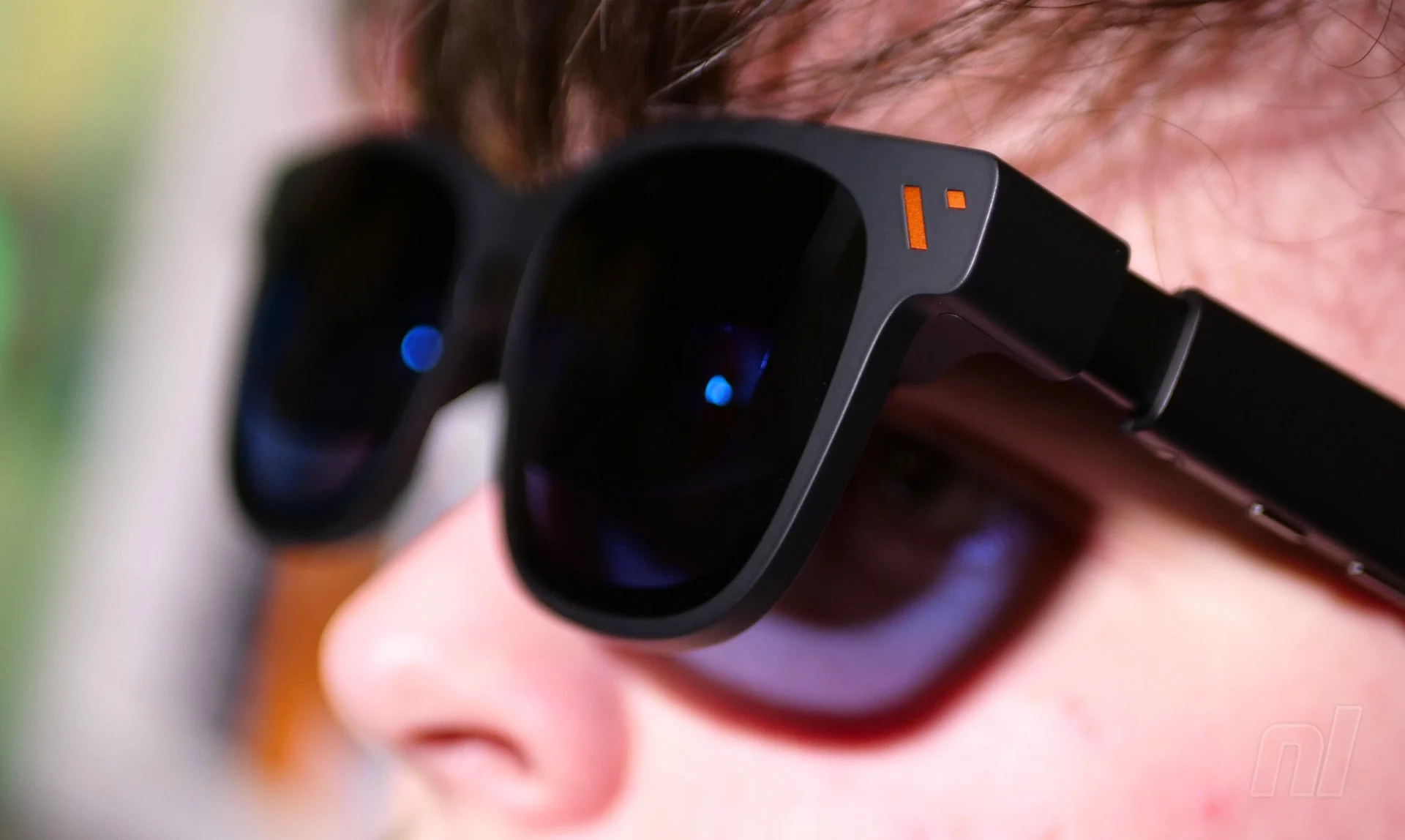
While the Pro 2 glasses are pitched as entry-level, the specifications are impressive. According to Viture, they offer a ‘screen size’ of 146 inches – and getting a TV with that kind of display real estate would cost significantly more than the $300 being asked here. The glasses are Viture’s thinnest ever, while the ‘UltraClarity 3.0’ tech delivers a pin-sharp image that doesn’t strain the eyes, even after extended periods.
The twin screens are Sony Micro-OLED panels with a maximum brightness of 1,600 nits, a 50° field of view, and a 120Hz refresh rate. I especially like the fact that both screens have their own 0 to −5.0D diopter dials, which allow you to adjust each one to fit your unique optical profile.
While the Viture Pro 2 XR glasses don’t look as natural as a real pair of glasses (they stick out too far from your face), they’re still light and comfortable to wear. A USB-C cable connects to the right-hand arm, and you plug this into your viewing source of choice. A rocker switch on the left-hand arm, when combined with another button, lets you switch between volume and brightness adjustment. The speakers sit on the upper side of each arm, and while they’re decent enough, they’re not quite as punchy as a good pair of headphones.
The Mobile Dock Mini is small and light enough to carry around with you, but it loses the HDMI input of the full-size version. On the plus side, the ability to remove the USB-C adapter and plug it directly into your Switch 2 is very welcome — Image: Damien McFerran / Nintendo Life
The Mobile Dock Mini is small and light enough to carry around with you, but it loses the HDMI input of the full-size version. On the plus side, the ability to remove the USB-C adapter and plug it directly into your Switch 2 is very welcome — Image: Damien McFerran / Nintendo Life
The Mobile Dock Mini is small and light enough to carry around with you, but it loses the HDMI input of the full-size version. On the plus side, the ability to remove the USB-C adapter and plug it directly into your Switch 2 is very welcome — Image: Damien McFerran / Nintendo Life
The Mobile Dock Mini is small and light enough to carry around with you, but it loses the HDMI input of the full-size version. On the plus side, the ability to remove the USB-C adapter and plug it directly into your Switch 2 is very welcome — Image: Damien McFerran / Nintendo Life
The Mobile Dock Mini is small and light enough to carry around with you, but it loses the HDMI input of the full-size version. On the plus side, the ability to remove the USB-C adapter and plug it directly into your Switch 2 is very welcome — Image: Damien McFerran / Nintendo Life
The Mobile Dock Mini is small and light enough to carry around with you, but it loses the HDMI input of the full-size version. On the plus side, the ability to remove the USB-C adapter and plug it directly into your Switch 2 is very welcome — Image: Damien McFerran / Nintendo Life
Thankfully, the visuals are rock-solid. While this pair doesn’t offer quite as big a ‘screen’ as the Beast XR glasses, the image quality is fantastic, and even at 50% brightness, it delivers superb quality. You can’t adjust the position of the screen, however – but I found that it was generally in the right place regardless.
The glasses are a hit, especially in this price bracket, and the optional smartphone app opens up other possibilities, such as turning your photos into 3D images. However, I’m primarily concerned about how these glasses work on Switch 2, and it’s good news.
When I went hands-on with the Beast XR glasses, I used the original Mobile Dock, which was rather large and could be bolted to the Switch 2 with a special clip. Viture has updated this with a mini version of the Mobile Dock, which includes a 10,000 mAh internal battery that can charge your console, power the glasses, and activate Switch 2’s docked mode. On the downside, it loses the HDMI input of the original dock, which let you use it with any HDMI-ready device.
Viture collaborated with 8BitDo to produce a dedicated controller, but in reality, it’s a rebrand of 8BitDo’s existing ‘Ultimate’ wireless pad — Image: Damien McFerran / Nintendo Life
Because it’s much smaller, the Mobile Dock Mini is easier to carry around, though the process of getting it to ‘interface’ with your console has changed slightly. Instead of a clip, Viture now provides a magnetic sticker you affix to the back of your console (the company includes a handy position sheet to make sure you stick it in the right place).
I’m not a fan of sticking things on my consoles, so to me, this is a suboptimal solution when compared to the original clip – but I never really clipped the original dock to my console all that much anyway, and the smaller size of the new dock means you can just have it sit next to your console on the sofa.
However, the Mobile Dock Mini has another trick up its sleeve which really does improve the experience – you can remove the USB-C dongle from the main battery and insert it into the Switch 2’s USB-C port, very much in the same way Genki’s Bluetooth adapter was used on the original Switch way back when.
Images: Damien McFerran / Nintendo Life
Once this is connected to a power source, you can use the Pro 2 XR glasses this way, removing the need for the larger dock. The catch? Well, you’ll be tethered to a wall socket, but I found myself using these glasses mainly indoors anyway, so it wasn’t a massive issue for me personally.
The Viture Pro 2 XR glasses are an excellent way to achieve the big-screen viewing experience without actually having to shell out for a massive TV – but even with their ‘entry-level’ positioning, these glasses still cost $300, and that price rises to $400 if bought with the Mobile Dock Mini.
Are they worth a look? Well, it all depends on your situation, I suppose; as somebody who lives in a house filled to bursting point with other people, my time in front of the television is painfully limited, so these glasses mean I don’t feel like I’m missing out on the big-screen entertainment – even if the ‘screen’ is actually hovering millimetres in front of my eyes.
Thanks to Viture for supplying the Viture Pro 2 XR glasses used in this feature.
Damien has been writing professionally about tech and video games since 2007 and oversees all of Hookshot’s sites as Editorial Director. He’s also the editor-in-chief of both Time Extension and Hookshot’s latest site, Steam Hype.