


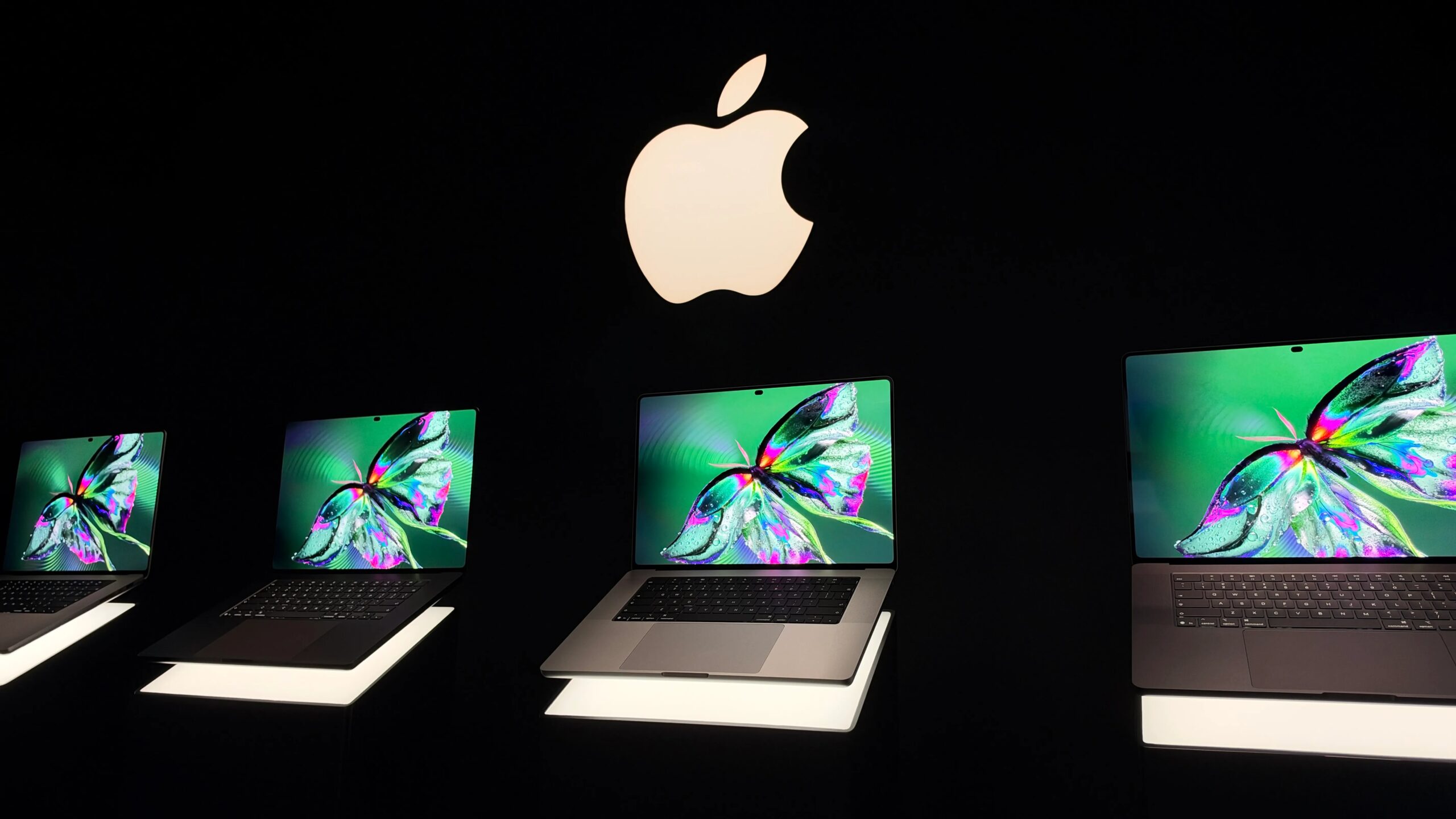
Surpassed only by the iPhone Duo, this year’s most anticipated Apple announcement is its launch of both a 14- and 16-inch MacBook Pro with an OLED touchscreen display — the company’s last-to-the-party use of both technologies in one of its laptops. And despite the awful “PROLED” name, it’s more than just a fancy new display. It’s a complete design overhaul that, at least on paper, brings its feature set up to the front of the class for professional content creation, albeit with the same processor options and ports as the other MacBook Pros.
Aside from a screen that brings its capabilities more in line with the Studio Display XDR, the new model adds:
- Touch support
- The iPhone’s Dynamic Island
- A 16TB configuration
- Improved speakers with Dolby Atmos support and better mic
- A thinner and lighter design
- Genlock support
It doesn’t come cheap, though; as predicted, you pay a $400 premium over the standard models. The 14-inch M5 Pro model starts at $2,899 compared with $2,499 for the same non-OLED version, and the M5 Max model begins at $4,499 compared with $4,099. If you want to upgrade to 16TB, you have to bump to the M5 Max — that’s a minimum buy-in of $11,499 with only 36GB of memory. Preorders started on Wednesday, and systems are slated to start shipping Nov. 6.
One of the most popular changes won’t be the whizzy features, but the drop in weight to 3 pounds for the 14-inch model (down from 3.4 pounds) and to 4 pounds (down from 4.7 pounds) for the 16-inch. Also, while Apple updated its sound system to deliver better bass and incorporated Dolby Atmos support to its spatial audio, one of the more notable enhancements is the claimed improvements to the sound when the MacBook is closed.
Hands-on impressions from Executive Producer Bridget Carey
From my brief moments with the laptop, I can tell the touchscreen is something you may use as a supplemental feature — a quick zoom here, a drag-and-drop there. But even if you don’t see yourself needing to poke a screen, the vibrant OLED display is a noticeable leap in quality.
I was expecting to see rows of smudged up screens on demo tables. Yes, there are plenty of Apple staff with polishing cloths to give it a quick buff between tests, but my screens were not looking too smudged up after dragging my fingers around. It’s also less reflective — so those true blacks can be enjoyed without light reflections getting in the way.
I got a chance to see Apple’s display side by side with another Windows OLED Touchscreen, the Lenovo Yoga 9i. It was no contest — the new MacBook Pro was far superior with a more vibrant display, and it kept the detail even in extremely bright light, plus it was less reflective.
Apple brought back the illuminated logo on the cover.Bridget Carey/CNET
I was worried it might be a little hard to control certain aspects of MacOS with a clumsy finger, but it was able to accurately pick up on my touch. Controls would enlarge when I wanted to screen or expand a window, to make sure I pressed what I intended, and I quickly got used to dragging and locking windows to the sides. You have to do it with a little swivel in your hips and a flick of the wrist.
An impressive screen
A lot of the traditional advantages of OLED over alternatives like IPS with array backlights — such as a wider color gamut and true blacks — are less pronounced than they used to be.
That’s even more true for the current MacBook Pro’s mini-LED-backlit Liquid Retina XDR screens: They already deliver excellent deep blacks and 100% P3 gamut coverage, along with great color accuracy sufficient for prosumer creative work.
But the PROLED XDR screen sounds top-notch. While I take Apple’s claim of a 10,000,000:1 contrast ratio with 10,000,000 grains of salt — the arithmetic ratio of peak brightness to minimum black isn’t really meaningful, especially beyond about a million — the display has an expanded gamut that covers the Adobe RGB color space and more of Rec. 2020, a space for mastering video.
The latter is still only 80%, but at the moment, that’s the best you can get in a laptop display.
Tara Brown/CNET
Peak brightness is also similar to the desktop display at 2,000 nits. As with the current screens, though, you can set the SDR brightness only up to 1,000 nits; above that, it’s automated to compensate only for bright sunlight. That can get frustrating for people like me who find auto- brightness distracting.
The display can do 1,000 nits full screen in both SDR and HDR, though. Microsoft’s recently shipped Surface Laptop Ultra also hits 2,000 nits, the first Windows laptop that does, but uses mini-LED.
Oddly, Apple still quotes a 1-nit minimum brightness spec, similar to its mini-LED screens, though OLED’s native minimum is a lot lower: Theoretically, it’s zero, but professional colorimeters have measured it a lot lower. That may be because Apple has adopted it as a standard, and possibly clamped it, to tonally match its mini-LED models.
Apple also refers to its panel technology generically as “tandem OLED,” which is a little annoying, since there is a raft of tandem OLED types. But it is “state of the art!”
The letdowns
There are a couple of potential disappointments, though. For one, the battery life is unchanged. While the MacBook Pro’s battery life has always been good, it’s clear that the OLED display didn’t provide any power savings, or at least savings that weren’t spent elsewhere in the system.
Touch looks like the biggest mixed bag, though. The hardware is only a small aspect of the implementation; operating system interfaces like those of iOS and iPadOS are built around considerations like your finger is bigger and fatter than a cursor. Simply porting the mobile interfaces to a laptop isn’t necessarily a solution, either.
Playing a keyboard on a touchscreen that can’t open wide? Bridget Carey (that’s her hand) says, “You should not play piano like a doofus, finger stabbing the screen.”Tara Brown/CNET
We use laptops in part because a hardware keyboard is sometimes the best input choice, and even navigating the mobile devices via touch can get annoying, so those interfaces don’t necessarily translate optimally.
The point is, a lot is riding on how Apple has adapted MacOS for touch. For instance, the Touch Bar floundered in part because it felt grafted on rather than integral to the OS’ interface, as well as arguably superfluous.
And since Apple didn’t launch the capability with MacOS 27 at its developer conference, WWDC, this year, it sounds like the applications will be behind. That’s not something you beta test on a pro-level production system. Pros rely heavily on muscle memory. It should really have launched with a MacBook Air.
Plus, to adapt to touchscreen use, Apple had to stiffen the hinge — poking the screen makes that necessary — and add image stabilization to the webcam in case you poke the screen during video calls.
Apple seemed like it was really stretching to find meaningful uses for touch. Playing piano on a screen that forces your hand to an awkward angle? No thanks. The one application that sounded like it might be OK was for developers to simulate mobile app interfaces.
I was also kind of hoping for increased refresh rates beyond 120Hz or the ability to manually set it above 60Hz. Apple seems to position ProMotion as a power-saving technology rather than for gaming. Apple also seems to think 60fps is a great frame rate, so it’s not surprising.
Lori Grunin
See full bio
Bridget Carey
See full bio