


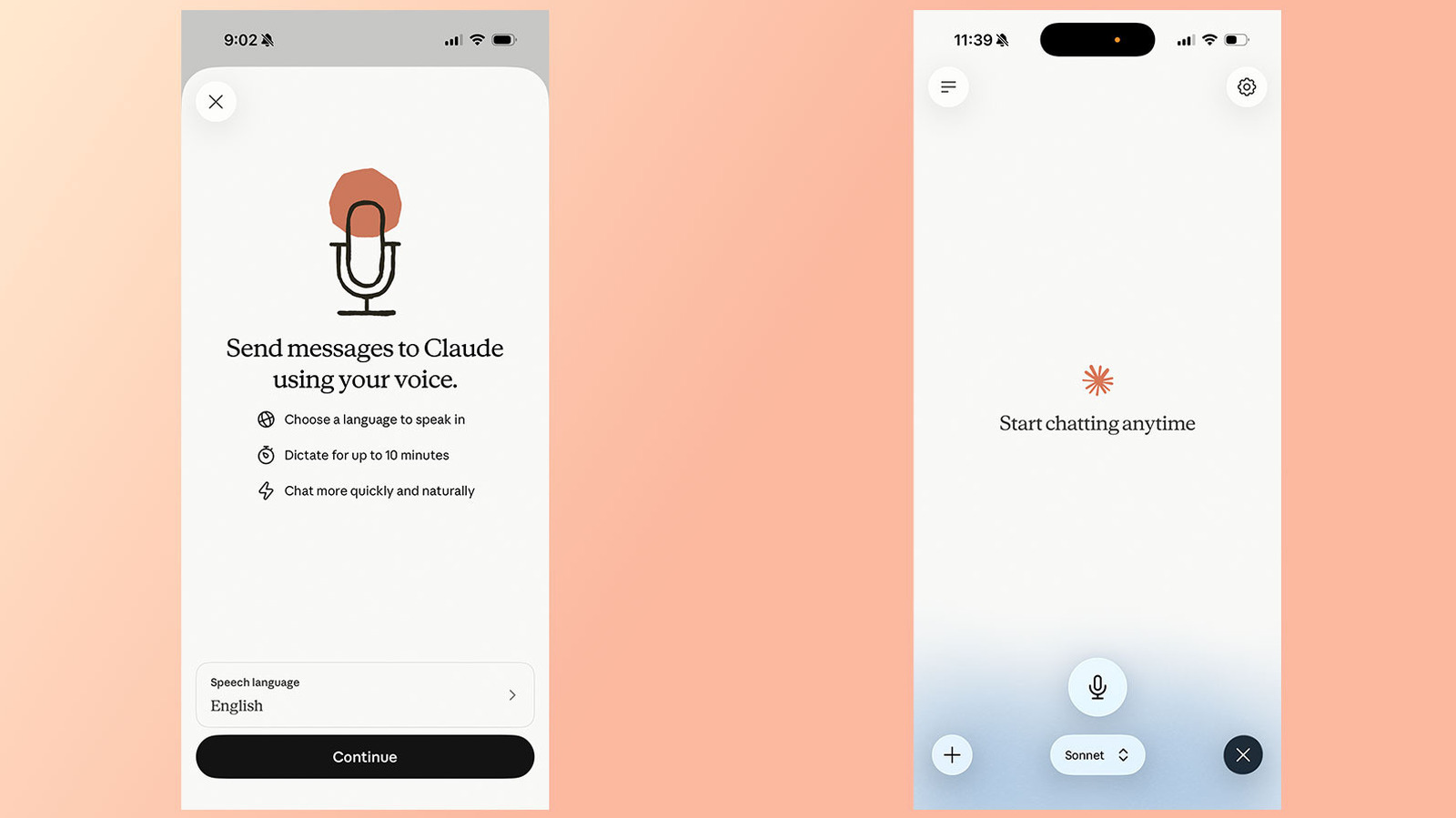
Anthropic’s chatbot can be very vocal, if you want it to be.
Igor Bonifacic for Engadget
Since 2025, Anthropic has offered a voice mode through Claude, allowing you to speak to its chatbot instead of writing out your prompts. This past July, the company updated the feature to make it more useful. Before, voice mode limited users to speaking to Claude through Haiku, Anthropic’s least powerful model. This was done to reduce latency. Now, voice mode also works through the company’s more powerful models, including Sonnet and Opus, and can even pull context from your connected apps and services.
If you’re a frequent Claude user and want to give the feature a try, here’s how to do it.
How to use Claude voice
Igor Bonifacic for Engadget
Voice mode is available through the Claude mobile (Android and iOS) and desktop apps, as well as through the web. Anthropic says the feature works best from your phone.
To use voice mode on mobile:
-
Open the Claude app.
-
Tap the black waveform icon in the lower right corner of the interface (not the microphone icon right next to it).
-
Grant the app microphone permissions if necessary.
-
Start talking. Claude will generate a response once you finish a prompt.
-
Claude will remain in voice mode until you tap Stop.
One thing to keep in mind is Claude’s voice mode uses a “turn-based” architecture, meaning the chatbot will listen to you before it generates a response. This is different from ChatGPT’s voice mode, which OpenAI recently updated to use a “duplex” architecture. That system gives its GPT-Live models the ability to simultaneously process speech and generate outputs.
In practice, that means voice mode sometimes confuses a brief pause for the end of a question or prompt. For that reason, Anthropic recommends asking multi-part questions one at a time instead of all at once.
How to select different models
Igor Bonifacic for Engadget
You can change the model Claude will use to generate a response from the model picker at the bottom of the interface. See below for a list of available models, followed by a short description from Anthropic.
-
Haiku: Fastest for quick answers
-
Sonnet: Most efficient for everyday tasks
-
Opus: For complex tasks. Only available to paid accounts.
How to use your connected apps
Like with text chat, voice mode can access apps and services you’ve connected to Claude, including Gmail, Google Calendar and Slack. For example, you can ask Claude to summarize your recent emails. Simply tell Claude the app you want it to use as part of a prompt. If you’re accessing a third-party app for the first time, you will need to grant Claude permission to use it.
How to change Claude’s voice and language
Igor Bonifacic for Engadget
As of July 2026, Anthropic offers Voice Mode support in 14 different languages, with a handful of those available in additional dialects. The language you select will affect your choice of Claude’s voice. In English, for instance, you can select from five different options, while Japanese users are limited to just two. Below is the full list of languages Voice Mode currently supports:
-
English
-
English (India)
-
English (United Kingdom)
-
Chinese (Simplified)
-
Cantonese
-
French
-
French (Canada)
-
German
-
German (Austria)
-
Hindi
-
Italian
-
Japanese
-
Korean
-
Portuguese
-
Portuguese (Brazil)
-
Portuguese (Portugal)
-
Russian
-
Spanish
-
Spanish (Latin America)
-
Turkish
-
Ukrainian
One limitation of Voice Mode is that Claude cannot detect if switch between languages mid-sentence. If you’re about to speak in another language, state that intent out loud, or change Claude’s language from the Settings menu.
To change Claude’s voice and language, open the Settings page and tap Voice (located below the App section of the menu). You can hear a preview of each by swiping through the carousel at the top. In English, you have the following options:
-
Buttery
-
Airy
-
Mellow
-
Glassy
-
Rounded
Additionally, you can also adjust the speed of Claude’s cadence. There, your options are Slow, Normal and Fast. Lastly, Anthropic offers two different ways of recording your prompts: Hands free and Push to talk. Anthropic suggests the former is best used in quiet environments.
Do you need a paid account to use Claude Voice?
Igor Bonifacic for Engadget
You don’t need to pay for a Pro or Max subscription to access Claude Voice, but Anthropic limits free accounts to using the tool through its Haiku and Sonnet models. For most prompts, Sonnet should offer more than enough intelligence. To route your prompts through Anthropic’s more Opus powerful model, a paid subscription is required. Voice mode conversations count against your usage limits.
Anthropic also limits free accounts to a single connection, though you can use the tool in all the languages it currently supports.