


If you’re still using the webcam built into your laptop, or a cheap one from a few years back, you already know the problem. We’re talking about grainy video, lighting that’s either underexposed or overexposed, along with audio that makes you sound like you’re on a call from inside a closet.
That’s a real problem Insta360 is trying to solve with the Link 2 Pro. It’s aimed at anyone who spends a lot of time on camera for work, whether it be for meetings, video conference calls, education, or gaming. That covers teachers running online classes, remote workers stuck on back-to-back video calls, fitness instructors leading sessions from home, and small streamers who can’t justify the price for a full studio setup.
Insta360 already makes some of the best-selling 360-degree cameras on the market, so it’s taking its expertise and applying that to webcams.
How It Tracks You Around the Room
The obvious standout feature here is the physical 2-axis gimbal. The camera itself tilts and pans to keep you centered as you move. We know that some webcam software has built-in tracking, but it pales in comparison to a webcam that actually physically moves and rotates.
This means you can walk across the room to grab a marker, pace while you talk, or step back from your desk and it will track and follow your movements. The Link 2 Pro follows using AI tracking. It can lock onto your head, your upper body, or your whole body, depending on the setting. There’s also a privacy pause zone. Stepping out of frame on purpose stops the tracking instead of the camera hunting for you around the room.
The Camera and Audio Upgrades
Under the hood sits a 1/1.3-inch sensor, notably larger than what most webcams pack in. It’s paired with dual native ISO, so video looks more natural in a bright window or a dim home office. It shoots up to 4K at 30 frames per second. The autofocus system is faster too, built to snap onto your face quickly and hold focus as you move around.
Insta360 hasn’t forgotten about audio either. The Link 2 Pro comes with two microphones that work together with AI noise canceling. One picks up sound from all directions, and one stays more focused. The goal is isolating your voice from background noise like a barking dog, a noisy street, or a roommate’s TV.
You also get four audio modes that let you switch between capturing just your voice or a small group of people around a table.
Extra Tools for Streamers, Teachers, and Presenters
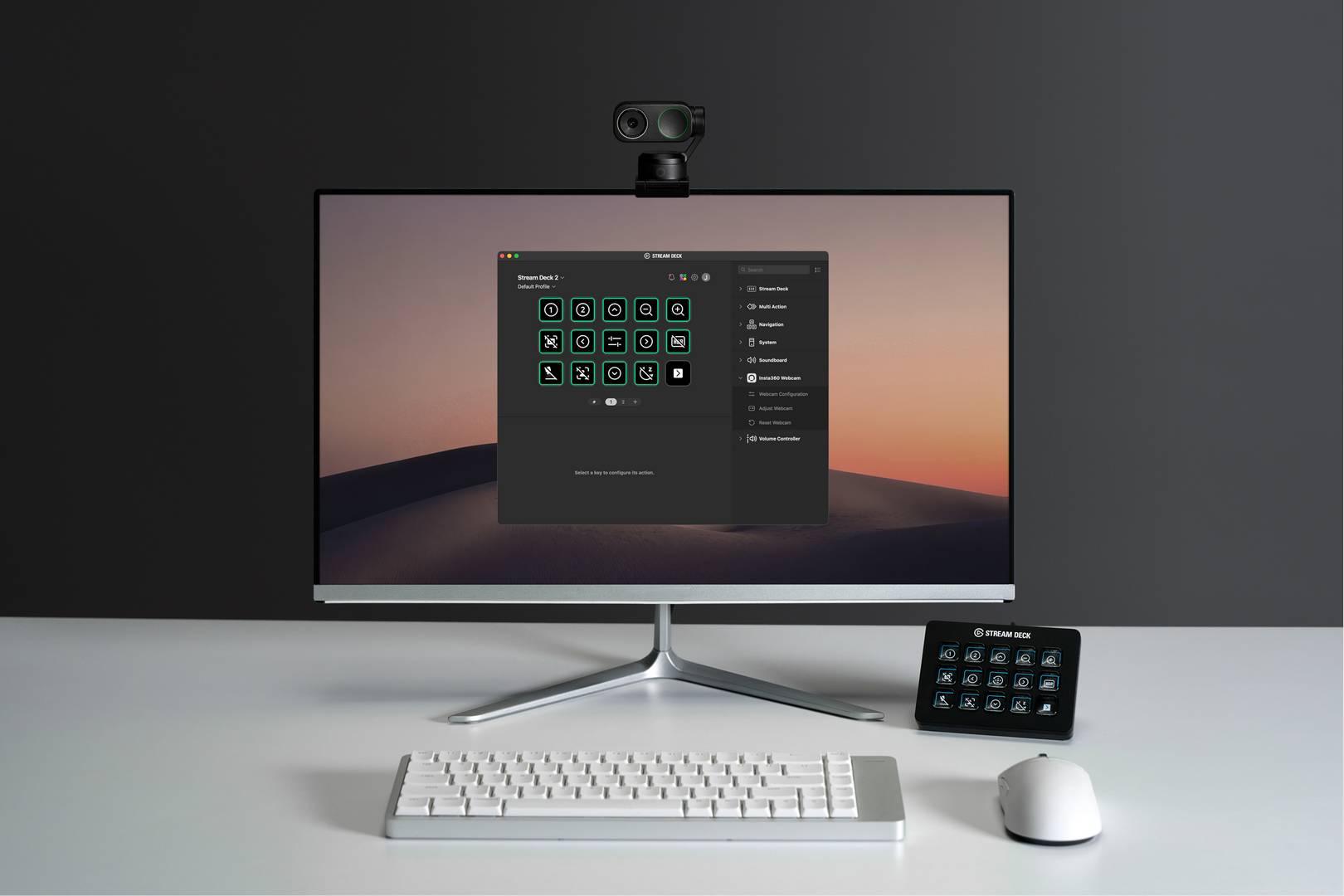
The Link 2 Pro also connects to a few tools people already use. It works with the Elgato Stream Deck. Streamers can adjust exposure, switch presets, or flip camera angles with a single button press. It pairs with Insta360’s Wave speakerphone for a combined audio-and-video setup. It also supports InSight, an AI meeting assistant that can record calls, generate transcripts, and pull out summaries automatically. Every Link 2 Pro purchase comes with 300 free minutes of that transcription service before a subscription kicks in.
If you’re a teacher or a presenter, the Link 2 Pro has a few extra tricks up its sleeve. A Smart Whiteboard Mode automatically detects a physical whiteboard and keeps it in clear focus. A DeskView Mode flips to an overhead angle for sketches or product demos, without moving the camera by hand. There’s also a portrait mode that shoots uncropped vertical 4K.
That means the same webcam can double as a content camera for platforms like Instagram or TikTok. A feature called Natural Bokeh softens what’s behind you like a professional camera shot, no green screen needed.
Where to Get One
Insta360 also released a cheaper $199.99 version called the Link 2C Pro. It’s built with the same sensor and audio system, but no gimbal. That model relies on software-based framing instead of a moving camera. It fits people who mostly sit still on calls. The extra $50 for the Link 2 Pro buys you the motorized tracking. That matters if you actually move around while presenting or teaching.
The Insta360 Link 2 Pro is available now in the US for $249.99. You can find it through the Insta360 Official Store, Amazon, and other authorized retailers. If your current webcam setup has started to embarrass you on every call, this is one of the more capable upgrades on the market. It is admittedly pricier compared to other webcams, but the physical tracking and other features might make a worthwhile investment for the long-term future.