


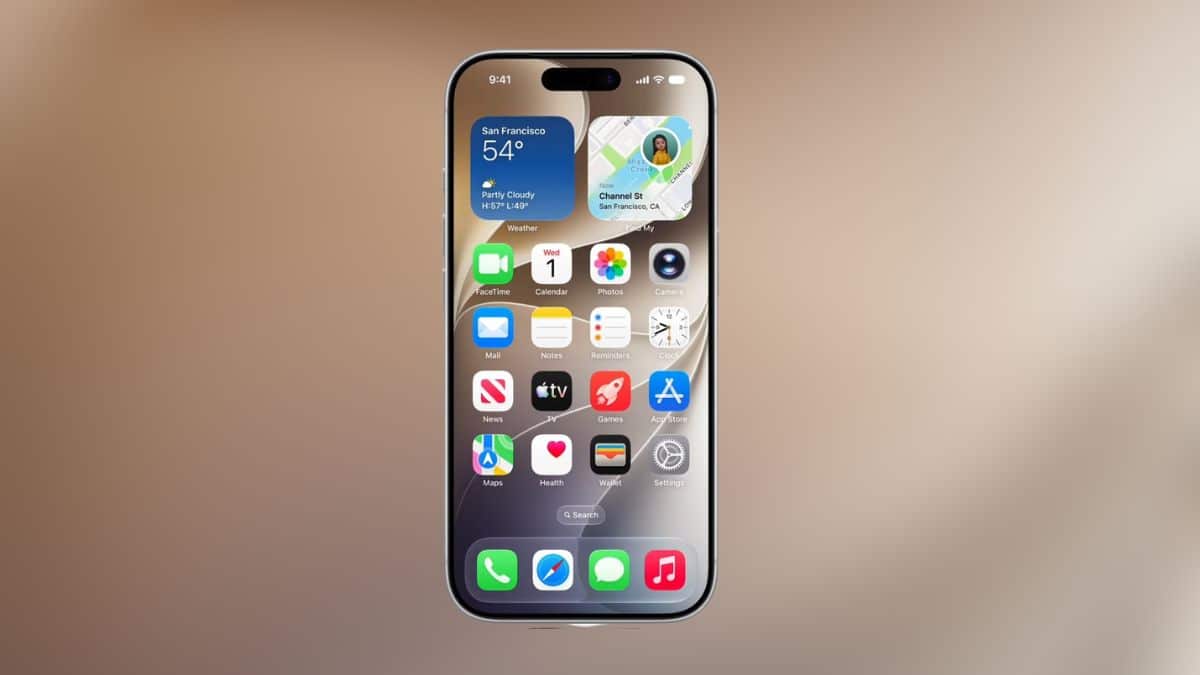
Apple doesn’t always swing for the fences at WWDC. Sometimes the most impactful updates are the ones that quietly fix what has been frustrating you for years, and iOS 27 features cover exactly that kind of release, with one genuinely major exception sitting right at the center of it.
Unveiled on June 8, 2026, iOS 27 is not Apple reinventing the iPhone. After iOS 26 introduced the bold Liquid Glass design overhaul, iOS 27 is about making everything introduced last year actually feel polished, faster, and more intuitive in daily use. Apple has openly compared it to the Mac OS X Snow Leopard release: fewer headline features, more substance underneath.
There is one clear exception to that framing, and it is the reason this release matters more than a typical refinement year. Here is everything Apple confirmed.
Where iOS 27 Stands Right Now
The full timeline is confirmed rather than a projection at this point.
- Announced: June 8, 2026, at WWDC 2026
- Developer beta: released the same day as the keynote
- Public beta: released in July 2026
- Stable release: Monday, September 14, 2026
iOS 27 arrived alongside Apple’s September hardware event, which introduced the iPhone 18 Pro, iPhone 18 Pro Max, and Apple’s first foldable iPhone, the iPhone Duo. Every iPhone that supports iOS 27 covers the complete compatibility list, but the short version is that no device drops out this year. iOS 27 runs on the same range as iOS 26, from the iPhone 11 and second-generation iPhone SE all the way up through the new iPhone 18 Pro lineup and iPhone Duo. The deeper AI-powered features require an iPhone 15 Pro or newer.
Siri AI: The Actual Headline Feature
This is the part a straightforward speed-and-polish framing misses, and it is worth leading with directly. The single biggest change in iOS 27 is not a performance number. It is a full rebuild of Siri.
Apple calls it Siri AI, and it runs on a custom Google Gemini model handling the heavier cloud-based requests, with simpler tasks processed on-device. That partnership alone is notable. After years of Siri lagging behind Google Assistant and Samsung’s Galaxy AI, Apple went outside its own walls to close the gap.
What actually changes for you: Siri AI gets awareness of what is currently on your screen, so you can ask about something you are looking at without describing it first. It pulls personal context from Messages, Photos, and Notes to answer more specific questions. It can carry out multi-step actions across multiple apps instead of handling one command at a time. A dedicated Siri app now houses your conversation history, alongside the assistant continuing to work system-wide the way it always has.
These are capabilities Apple first promised back at the iOS 18 launch and then failed to ship on schedule. Whether the Gemini-backed version delivers reliably at launch is the real test of this whole release, more than any of the polish elsewhere.
Speed Is the Other Real Story
If you have ever watched your iPhone pause for half a second before an app opens and thought it should be faster than that, this part of iOS 27 was built for you.
Apple rebuilt the CPU scheduler so it adapts to how you actually use your phone rather than treating every task identically. The claimed results, which Apple demonstrated using an iPhone 11 Pro Max for testing:
- App launches up to 30% faster
- New photos appear in your library up to 70% faster after you shoot them
- AirDrop transfers up to 80% faster
- Camera launch speed improved, even in Low Power Mode
- NFC reads faster, so tap-to-pay and transit cards respond instantly
- Bluetooth power management is more efficient, which matters for battery life more than people usually notice
Safari gets a real upgrade too, not just speed but feel. Scrolling is smoother, pages load faster, web apps respond closer to how native apps do, and the browser uses less power during long sessions.
What makes this genuinely notable is that none of it is limited to the newest hardware. Apple says older iPhones, including the iPhone 12, iPhone 13, and even some iPhone 11 models, should feel noticeably more responsive. Choosing to extend a scheduler built for newer chips down to six-year-old hardware is a real engineering commitment, not just a marketing line.
Liquid Glass Gets Depth and, Finally, Control
iOS 26’s Liquid Glass design was visually striking. It was also, for a lot of people, a bit much, with transparent layers and light refraction that looked great in a demo but felt visually noisy during actual daily use.
Apple heard that feedback. iOS 27 adds a dedicated transparency slider so you can dial the effect down to exactly how much you actually want. Leave it maxed for the full visual richness, or pull it back for something cleaner. It is a small addition, but it hands real control back to the user instead of locking everyone into one aesthetic choice.
Beyond the slider, app icons have sharper refraction layers, Control Center responds more precisely to touch, and Home Screen navigation flows with noticeably better momentum. Apple also refreshed its system app icons, subtle on its own, but the kind of change you notice once you cannot unsee it.
Search Finally Works the Way You Wanted
Here is something Apple rarely admits outright: Spotlight search on iPhone has quietly underperformed for years. Relevant results get buried, apps are slow to surface, and Mail search sometimes feels like it is working against you rather than for you.
iOS 27 addresses this with a full architectural rebuild of the search indexing system. The new engine analyzes your device’s context right after you update, covering your apps, usage patterns, and content, then builds a smarter index from day one instead of gradually catching up.
In practice, that means faster indexing right after setup, Spotlight suggestions that anticipate what you are actually looking for instead of guessing, and Mail search that ranks messages by relevance rather than just recency.
This is the kind of change that does not photograph well on a WWDC slide but genuinely transforms how useful your phone feels. Search is one of those features you only notice when it fails. iOS 27 is built to make you stop noticing it entirely.
Photos, Maps, and Health Get Smarter
- Photos: Cross-platform iCloud Shared Albums now work with Android and Windows users, a long-overdue fix that finally makes collaborating on trip or event photos with non-Apple friends actually workable. Beyond that, you can save slideshows directly as videos, react to shared photos with any emoji, assign star ratings, search by additional metadata like weather or location context, and manage albums more efficiently.
- Maps: Flyover gets a real upgrade with richer aerial imagery, better route accuracy, improved Visited Places tracking, and expanded Guides support. If Maps is your primary navigation app, these are not cosmetic tweaks. Better route accuracy and cleaner location history genuinely change how useful the app is day to day.
- Health: Apple added dedicated perimenopause and menopause tracking to the Health app, filling a real gap in what the app previously covered. The new features include tracking tools, educational resources, and personalized fitness recommendations, and cycle tracking gains more depth and flexibility alongside it.
If you want the deeper cut on the new editing capabilities specifically, our full breakdown of the iOS 27 AI photo editing tools covers Reframe, Extend, the upgraded Clean Up, and Enhance in detail.
Messages and FaceTime Feel More Reliable
Some of the best iOS 27 features are the ones that quietly fix frustrations you had learned to just live with.
Messages now handles photo and video sending more reliably, with continuous sending, automatic retries on failed messages, and better syncing across iPhone, iPad, and Mac. Search within Messages improved too, and accessing offloaded media loads faster than before.
FaceTime gains dual-camera support, letting you switch between front and rear cameras mid-call, and call quality on weaker connections has improved. Live Captions expand to more languages, and sharing recommendations become more context-aware based on what you are actually talking about.
A related addition worth knowing about even though it did not get much stage time: iPhone Handoff lets you switch between two iPhones while keeping the same phone number active on each, useful if you carry a work and personal device.
Family Safety and Trust
One of the more quietly important announcements at WWDC 2026 was Apple’s continued investment in family and safety tooling.
Child Account management is more robust, parental controls are more granular, and Apple Account recovery is clearer to manage. Recovery contacts, emergency access, and security monitoring all received meaningful improvements too.
None of this is flashy, but it matters a great deal to families who rely on Apple’s ecosystem every day, and Apple leaned into it more than usual this cycle.
Hundreds of Small Improvements Add Up
The features that draw applause during a keynote are not always the ones that improve daily life the most. Here is a sample of the smaller additions bundled into this release:
- AirPlay connections to Apple TV and HomePod are faster and more reliable
- Battery insights are more detailed
- Apple Music playback starts faster
- Wireless CarPlay reconnects more reliably
- Alarm volume is now separate from ringer volume
- Larger widgets offer more Home Screen flexibility
- HomeKit pairing is smoother
- iCloud Photos syncing is faster
- Real-time widgets stay more current
- Multilingual typing and grammar tools are more accurate
Individually, none of these are exciting. Together, across the hundreds Apple listed on a single WWDC slide, they make the iPhone feel noticeably more refined in ways that add up over weeks of actual use.
The Bottom Line on iOS 27
The best iOS 27 features are not the ones that make a compelling two-minute keynote demo, with one real exception. Siri AI is the genuine headline here, a full rebuild built on Google’s Gemini models that Apple is betting can finally close a gap it has been open about missing for years. Everything else, the faster app launches, the rebuilt search, the Liquid Glass controls, is a refinement release done thoroughly, and thorough refinement is often the most meaningful kind of update Apple ships.
If your current iPhone sometimes feels like it is holding back, or if Siri has quietly frustrated you for years, September 2026 is worth paying attention to.
Disclosure: Tech Nerdiness is reader-supported. When you buy through links on our site, we may earn an affiliate commission at no extra cost to you.
Learn more.