


There is an easy trap to fall into when buying a new PC. The newer specification usually sounds like the better one, so choosing DDR5 memory over DDR4 can seem like an obvious upgrade. But with memory prices climbing to unusually high levels, it is worth asking whether you will actually benefit from paying more for that extra speed.
For many people buying a PC primarily for work, the answer comes down to how they use it. Everyday tasks such as browsing, email, spreadsheets, presentations, and video calls generally do not need the extremely high memory bandwidth DDR5 offers. Having enough RAM to keep several of those tasks running comfortably can be far more relevant.
Depending on capacity and current market pricing, upgrading with DDR4 can cost less than 50% of comparable DDR5 memory. For someone putting together a work PC, that price difference raises another question. Is the money better spent on maximum memory speed or on having more memory available in the first place?
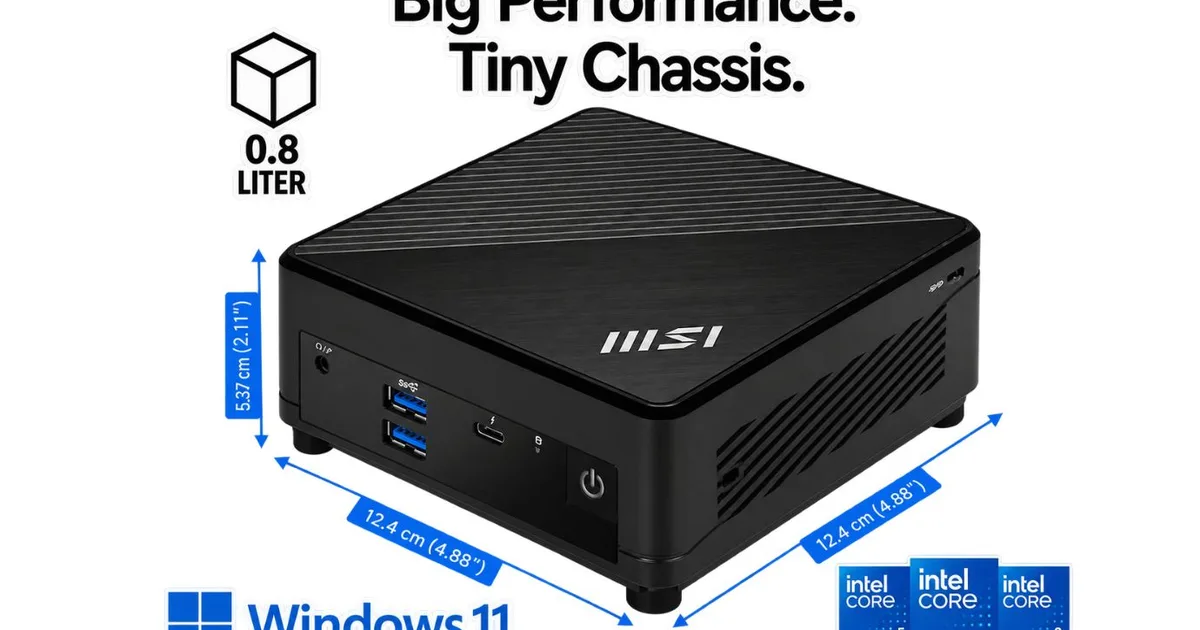
The MSI Cubi 5 1MA is built around exactly that kind of trade-off.
Think about how many things you keep open, not just memory speed
Cubi 5 1MA Expandability and Upgrade Options / MSI
A faster specification is easy to compare on a product page. Multitasking is something you are much more likely to experience in practice.
Imagine the middle of a busy afternoon. There are 20 browser tabs open, a large spreadsheet you have been working through all morning, a presentation waiting for edits, email running in the background, and a video call about to start. None of those tasks individually calls for exceptionally fast memory, but together they need enough RAM to stay readily available.
Simply put, RAM gives your computer working space. The more applications and browser tabs you have open, the more of that space gets occupied. When there is not enough to go around, moving between tasks can become less seamless.
The MSI Cubi 5 1MA supports up to 64GB of DDR4-3200 memory across two slots, giving you considerable headroom as your needs grow. If your budget stretches to more DDR4 capacity than DDR5 capacity, having the extra RAM could prove more useful during a packed day than memory capable of moving data faster.
Faster memory still has its advantages, particularly for demanding gaming and certain specialized workloads. For the spreadsheets, browser tabs, documents, calls, and productivity tools that fill a typical office day, however, capacity can be the more relevant metric.
It saves space without shrinking your setup
Cubi 5 1MA VESA mounting / MSI
A capable work PC does not necessarily need to take up much room either. At just 0.83 liters and around 1.32 pounds, the Cubi 5 1MA takes up a fraction of the space of a conventional desktop tower. Its VESA mounting support means it can even sit behind a compatible monitor instead of occupying valuable room on your desk.
Small does not mean your entire setup has to shrink with it. The Cubi 5 1MA supports up to three displays, giving you room to spread your applications across multiple screens. A spreadsheet could stay visible on one monitor while research fills another and your inbox or video meeting occupies the third, saving you from repeatedly jumping between windows.
There is plenty of room to connect the rest of your setup too. Thunderbolt 4 provides transfer speeds of up to 40Gbps for compatible devices, while HDMI, DisplayPort, and multiple USB connections give you options for monitors, storage, and other peripherals. An M.2 SSD handles primary storage, while a separate 2.5-inch drive bay provides another option if you need more space later.
Depending on the configuration, the MSI Cubi 5 1MA is powered by an Intel® Core™ 7 processor 150U, Intel® Core™ 5 processor 120U, or Intel® Core™ 3 processor 100U. MSI AI Engine can automatically recognize different usage scenarios and adjust performance, sound effects, and display settings accordingly.
For wired networking, dual 2.5G and 1G LAN connections provide additional flexibility. MSI says each system is rigorously tested to meet intensive reliability standards as well, which can offer some added reassurance for a computer expected to handle regular business use.
Make your next PC upgrade count
DDR5 is faster than DDR4, and that extra speed certainly has its place. The more useful question for everyday productivity is whether it is where your money will make the biggest difference.
For the kind of work the MSI Cubi 5 1MA is built to handle, its support for up to 64GB of DDR4 provides another route. You can prioritize the amount of memory your workload calls for while potentially avoiding the higher cost of comparable DDR5.
When memory is expensive, that kind of flexibility matters. Ultimately, the smartest specification is not necessarily the newest one, but the one your workday can actually put to use.