


Even though I’ve mostly used Samsung phones whenever I’ve switched to Android, I’d always replace most of the preinstalled apps with Google’s alternatives. In fact, the first thing I used to do was uninstall Samsung Internet and replace it with Google Chrome since I already relied on Chrome on my PC. Nowadays, though, I also use an iPhone for work and Microsoft Edge on my desktop, so I’m not nearly as connected to Google’s ecosystem as I once was.
So when I switched to the Galaxy Z Flip 5 a couple of years ago, I wanted to give Samsung’s native apps a fair shot. To my surprise, they were all much better than I remembered from the Galaxy S4 days. Some of them even offered features that Google’s apps still don’t, whereas others simply felt better suited to OneUI. Now, I haven’t completely ditched Google because I still rely on Google Maps and Google Messages every day, but these Samsung apps have stopped me from replacing them out of habit.
Related
These are the first 5 apps I remove from any new Android phone, no matter the brand
Begone bloatware!
Samsung Browser
Chrome feels oddly limited on Android
Google Chrome was fine for the longest time since it was the browser I already used on my PC, so keeping everything synced across my devices was all that mattered to me. But now that I use Edge on my PC and Safari on my iPhone, I have no reason to stick with Chrome out of habit anymore. And now that I’ve given Samsung Browser a fair chance, I actually think it does a couple of things better than Chrome, which now feels a bit basic by comparison.
For starters, it supports ad blockers, which isn’t something I’d ever expect Google to add to Chrome. Then, there’s Video Assistant, which lets me open videos in Samsung’s own player, which usually has cleaner controls than the one embedded on the site. I also like how I can remove or reorder items in the toolbar. At this point, I’d rather use a browser that embraces One UI instead of one that feels largely the same on every Android phone.
Samsung Notes
This is what I always wanted Google Keep to be
Google Keep, for whatever reason, has always felt more like a collection of digital sticky notes than a proper note-taking app. Sure, it’s great for quick notes, shopping lists, and saving ideas before you forget them, but I never found myself using it for anything more substantial. On the other hand, Samsung Notes can handle just about everything I’d want from a note-taking app. In fact, it even made me wish I had gotten a Z Fold with an S Pen so that I could use the handwriting-to-text feature.
Even without S Pen support, I don’t feel like I’m missing out on much. For instance, I can use Galaxy AI’s Note Assist to quickly format, summarize, and translate notes. I also love that I can annotate PDFs without leaving the app. My favorite feature, though, is that I can record audio while taking notes and jump back to the exact point in the recording by tapping what I wrote. For the way I take notes, Samsung Notes gets everything right.
Samsung Gallery
Google Photos is better at backup, but not at being a gallery
There’s no doubt that Google Photos is one of the best ways for Android users to back up all their photos and videos. But now that I have separate phones for work and personal use, I don’t want my Z Flip 5 automatically uploading everything to the cloud as my iPhone does. So the last thing I need is a photo app that revolves around cloud storage. Samsung Gallery gets this right with its local-first approach, while still giving me the option to sync everything with OneDrive if I ever need it.
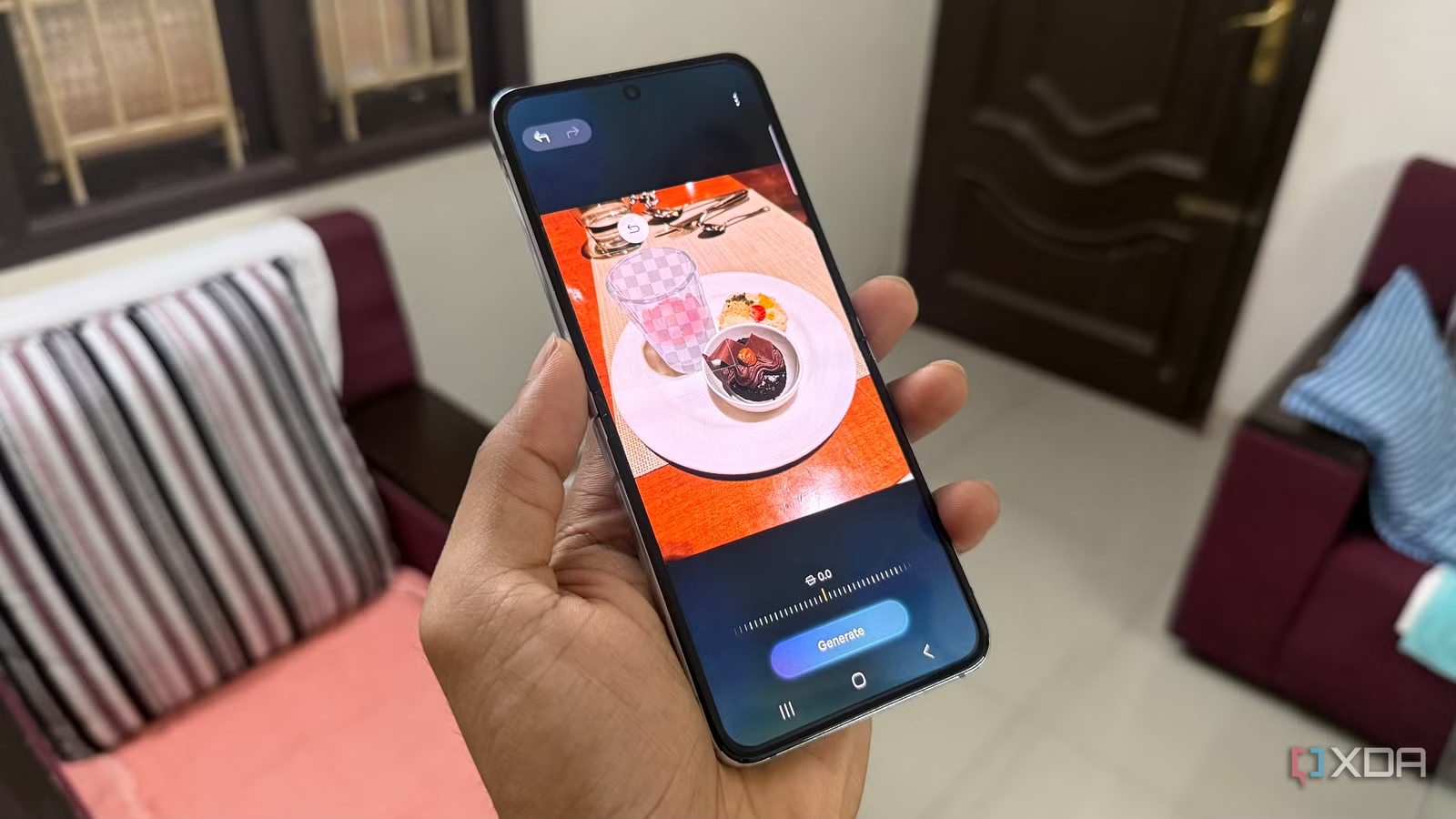
While that’s what won me over, Samsung Gallery gives me enough reasons to keep using it. First of all, its tight integration with One UI is obvious. I also love using the Generative Edit feature to quickly remove unwanted objects from photos. Even when it’s tricky, it usually does a great job of filling in the background, saving me from needing a dedicated editing app. Of course, Google Photos still has the edge if your priority is accessing photos across your devices, but since I prefer storing everything locally on my Z Flip 5, the native Samsung Gallery app works better for me.
Samsung Calendar
Why install Google Calendar when this syncs anyway?
Unlike the other apps on this list, I never had a problem with Google Calendar. It kept my events synced across devices, worked well with Gmail, and did everything I needed from a calendar app. But now I realize there’s really no point in installing another calendar app when the built-in one can access the same Google calendars once I add my account to the phone.
Any event I create under my Google account still appears everywhere else, including Samsung Calendar and Apple Calendar, so I’m not sacrificing any of the cross-platform convenience. If anything, I prefer Samsung’s interface because it’s more consistent with the rest of One UI, and the darker OLED-friendly interface is just easier on my eyes. I also like that it offers a year view, which Google Calendar still lacks. Overall, I just don’t feel like I’m gaining anything by installing Google Calendar.
I’m not writing off Samsung’s preinstalled apps again
I know Samsung has a reputation for filling its phones with duplicate apps, and to be fair, some of them still deserve that criticism. But these apps reminded me that just because there’s a Google alternative doesn’t mean it’s automatically the better choice. Give them a fair chance, and you’ll see why they work better on Samsung phones. I still remove apps like Samsung Global Goals and Samsung TV Plus, but at least I now try them out before deciding whether they’re worth keeping.
Related
5 lesser-known Samsung Galaxy apps I wish I’d discovered years ago
These apps enhance the Samsung Galaxy experience.